This is a big one — nine updates just dropped for Turnkey eCommerce™, and they’re all designed to help your clients sell more, work smarter, and run their stores with greater control. 🎉 From performance dashboards and revenue-boosting shipping features to operational workflow upgrades and checkout enhancements, there’s something in here for every store.
Let’s break it all down.
What’s New? 🚀
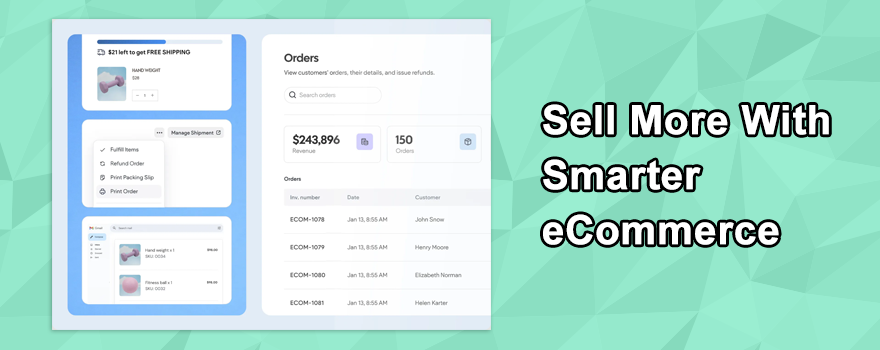
Store stats: A clear snapshot of performance
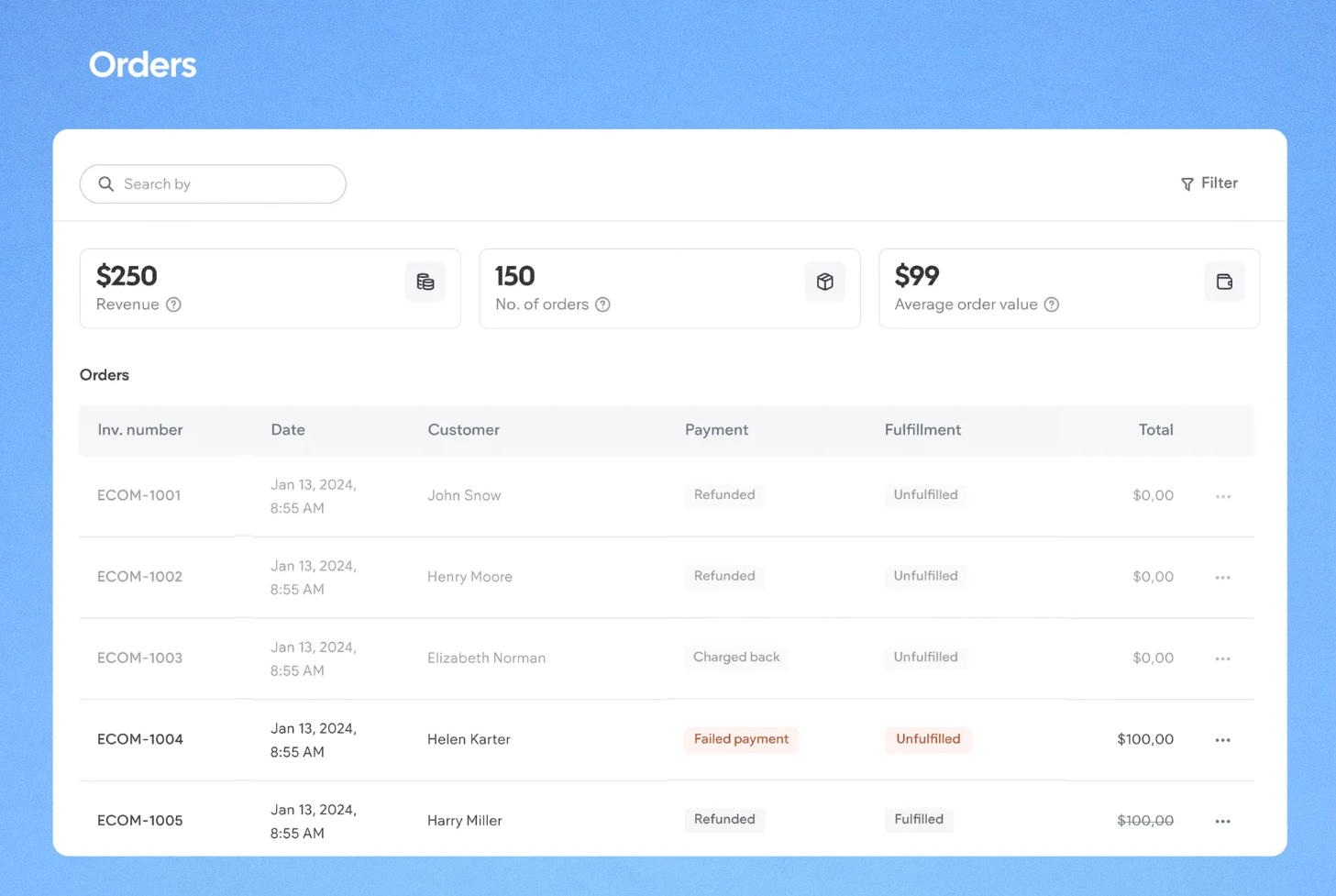
Your clients can now view key metrics directly from the Orders dashboard. No more digging through reports for basic numbers:
- Revenue (total sales) for any selected timeframe
- Number of orders placed
- Average order value (AOV), calculated automatically
This makes it easy to monitor trends, track volume, and make faster decisions.
Free shipping progress bar
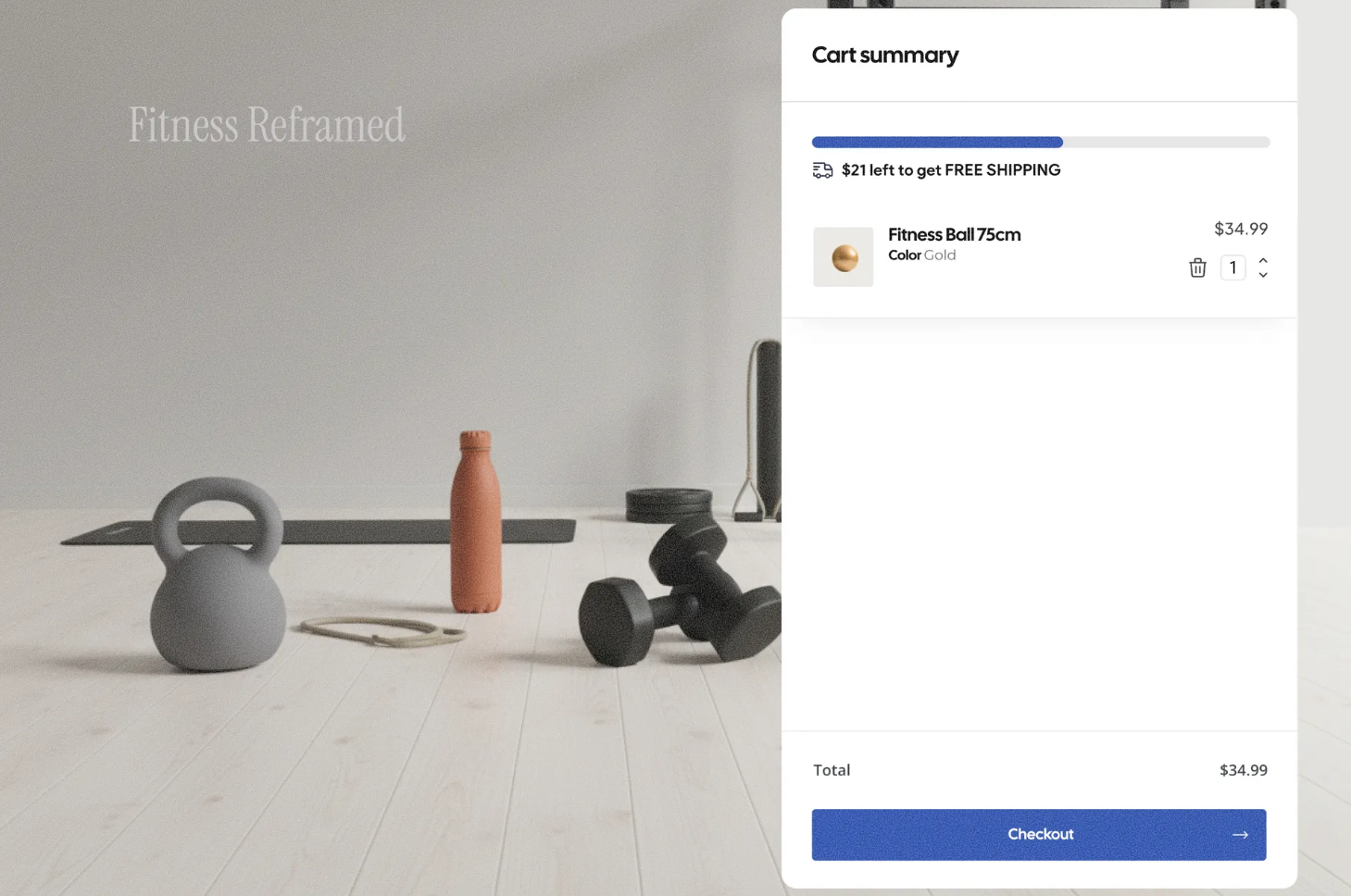
One of the strongest purchase motivators just got a visual boost. A new progress bar in the cart shows customers exactly how much more they need to spend to unlock free shipping:
- Encourages upsells by making the threshold visible
- Increases cart value and improves conversion rates
- Adds clarity to the shopping experience without any extra effort
Shipping by price: Threshold-based rules
A new Rate by Price option makes shipping configuration far more flexible. Your clients can now set:
- Free shipping above a minimum order value
- Flat rates based on order total
- Structured price ranges with a final “And up” tier
Customers see one clear shipping rate at checkout based on the rules you define — simple and transparent.
Print a full order summary
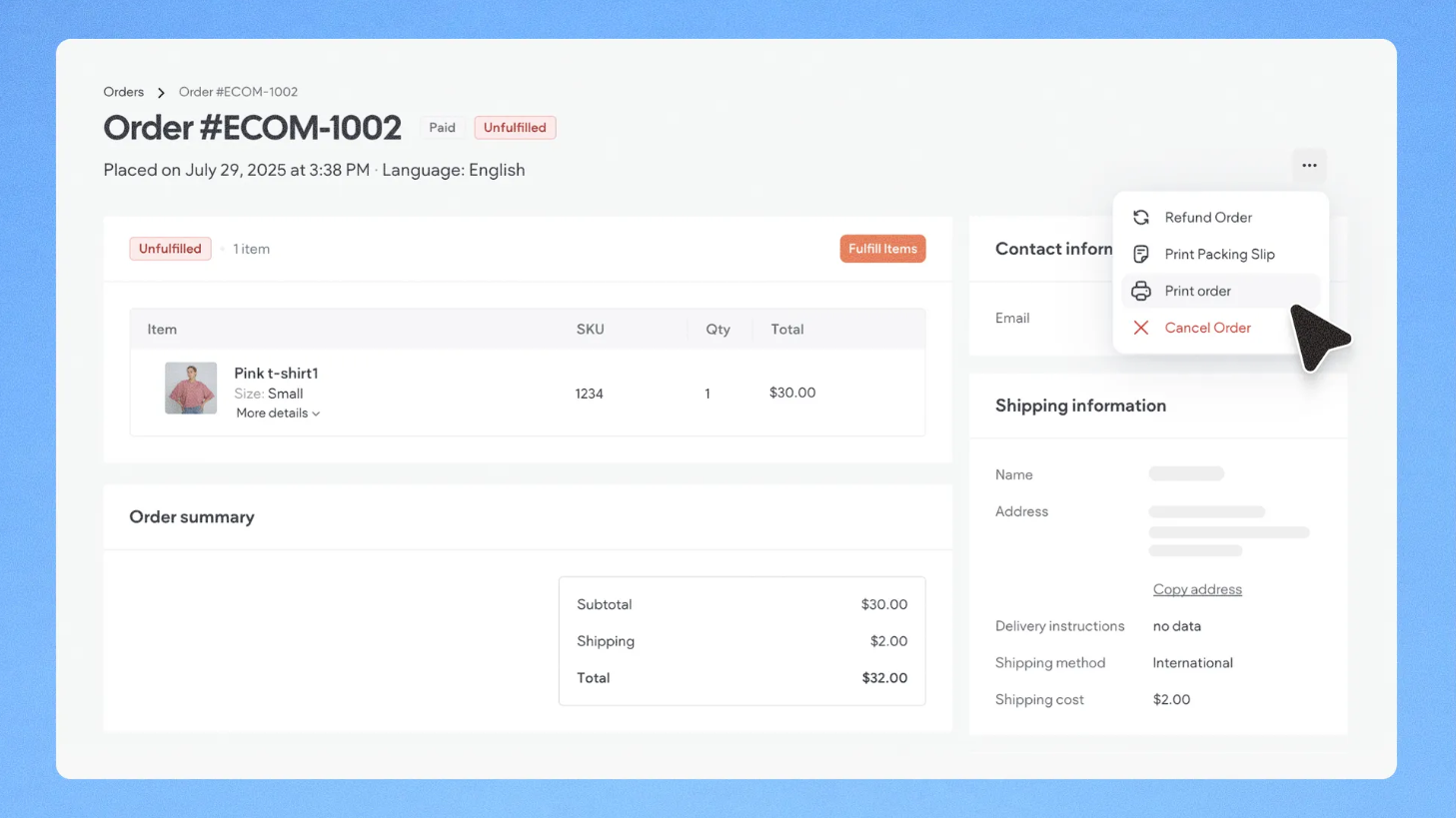
Merchants can now print a complete order summary directly from the Order Details page. Unlike packing slips, this includes the full financial breakdown:
- Itemized pricing, taxes, shipping costs, and discounts
- Final totals and a complete order summary
- Ideal for bookkeeping, reconciliation, and in-store operations
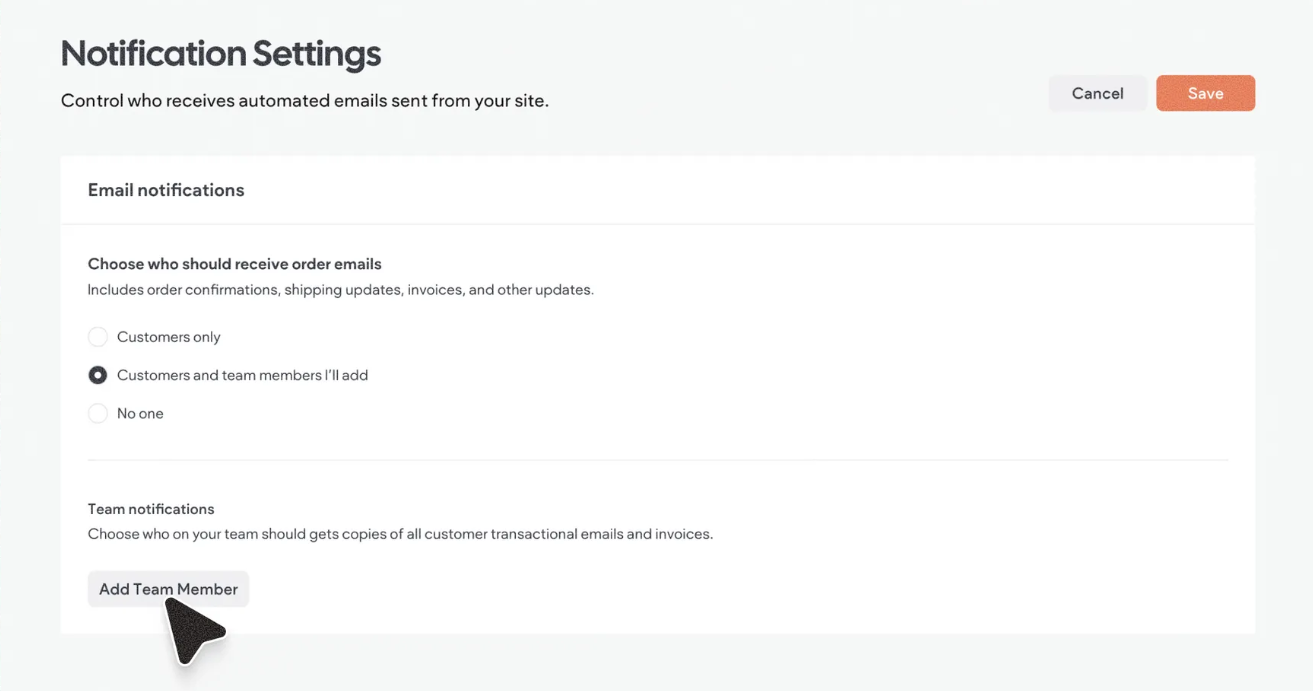
Greater control over customer emails
Automated store email settings now offer three flexible options.
- Customers only: notifications go exclusively to buyers
- Customers and selected team members: designated staff receive copies
- No one: disables automated emails entirely (for third-party email setups)
Find these in the site dashboard under the Customer Emails tab.
Digital product download expiration
Store owners can now set expiration policies for digital product download links.
- No expiration — links stay valid indefinitely
- Expire after X days — set a custom validity window
- Default is 30 days, fully adjustable per store
- Applies automatically to all future digital orders
Customers see a note in their order email with the download link validity.
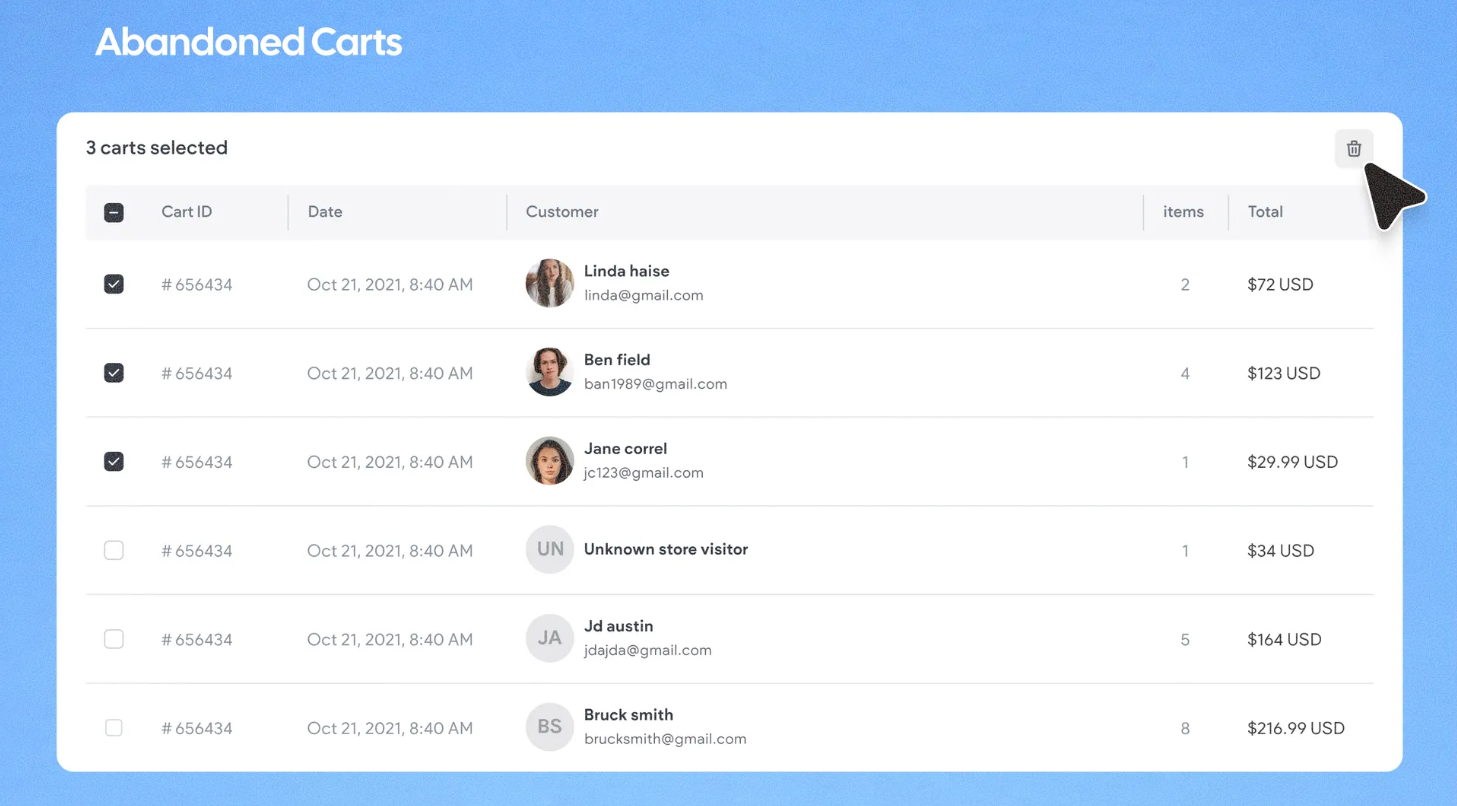
Delete abandoned carts in bulk
Merchants can now clear a single abandoned cart or bulk delete multiple carts in one action. This keeps dashboards clean and helps teams focus on real recovery opportunities.
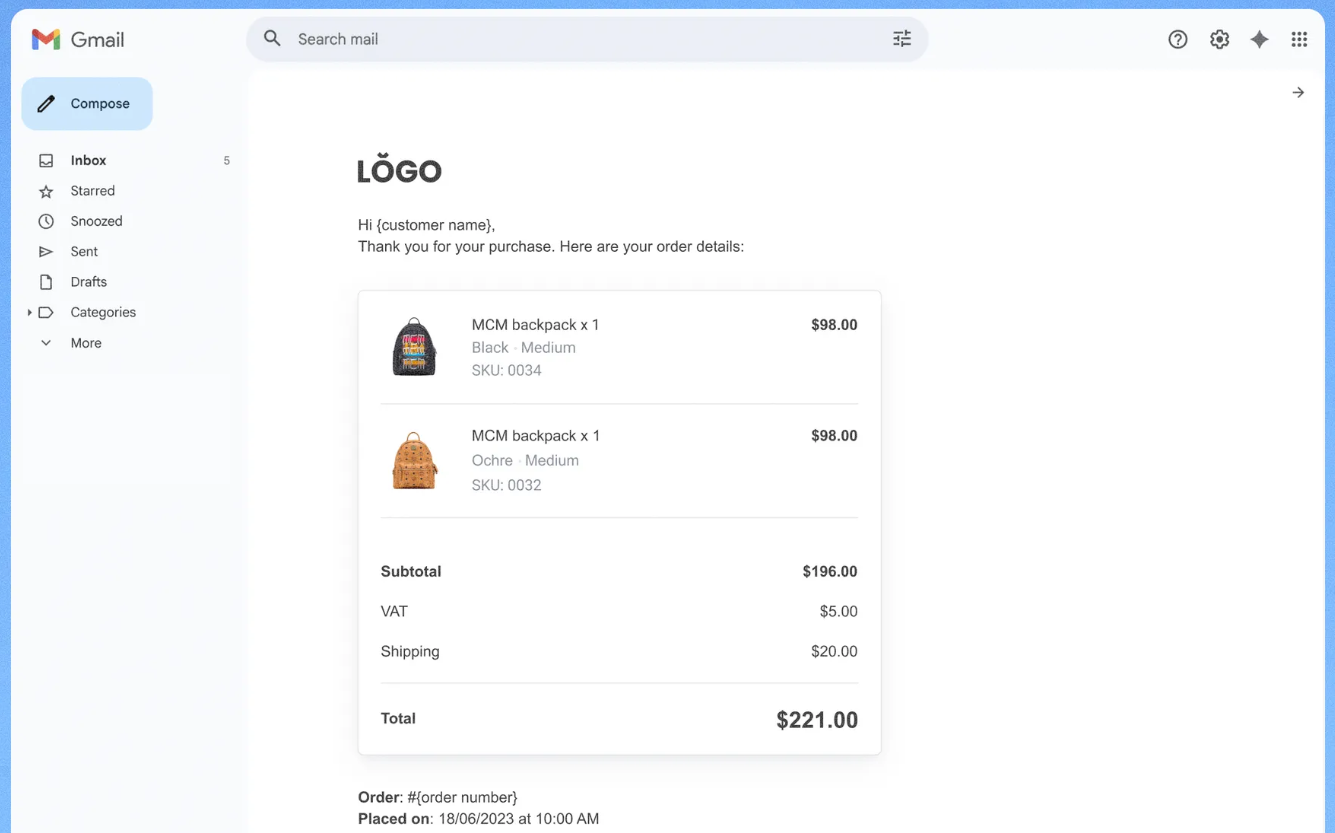
SKU in customer communications
Product SKUs now appear in order confirmation emails, related order emails, and invoices — improving operational accuracy and documentation across the board.
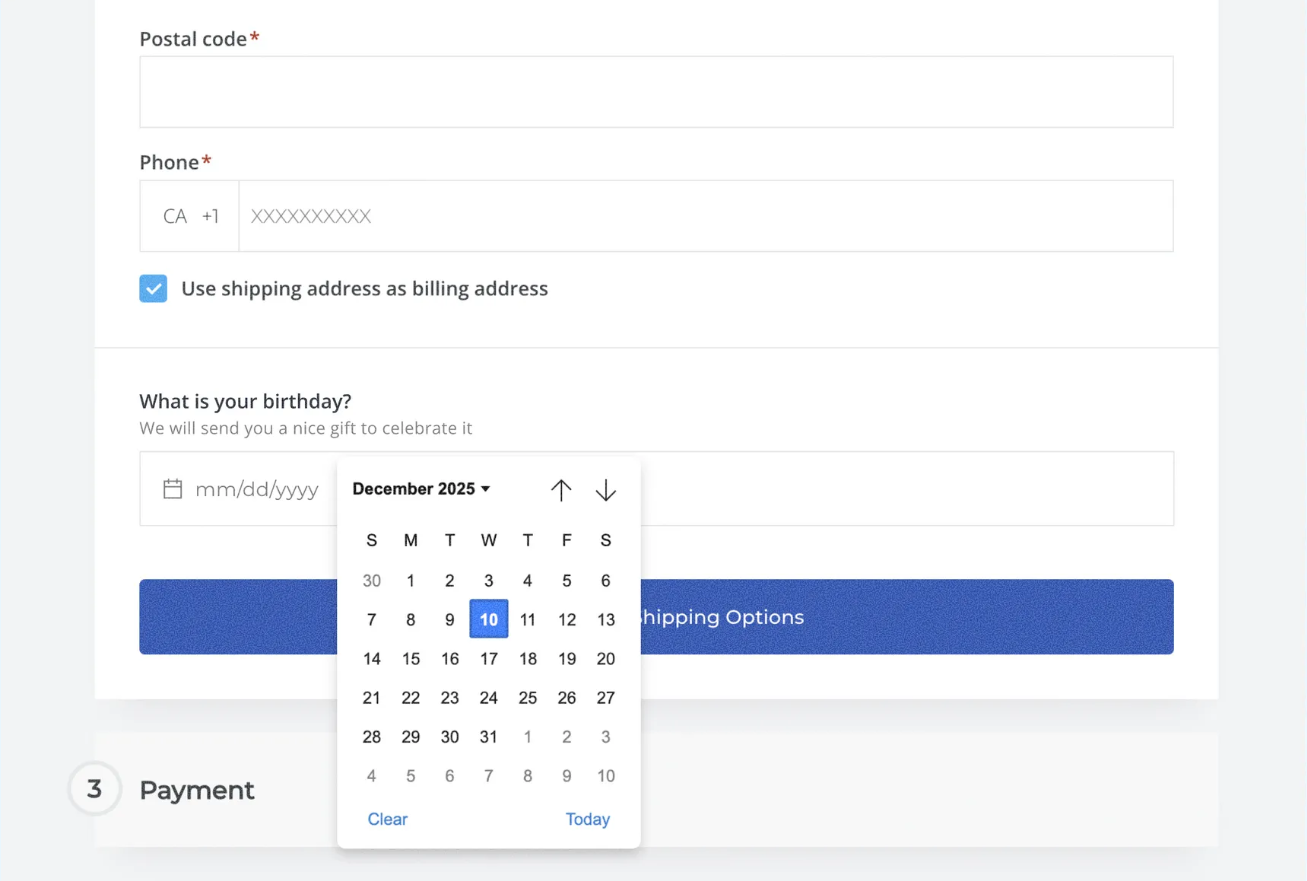
Date & time picker at checkout
A new date and time picker field can be added directly to checkout. Perfect for:
- Delivery date and time selection
- Pickup scheduling
- Birthday collection
No more manual follow-ups or unclear order notes — structured scheduling data is captured right at the point of purchase.
How It Works 🛠️
Most of these features are ready to configure right from your store dashboard!
- Store stats — Head to the Orders dashboard to see revenue, order count, and AOV instantly
- Free shipping bar — Set your free shipping threshold and the progress bar appears automatically in the cart
- Shipping by price — Go to Shipping Settings and configure Rate by Price rules with your desired tiers
- Print order summary — Open any order’s details page and hit Print
- Email controls — Navigate to site dashboard then Customer Emails to choose your notification preferences
- Download expiration — Set your policy in the digital product settings within the catalog
- Abandoned carts — Select one or multiple carts and delete directly from the dashboard
- Date & time picker — Add the field to your checkout configuration
Everything is designed to be set up in minutes and start working immediately.
Why You’ll Love It 💡
Taken together, these nine updates tackle both sides of the equation — driving more revenue and simplifying daily operations.
- Built-in stats give you instant visibility into store performance without third-party tools
- The free shipping bar and threshold-based shipping rules are proven AOV boosters
- Printable order summaries and SKU visibility streamline bookkeeping and fulfillment
- Flexible email controls and download expiration policies let stores work the way they already operate
- Bulk cart cleanup and checkout scheduling remove friction from everyday management
Less time managing, more time growing. And this is just the beginning — more Turnkey eCommerce™ updates are on the way. 🔥
Ready to put these updates to work? Dive into your Turnkey eCommerce™ dashboard, explore what’s new, and start boosting your clients’ stores today! 🚀✨
What's your Reaction?
You have reacted on"Turnkey eCommerce™ Updates Boost Store Growth 🛒🚀"
A few seconds ago


 Subscriptions
 My Orders
 My Wishlist
 Refer & Earn💸
 My Projects
 Conversations
 Website Services
 New Website Request
 Website Addons
 eCommerce Addons
 eCommerce Modules
 Software Development
 Graphic Design
 Video Production
 Content Writing
 Marketing Services
 Marketing Products
 Get a Marketing Plan
 Local SEO Audit
 Sales Automation
 Service Automation
 Operations Automation
 Marketing Automation
 Payments Automation
 Premium Modules
 Support Tickets
 Latest Updates
 Consultation Calls
 Tools & Extensions
 Tech Tips & Tricks
 Domains & Emails