What’s New? 🚀
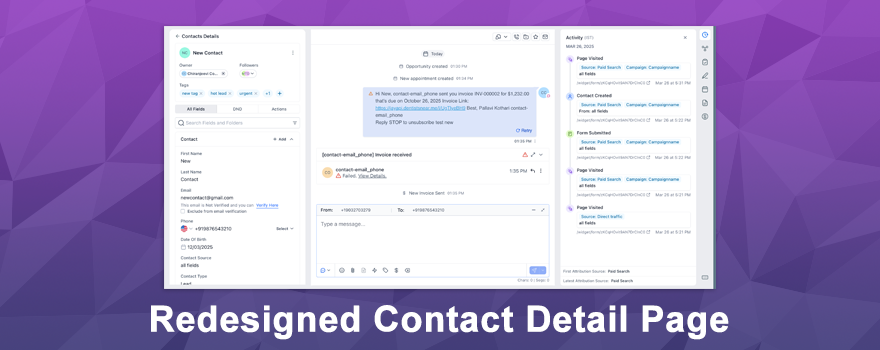
The Contact Detail Page just got a complete makeover—and it’s absolutely brilliant! 🎉 This isn’t just a visual refresh; it’s a total rebuild designed to make managing customer relationships faster, simpler, and more powerful. From a modern unified layout to game-changing auto-save functionality, every detail has been refined to help you work smarter, not harder.
How It Works 🛠️
The redesigned Contact Detail Page brings a host of powerful features that transform how you manage contacts:
Modern, Unified Design
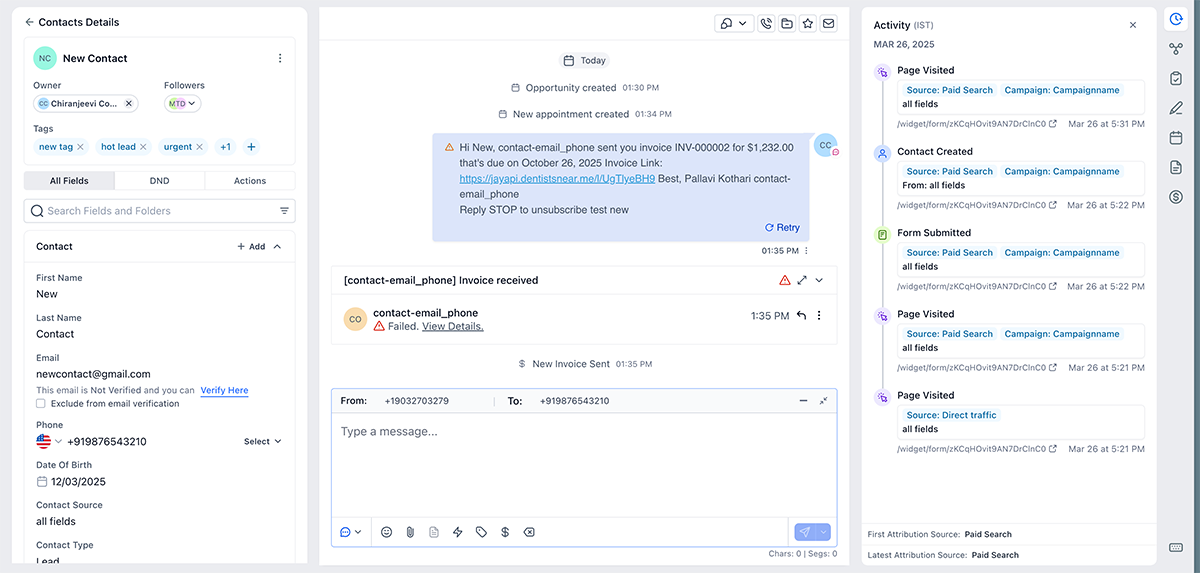
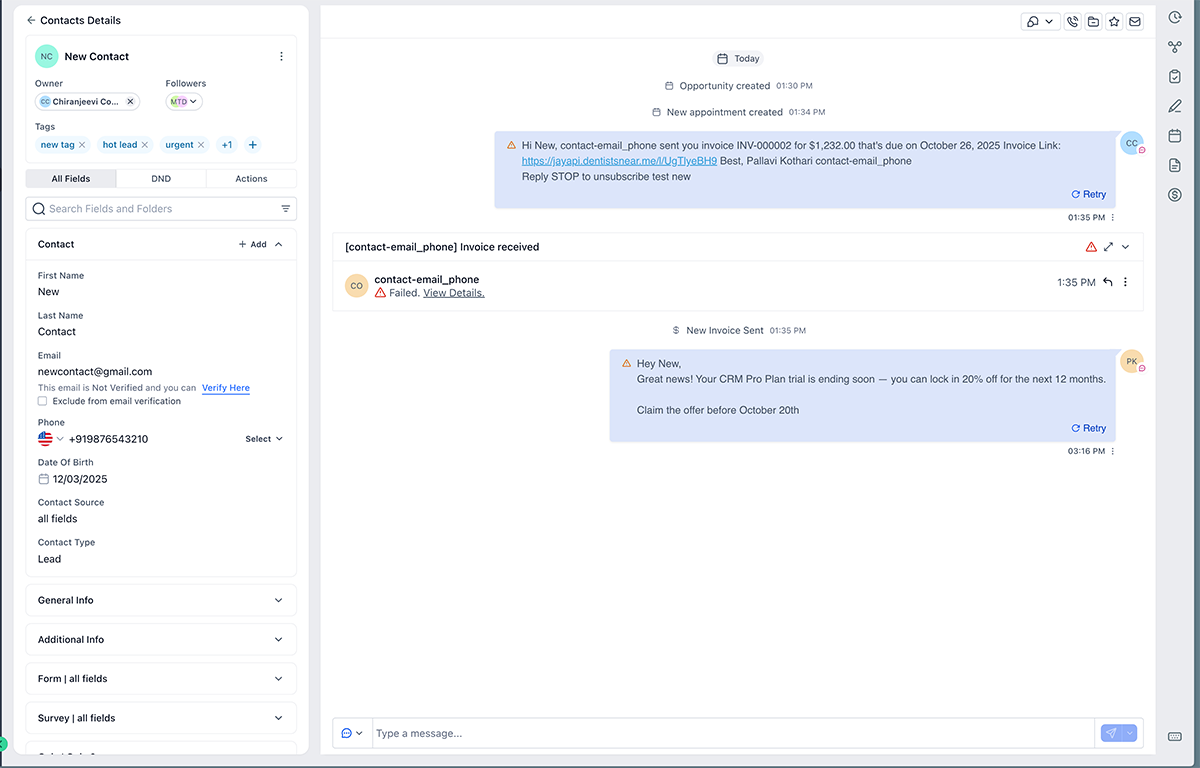
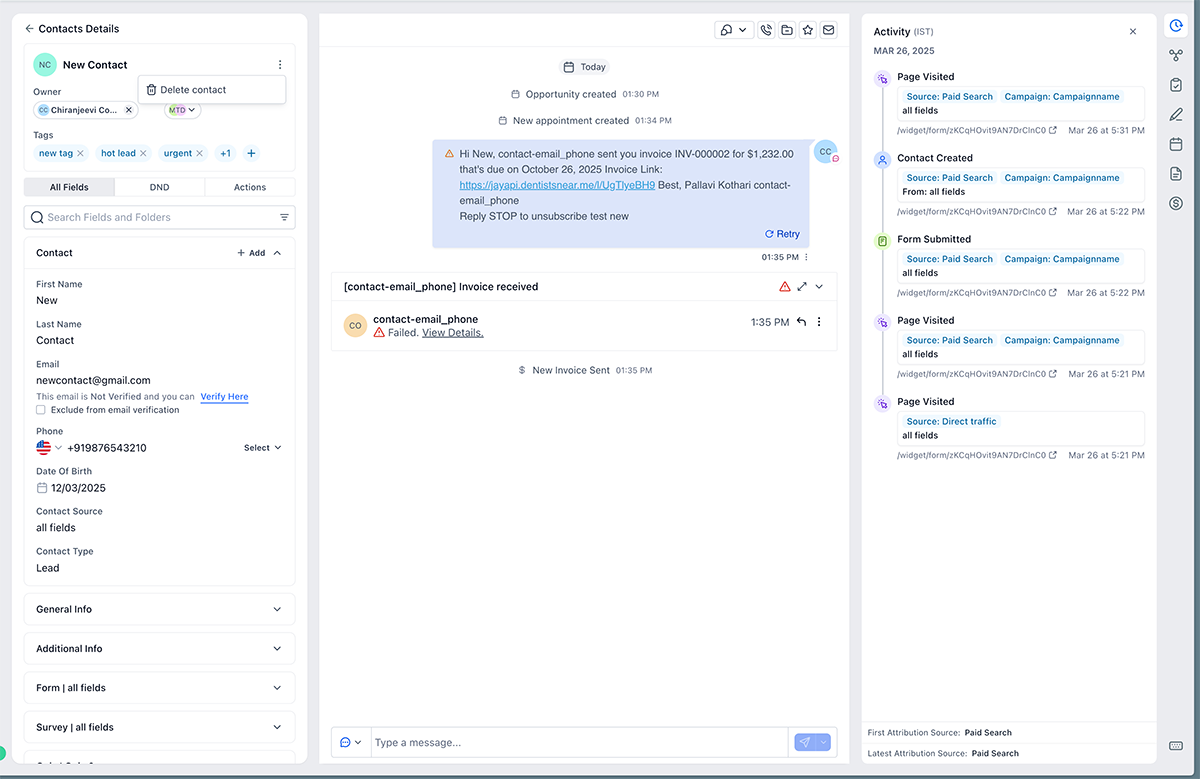
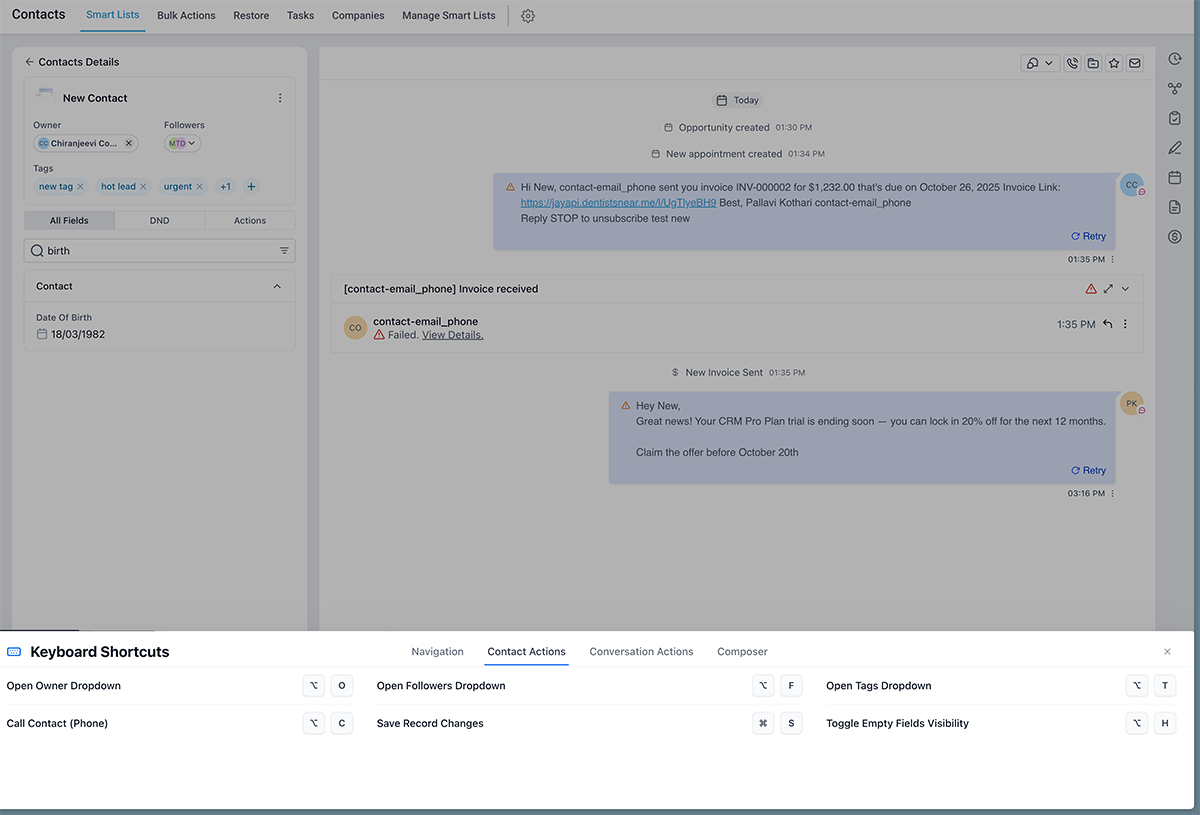
Experience a clean, consistent layout built on the latest design system. All key details like Name, Owner, Tags, and Followers are now front and center where you need them.
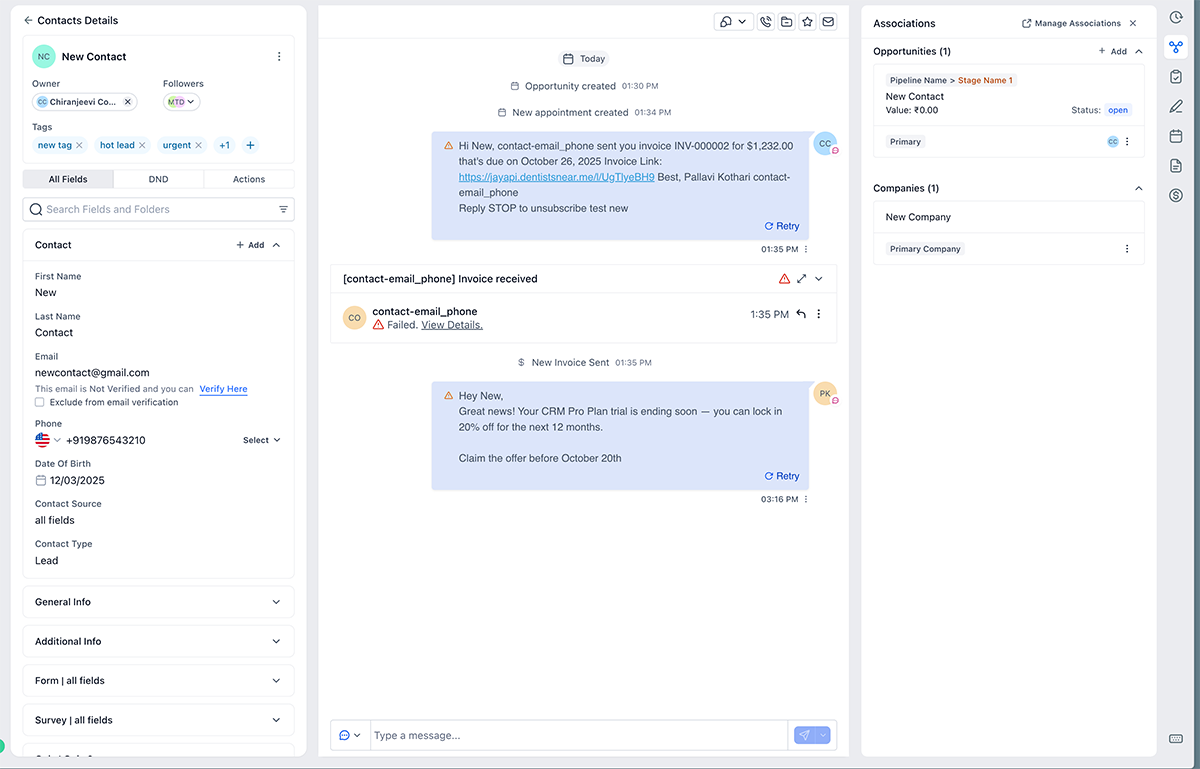
Companies, Opportunities, and Custom Objects are grouped together in one unified Associations panel—no more tab hopping or losing context. The central panel displays the updated Conversations panel, keeping everything you need in one seamless workspace.
Game-Changing Auto-Save
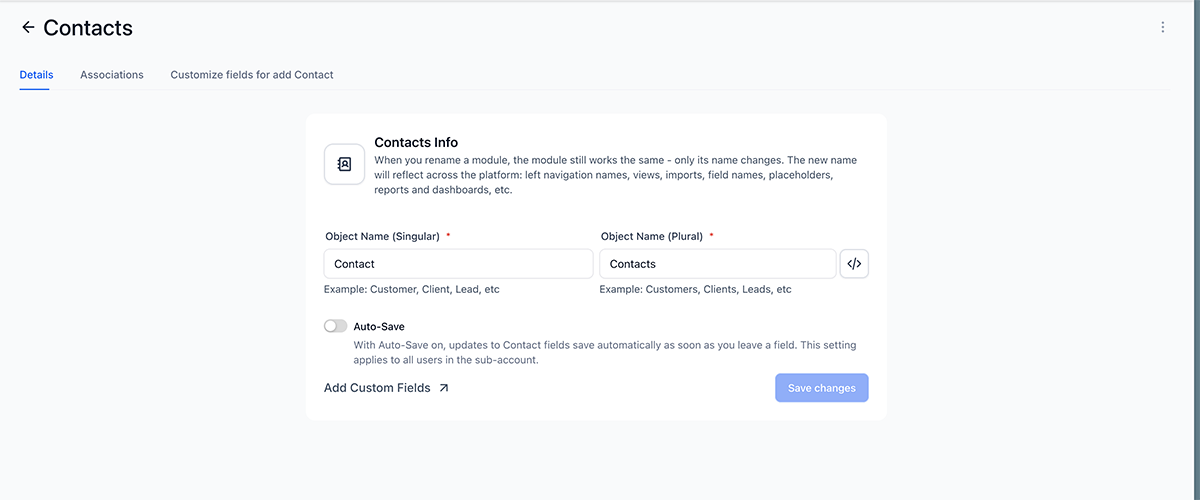
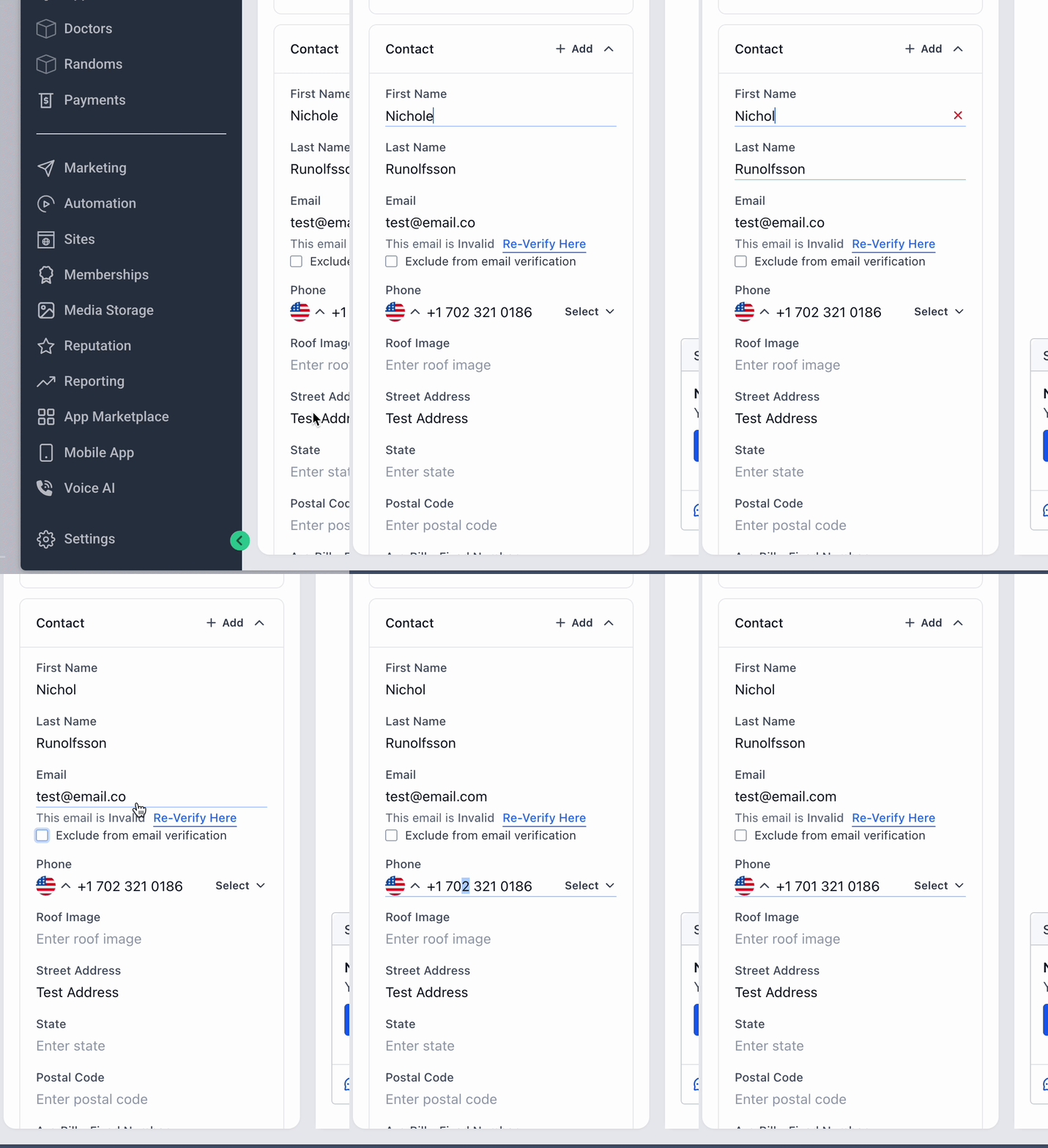
This is huge. Changes are now saved automatically the moment you leave a field—no more clicking Save or worrying about lost edits 💡
Admins have complete control, too. You can enable or disable Auto-Save for your entire sub-account anytime under Settings → Objects → Contacts. Perfect for teams handling large contact lists or needing data consistency across users!
Lightning-Fast Performance
The page now loads faster with smoother transitions throughout. Collapsible panels remember your layout preferences, so your workspace adapts to how you work. Every interaction feels instant and responsive 🚀.
Simplified Navigation
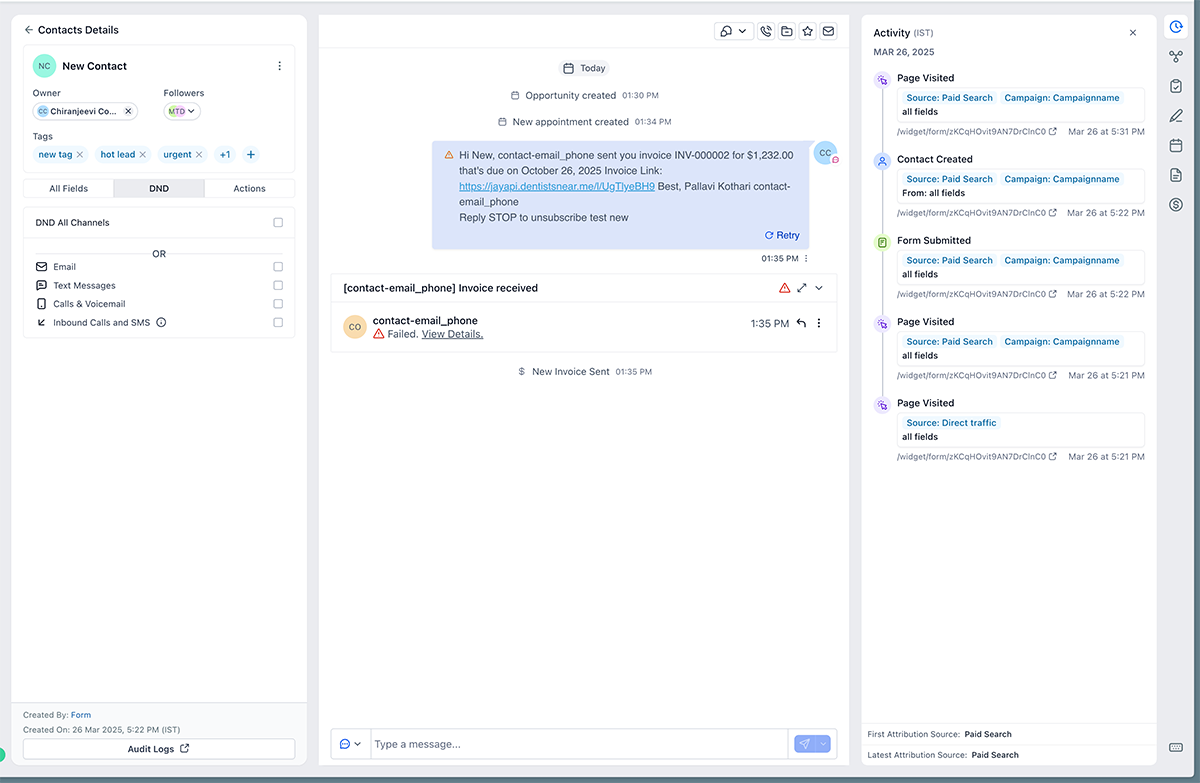
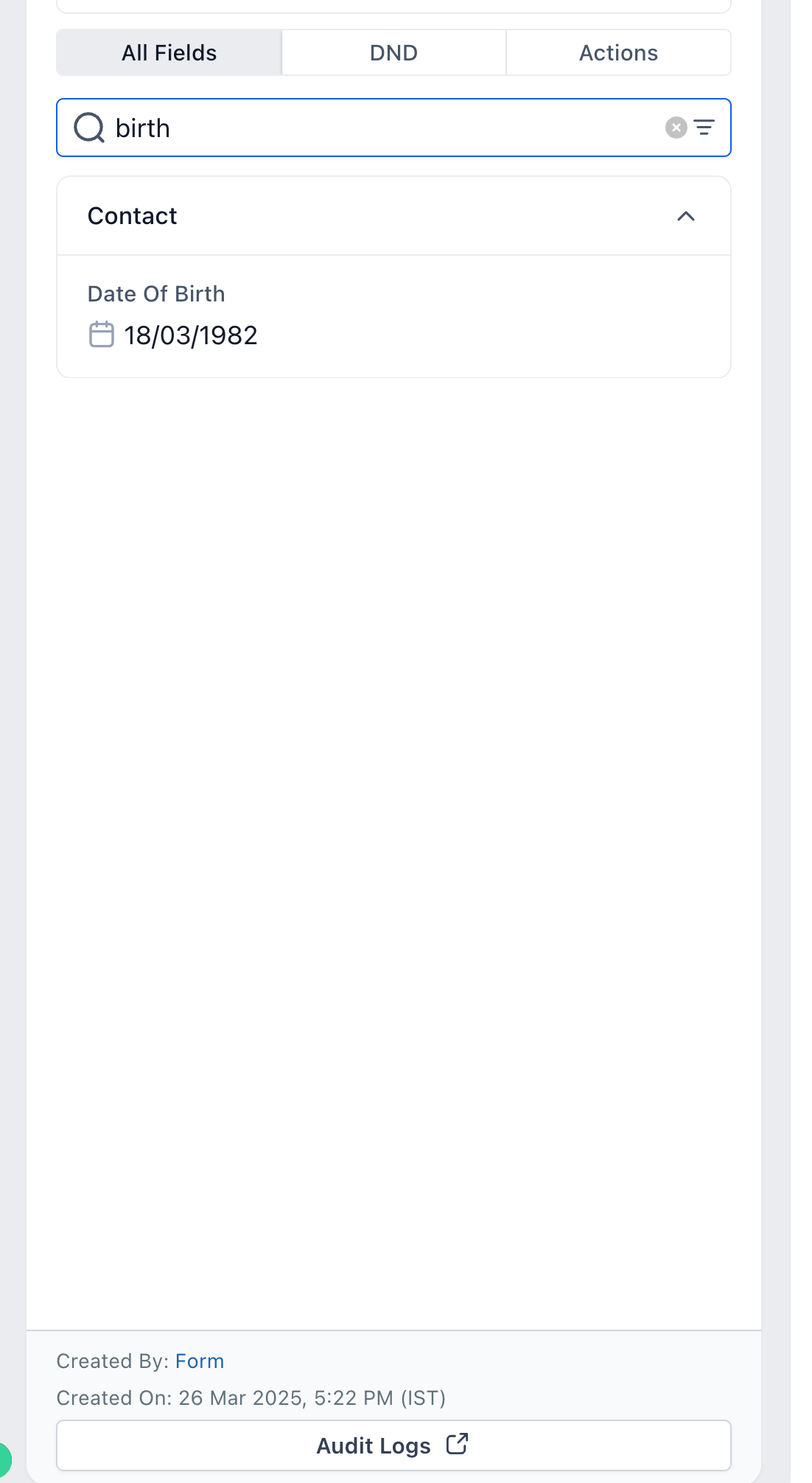
Finding what you need is now effortless. Dedicated tabs for All Fields, DND, and Actions keep everything organized. You can easily search and filter fields or hide empty sections for a cleaner workspace.
Actions Right Where You Need Them
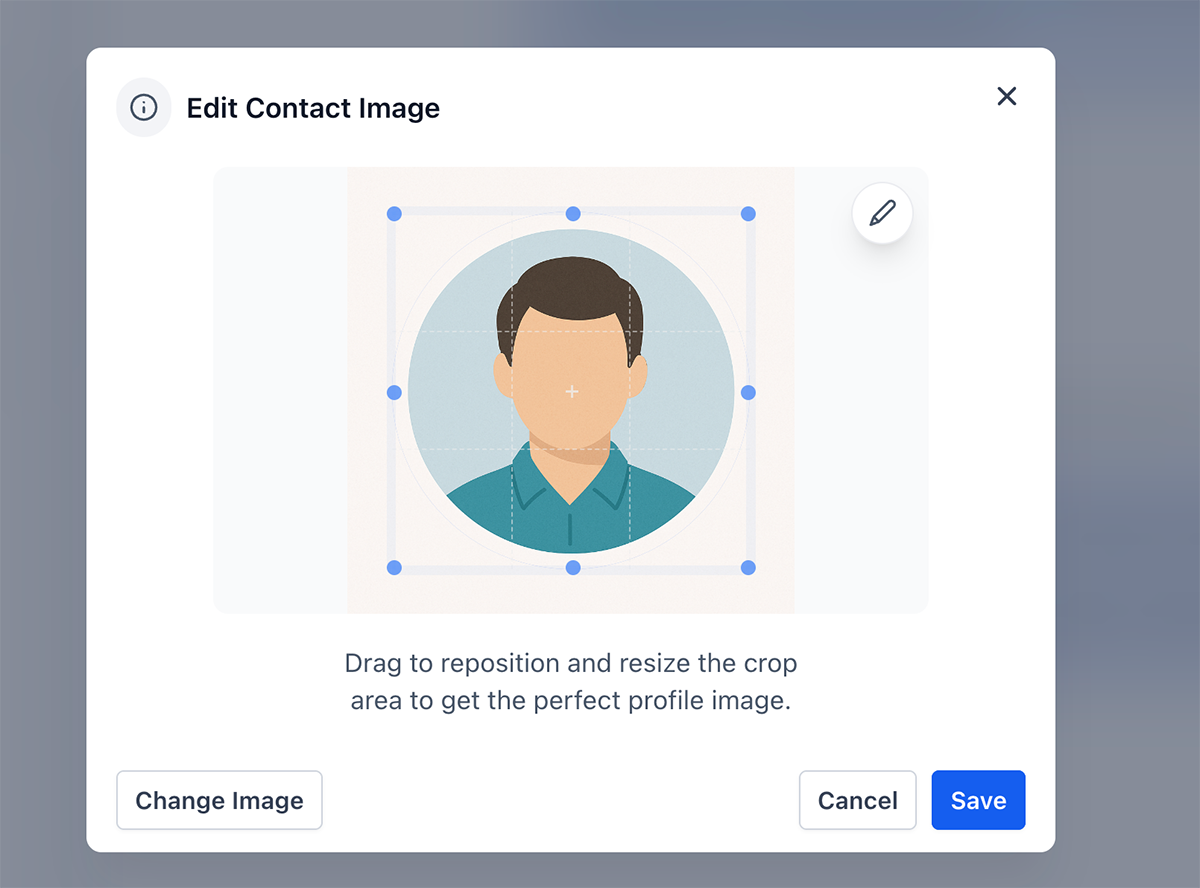
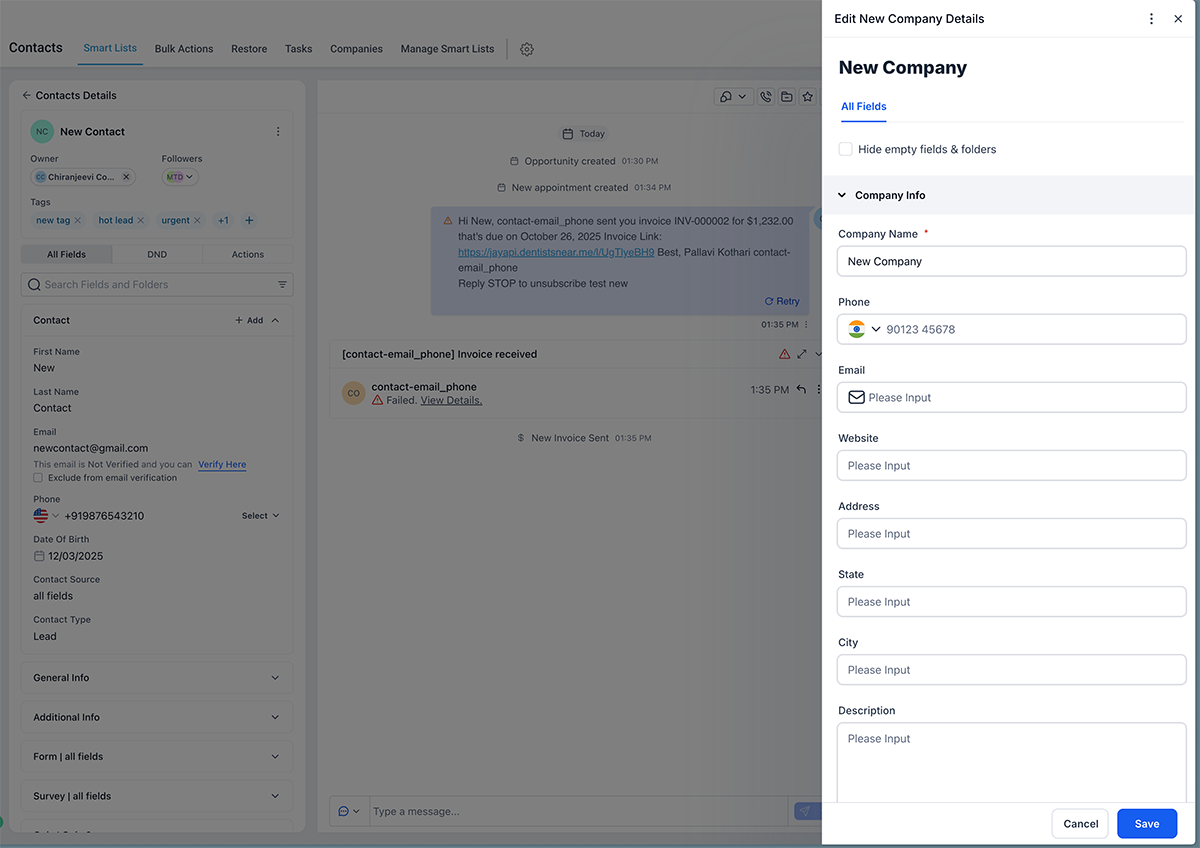
Update or delete contacts directly from the left panel. Edit profile pictures from the same page. Add or edit Opportunities, Companies, and Custom Objects inline—no switching pages or losing your place. Everything happens right where you are.
Productivity Boosts
Navigate between contacts using keyboard shortcuts. A sticky Save bar keeps you focused during editing sessions. Plus, your preferences (accordion states, open panels) persist between sessions, so your workspace always looks exactly how you left it.
Why You’ll Love It 💡
This redesign eliminates friction at every turn. You’ll accomplish the same tasks with fewer clicks, faster navigation, and a consistent layout across your entire CRM.
No more lost edits or forgotten saves—auto-save and smart prompts have your back. Everything from tasks to payments is right where you need it, making your workflow seamless and intuitive. This is your most-used CRM page transformed into your most-loved page.
What’s Coming Next?
The next phase brings customization! Soon, admins will be able to choose which fields appear in the left pane, reorder or move tabs on the right panel, and add an Overview or Widget section to the center layout.
Ready to experience the new Contact Detail Page? Dive in and discover how much faster and easier contact management can be—your workflow is about to get a serious upgrade! 🚀💡


 Subscriptions
 My Orders
 My Wishlist
 Refer & Earn💸
 My Projects
 Conversations
 Website Services
 New Website Request
 Website Addons
 eCommerce Addons
 eCommerce Modules
 Software Development
 Graphic Design
 Video Production
 Content Writing
 Marketing Services
 Marketing Products
 Get a Marketing Plan
 Local SEO Audit
 Sales Automation
 Service Automation
 Operations Automation
 Marketing Automation
 Payments Automation
 Premium Modules
 Support Tickets
 Latest Updates
 Consultation Calls
 Tools & Extensions
 Tech Tips & Tricks
 Domains & Emails