Booking a service should feel effortless — for you and your customers. 🎉 That’s exactly what this round of updates delivers. We’ve improved the in-app booking experience, added more control over appointment titles, and refined the customer-facing booking page to be cleaner, clearer, and more reliable. Small changes, big impact.
What’s New? 🚀
These enhancements span three key areas — your in-app workflow, appointment titles, and the customer booking page. ✨
In-app enhancements for businesses
The day-to-day booking workflow just got noticeably smoother.
- Country code is now auto-selected based on your business location when entering phone numbers
- The logged-in user is automatically selected as the default staff member when creating a booking
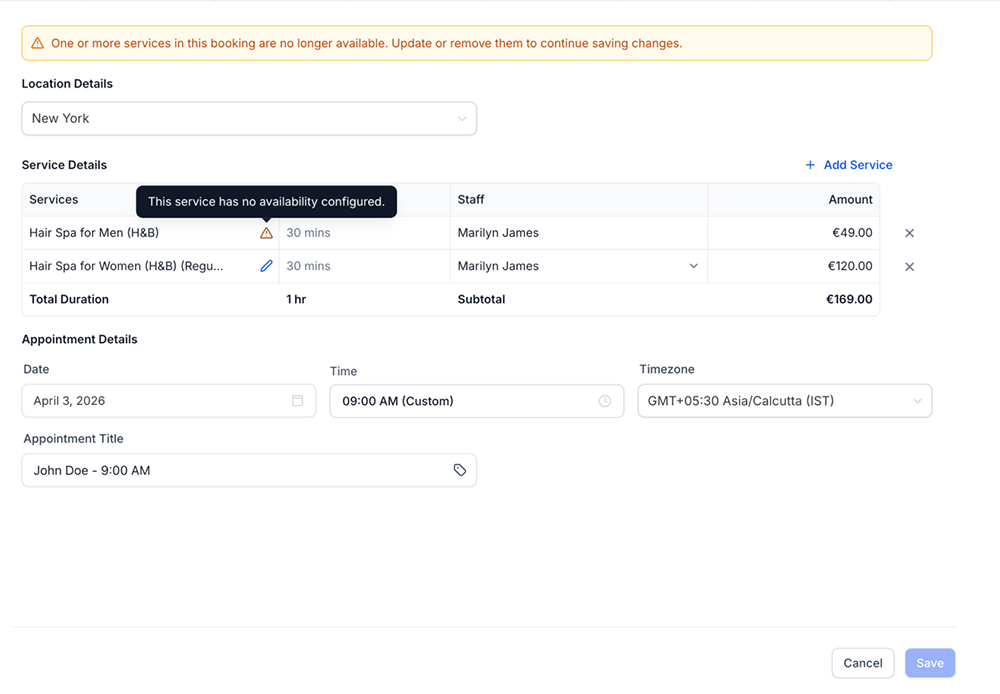
- If a service is no longer available, a clear banner alerts you and unavailable services are highlighted before saving
No more manual corrections or accidental bookings on inactive services.
Appointment title enhancements
Keeping appointment titles consistent across calendars, notifications, and integrations used to mean a lot of manual work. Now it’s automatic.
- A new custom value selector lets you add dynamic values like contact name, service, or location directly into appointment titles
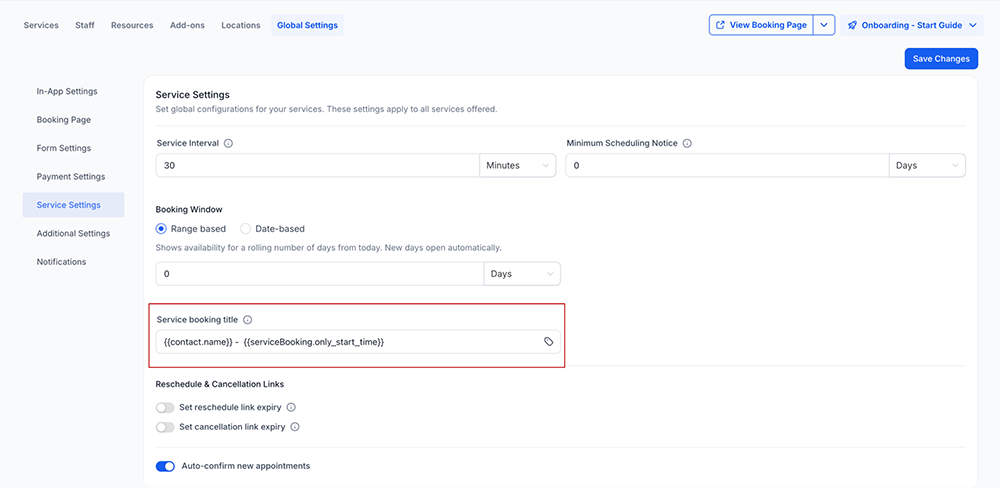
- Set a default appointment title format globally from Services → Global Settings → Service Settings
- The global format applies across all service bookings for a clean, consistent look everywhere
Set it once and every booking follows the same structure.
Booking page enhancements for customers
Your customers’ booking experience is now cleaner and more transparent.
- Category and location filters are automatically hidden when only one option exists, reducing unnecessary clutter
- Location details only appear when relevant, keeping the flow focused
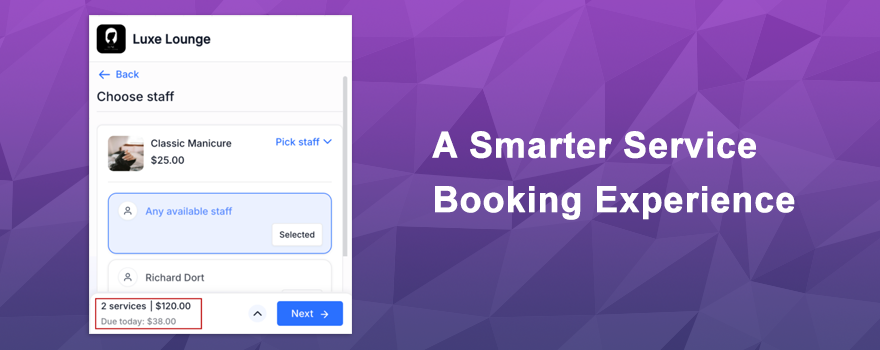
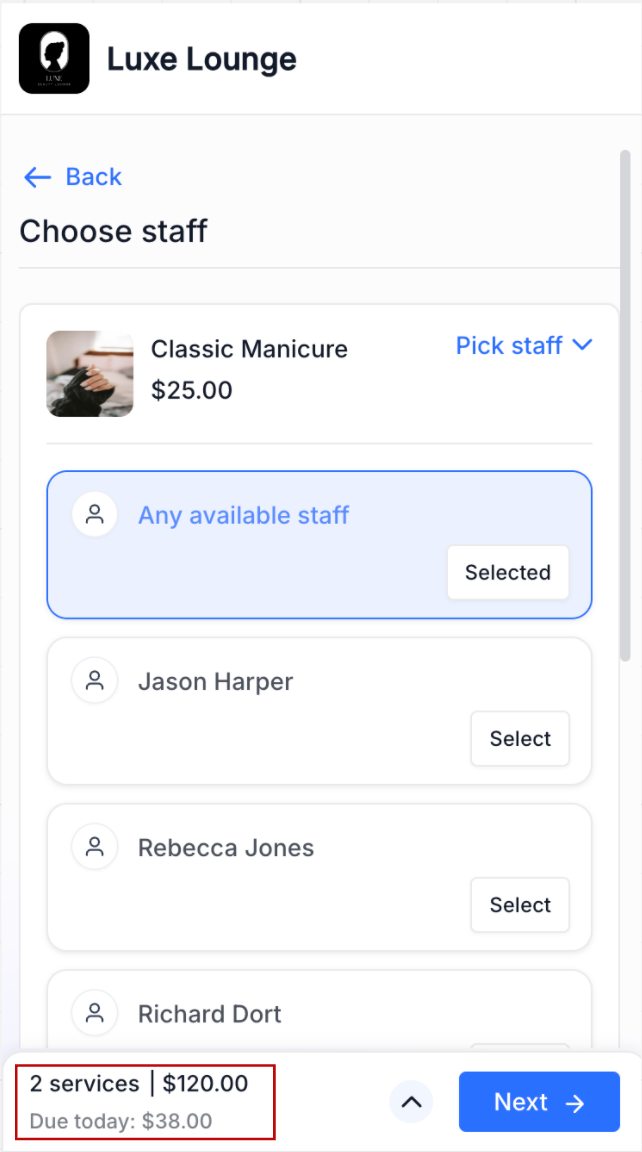
- On mobile, the upfront payment or deposit amount is now clearly displayed for Card on File bookings
Less noise, more clarity — exactly what customers need to book with confidence.
How It Works 🛠️
Most of these improvements work automatically — no setup required!
- Phone country codes auto-detect based on your business location the moment you create a booking
- Default staff selection kicks in when you’re logged in and creating a new booking
- Service availability alerts appear automatically when a service has been deactivated or is no longer available
- Appointment titles can be configured globally under Services → Global Settings → Service Settings — add dynamic values and set your default format
- Booking page refinements apply instantly — filters and location details adapt based on your service setup
The only thing you may want to configure manually is the appointment title format. Everything else just works out of the box.
Why You’ll Love It 💡
These updates make the entire booking journey smoother — from setup to checkout.
- Fewer manual steps when creating bookings with smarter defaults and auto-detection
- No more accidental bookings on unavailable services thanks to clear alerts
- Consistent, professional appointment titles across calendars, notifications, and integrations with one global setting
- A cleaner, clutter-free booking page that only shows what’s relevant to customers
- Better payment transparency on mobile builds trust and reduces checkout drop-off
- Less confusion, fewer errors, and improved conversion across the board
Small refinements that add up to a noticeably better experience for everyone.
Ready to see the difference? Head to your Services settings, configure your appointment title format, and let your customers enjoy a smoother booking flow! 🚀✨
What's your Reaction?
You have reacted on"Service Booking Experience Gets Smarter 🎯✨"
A few seconds ago


 Subscriptions
 My Orders
 My Wishlist
 Refer & Earn💸
 My Projects
 Conversations
 Website Services
 New Website Request
 Website Addons
 eCommerce Addons
 eCommerce Modules
 Software Development
 Graphic Design
 Video Production
 Content Writing
 Marketing Services
 Marketing Products
 Get a Marketing Plan
 Local SEO Audit
 Sales Automation
 Service Automation
 Operations Automation
 Marketing Automation
 Payments Automation
 Premium Modules
 Support Tickets
 Latest Updates
 Consultation Calls
 Tools & Extensions
 Tech Tips & Tricks
 Domains & Emails