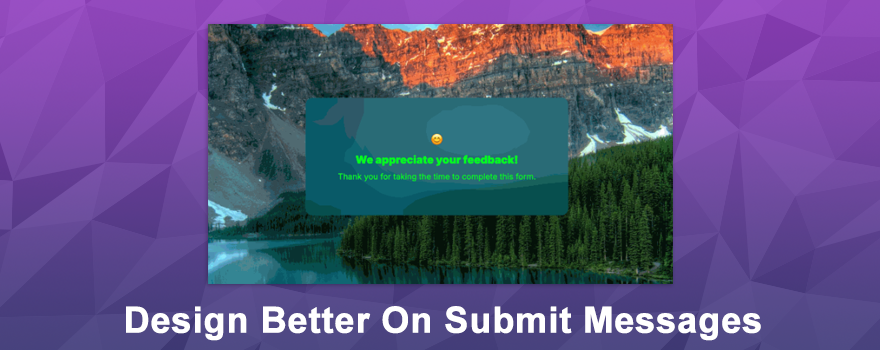
That little message your users see after submitting a form? It just got a major glow-up. 🎉 The “On Submit” message editor for Forms, Surveys, and Quizzes has been completely rebuilt with richer formatting, smarter layout controls, and a live preview that shows exactly how your message looks before it goes live. No more guessing — just design and go.
What’s New? 🚀
The submit message experience has been upgraded from top to bottom. Here’s everything that’s new:
- A built-in rich text editor with bold, italics, font sizes, colors, emojis, and inline styling
- Structure your message into a headline and subtext for a more polished, brand-aligned feel
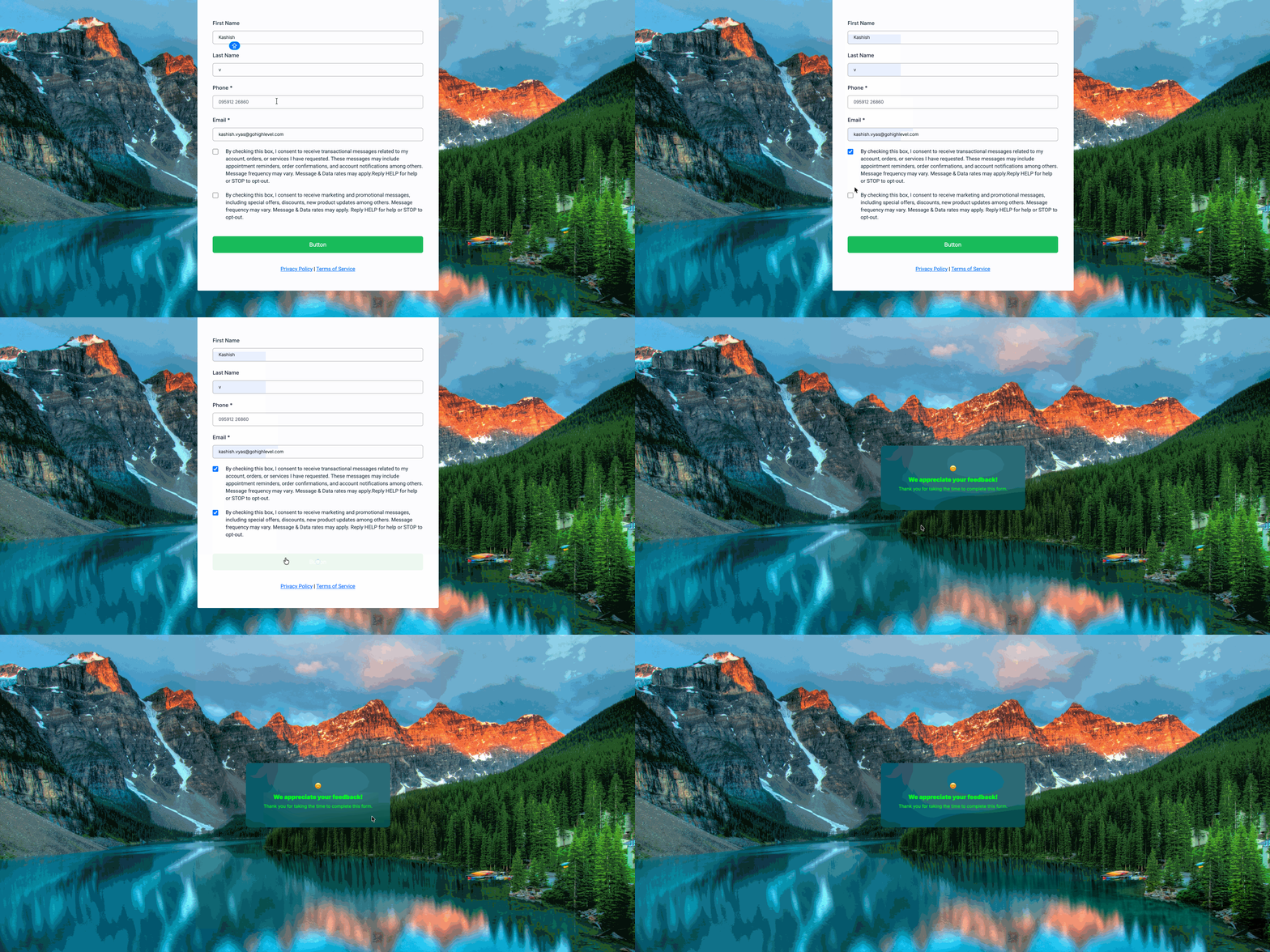
- Smart Background Blur that creates a seamless overlay by auto-matching your background image with a subtle blur effect
- Device-specific styling so you can customize layout, padding, margins, font weight, and corner radius independently for Desktop and Mobile
- A live visual preview that updates instantly as you edit, showing your message against the actual background
This turns a simple confirmation screen into a real design moment.
How It Works 🛠️
Setting up your upgraded submit message is quick and intuitive! 🎯
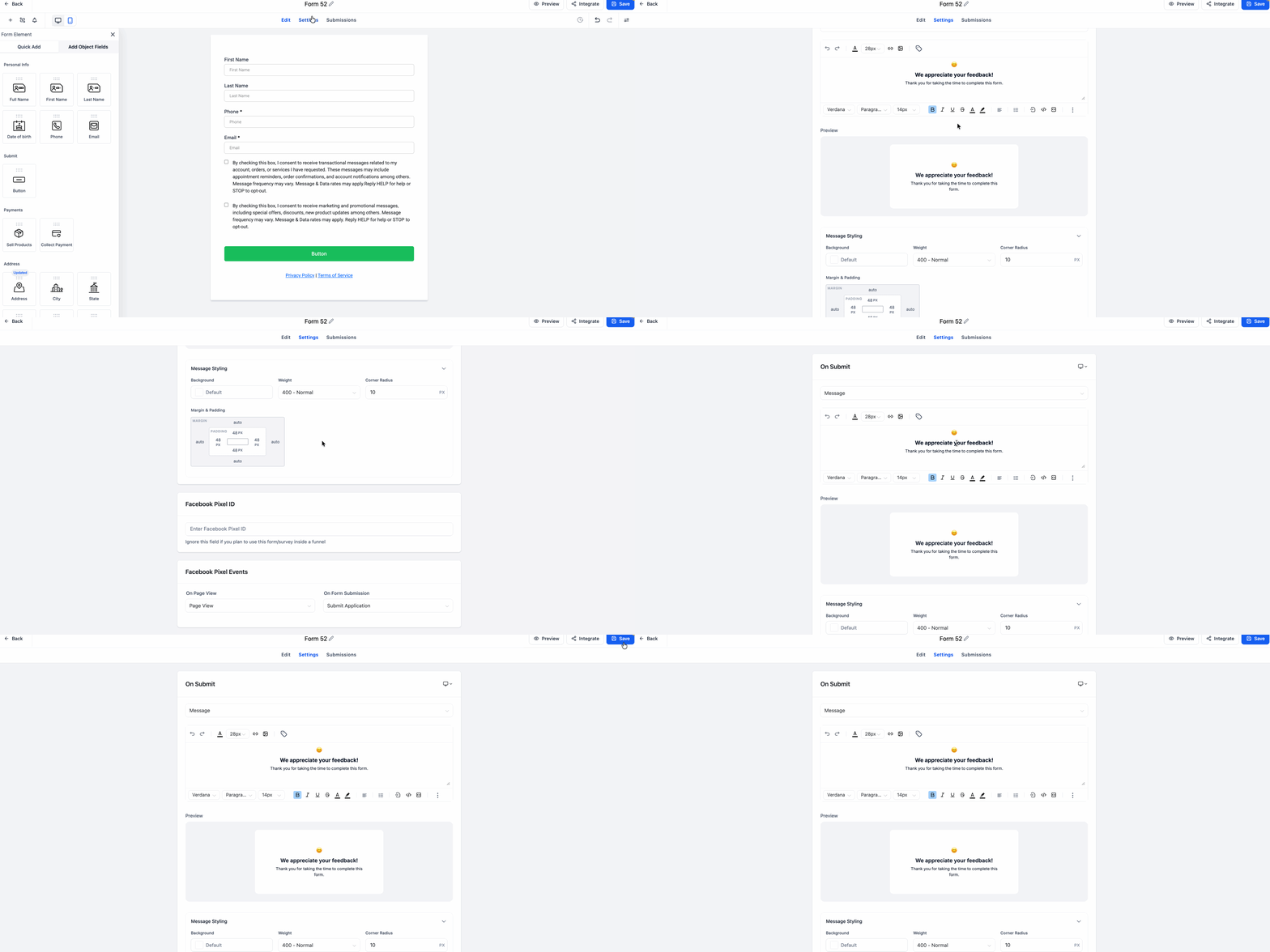
- Navigate to On Submit, then open Message Styling
- Use the rich text editor to write and format your headline and subtext
- Toggle between Desktop and Mobile to set device-specific styles independently
- Turn on Background Blur for an auto-matching overlay, or turn it off to use a solid or transparent background color
- Adjust padding, margins, background color, font weight, and text box corner radius to match your brand
The live preview updates in real time as you make changes — so what you see is exactly what your users get. No more switching back and forth between editing and previewing.
Why You’ll Love It 💡
This update transforms the submit screen from an afterthought into a brand-consistent, polished experience.
- Make every form submission feel like a win with expressive, well-designed confirmation messages
- Match your brand perfectly with full control over fonts, colors, and layout
- Stop guessing how it looks on mobile — design for each device independently
- The live preview eliminates trial-and-error styling, saving you time on every form
- Background Blur adds a professional, seamless look without any extra design work
First impressions matter — but so do last impressions. The submit screen is the final thing your users see, and now it can look just as good as the rest of your form. ⭐
Ready to make your submit messages shine? Head to your Form, Survey, or Quiz settings and try the new editor today! 🚀✨
What's your Reaction?
You have reacted on"Submit Message Editor Gets Smarter ✨"
A few seconds ago


 Subscriptions
 My Orders
 My Wishlist
 Refer & Earn💸
 My Projects
 Conversations
 Website Services
 New Website Request
 Website Addons
 eCommerce Addons
 eCommerce Modules
 Software Development
 Graphic Design
 Video Production
 Content Writing
 Marketing Services
 Marketing Products
 Get a Marketing Plan
 Local SEO Audit
 Sales Automation
 Service Automation
 Operations Automation
 Marketing Automation
 Payments Automation
 Premium Modules
 Support Tickets
 Latest Updates
 Consultation Calls
 Tools & Extensions
 Tech Tips & Tricks
 Domains & Emails