Great news — your invoices and estimates just got a serious upgrade! 🎉 You can now attach supporting files directly from your mobile device while creating or editing invoices and estimates. No more switching apps or waiting until you’re back at your desk to add that important document.
What’s New? 🚀
Adding context to your payment requests has never been easier. ✨ You can now attach files from multiple sources right inside the mobile app:
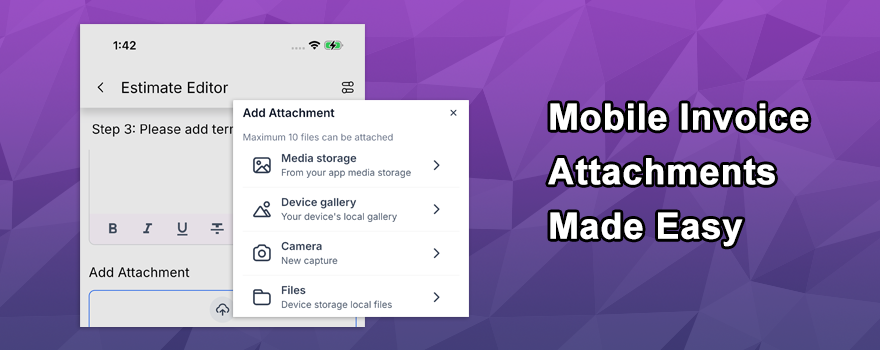
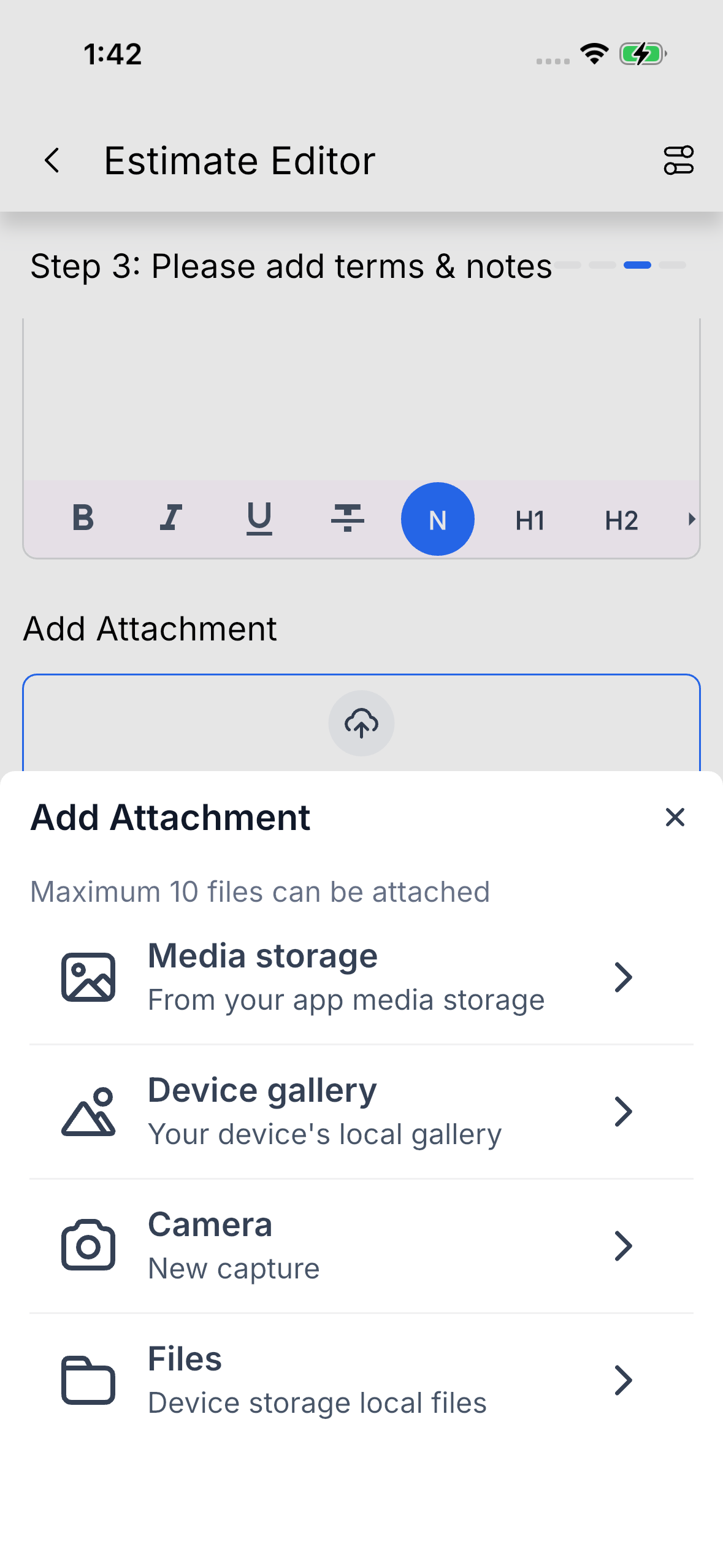
- Attach files from Media Storage, your camera, gallery, or local device storage
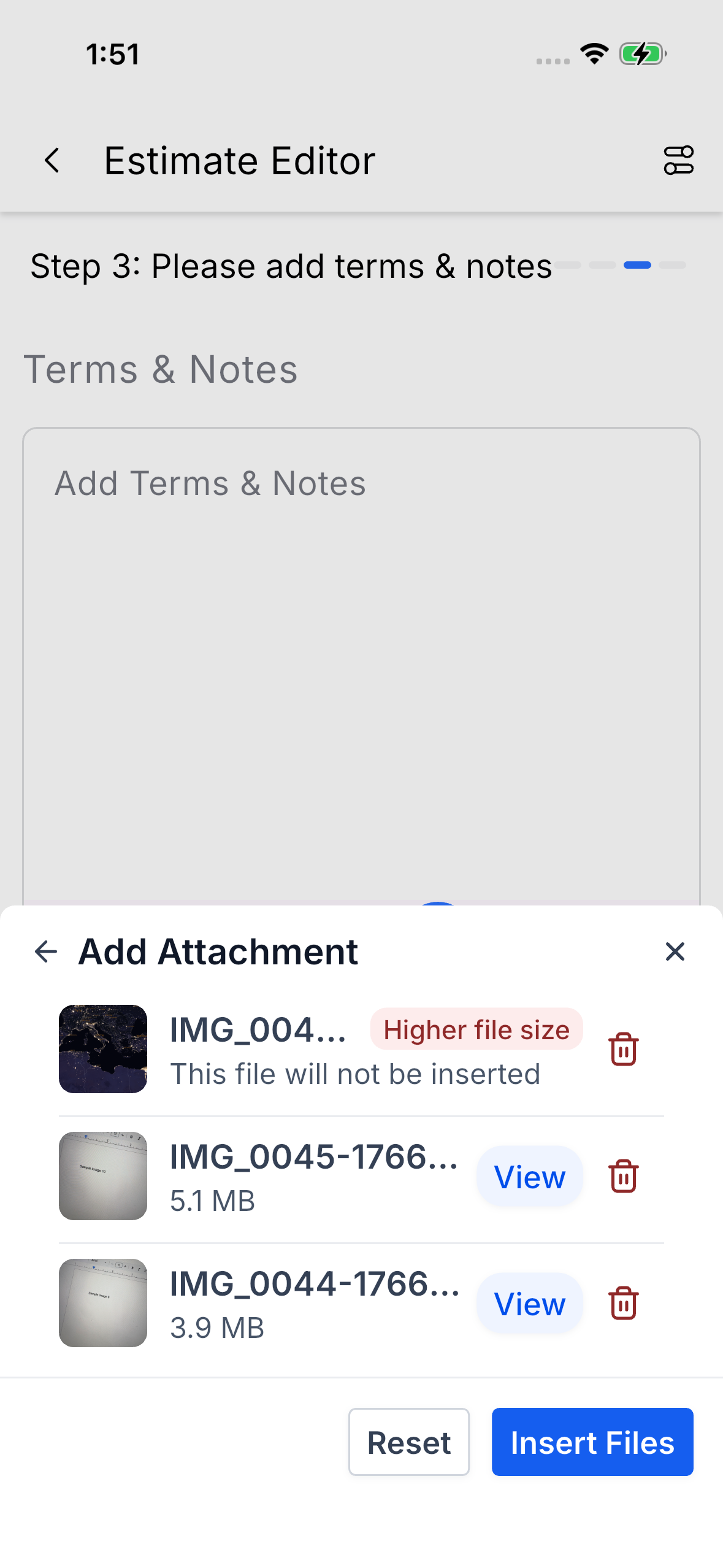
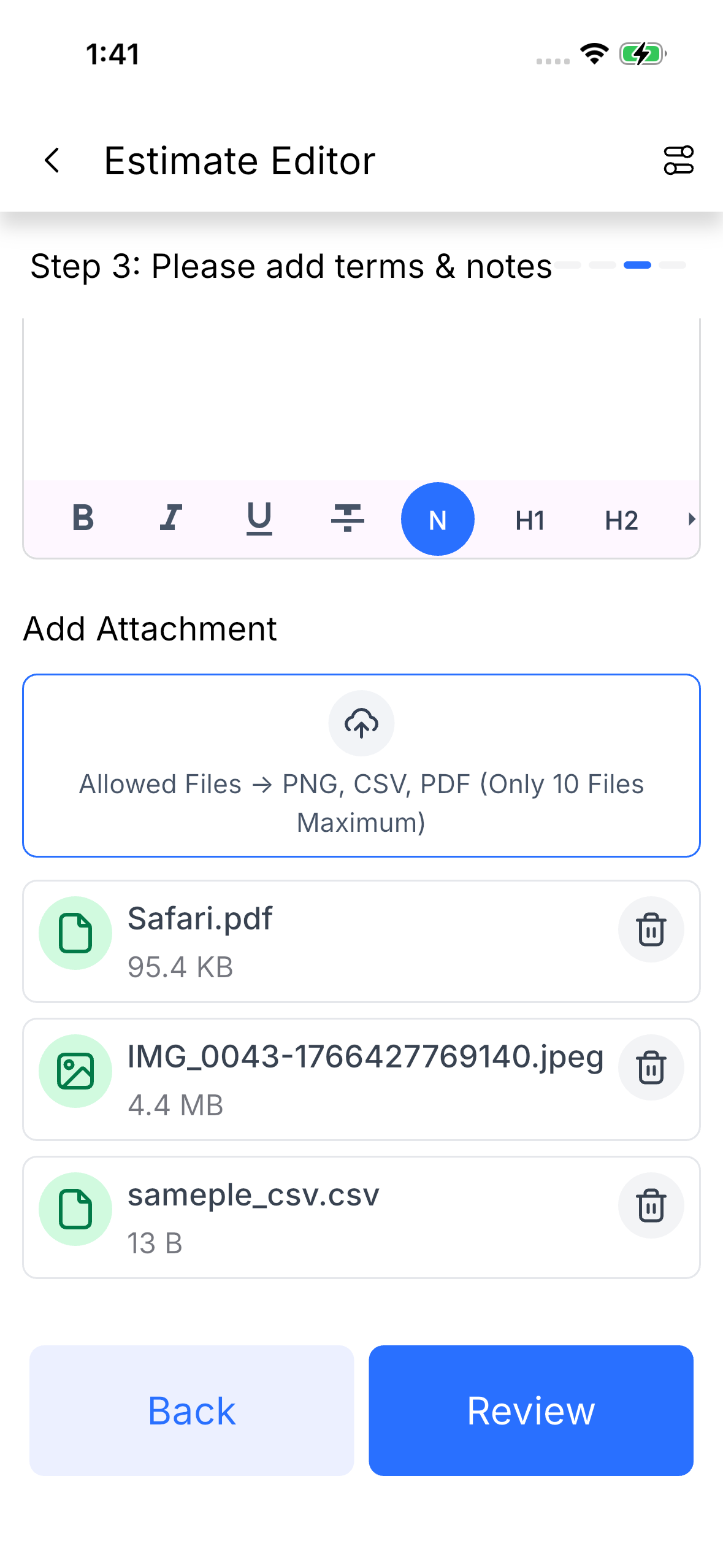
- Support for PNG, CSV, and PDF file types
- Attach up to 10 files per invoice or estimate, with a 20 MB total size limit
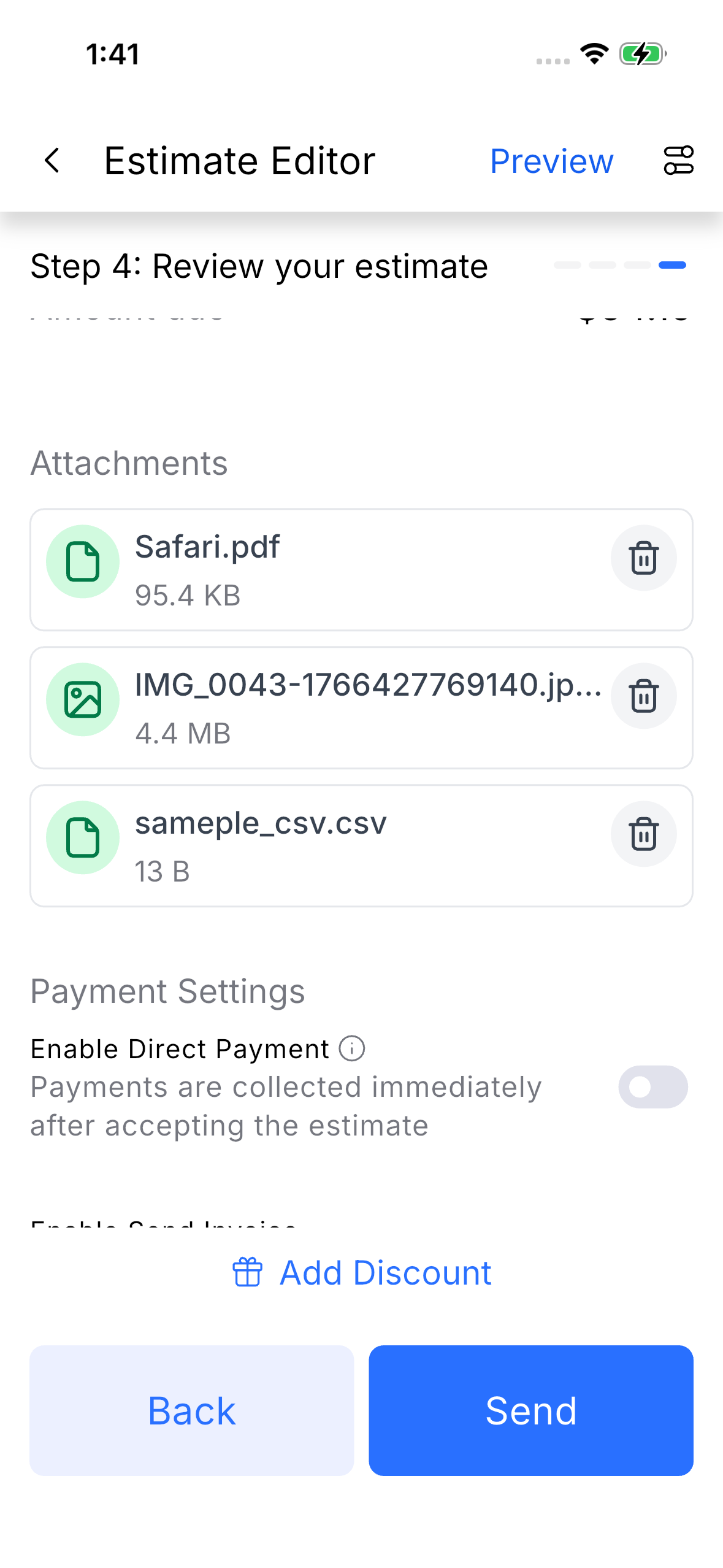
- Manage and delete attachments before sending your document
How It Works 🛠️
Getting started takes just a few taps! 🎯
- Open the Invoices or Estimates section and create a new document
- Scroll down to the Attachments section and tap Add Attachment
- Choose your file source: Media Storage, Camera, Gallery, or Files
- Select or capture your file, and it appears instantly in the Attachments section
- Review, manage, or delete any attachment before sending
Need to remove something? Simply tap the attachment and select Delete — it’s that straightforward. 💡
Why You’ll Love It 💡
This feature is all about keeping you productive wherever you are. 🔥 Whether you’re on a job site, meeting with a client, or working remotely, you can now send polished, professional invoices with all the supporting documentation or pictures attached.
- No need to switch between apps or tools mid-workflow
- Share contracts, photos, receipts, or any relevant file alongside your invoice
- Deliver more complete and professional payment requests
- Save time with a streamlined, all-in-one mobile workflow
Your clients get everything they need in one place, and you look more professional doing it. ⭐
👉Download on Google Play >
👉Download on Apple Store >
Ready to level up your invoicing game? Open your mobile app, create an invoice or estimate, and start attaching files today! 🚀✨
What's your Reaction?
You have reacted on"Attach Files to Mobile Invoices 📎🚀"
A few seconds ago


 Subscriptions
 My Orders
 My Wishlist
 Refer & Earn💸
 My Projects
 Conversations
 Website Services
 New Website Request
 Website Addons
 eCommerce Addons
 eCommerce Modules
 Software Development
 Graphic Design
 Video Production
 Content Writing
 Marketing Services
 Marketing Products
 Get a Marketing Plan
 Local SEO Audit
 Sales Automation
 Service Automation
 Operations Automation
 Marketing Automation
 Payments Automation
 Premium Modules
 Support Tickets
 Latest Updates
 Consultation Calls
 Tools & Extensions
 Tech Tips & Tricks
 Domains & Emails