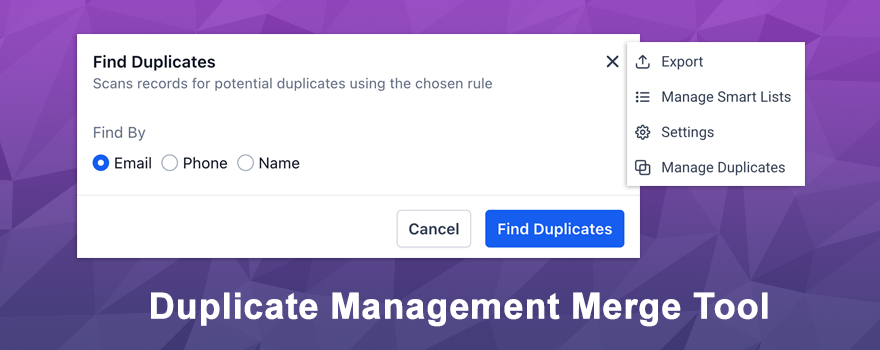
What’s New? 🚀
Duplicate contacts are finally a thing of the past! 🎉 The new Duplicate Management Tool gives you complete control to find, review, and merge duplicate contacts directly within your Contacts page. No more messy databases or confused customer records—just clean, organized contact management that keeps your CRM running smoothly.
How It Works 🛠️
This powerful tool makes eliminating duplicates incredibly easy and efficient:
Find Duplicates Instantly
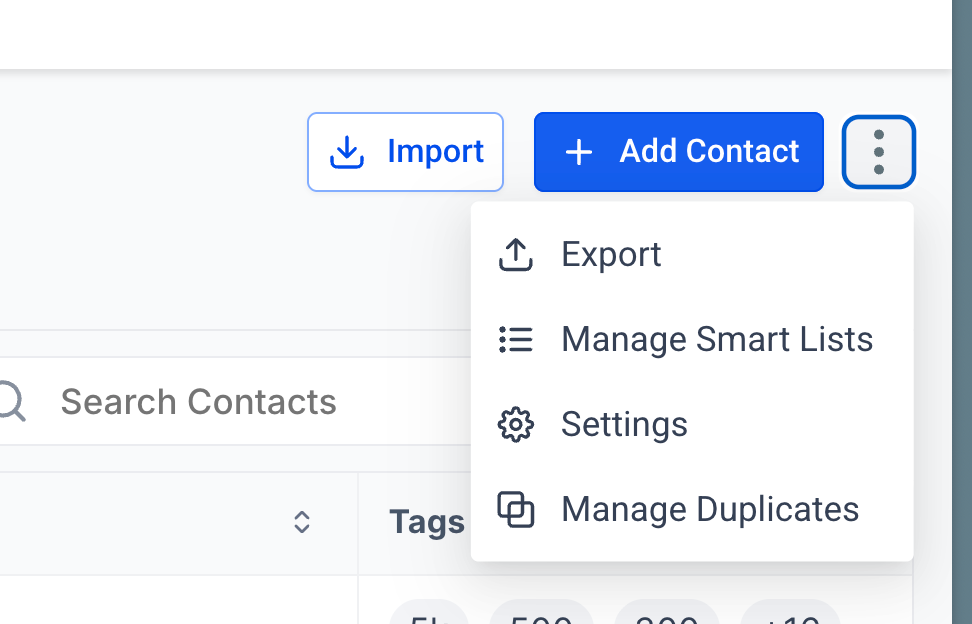
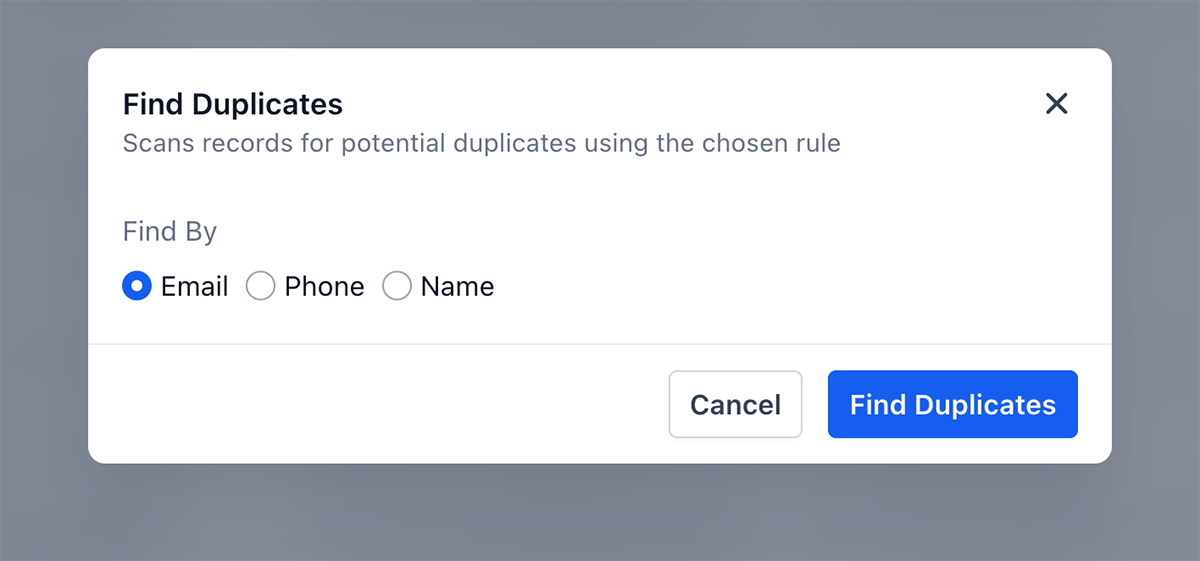
Access the Find Duplicates option under the Contacts menu (⋮) and trigger a scan anytime you need one. The tool detects duplicates by Email, Phone, or Name, giving you flexible options to catch every overlap.
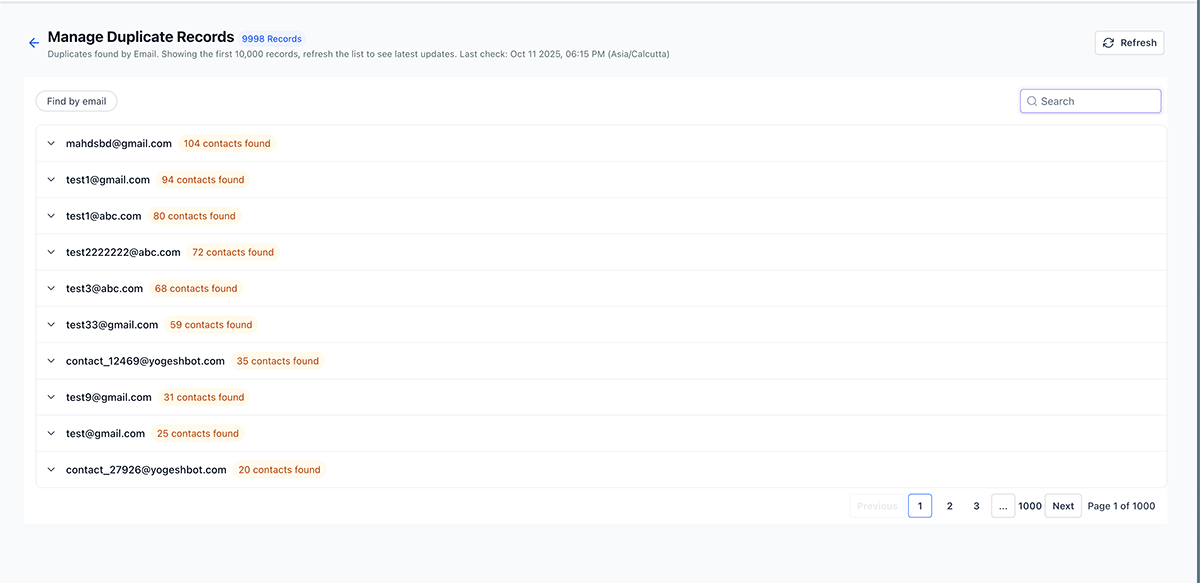
You can view up to 10,000 duplicate records at once, making it perfect for databases of any size.
Smart Batch Merging
Admins can merge up to 10 contacts in a single batch, saving time and streamlining cleanup efforts. Before you merge, you’ll see a detailed preview with conflict resolution for each field—so you always know exactly what’s happening.
The merge process includes all related data: emails, phone numbers, opportunities, tags, notes, tasks, appointments, and more. Everything gets consolidated into a single master record, preserving your complete customer history.
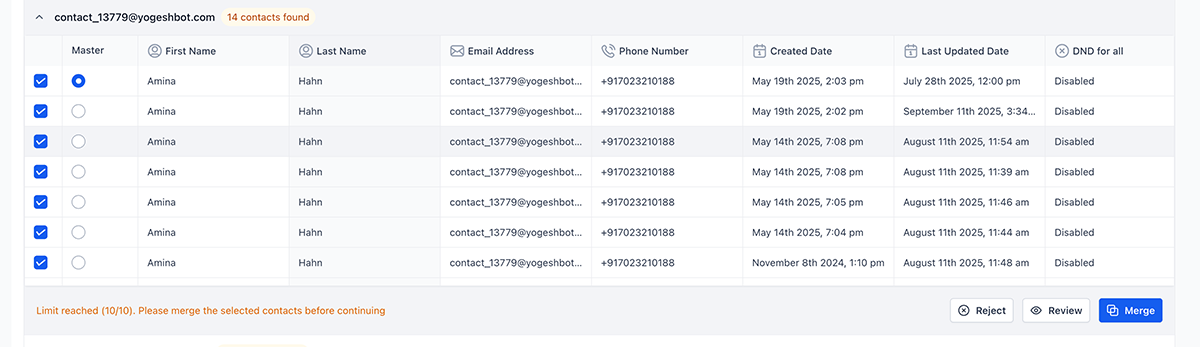
Reject False Positives
Not all flagged duplicates are actually duplicates. You can reject records that aren’t true matches, excluding them from future scans. This keeps your duplicate list accurate and relevant 🎯.
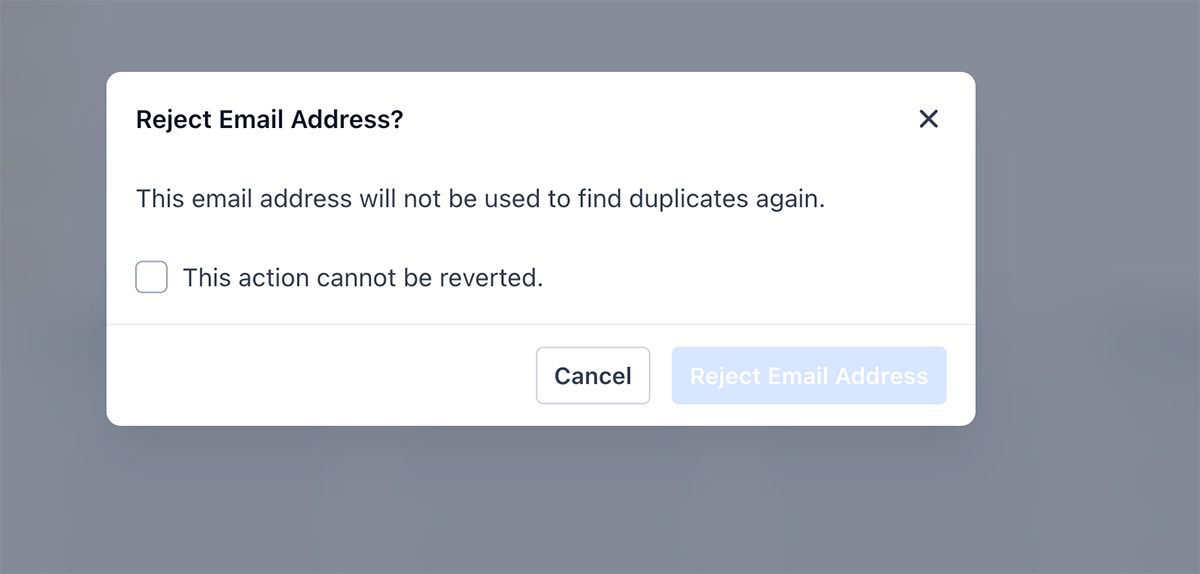
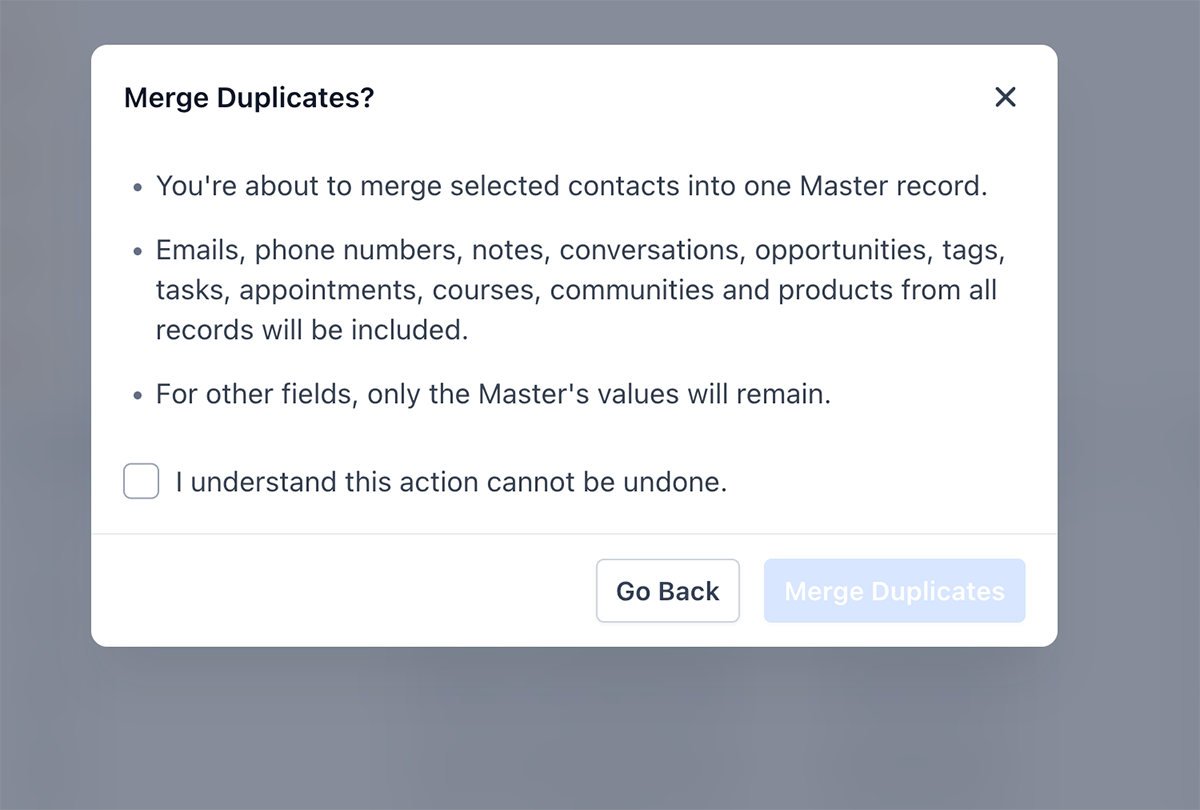
Confirmation & Safety
A confirmation dialog ensures merges are permanent and deliberate. No accidental merges, no lost data—just careful, controlled consolidation.
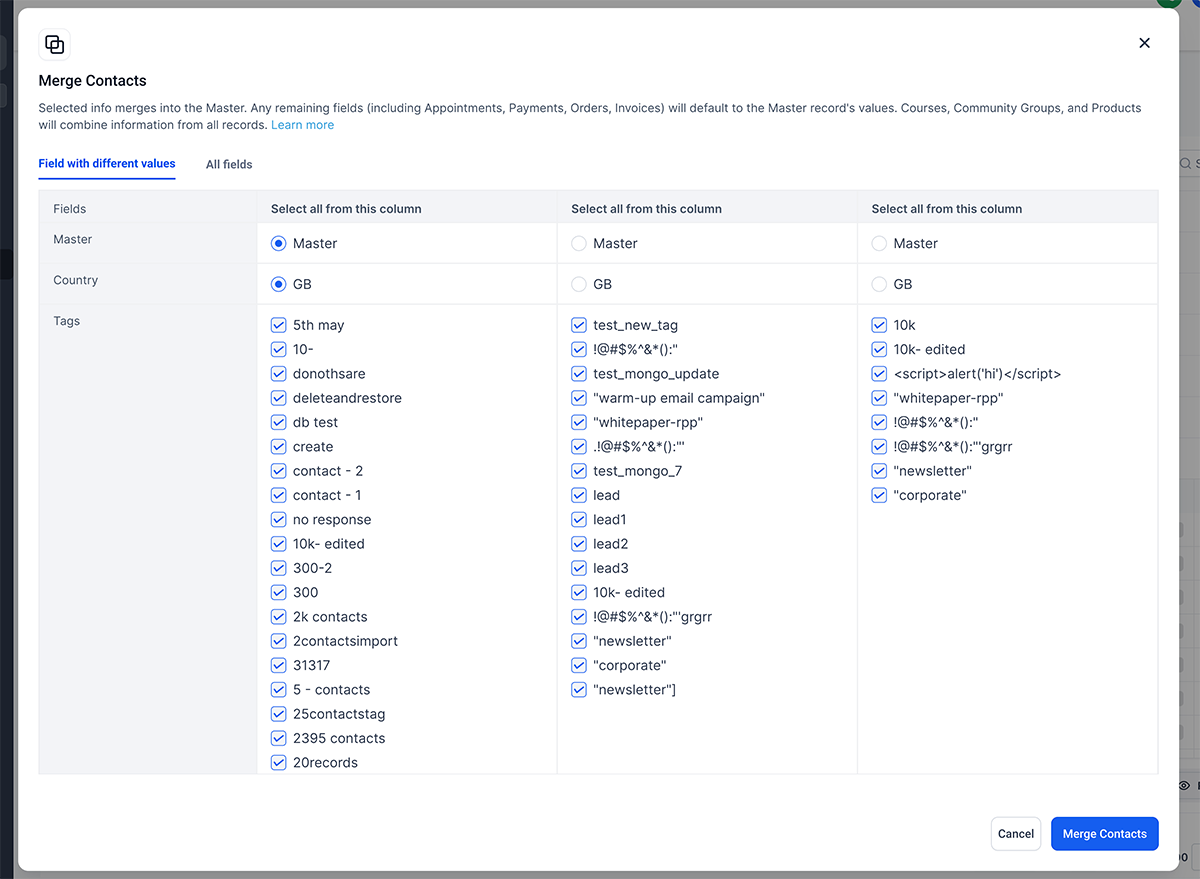
Enhanced Performance
The tool features an improved UI layout and faster performance, making duplicate handling smoother and more efficient than ever before 🚀.
Why You’ll Love It 💡
Clean data is the foundation of effective customer management. This tool eliminates the frustration of duplicate records, ensuring your team always has accurate, consolidated information at their fingertips.
No more wasted time hunting through multiple records for the same contact. No more confusion about which record is current. No more incomplete customer histories scattered across duplicates. Just one clean, complete record that tells the full story.
Plus, with smart conflict resolution and batch processing, cleaning up your database is fast and painless. You’ll wonder how you ever managed without it!
Ready to clean up your contact database? Head to the Contacts menu, click Find Duplicates, and start merging—your CRM will thank you! 🚀✨
What's your Reaction?
You have reacted on"Duplicate Management Made Simple 🫂🎯"
A few seconds ago


 Subscriptions
 My Orders
 My Wishlist
 Refer & Earn💸
 My Projects
 Conversations
 Website Services
 New Website Request
 Website Addons
 eCommerce Addons
 eCommerce Modules
 Software Development
 Graphic Design
 Video Production
 Content Writing
 Marketing Services
 Marketing Products
 Get a Marketing Plan
 Local SEO Audit
 Sales Automation
 Service Automation
 Operations Automation
 Marketing Automation
 Payments Automation
 Premium Modules
 Support Tickets
 Latest Updates
 Consultation Calls
 Tools & Extensions
 Tech Tips & Tricks
 Domains & Emails