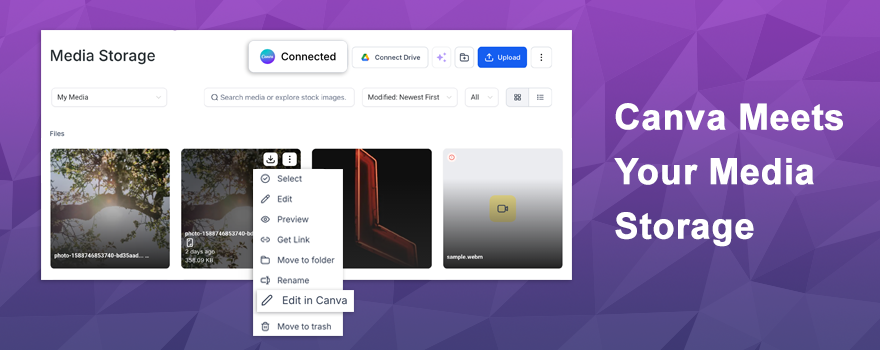
Say goodbye to the endless tab-switching between Canva and your media library. 🎉 Canva (an advanced image editor) is now integrated directly inside the Media Storage, giving you the ability to browse, edit, download, and import your Canva designs without ever leaving the platform. No manual downloads. No version confusion. Just a seamless creative workflow.
What’s New? 🚀
The Canva integration brings your entire design library right into Media Storage. Here’s what you can now do:
- Browse all your Canva designs directly from the new Canva tab in Media Storage
- Edit any design in Canva and import the updated version back instantly
- Download Canva files or import them into My Media for use across funnels, emails, and more
- Edit PNG, JPG, and JPEG files from My Media directly in Canva and re-import the updated version
It works similarly to the Google Drive integration — familiar, intuitive, and right where you need it.
How It Works 🛠️
Getting connected takes just a few steps!
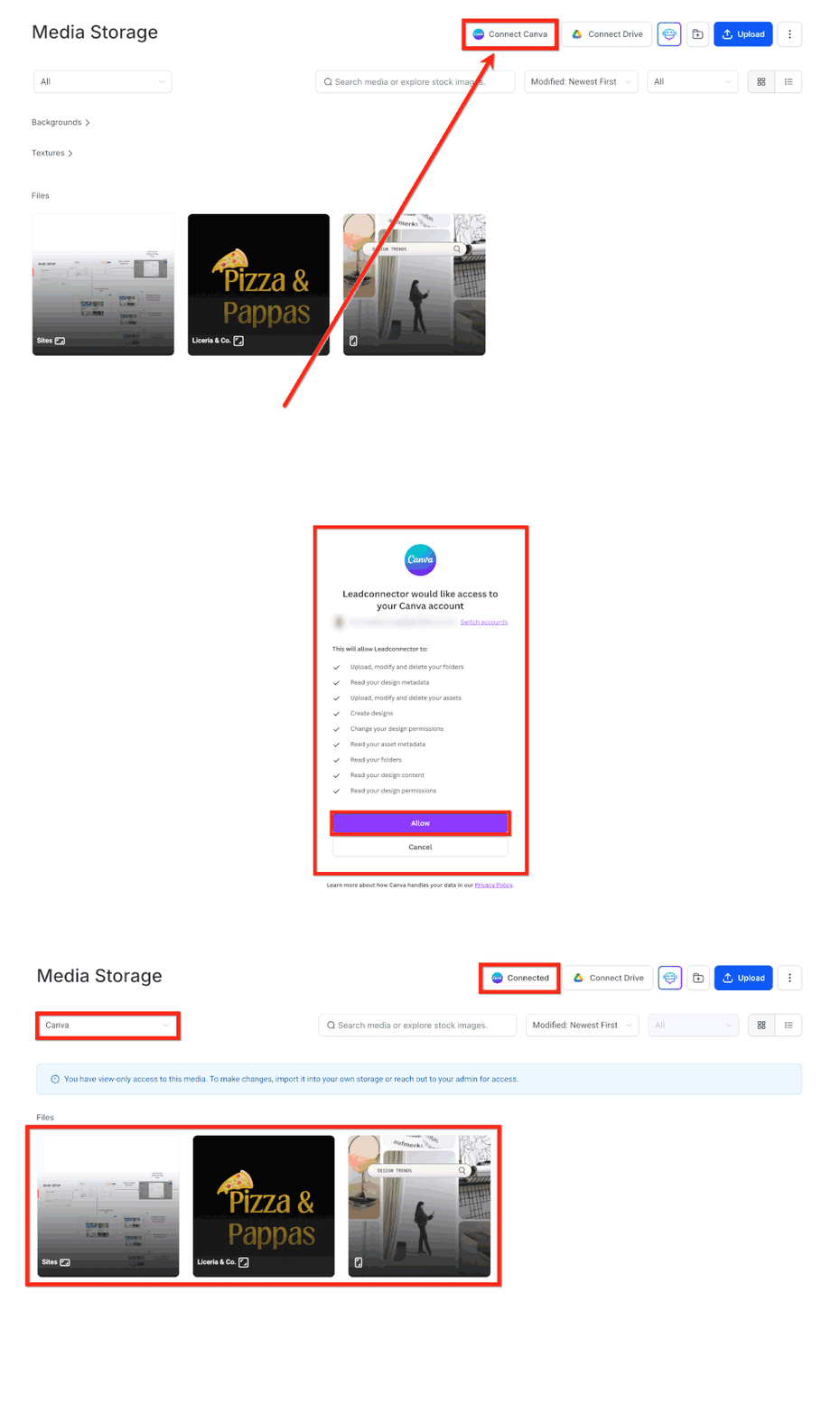
Connecting Canva:
- Head to Media Storage and open the Canva Tab, then click Connect
- Complete the OAuth flow and your designs appear instantly in Media Storage
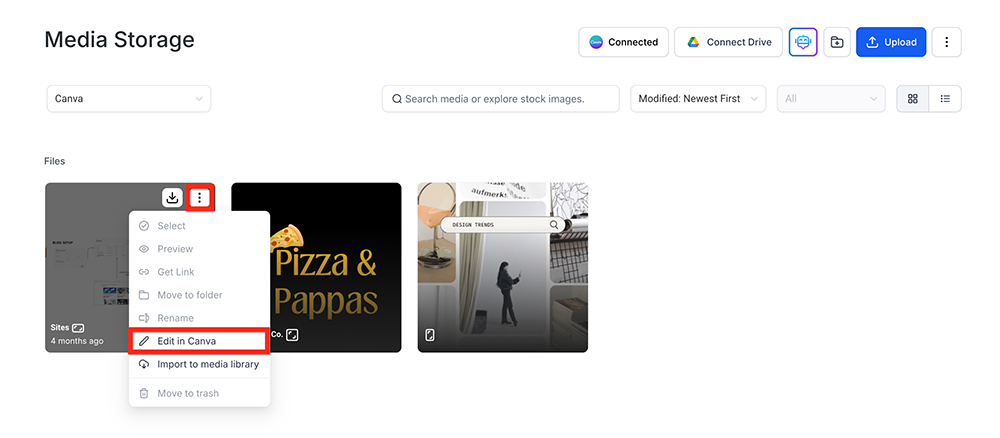
Editing from the Canva tab:
- Click the 3-dot menu on any design and select Edit in Canva
- Make your changes and import the updated version back into Media Storage
Editing from My Media:
- Select any PNG, JPG, or JPEG file and click Edit in Canva
- Make your updates and re-import — smart tracking prevents duplicate copies automatically
A few things to keep in mind:
- Canva connects at the location level — one Canva account per location
- The user who installs gets full edit access; other users can view, search, download, and import
- Designs must be imported into My Media before using them in funnels or emails
- Private Canva files cannot be edited through the integration
- Previously imported files remain even if you disconnect later
Why You’ll Love It 💡
This integration solves one of the biggest friction points in creative workflows.
- Stop switching between tabs just to grab a design file
- Eliminate manual downloads and duplicate uploads cluttering your media library
- Keep all your creative assets centralized in one place
- Edit and update designs without version confusion — smart tracking handles it automatically
- Speed up your entire content creation process from design to deployment
When your design tool and media library talk to each other, everything moves faster.
Ready to streamline your creative workflow? Connect Canva in Media Storage and start designing without the detours! 🎨🚀
What's your Reaction?
You have reacted on"Canva Joins Media Storage 🎨🚀"
A few seconds ago


 Subscriptions
 My Orders
 My Wishlist
 Refer & Earn💸
 My Projects
 Conversations
 Website Services
 New Website Request
 Website Addons
 eCommerce Addons
 eCommerce Modules
 Software Development
 Graphic Design
 Video Production
 Content Writing
 Marketing Services
 Marketing Products
 Get a Marketing Plan
 Local SEO Audit
 Sales Automation
 Service Automation
 Operations Automation
 Marketing Automation
 Payments Automation
 Premium Modules
 Support Tickets
 Latest Updates
 Consultation Calls
 Tools & Extensions
 Tech Tips & Tricks
 Domains & Emails