Managing your billing address within our client area ensures that your invoices and payment details are accurate and up-to-date. This guide will walk you through accessing and updating your billing address, along with the benefits of maintaining current information.
How to Access the Billing Address Page #
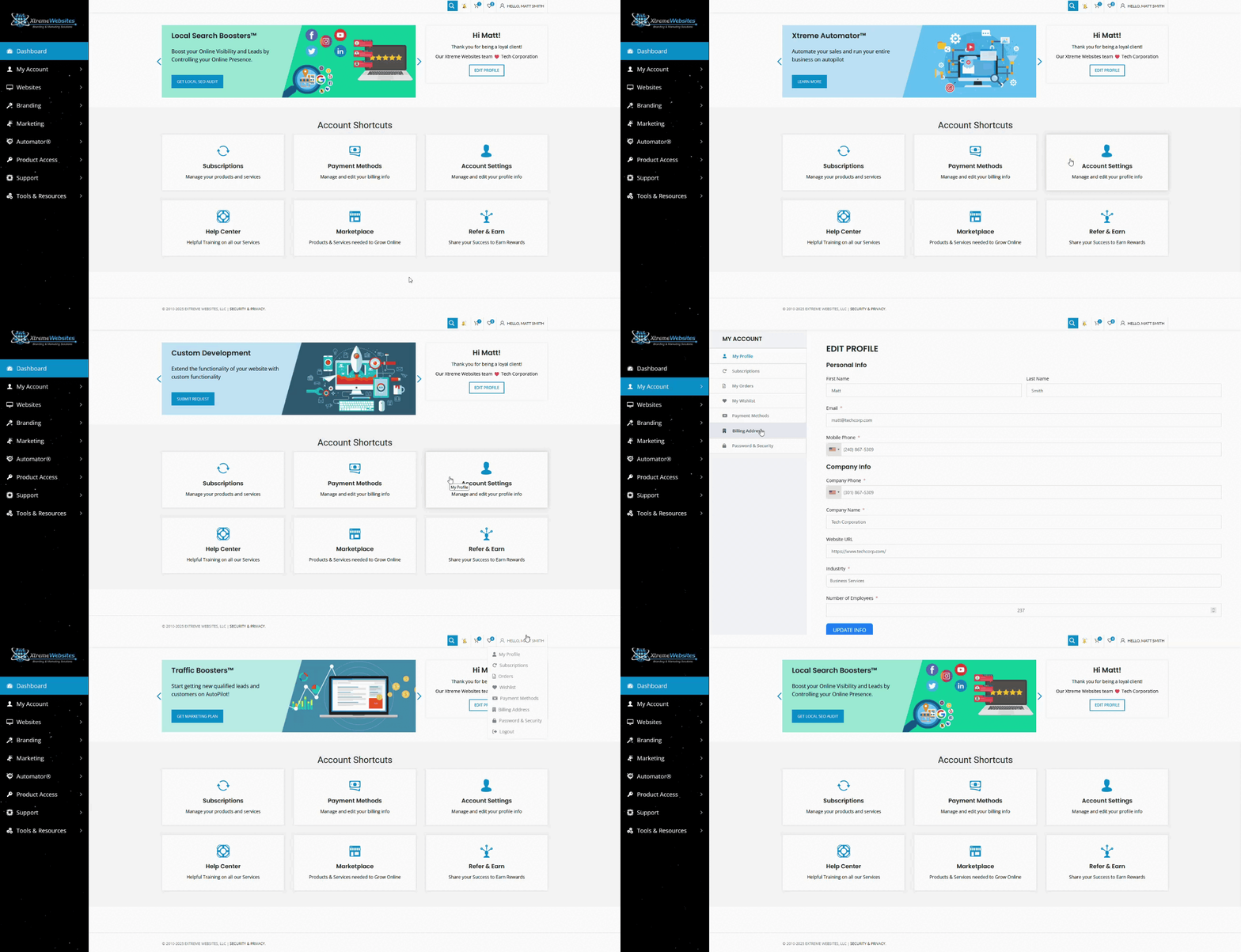
You can access the billing address page in two ways:
- Account Shortcuts:
- On the homepage, locate the Account Shortcuts section.
- Click on the Account Settings box.
- In the My Account menu, select Billing Address.
- Top Bar Menu:
- Hover over your name in the top bar.
- Select Billing Address from the menu that appears.
Editing Your Billing Address #
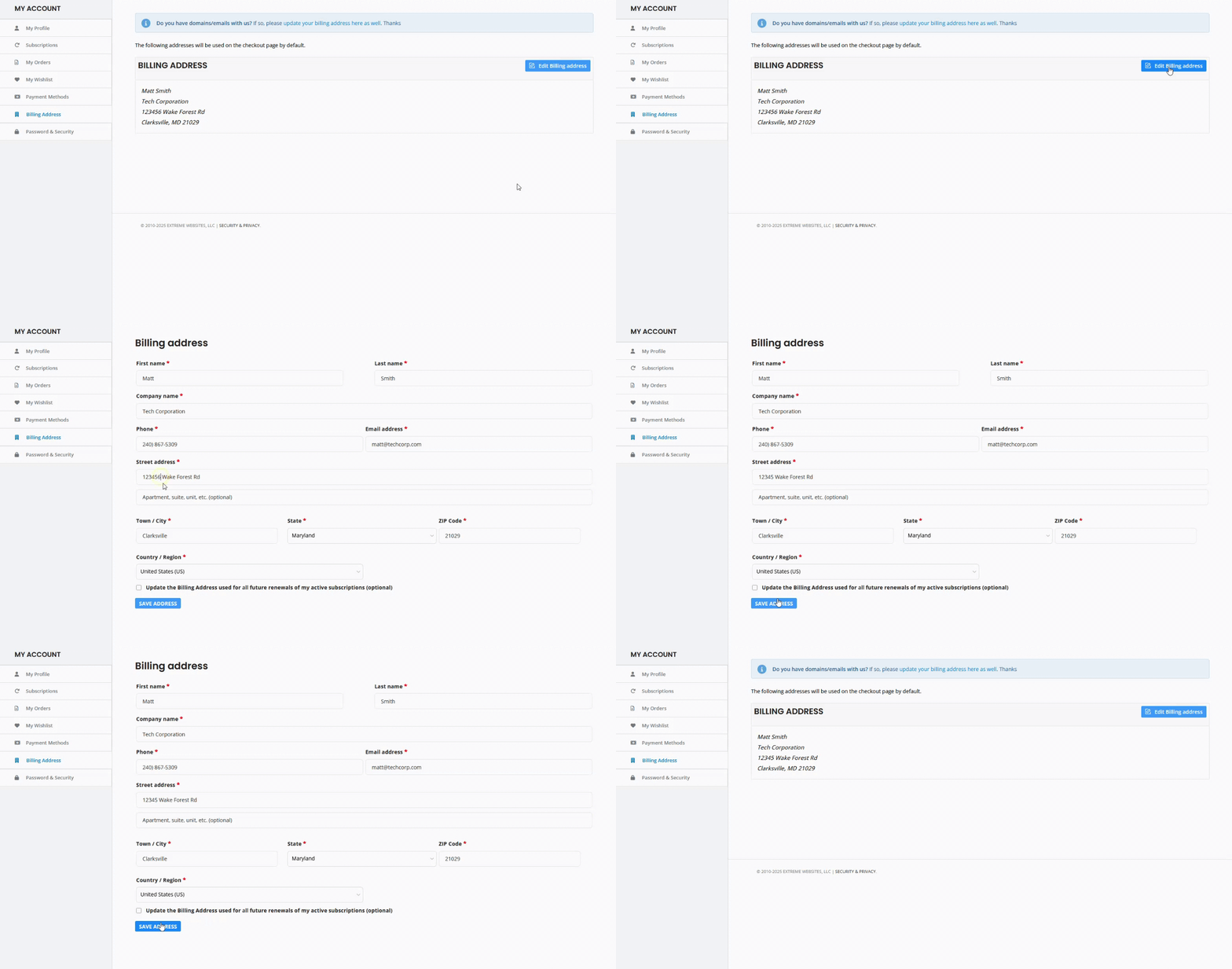
Once on the Billing Address page, you can update your billing information:
- Edit Billing Address:
- Click the Edit Billing Address button.
- Make the necessary edits to your address.
- Save your changes by pressing the Save Address button.
Additional Steps for Xtreme Addons #
If you have domains and/or emails with us, you’ll also need to update your billing address on the Xtreme Addons site:
- Accessing Billing Address on Xtreme Addons:
- In the main menu, click on your name.
- Select Account Details from the submenu.
- Edit Billing Address:
- Make the necessary edits to your billing address.
- Save changes by clicking the Save Changes button at the bottom of the page.
By keeping your billing address current, you can ensure that your billing information remains accurate and that you continue to receive uninterrupted service.
What's your Reaction?
You have reacted on"How Do I Edit My Billing Address?"
A few seconds ago


 Subscriptions
 My Orders
 My Wishlist
 Refer & Earn💸
 My Projects
 Conversations
 Website Services
 New Website Request
 Website Addons
 eCommerce Addons
 eCommerce Modules
 Software Development
 Graphic Design
 Video Production
 Content Writing
 Marketing Services
 Marketing Products
 Get a Marketing Plan
 Local SEO Audit
 Sales Automation
 Service Automation
 Operations Automation
 Marketing Automation
 Payments Automation
 Premium Modules
 Support Tickets
 Latest Updates
 Consultation Calls
 Tools & Extensions
 Tech Tips & Tricks
 Domains & Emails









