Keeping your profile details up-to-date is crucial for ensuring seamless communication and efficient management of services. Our client area provides a straightforward process to update your profile, enhancing your interaction with our services. Here’s a step-by-step guide to updating your profile information, along with the benefits of maintaining accurate details.
Benefits of Updating Profile Details #
- Accurate Communication: Ensures that all communications are directed to the correct contact details.
- Personalized Experience: Helps tailor services and communications to better suit your needs.
- Efficient Service Management: Streamlines processes and ensures accurate information is used when managing your services.
Accessing the My Profile Page #
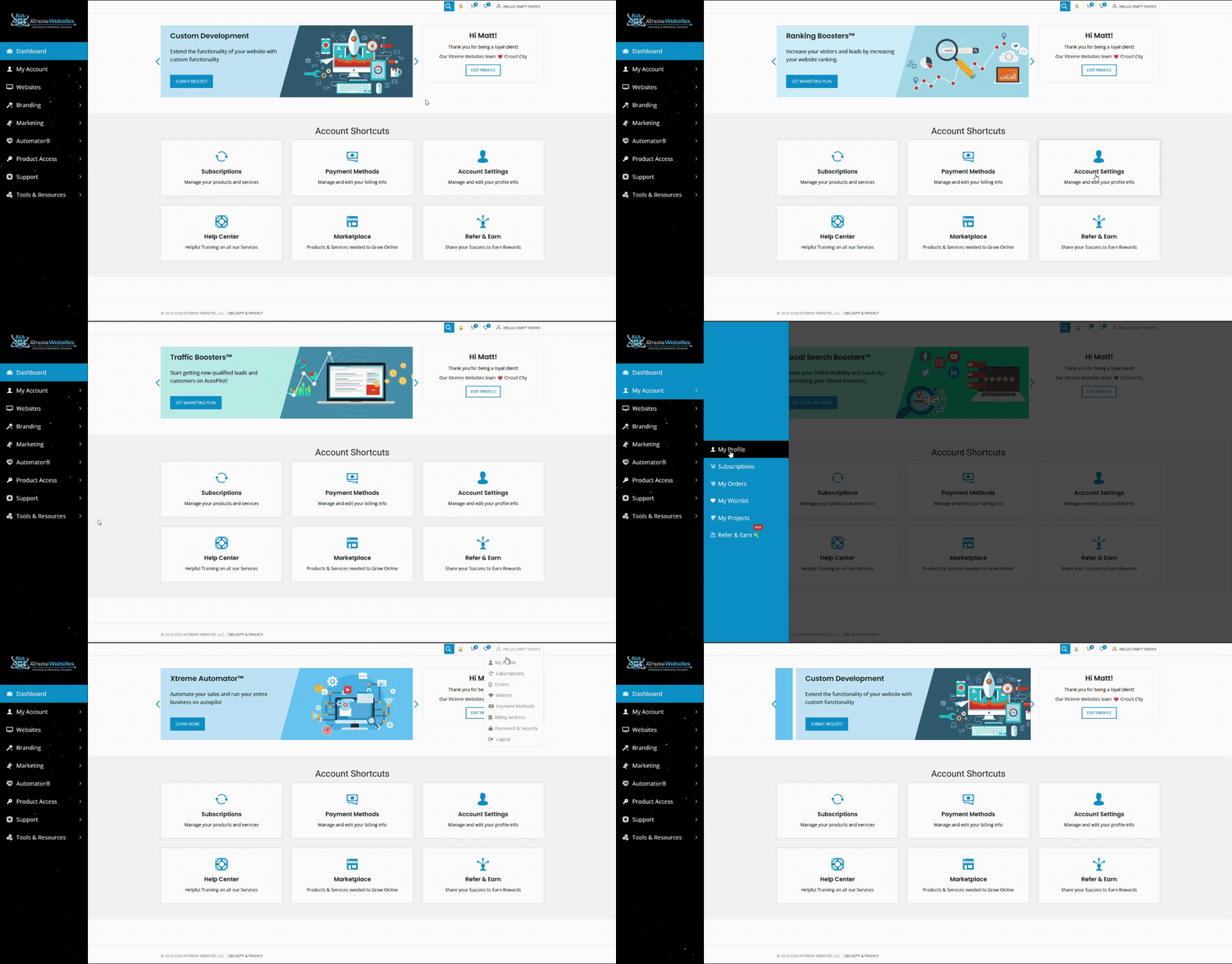
There are three convenient ways to access the My Profile page:
- Via Account Shortcuts:
- On the homepage, locate the Account Shortcuts section.
- Click on the Account Settings box.
- Using the Left Side Menu:
- Hover over the My Account button.
- Click on My Profile in the submenu that appears.
- From the Top Bar:
- Hover over your name on the top bar.
- Select My Profile from the menu that appears.
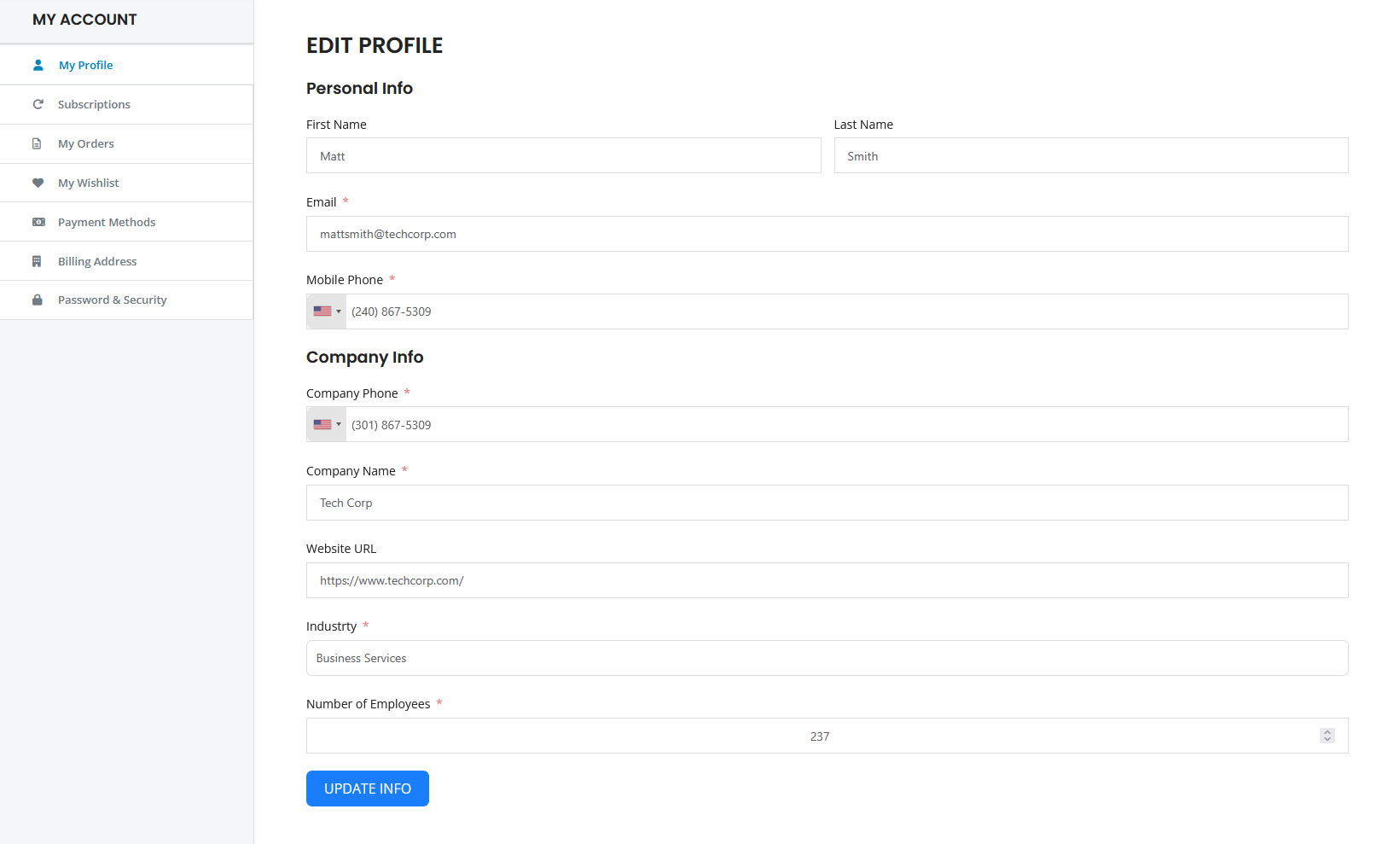
Fields Available for Update #
Personal Info
- First Name: Update your first name to ensure all communications address you correctly.
- Last Name: Ensure your last name is accurate for proper identification.
- Email: Keep your email current for receiving important updates and communications.
- Mobile Phone: Update your mobile number for direct contact and notifications.
Company Info
- Company Phone: Ensure this is correct for official communications.
- Company Name: Update the name of your company if there are any changes.
- Website URL: Keep your website URL updated for accurate representation.
- Industry: Specify your industry for tailored services and insights.
- Number of Employees: Update this to help us understand your company’s scale.
Saving Your Changes #
After you have made the necessary changes to your profile, click the Update Info button to save your updates. By regularly updating your profile details in our client area, you ensure that your interactions with our services remain efficient and personalized. This proactive approach helps us serve you better and enhances your overall experience with us.
What's your Reaction?
You have reacted on"How Do I Update My Profile?"
A few seconds ago


 Subscriptions
 My Orders
 My Wishlist
 Refer & Earn💸
 My Projects
 Conversations
 Website Services
 New Website Request
 Website Addons
 eCommerce Addons
 eCommerce Modules
 Software Development
 Graphic Design
 Video Production
 Content Writing
 Marketing Services
 Marketing Products
 Get a Marketing Plan
 Local SEO Audit
 Sales Automation
 Service Automation
 Operations Automation
 Marketing Automation
 Payments Automation
 Premium Modules
 Support Tickets
 Latest Updates
 Consultation Calls
 Tools & Extensions
 Tech Tips & Tricks
 Domains & Emails









