Sooner or later you will probably have to update your credit card information or add a new payment method. You can do this at any time by following this simple tutorial:
How to Create/Modify Payment Methods
Creating Payment Methods:
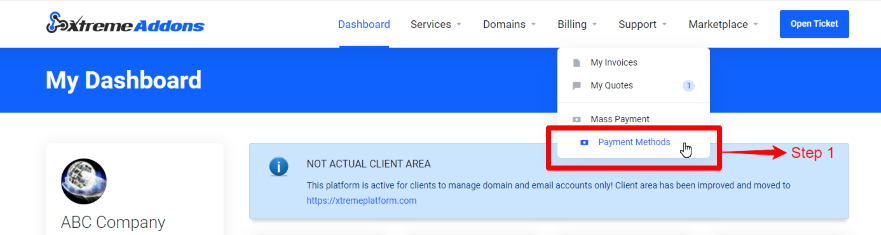
- Click on the “Billing” tab then the “Payment Methods” tab.
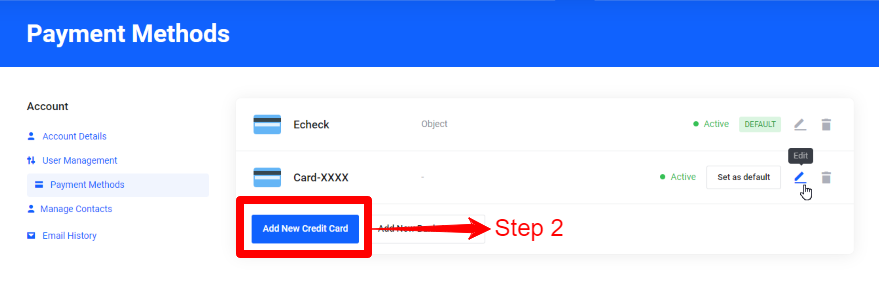
- Click the “Add New Credit Card” button or the “Add New Bank Account” button.
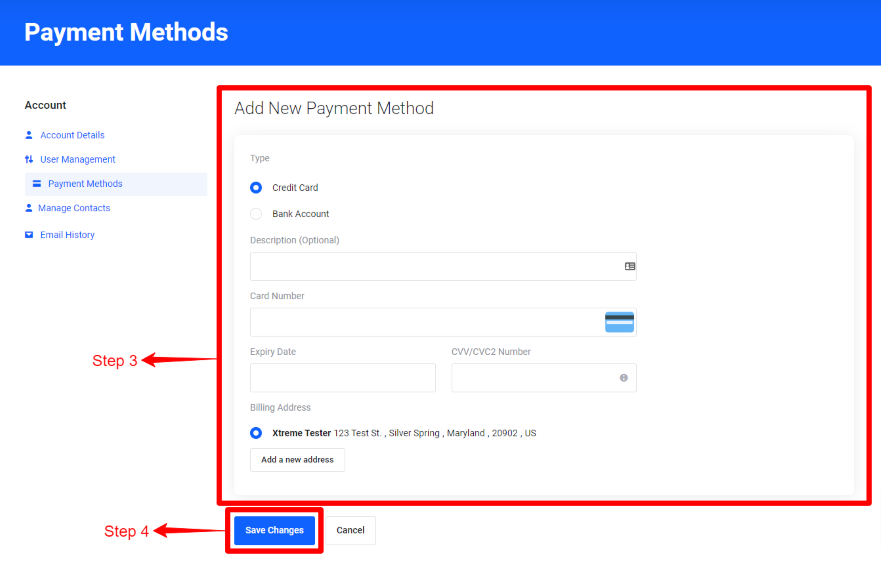
- Fill out the “Add New Payment Method” form.
- Click the “Save Changes” button when done.
Modifying Payment Methods:
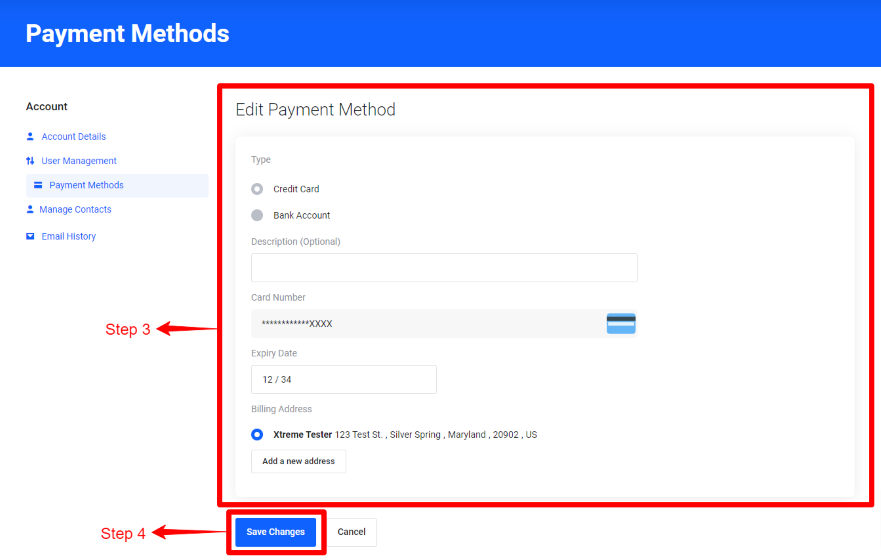
- Click on the “Billing” tab then the “Payment Methods” tab.
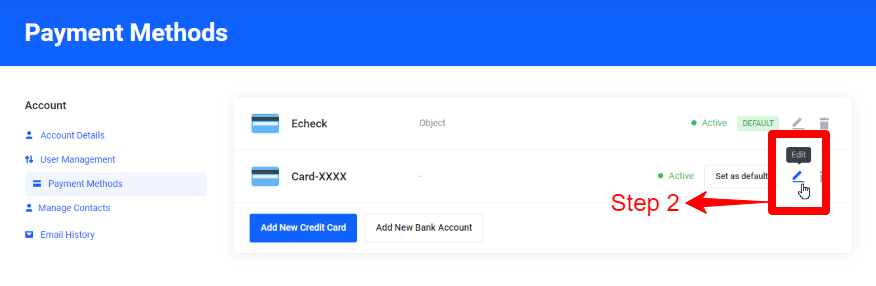
- Click the “Edit” button for the payment method you want to edit.
- Make changes to the “Edit Payment Method” form.
- Click the “Save Changes” button when done.
PS: Rememeber that updating your credit card will not pay any Pending Invoices automatically. You need to go to Invoices and pay there.
What's your Reaction?
You have reacted on"Adding/Updating Credit Card information"
A few seconds ago


 Subscriptions
 My Orders
 My Wishlist
 Refer & Earn💸
 My Projects
 Conversations
 Website Services
 New Website Request
 Website Addons
 eCommerce Addons
 eCommerce Modules
 Software Development
 Graphic Design
 Video Production
 Content Writing
 Marketing Services
 Marketing Products
 Get a Marketing Plan
 Local SEO Audit
 Sales Automation
 Service Automation
 Operations Automation
 Marketing Automation
 Payments Automation
 Premium Modules
 Support Tickets
 Latest Updates
 Consultation Calls
 Tools & Extensions
 Tech Tips & Tricks
 Domains & Emails









