In this page as the name suggests, you will find all of the domains you have on your account.
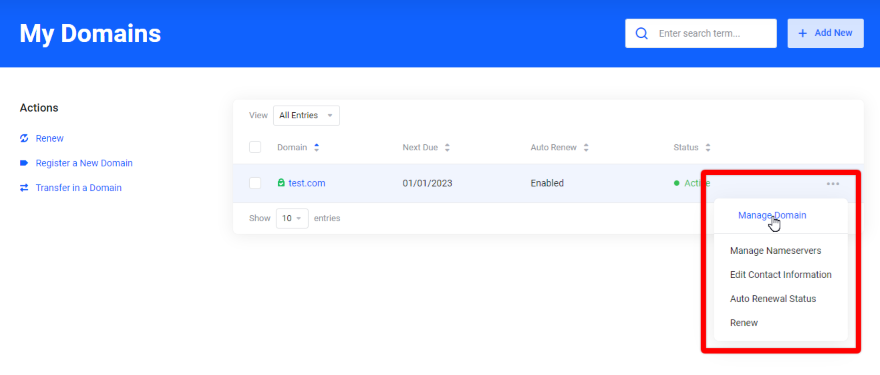
Next to each domain under “Manage Domain” you will find more options:
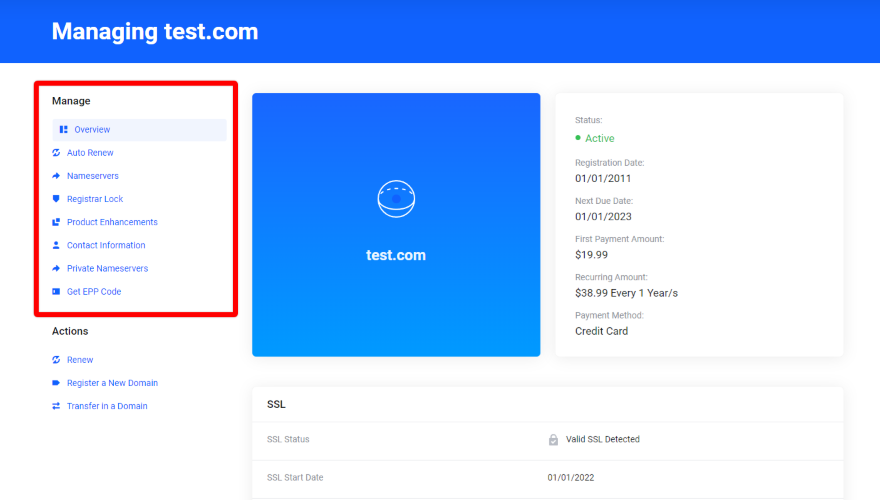
NOTE: If Xtreme Websites is managing your website you don’t need to change anything here.
Overview
The “Overview” tab contains the details of your domain such as registration and expiration date.
Auto Renew
The “Auto Renew” tab shows whether this option is enabled or disabled for your domain. For your convenience this option is always enabled so you don’t have to manually renew every time.
Nameservers
The “Nameservers” tab lets you see which nameservers are being used for your domain.
Registrar Lock
The “Registrar Lock” tab shows whether this option is enabled or disabled the lock for your domain. For your convenience this option is always enabled as it prevents it from being transferred away without your consent.
Product Enhancements
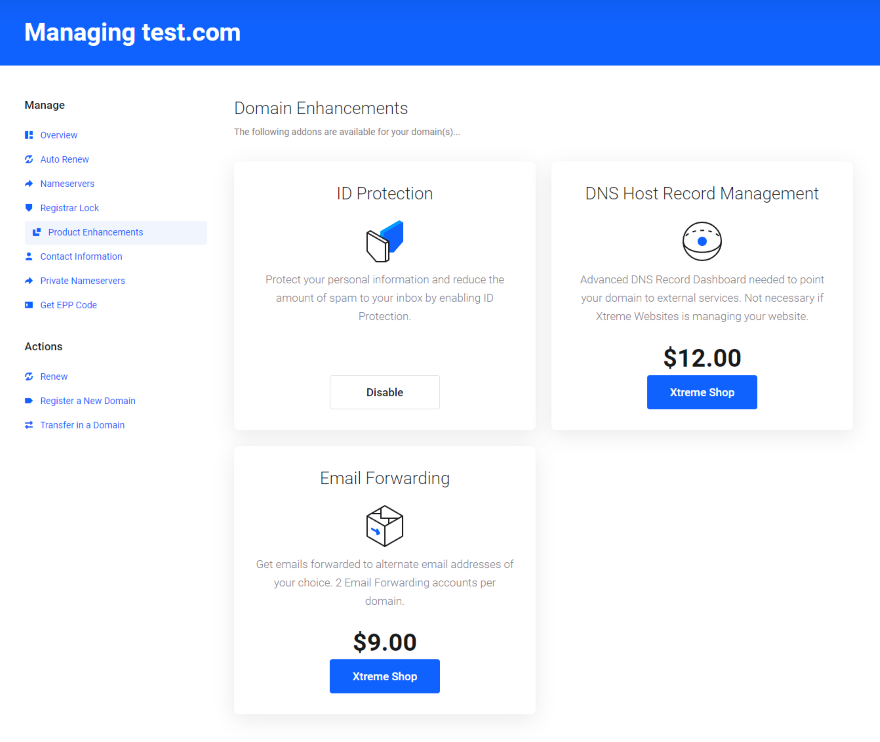
The “Product Enhancements” tab gives you a list of add-ons available for your domain that you can purchase by clicking the “Xtreme Shop” link.
Contact information
Manage the domain contact information which is displayed publicly.
Register Nameservers
Manage (modifying/delete/add) custom nameservers to your domain.
Email Forwarding
If you have professional email with us, you can add a forwarding address to an external email.
Get EPP Code
This is a security code you need in case you want to transfer the domain to another registrar.
What's your Reaction?
You have reacted on"My Domains"
A few seconds ago


 Subscriptions
 My Orders
 My Wishlist
 Refer & Earn💸
 My Projects
 Conversations
 Website Services
 New Website Request
 Website Addons
 eCommerce Addons
 eCommerce Modules
 Software Development
 Graphic Design
 Video Production
 Content Writing
 Marketing Services
 Marketing Products
 Get a Marketing Plan
 Local SEO Audit
 Sales Automation
 Service Automation
 Operations Automation
 Marketing Automation
 Payments Automation
 Premium Modules
 Support Tickets
 Latest Updates
 Consultation Calls
 Tools & Extensions
 Tech Tips & Tricks
 Domains & Emails









