You can purchase a new domain by following these simple steps:
Step 1: Check Domain Availability
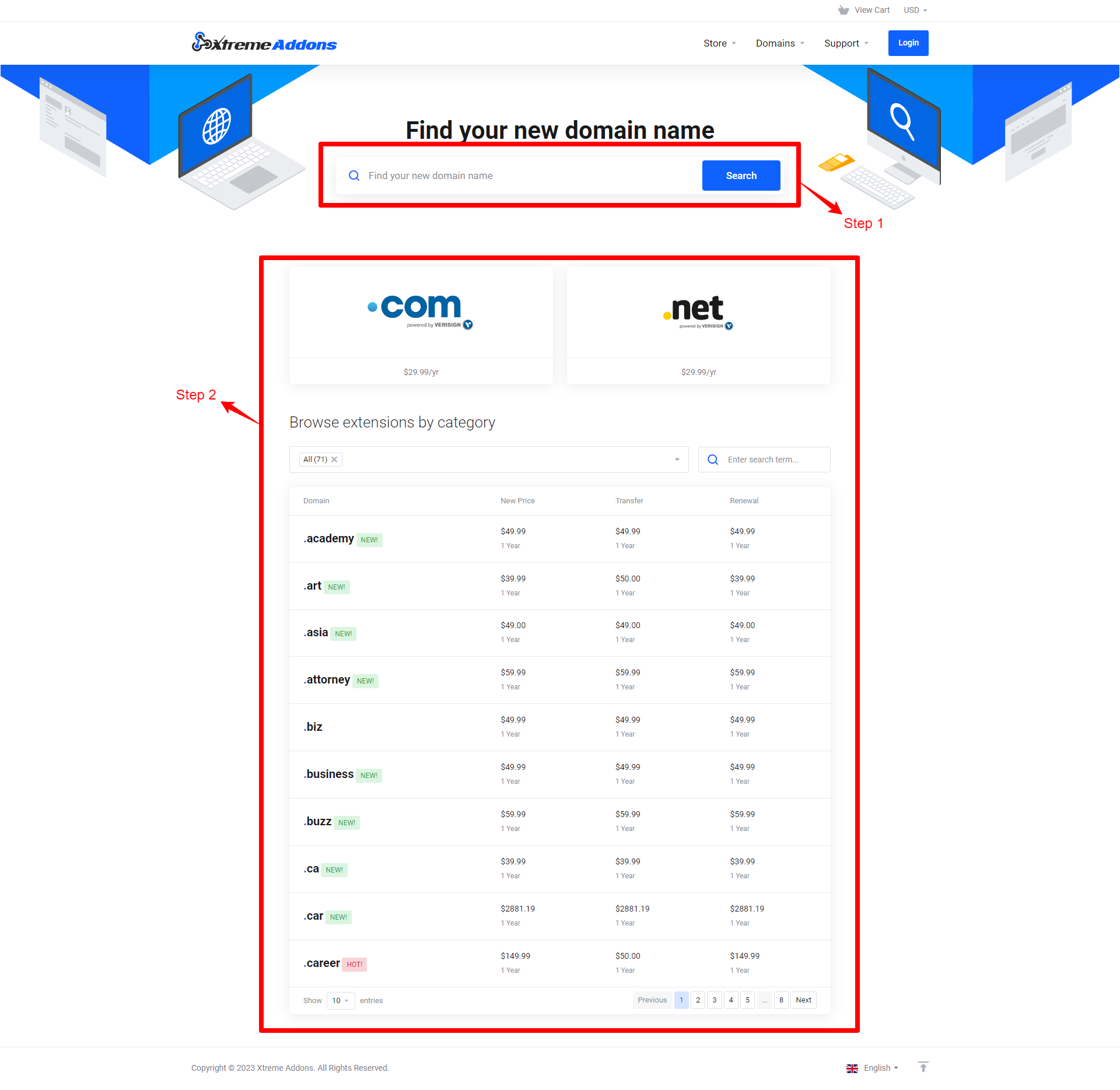
Step 2: Select Domain Term
You will then be informed if the domain is available for registration and will be able to choose the TERM of the registration (the longer the term, the cheaper it is)
Step 3: Select Domain Options
A new page will show where you will be able to choose from the following options:
a. Hosting: Add a hosting package to your domain.
Note: If Xtreme is or will be handling your website, no need for this option as an enhanced Managed Hosting Package is or will be included with your Website Development.
b. Domain Options
The following domain options are available but not required to register a domain:
DNS Management: This is an advanced option only available IF you plan on managing the domain yourself. (Not Applicable if Xtreme manages your website)
ID Protection: With Private Domain registration, we publish our information in place of yours, making sure that your address, phone number and other information remains hidden. (Recommended) Learn more >
c. Name Servers
Name Servers points the domain to where the website is hosted.
If your have Managed Hosting with Xtreme: Leave the nameservers as they appear and press “Update Cart”
If you host your site on with another company: Put your host’s custom nameservers to point the domain to them press “Update Cart”
What's your Reaction?
You have reacted on"How do I register a New Domain?"
A few seconds ago


 Subscriptions
 My Orders
 My Wishlist
 Refer & Earn💸
 My Projects
 Conversations
 Website Services
 New Website Request
 Website Addons
 eCommerce Addons
 eCommerce Modules
 Software Development
 Graphic Design
 Video Production
 Content Writing
 Marketing Services
 Marketing Products
 Get a Marketing Plan
 Local SEO Audit
 Sales Automation
 Service Automation
 Operations Automation
 Marketing Automation
 Payments Automation
 Premium Modules
 Support Tickets
 Latest Updates
 Consultation Calls
 Tools & Extensions
 Tech Tips & Tricks
 Domains & Emails









