Congratulations on adding an Event Calendar functionality to your website! #
Google Calendar is the perfect option for displaying upcoming events or classes in a visually pleasing format that is easy to manage. The Google Calendar widget is available to all Turnkey Website clients (except Starter plan) and it allows you to display Google Calendars on your site. For your events to show, you need to connect your Gmail account to the widget following these steps:
- Click on the Google Calendar widget and do one of the following:
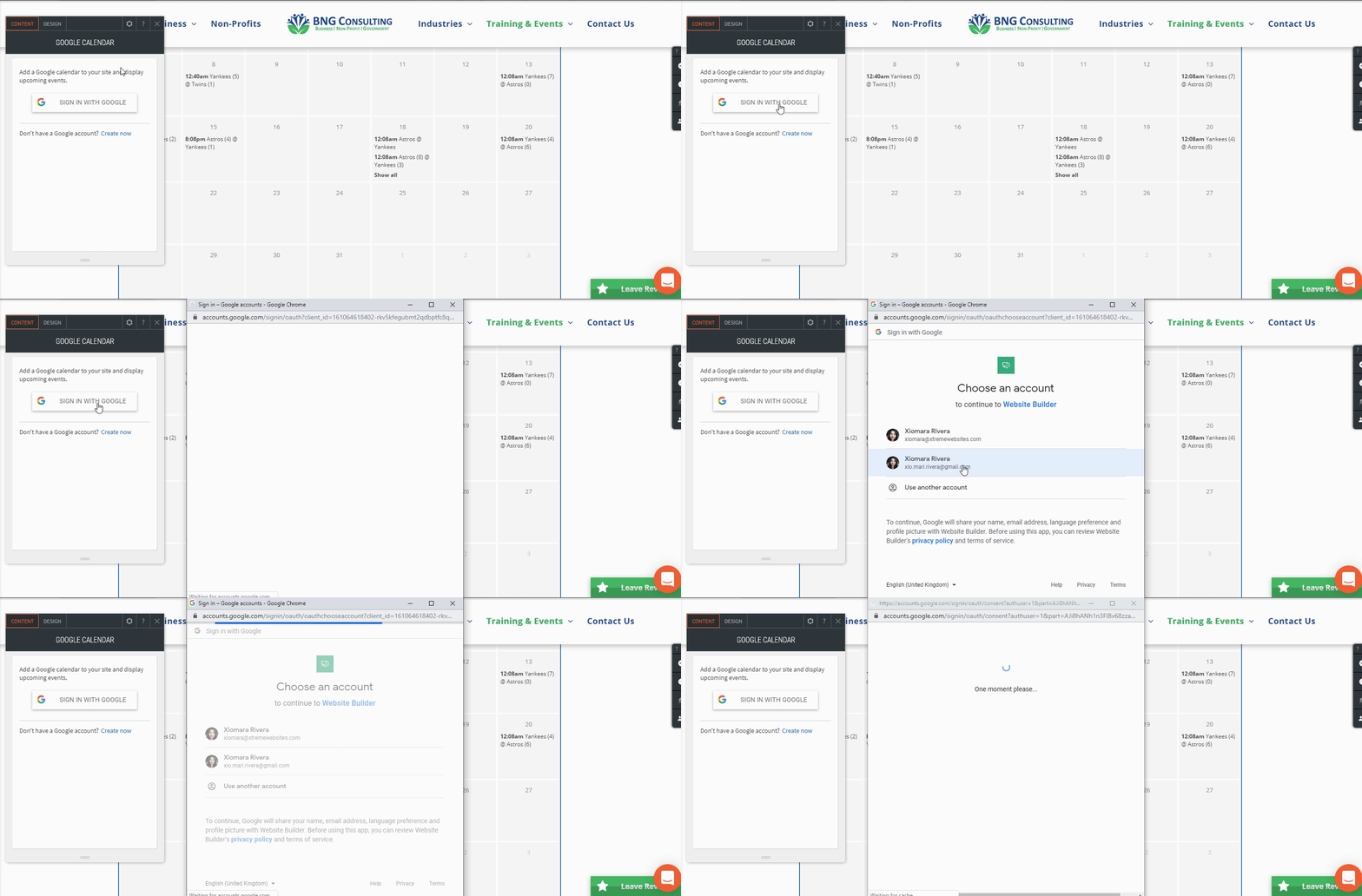
- If you have a Google account press the “SIGN IN WITH GOOGLE” Button
- Choose the Google account with the calendar you want to display
- If you have no Google Account click the “Create now”
- Go through the process of creating a Google account
- Once you create your Google account sign into the widget with your Google account
- After you signed into the widget with your Google account pick the calendar you want displayed
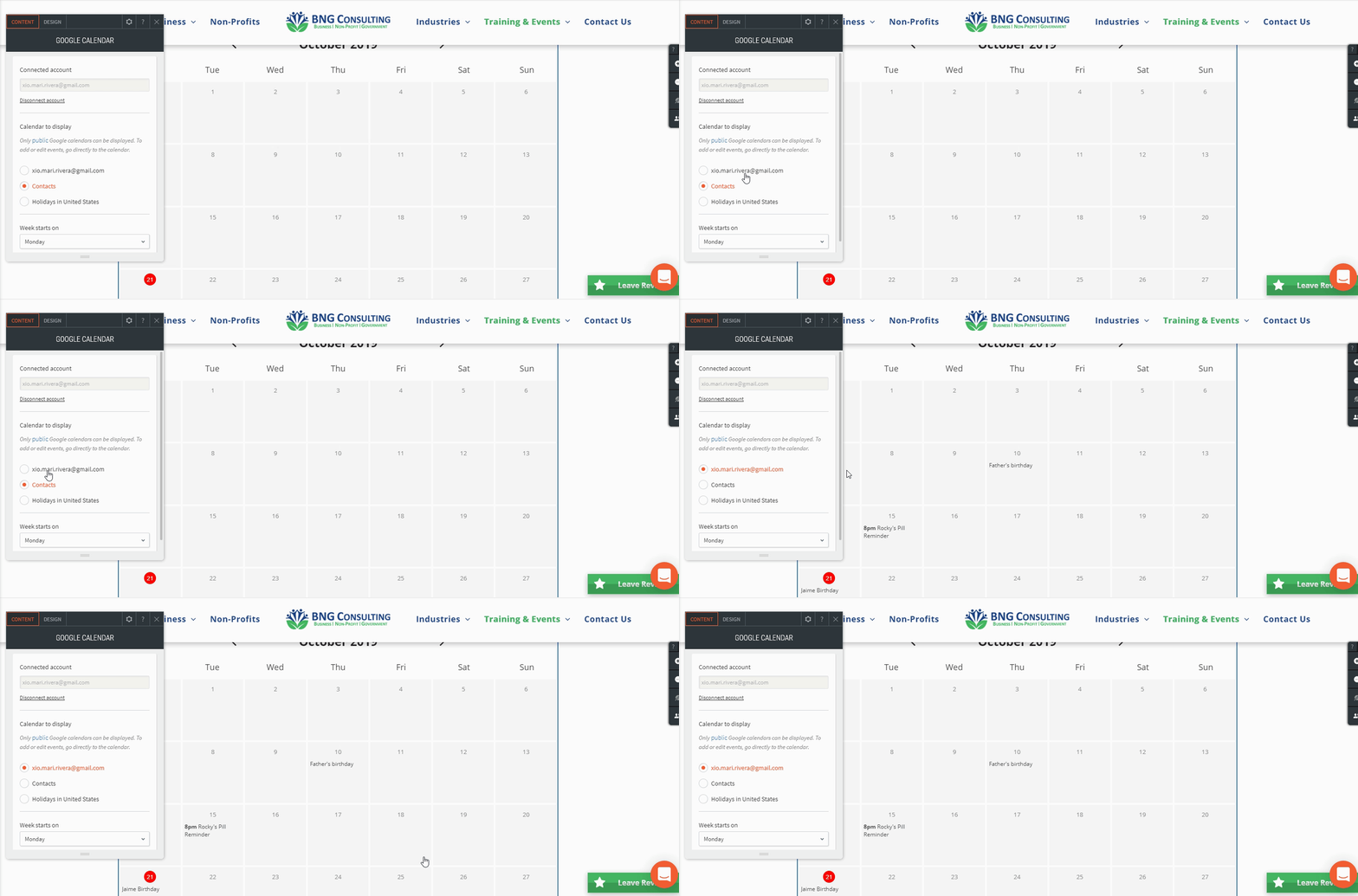
- When a calendar is selected all event details will be visible on the calendar
- To save the changes you have republish the sites
What's your Reaction?
You have reacted on"How do I use the Google Calendar Widget?"
A few seconds ago


 Subscriptions
 My Orders
 My Wishlist
 Refer & Earn💸
 My Projects
 Conversations
 Website Services
 New Website Request
 Website Addons
 eCommerce Addons
 eCommerce Modules
 Software Development
 Graphic Design
 Video Production
 Content Writing
 Marketing Services
 Marketing Products
 Get a Marketing Plan
 Local SEO Audit
 Sales Automation
 Service Automation
 Operations Automation
 Marketing Automation
 Payments Automation
 Premium Modules
 Support Tickets
 Latest Updates
 Consultation Calls
 Tools & Extensions
 Tech Tips & Tricks
 Domains & Emails









