Category pages are essential for organizing products and improving user navigation within your store.
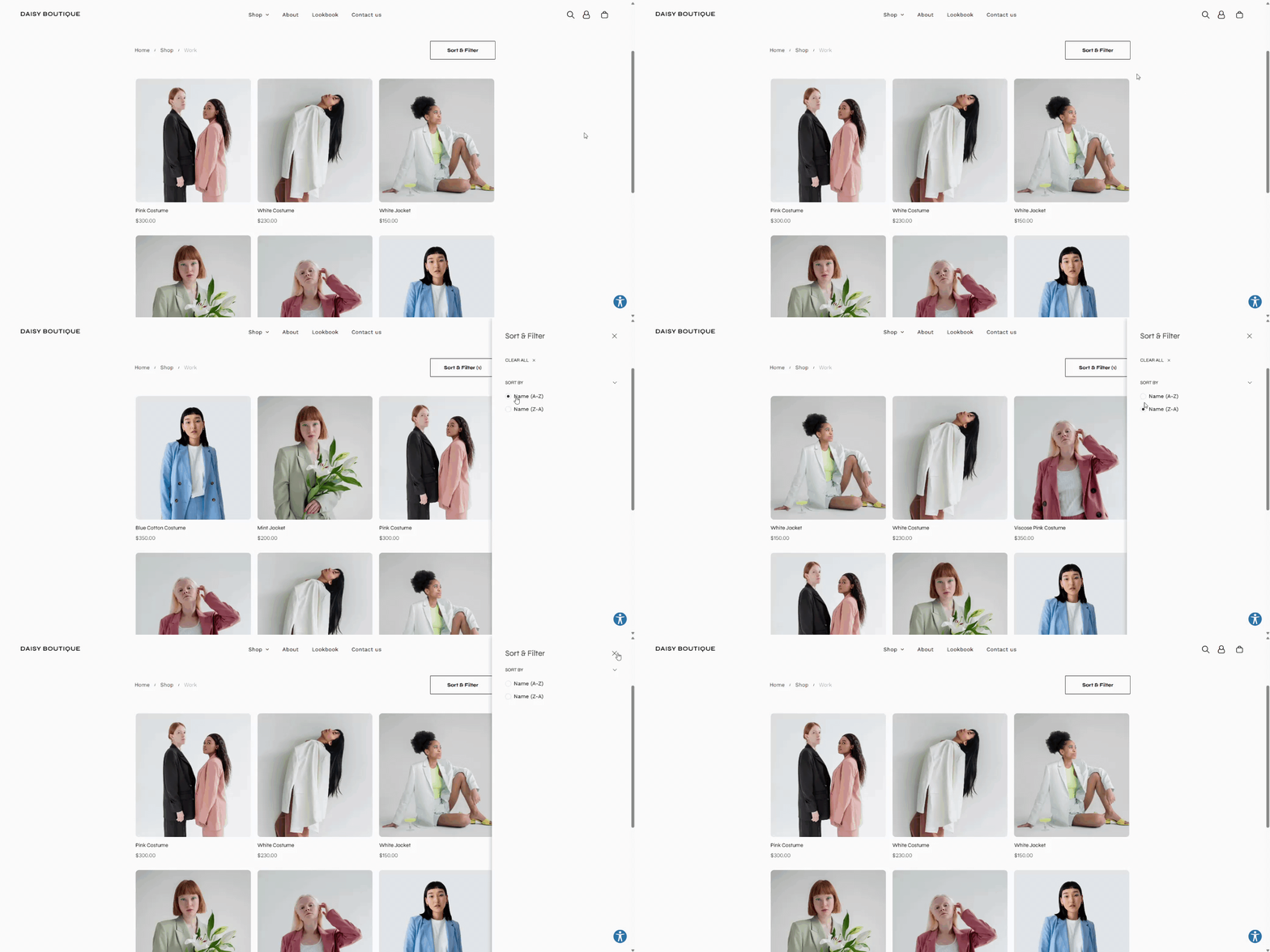
Edit Category Page #
- Access Category Settings:
- Go to Sell Online and click on Store Management.
- Select the category you want to edit.
- Update Category Information:
- Modify category names, descriptions, and images.
- Ensure categories are logically grouped for easy browsing.
- Save Adjustments:
- Click Save to apply the changes.
Configure Categories in Site Navigation #
- Open Navigation Settings:
- Within Store Management, navigate to Site Navigation.
- Adjust Category Visibility:
- Determine which categories appear in the site navigation menu.
- Reorder categories as needed for optimal usability.
- Save Navigation Changes:
- Confirm your updates by saving the navigation settings.
By understanding and effectively managing these key pages within the Turnkey eCommerce™ platform, you can create a user-friendly and efficient online shopping experience.
What's your Reaction?
You have reacted on"Optimizing Category Pages"
A few seconds ago


 Subscriptions
 My Orders
 My Wishlist
 Refer & Earn💸
 My Projects
 Conversations
 Website Services
 New Website Request
 Website Addons
 eCommerce Addons
 eCommerce Modules
 Software Development
 Graphic Design
 Video Production
 Content Writing
 Marketing Services
 Marketing Products
 Get a Marketing Plan
 Local SEO Audit
 Sales Automation
 Service Automation
 Operations Automation
 Marketing Automation
 Payments Automation
 Premium Modules
 Support Tickets
 Latest Updates
 Consultation Calls
 Tools & Extensions
 Tech Tips & Tricks
 Domains & Emails









