Efficient customer management in your Turnkey eCommerce™ store involves navigating through site contacts to gain insights into orders, abandoned carts, and subscriptions.
Understanding Site Contacts #
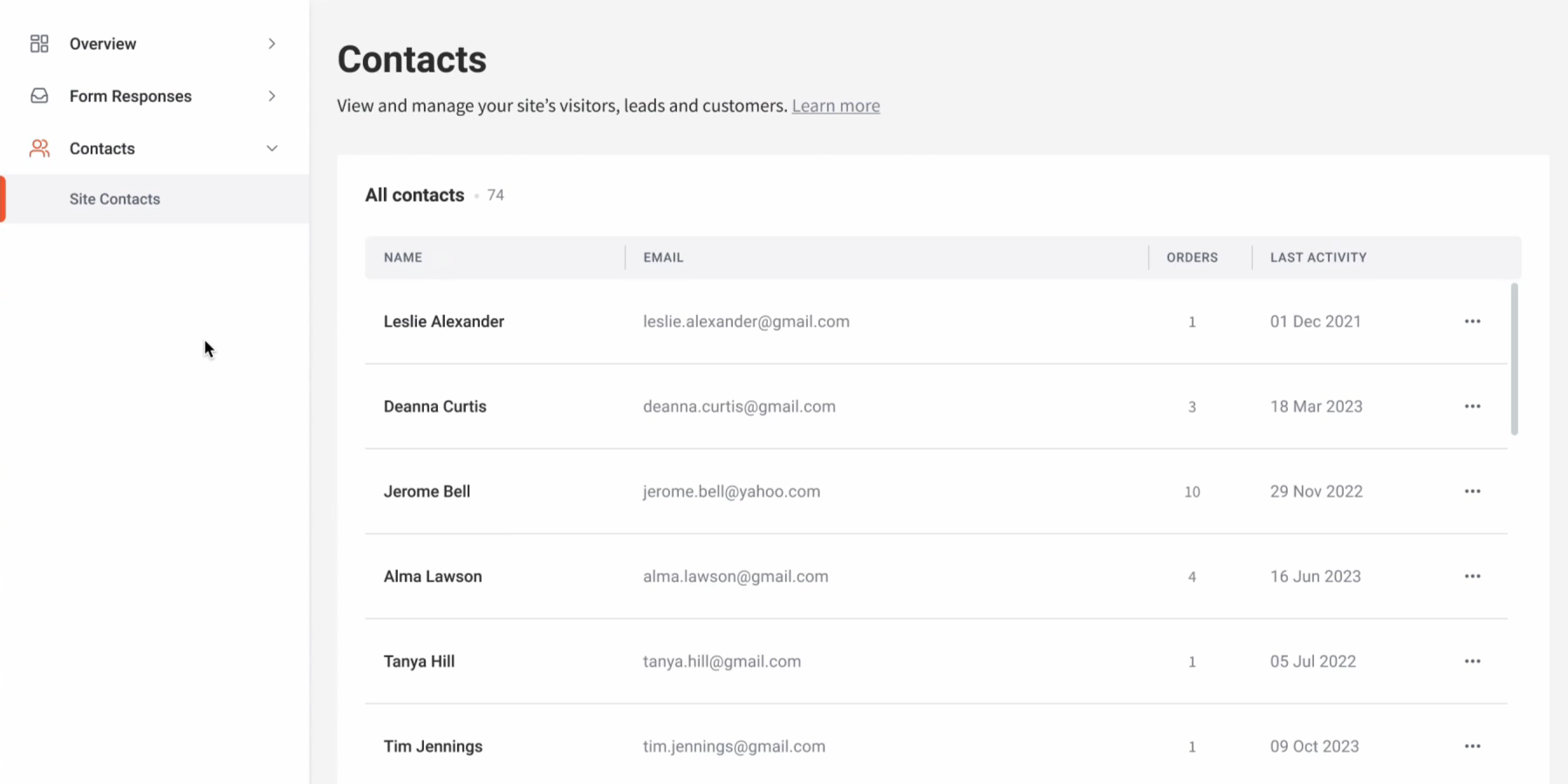
When a customer makes a purchase or qualifies as having an abandoned cart, they will be listed in the site’s contacts.
Accessing Site Contacts Overview #
To access a detailed overview of site contacts and their associated information:
- Access Contacts:
- In the side panel of the site overview, click Contacts, then select Site Contacts.
- View Contact Details:
- Hover over and click a contact to view detailed information.
Exploring Contact Information #
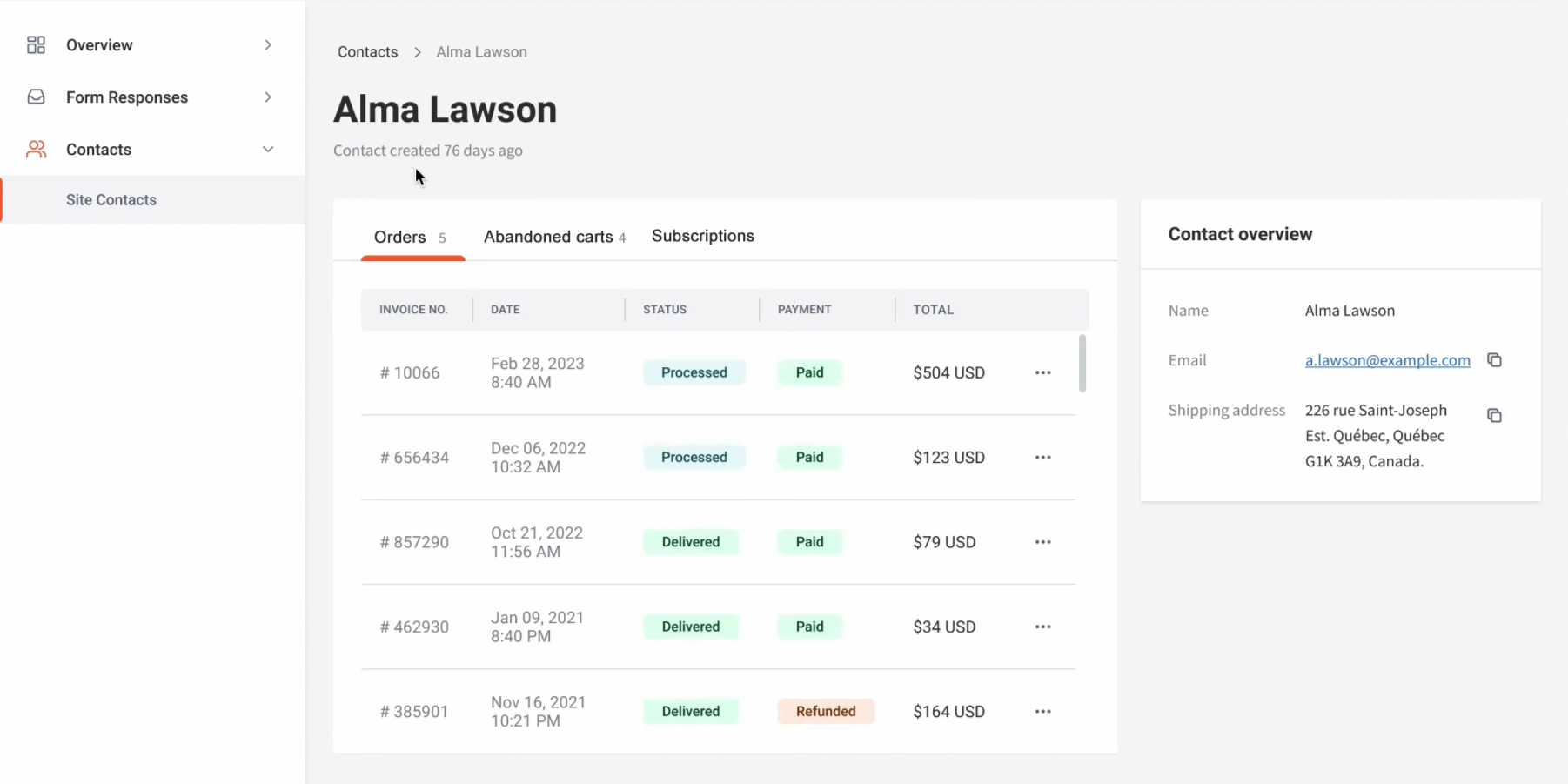
- Orders Tab:
- View order details such as invoice number, purchase date, fulfillment and payment status, total price, and contact overview.
- Click the three horizontal dots icon next to an order and select View More Details for expanded information, including shipping and billing details.
- Abandoned Carts Tab:
- Access information including cart IDs, date, number of items abandoned, and total price.
- Click the three horizontal dots icon next to a cart and select See More Details for expanded details.
- Subscriptions Tab:
- View subscription details, cycle dates, status, and recurring invoices.
- Click the three horizontal dots icon next to a subscription to cancel it.
Leveraging these insights can help you manage your customers more effectively within your Turnkey eCommerce™ store.
What's your Reaction?
You have reacted on"Managing Site Contacts"
A few seconds ago


 Subscriptions
 My Orders
 My Wishlist
 Refer & Earn💸
 My Projects
 Conversations
 Website Services
 New Website Request
 Website Addons
 eCommerce Addons
 eCommerce Modules
 Software Development
 Graphic Design
 Video Production
 Content Writing
 Marketing Services
 Marketing Products
 Get a Marketing Plan
 Local SEO Audit
 Sales Automation
 Service Automation
 Operations Automation
 Marketing Automation
 Payments Automation
 Premium Modules
 Support Tickets
 Latest Updates
 Consultation Calls
 Tools & Extensions
 Tech Tips & Tricks
 Domains & Emails









