The Product Gallery Widget in Turnkey eCommerce™ is a powerful tool for showcasing your products visually. It allows you to display product images in a dynamic and engaging manner, enhancing the shopping experience for your customers.
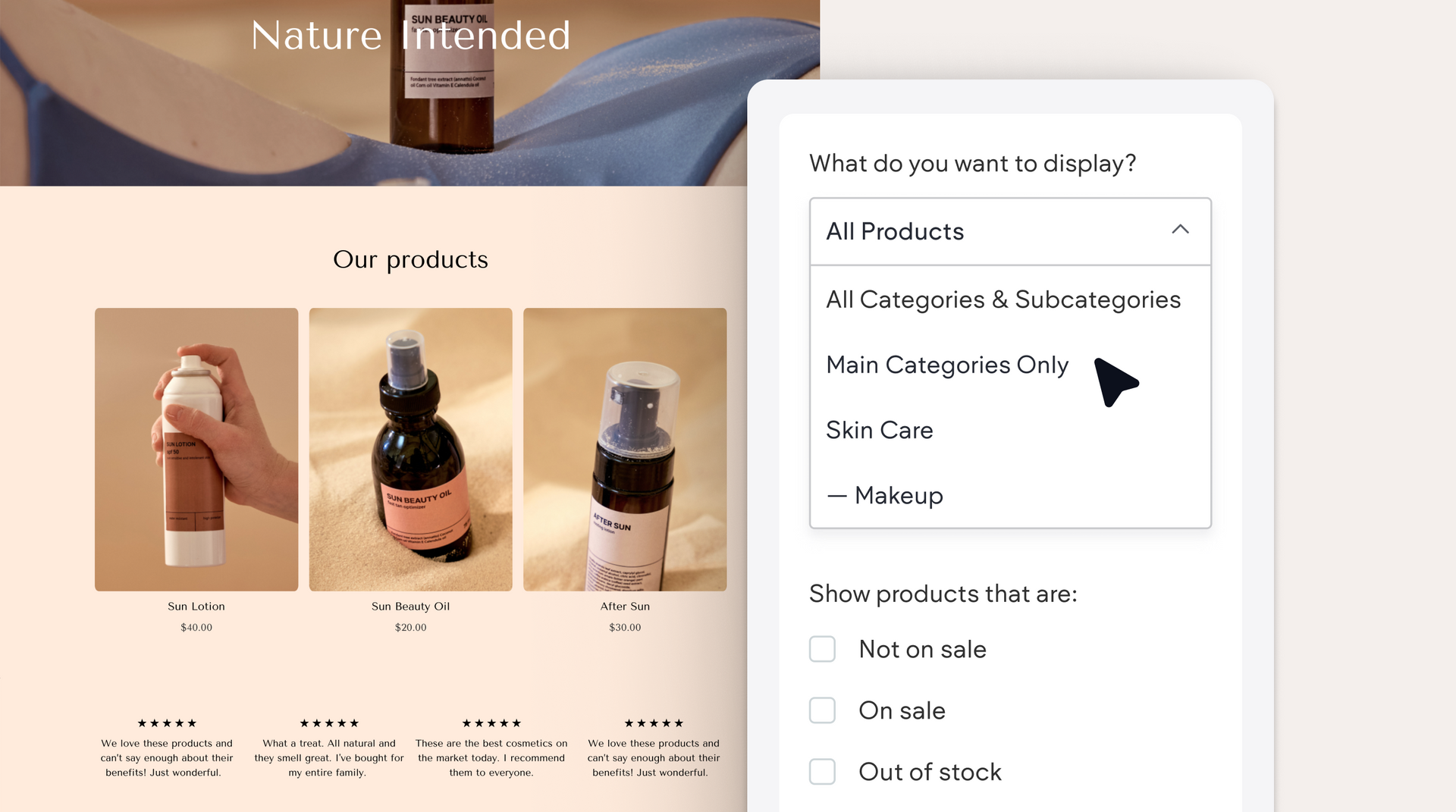
Key Features of the Product Gallery Widget #
- Image Display: You can exhibit multiple product images to give customers a comprehensive view of what you offer.
- Customizable Layout: Choose from various layout options to best fit your store’s design and aesthetic preferences.
- Interactive Viewing: Enable features like zoom or slideshows to make browsing more interactive and engaging.
How to Add a Product Gallery Widget #
- Navigate to Store Pages:
- In the side panel, click Sell Online and select Store Pages.
- Add the Widget:
- Drag the Product Gallery Widget to the desired location on your page.
- Configure Widget Settings:
- Select which products to display by connecting the widget to the relevant product data.
- Customize the layout and display settings according to your preferences.
- Finalize and Save:
- Once configured, save your changes to update the store page.
Benefits of Using the Product Gallery Widget #
- Enhanced Visual Appeal: A well-presented gallery can significantly boost the aesthetic appeal of your store.
- Improved Customer Experience: By providing multiple images and interactive features, customers can make more informed purchasing decisions.
- Increased Engagement: The dynamic nature of the widget can capture customer interest and potentially increase conversion rates.
Leverage the Product Gallery Widget in your Turnkey eCommerce™ store to create a visually compelling product showcase that attracts and retains customer interest.
What's your Reaction?
You have reacted on"Utilizing the Product Gallery Widget"
A few seconds ago


 Subscriptions
 My Orders
 My Wishlist
 Refer & Earn💸
 My Projects
 Conversations
 Website Services
 New Website Request
 Website Addons
 eCommerce Addons
 eCommerce Modules
 Software Development
 Graphic Design
 Video Production
 Content Writing
 Marketing Services
 Marketing Products
 Get a Marketing Plan
 Local SEO Audit
 Sales Automation
 Service Automation
 Operations Automation
 Marketing Automation
 Payments Automation
 Premium Modules
 Support Tickets
 Latest Updates
 Consultation Calls
 Tools & Extensions
 Tech Tips & Tricks
 Domains & Emails









