Connecting your X (formerly Twitter) account to the social planner helps you engage and interact with your audience, by adding your accounts ensuring you never miss an opportunity. It allows you to tweet, like, and retweet from the comfort of your CRM.
Connecting Your Account #
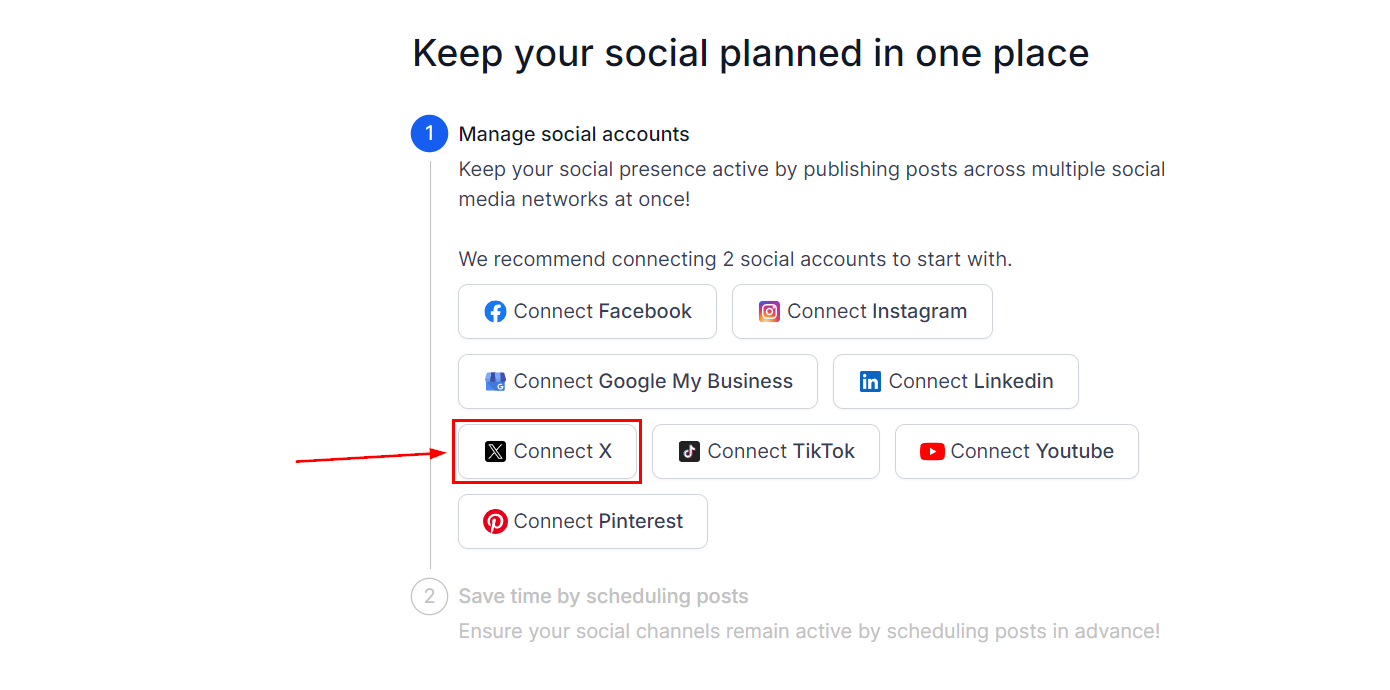
If you don’t have any social media account connected yet, you will see this page, click on the X icon in the wizard with the connect option as shown below to start setup.
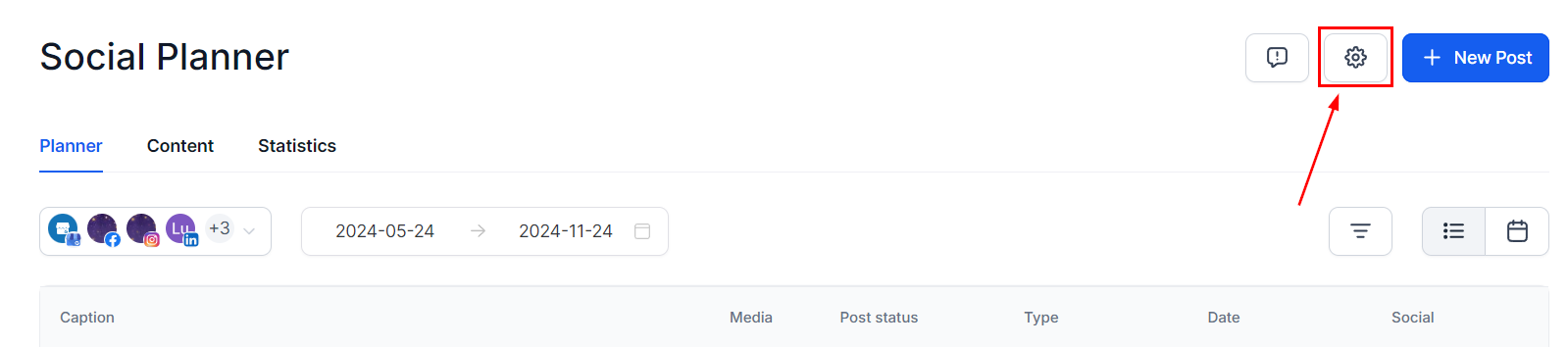
If you already have an account connected, click on the Setting option (Gear icon) at the top right corner of Social Planner.
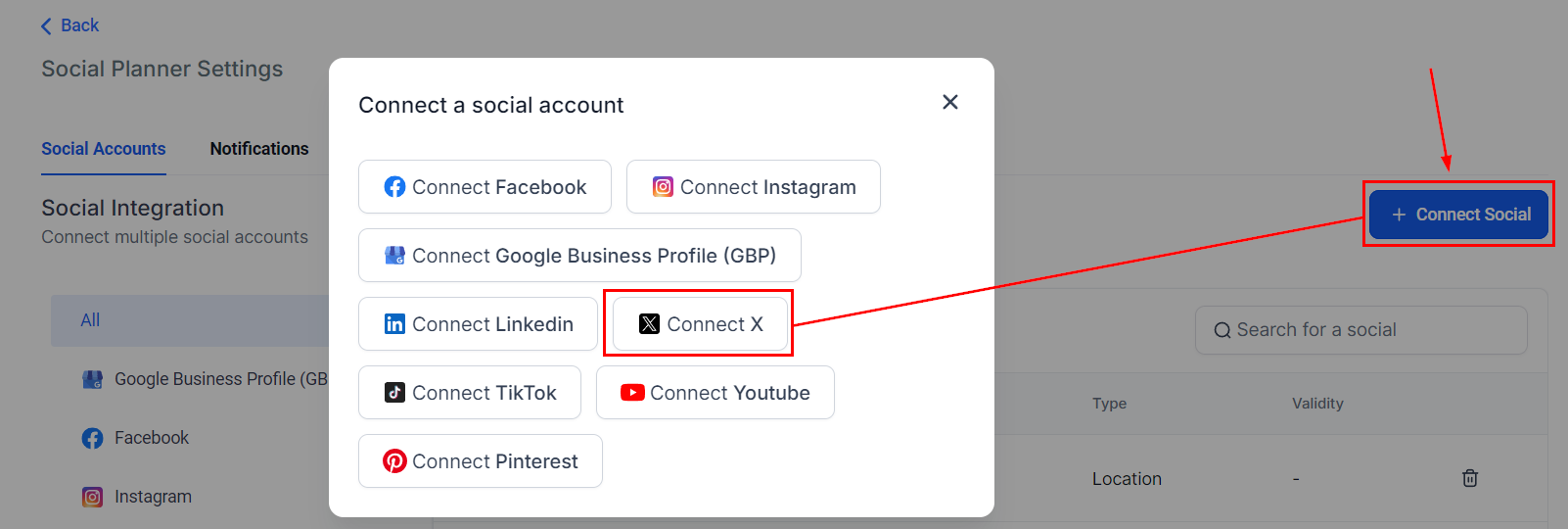
After clicking the Connect Social button, there will be an option to add a Twitter account.
Authorize Twitter Profile #
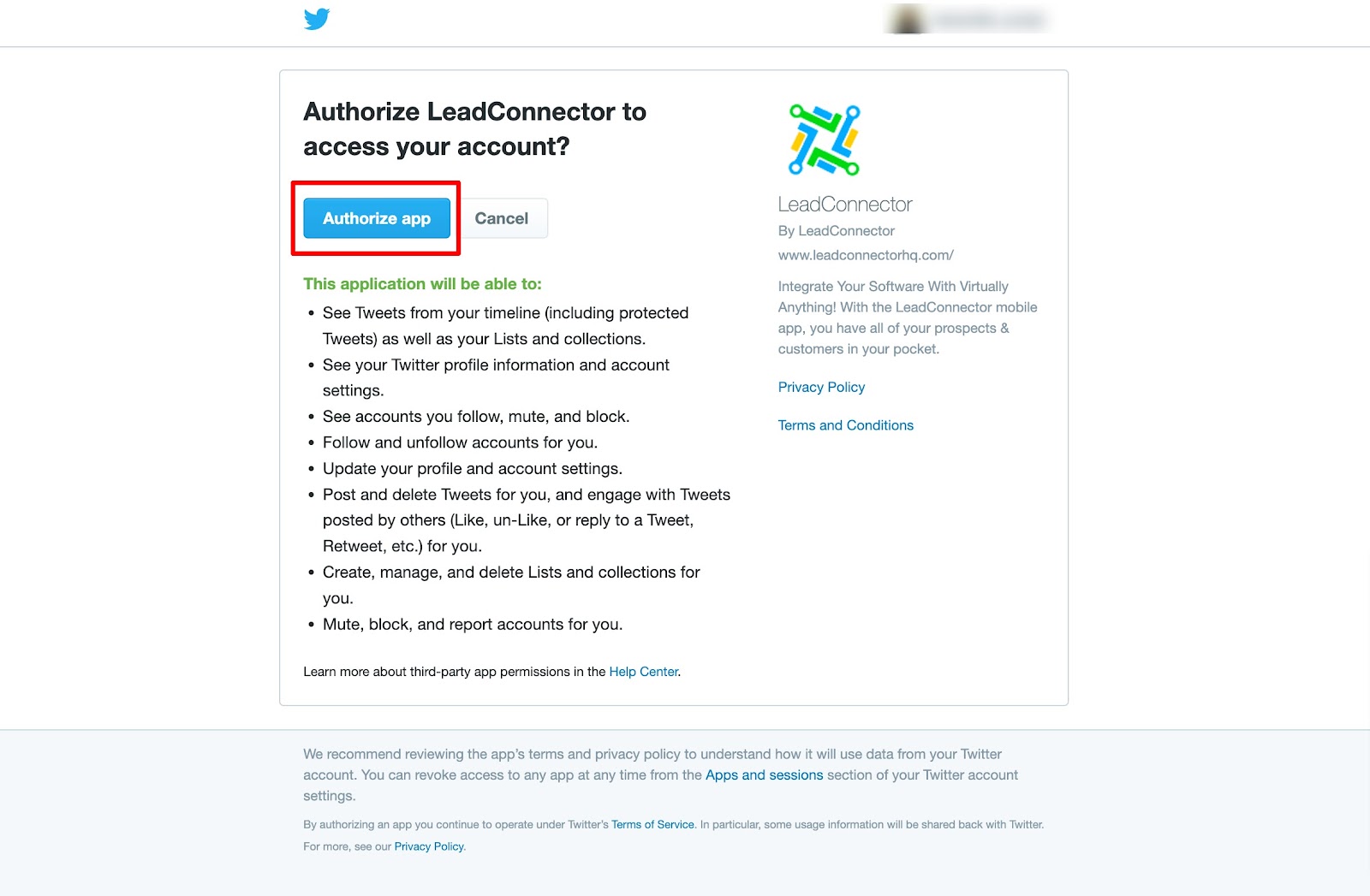
When you connect your Twitter account, fill in your username and password. Then, authorize permissions with Lead Connector by selecting the blue Authorize App button.
Once you have selected the correct account to link to the Social Planner, you can access and manage your content easily through the Social Planner giving you enhanced control over your content scheduling and social media management.
What's your Reaction?
You have reacted on"Connecting Twitter (X Platform)"
A few seconds ago


 Subscriptions
 My Orders
 My Wishlist
 Refer & Earn💸
 My Projects
 Conversations
 Website Services
 New Website Request
 Website Addons
 eCommerce Addons
 eCommerce Modules
 Software Development
 Graphic Design
 Video Production
 Content Writing
 Marketing Services
 Marketing Products
 Get a Marketing Plan
 Local SEO Audit
 Sales Automation
 Service Automation
 Operations Automation
 Marketing Automation
 Payments Automation
 Premium Modules
 Support Tickets
 Latest Updates
 Consultation Calls
 Tools & Extensions
 Tech Tips & Tricks
 Domains & Emails












