A hashtag is a combination of letters, numbers, or emoji preceded by the # symbol (e.g., #NoFilter). They are used to categorize content and make it more searchable. It is the best way to expand your audience and get more reach.
How to create group hashtags within Social Media Boosters™ #
1.Go to ‘Marketing‘ > ‘Social Media Boosters™‘ > Click on the ‘Create New Post‘ button
2.In Create Post, there is an option to add hashtags ‘#’.
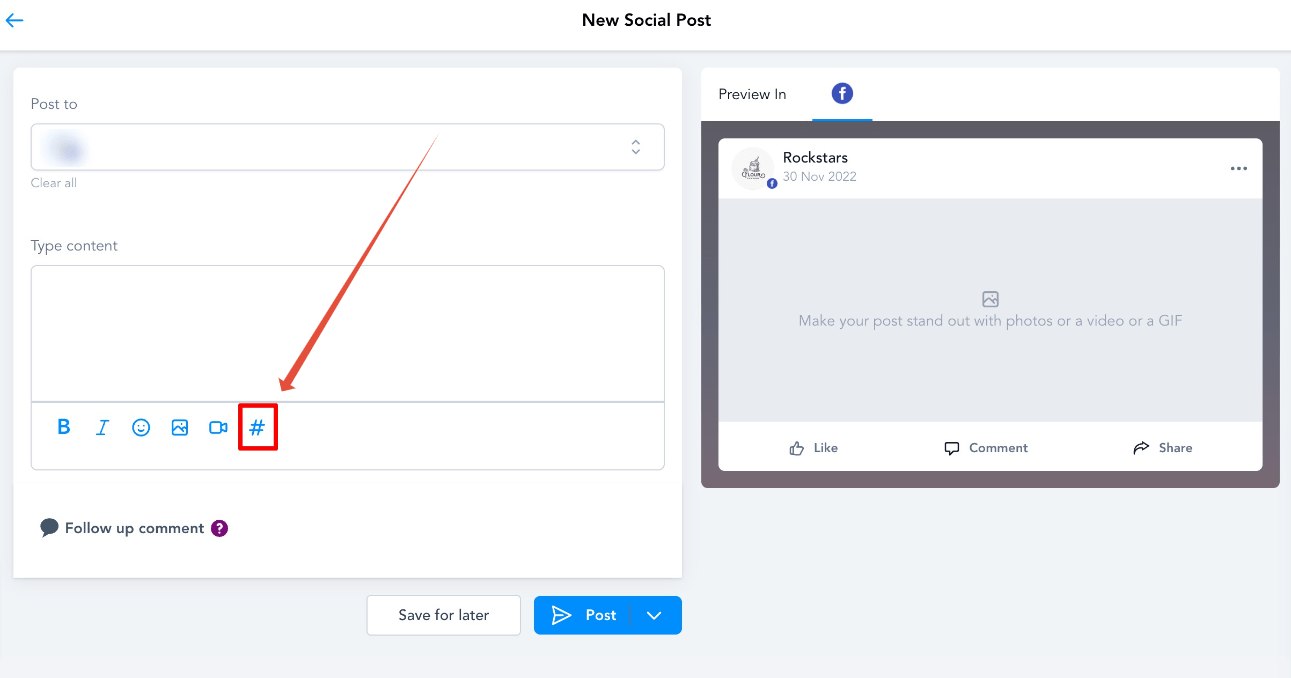
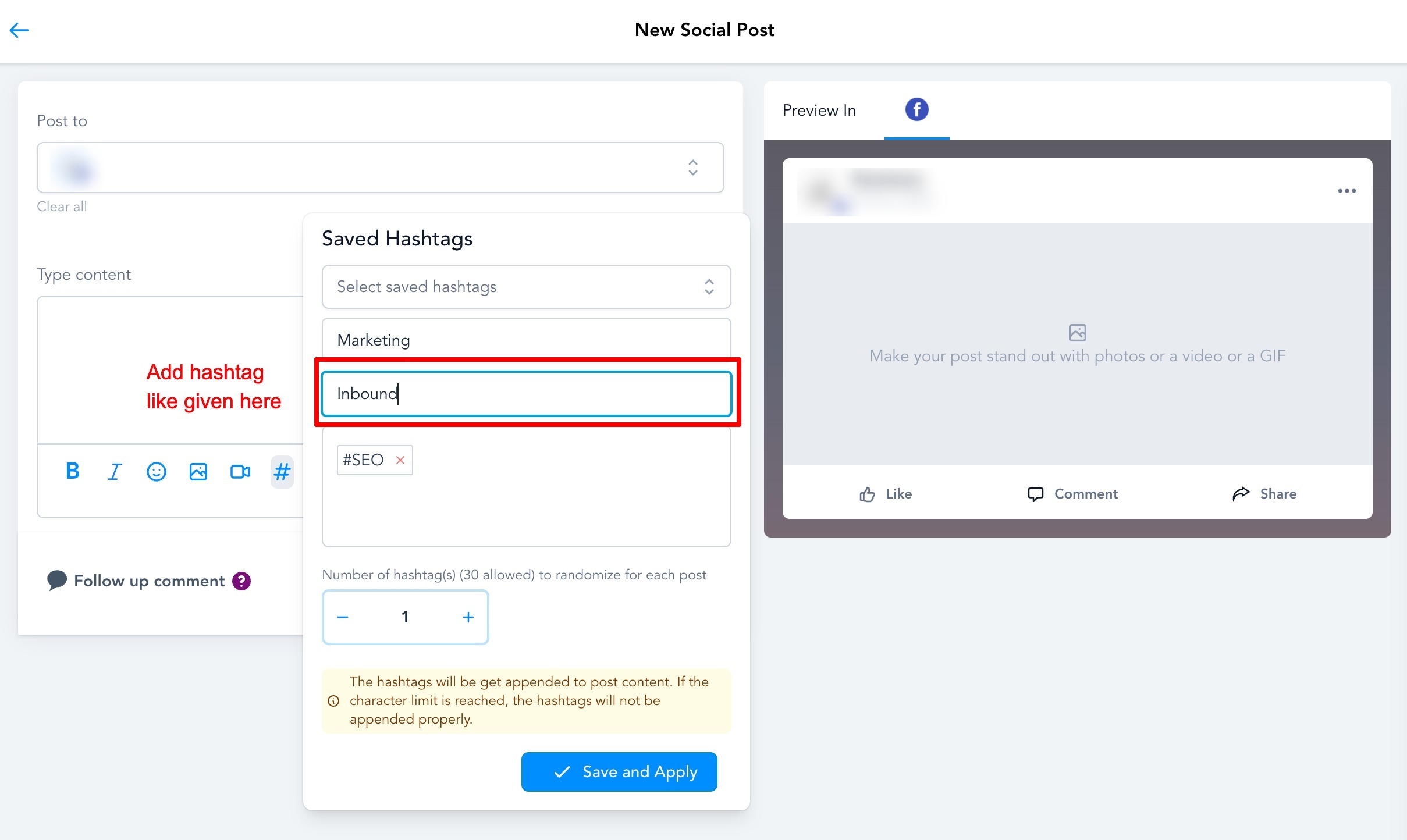
3. After clicking on the ‘#’, a pop-up will appear, which requires information regarding the new addition. You need to add a Name for the set and the hashtags you want to use when selecting this particular set of hashtags. There is an option to add several hashtags when the post is created.
The maximum number allowed is 30 hashtags in each post. Once the hashtags are added, click on ‘Save and Apply‘ to save the hashtag group. Whenever a new social post is created, the user can choose the saved hashtag grouping that the would like to append to the post.
What's your Reaction?
You have reacted on"How to Create and Manage Hashtags"
A few seconds ago


 Subscriptions
 My Orders
 My Wishlist
 Refer & Earn💸
 My Projects
 Conversations
 Website Services
 New Website Request
 Website Addons
 eCommerce Addons
 eCommerce Modules
 Software Development
 Graphic Design
 Video Production
 Content Writing
 Marketing Services
 Marketing Products
 Get a Marketing Plan
 Local SEO Audit
 Sales Automation
 Service Automation
 Operations Automation
 Marketing Automation
 Payments Automation
 Premium Modules
 Support Tickets
 Latest Updates
 Consultation Calls
 Tools & Extensions
 Tech Tips & Tricks
 Domains & Emails









