Keeping your social media active is a need nowadays. It helps you connect with prospective customers, engage new viewers, and grow your online presence for cheap. However, for good results, you must be consistent. And what better for consistency than planning?
Using The Post Builder. #
When you’re ready to publish new content, all you have to do is click the blue “New Post” button in the top right corner of your page.

Click “Create New Post.”

New Social Post #
Select the social media accounts or groups you want to share the post with.

Type in the text content you’d like to publish. You can also add rich media, hashtags, and more in this field.

Get creative by adding formatting elements like bold and italicized text, images, and even videos before hitting the “Save” or “Post” button! With the icons below, you can personalize the post even more. This is what each of them does:

- This is your AI tool; with it, you can get your captions written or corrected, simplifying the post-creation process.
- Modifies the look of selected text by making it Bold.
- Modifies the look of selected text by making it Italic.
- Add Emojis to your post. These are the standard emojis, so they are visible across all devices.
- Add Images to your post. Here, you have the option to create them using AI or upload them from your Media Library.
- Add Documents from your Media Library.
- Add videos to your post. This redirects you to your Media Library so you can select from the ones you have or upload a new one.
- Add hashtags to your posts. This option also lets you save frequently used ones for easy access.
- Quickly access your Custom Values here.
- Here, you can tag a location to make your post easier to find, this is available for Facebook and Instagram posts.
Google My Business Options #
If you select Google Business Profile (formerly known as Google My Business), you can choose between Call to Action, Event, or offer options. Additionally, you can select the appropriate button label.

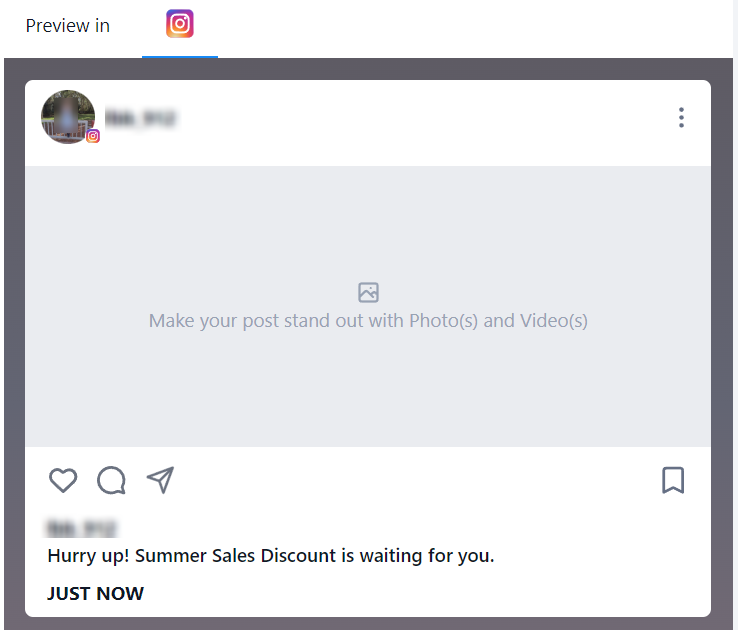
Preview #
You can preview all your content here before you post it.
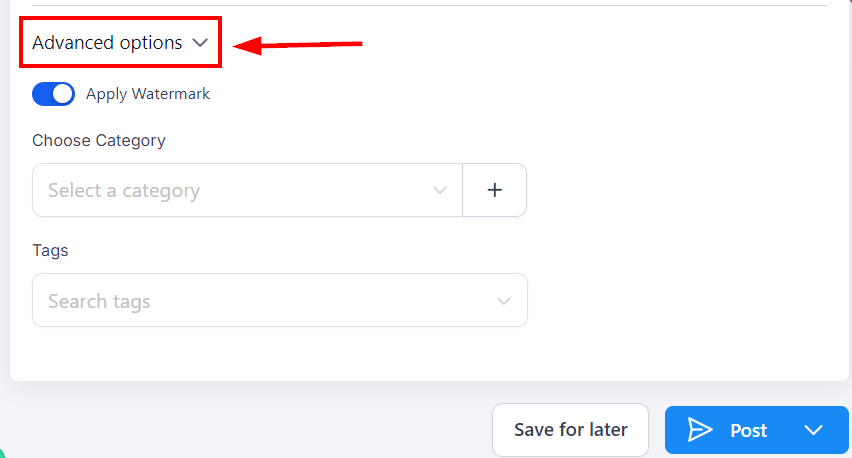
Advanced Options #
You will be able to “Apply Watermark”, select “Category” and add “Tags” also, under the “Advanced Options”.
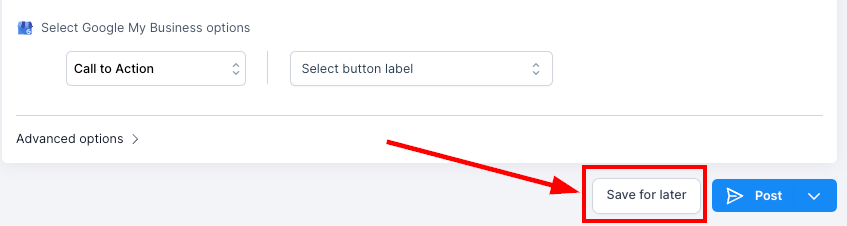
Save For Later #
You can save this update as a draft until you are ready to post it.
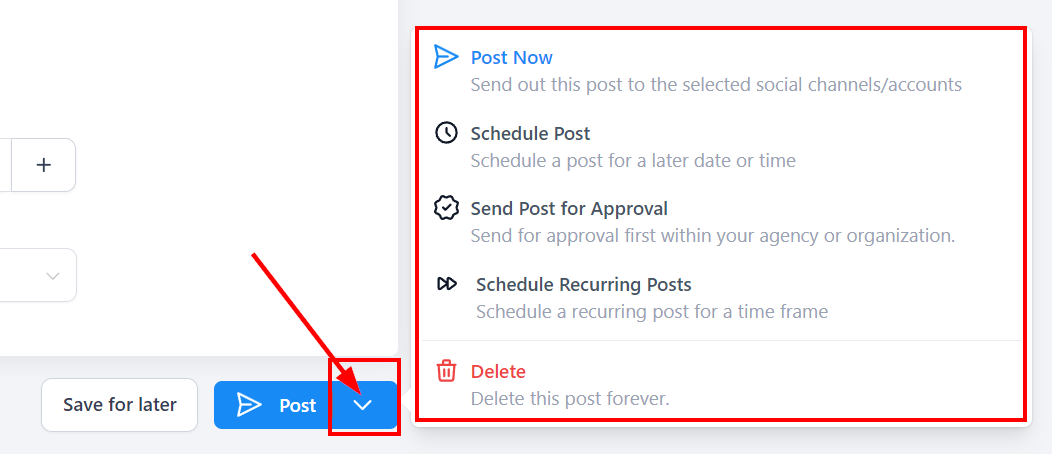
Post #
When you click on the “Post” button, it gives you three (3) different sending options and delete options to choose from:
- Post Now: This will allow you to send this post to the selected social channels/accounts.
- Schedule Post: This will allow you to schedule a post for a later date or time. Choose the date and time from the calendar and time slot.
- Send Post for Approval: This allows you to send for approval first within your agency or organization. Choose the date and time from the calendar and time slot, and select an approver. You can add notes as well.
- Schedule Recurring Posts: This feature allows you to schedule a post to recur within a specific time frame of your choosing.
- Delete: If you want to delete any of your content, click on the delete button, which shows the “Delete confirmation” page. Be sure to want to delete it because it can’t be undone.
Upload from CSV #
Click the “New Post” button and select the “Upload from CSV” button to direct you to the upload page.

Upload #
Click or drag a file to the upload area. Keep in mind that the file needs to comply with a few conditions, these are:
- The date format accepted is YYYY-MM-DD HH:mm:ss. Use the 24-hour format. (example 2025/05/23 20:15)
- The Text column will support captions and hashtags.
- In the link column, it is an OG meta tag, and it accepts one link.
- The image and video column will accept the multiple image(s) and video(s) comma-separated. For GIF, it will support one GIF only.
- CSV import supports up to 90 posts per CSV.

Once you have uploaded the CSV file, click the ‘Next’ button.

Use the drop-down menu to select the accounts you’d like to post to.

Check the box next to Send for approval and select a user to authorize the posts if needed.

Once ready, click Create.

Once the posts are imported, they are reviewed by the chosen approver. Once approved, they are scheduled on the social calendar. Using both of these methods allows you to approach your social media presence with confidence, providing an easy way to create, schedule, and organize your content.
What's your Reaction?
You have reacted on"How To Create A New Post"
A few seconds ago


 Subscriptions
 My Orders
 My Wishlist
 Refer & Earn💸
 My Projects
 Conversations
 Website Services
 New Website Request
 Website Addons
 eCommerce Addons
 eCommerce Modules
 Software Development
 Graphic Design
 Video Production
 Content Writing
 Marketing Services
 Marketing Products
 Get a Marketing Plan
 Local SEO Audit
 Sales Automation
 Service Automation
 Operations Automation
 Marketing Automation
 Payments Automation
 Premium Modules
 Support Tickets
 Latest Updates
 Consultation Calls
 Tools & Extensions
 Tech Tips & Tricks
 Domains & Emails









