Business logos and photos can be easily uploaded, managed, and edited directly within the platform, which ensures a cohesive and professional brand identity across all listings. Read on to find out how to access and use this feature.
Key Features #
- Business Logo Management: Upload and maintain logos in a consistent 1:1 aspect ratio to ensure uniformity across the platform. Effortlessly update or delete logos as needed.
- Photo Upload and Editing: Seamlessly add business photos and synchronize them across all listings. Utilize built-in tools for cropping, mirroring, rotating, and adjusting aspect ratios for optimal presentation.
- Advanced Editing Tools: Enhance both logos and photos using an intuitive, user-friendly interface. Achieve polished, professional results with precision editing features designed to refine your images.
How It Works #
Begin by accessing the Reputation section of the platform. From there, click on the Listings option, which will display all of your business listings. If you manage multiple businesses, ensure you select the correct one.
Once you’re in the entity’s profile, navigate to the Edit Listing Information section.
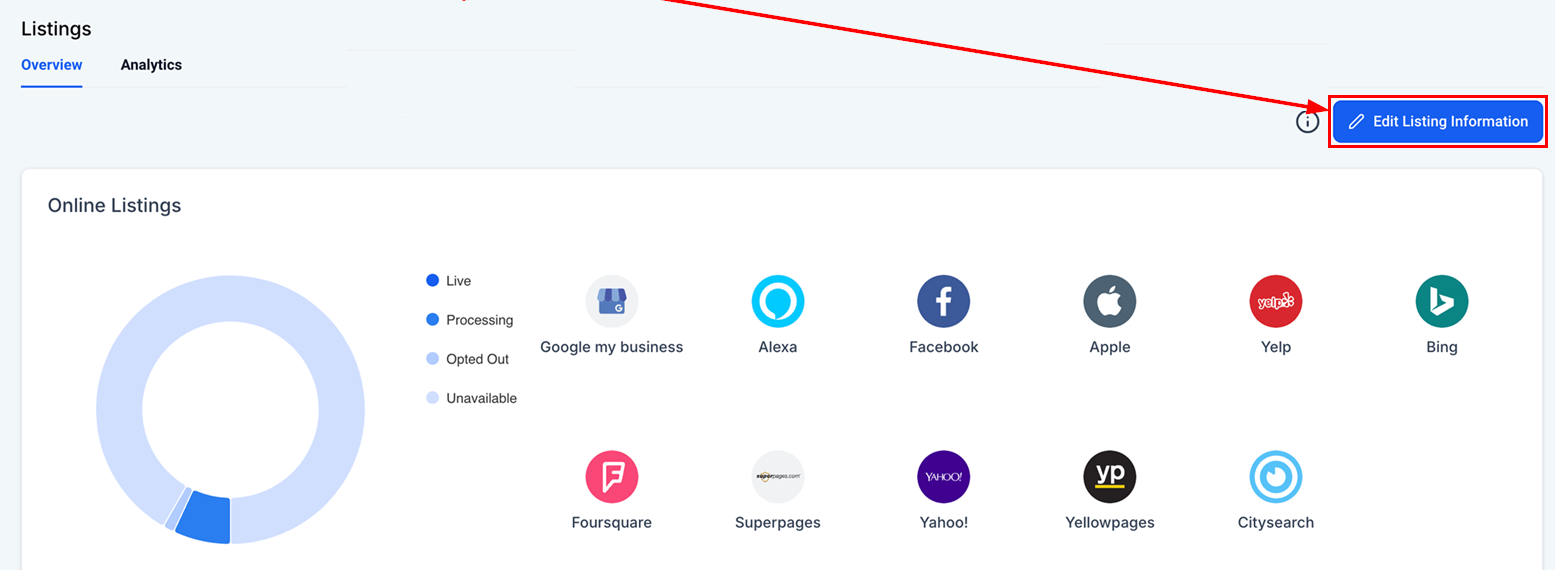
From there, select Media to upload new images or edit existing ones. This is where you can update photos, logos, and other visual content that will appear on your business listing.

The supported image formats include PNG, JPEG, WEBP, and static GIFs. Please note that the maximum file size allowed is 5MB.

Edit the image to enhance its visual quality by utilizing the built-in tools for cropping, mirroring, rotating, and adjusting aspect ratios, ensuring the image is optimized for optimal presentation.

Once you have added all the relevant images, click Save to maintain your changes.

This feature provides greater control over your branding, helping you maintain a strong and cohesive online presence.
What's your Reaction?
You have reacted on"How to Upload Business Logo & Gallery Medi..."
A few seconds ago


 Subscriptions
 My Orders
 My Wishlist
 Refer & Earn💸
 My Projects
 Conversations
 Website Services
 New Website Request
 Website Addons
 eCommerce Addons
 eCommerce Modules
 Software Development
 Graphic Design
 Video Production
 Content Writing
 Marketing Services
 Marketing Products
 Get a Marketing Plan
 Local SEO Audit
 Sales Automation
 Service Automation
 Operations Automation
 Marketing Automation
 Payments Automation
 Premium Modules
 Support Tickets
 Latest Updates
 Consultation Calls
 Tools & Extensions
 Tech Tips & Tricks
 Domains & Emails









