How to use the email builder tool inside Email Rocket Boosters: #
The email builder is an important section of your system. In the email builder, you can create and save email templates, schedule emails, and send bulk emails. Read on to learn how to navigate to and use the email builder.
NOTE: If you’re finding that the drag and drop action isn’t functioning, reload the page or switch to a non-Chrome browser.
Step 1: Accessing the Email Builder
- Navigate to Marketing > Email Rocket Boosters.
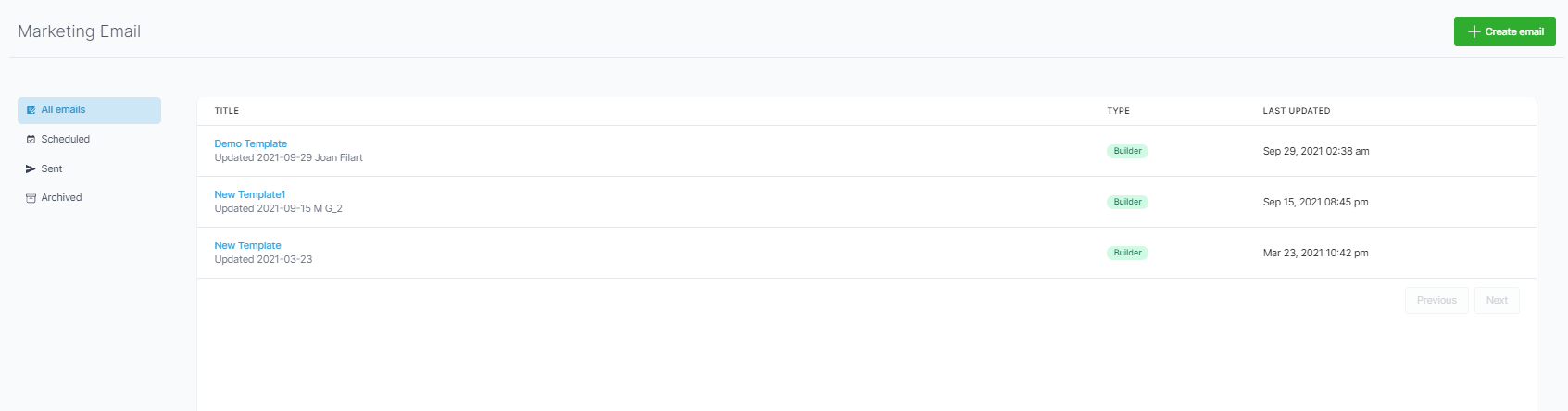
- From here, your default view will be the email(s) you’ve already created.
- You can view the different tabs: All emails, Scheduled, Sent, and Archived.
Step 2: Creating an Email
- To create a new email, click the “+ Create email” button in the top right of the page.
- Select a template.
- In the “Edit” tab, you can completely customize the email. Click into an element (a text box, image, button, etc.) shown on the email, and on the left side of the screen, the menu will provide you with customization options for size, padding, color, fonts, and more.
- When customizing your email, you can rename it at the top, using the pencil icon to unlock the name.
- Then navigate to “Settings” to set up the from name, from email address, to email address, subject, and preview.
What's your Reaction?
You have reacted on"Email Marketing Tool Overview▶️"
A few seconds ago


 Subscriptions
 My Orders
 My Wishlist
 Refer & Earn💸
 My Projects
 Conversations
 Website Services
 New Website Request
 Website Addons
 eCommerce Addons
 eCommerce Modules
 Software Development
 Graphic Design
 Video Production
 Content Writing
 Marketing Services
 Marketing Products
 Get a Marketing Plan
 Local SEO Audit
 Sales Automation
 Service Automation
 Operations Automation
 Marketing Automation
 Payments Automation
 Premium Modules
 Support Tickets
 Latest Updates
 Consultation Calls
 Tools & Extensions
 Tech Tips & Tricks
 Domains & Emails









