Countdown timers are a highly effective tool for driving urgency and encouraging quick action, especially when paired with time-sensitive offers or deadlines. To optimize their impact, it is essential to maintain consistency between the countdown timer on your funnel page and the one in your emails. This uniformity reinforces your message and motivates users to take swift action. Below, we will explore key considerations for using countdown timers in funnels and guide you through the steps to set them up effectively.
Things to Know Before Using the Countdown Timer Element in Funnels #
HTML Timer (Countdown Timer element) #
- Functionality: The HTML-based countdown timer ensures accurate time tracking and better performance.
- Design: While the HTML timer captures the countdown’s functionality, it does not copy the design styles. You will need to manually adjust the timer’s appearance to align with your branding.
Code Block Timer (Countdown Timer code) #
- Functionality: When using a timer code within a code block, the design elements will display correctly as intended.
- Limitations: Code block timers function as GIFs and will only run for 60 seconds per session. For extended countdowns, the HTML timer is the more effective option.
Adding an HTML Timer #
Navigate to Your Funnel or Website #
Navigate to the Sites tab to manage your funnels or websites, and choose the specific funnel or website where you intend to add the countdown timer.
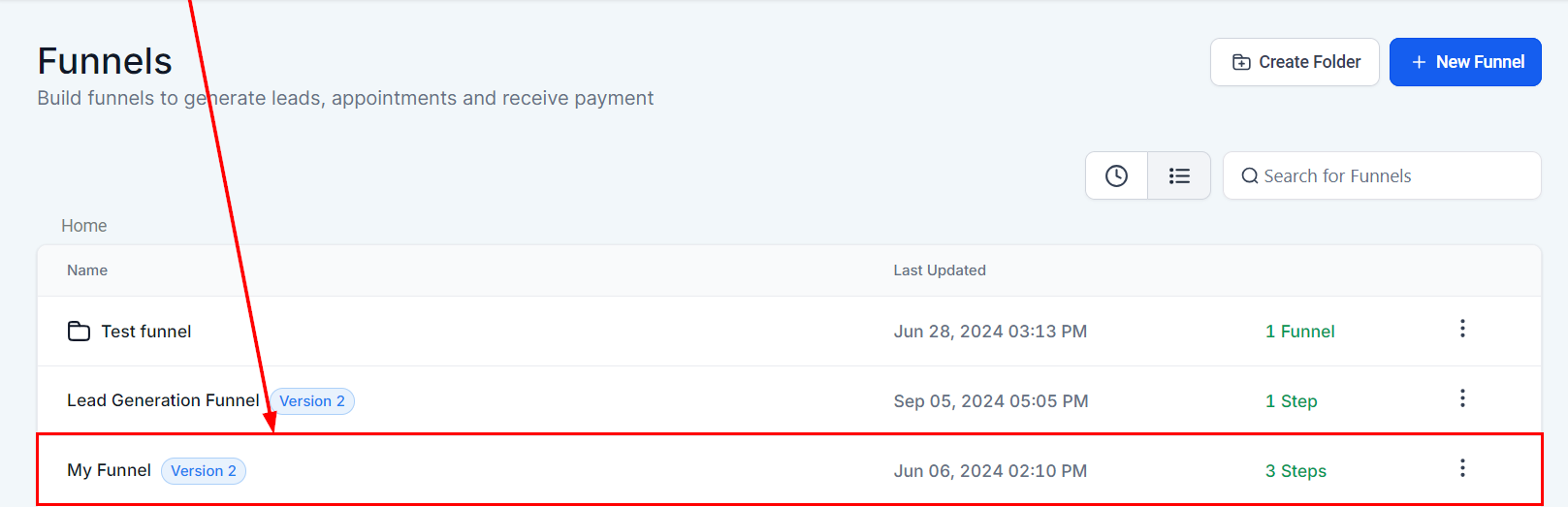
Choose the Step #
Access the editor of the funnel step or website page where you would like to incorporate the countdown timer.

Add the Timer #
From the elements list, select the preferred countdown timer and drag and drop it into the page builder.

Edit Styling and Settings #
Customize the appearance of the timer and set the countdown’s end time.

To make changes to the timer, return to the countdown timer section and adjust the settings as needed.
Adding a Code Block Timer #
Copy the Code #
From the Countdown Timer section, click on the three dots in the list or edit view of the timer and copy the code.


Add a Code Block #
In your funnel or website, insert a code block where the timer should be displayed.

Paste the Code #
Paste the copied timer code into the code editor.

Preview the Timer #
Review the timer’s functionality by previewing the code block.

Using countdown timers in your funnels effectively builds urgency and encourages immediate action. By choosing the right timer type—HTML or code block—you can ensure that both functionality and design align with your goals. Maintaining consistency between the countdowns in your emails and funnels will help strengthen your messaging and drive better results.
What's your Reaction?
You have reacted on"How to Use Countdown Timer in Funnels"
A few seconds ago


 Subscriptions
 My Orders
 My Wishlist
 Refer & Earn💸
 My Projects
 Conversations
 Website Services
 New Website Request
 Website Addons
 eCommerce Addons
 eCommerce Modules
 Software Development
 Graphic Design
 Video Production
 Content Writing
 Marketing Services
 Marketing Products
 Get a Marketing Plan
 Local SEO Audit
 Sales Automation
 Service Automation
 Operations Automation
 Marketing Automation
 Payments Automation
 Premium Modules
 Support Tickets
 Latest Updates
 Consultation Calls
 Tools & Extensions
 Tech Tips & Tricks
 Domains & Emails









