With just a few simple steps, you can seamlessly integrate templates from MailChimp, Active Campaign, or Kajabi, ensuring a smoother and more efficient template management process. This functionality is designed to enhance efficiency and save time by enabling you to reuse your pre-designed templates without the need for recreation. Read on to learn how to make the most of this powerful tool.
✍️Note: Importing a template will generate an HTML-based email template utilizing the code editor.
Navigate to Email Templates #
Access the email templates section by navigating from Marketing > Emails > Templates in your account.

Initiating the Import #
To begin, click on New > Import Email.

Next, select your preferred importing option from the dropdown.
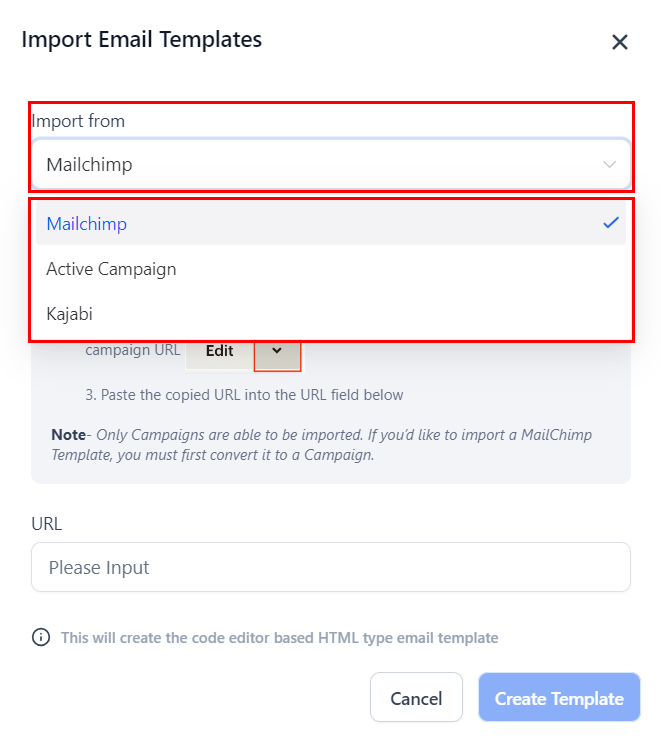
Importing Templates from Mailchimp #
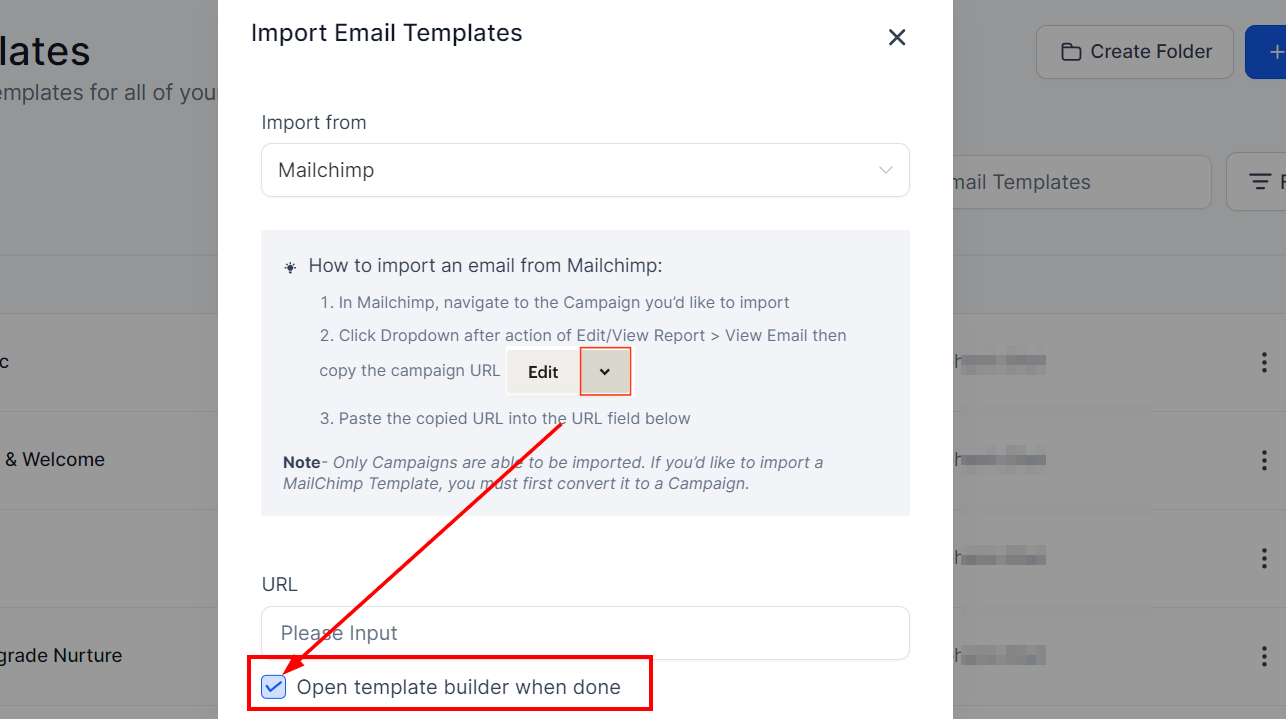
Locate the campaign you wish to import from the “All Campaigns” section in Mailchimp, then click the dropdown menu after selecting “Edit/View Report”. Choose “View Email” to copy the campaign URL, then paste the copied URL into the field provided within the CRM.
Note: Only campaigns can be imported. To import a Mailchimp template, it must first be converted into a campaign.
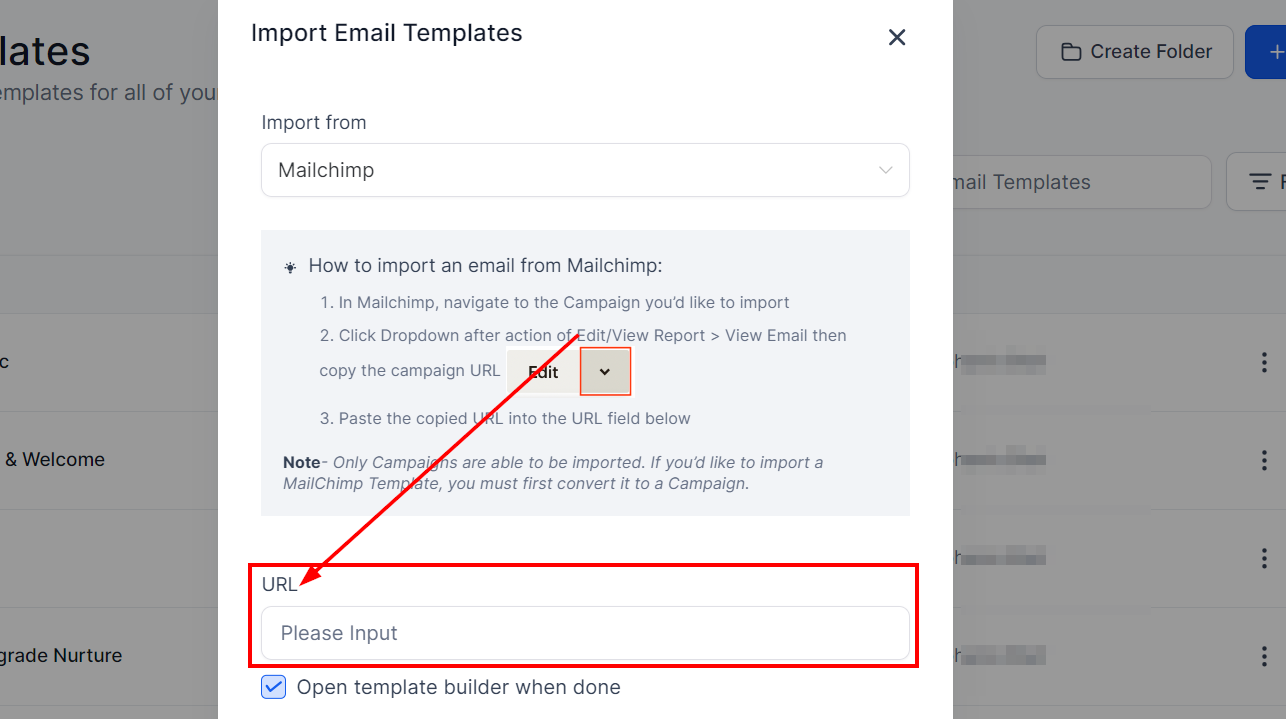
Importing Templates from Active Campaign #
To import an email template from Active Campaign, begin by logging in to your Active Campaign account. Next, Navigate to “Campaigns” > “Campaign Templates” from the left menu. The “Manage Templates” page will display your custom templates from which you can locate the template you wish to share.
Hover over the template, then click the gear icon that appears and select the “Share” option. A modal titled “Share This Template” will appear, displaying the share link. Click the link icon to copy the URL and paste it into the URL input field within the CRM.
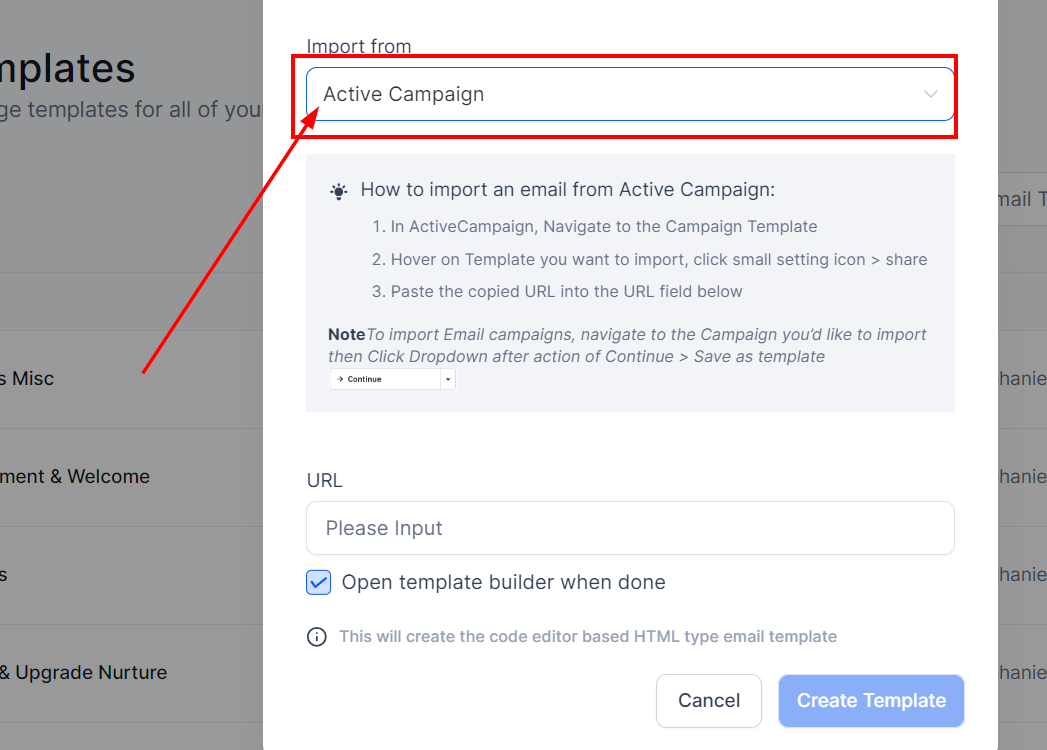
Importing Templates from Kajabi #
Begin the import process by selecting “Kajabi” from the Import from dropdown.
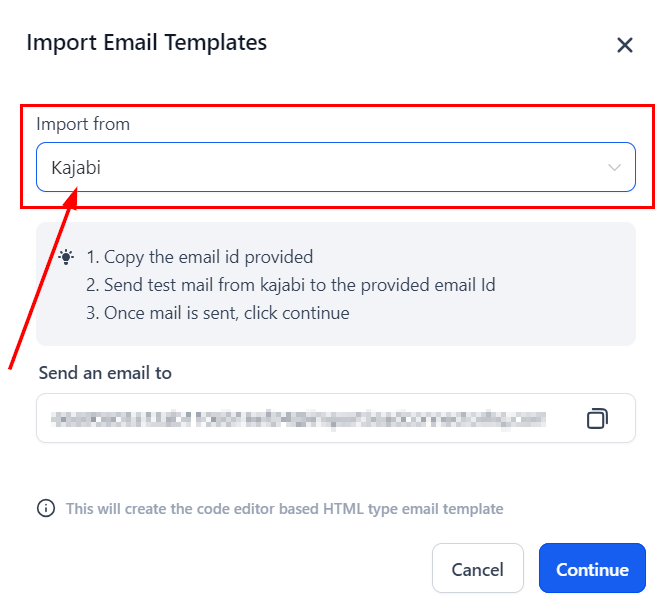
Next, copy the dynamic email ID provided and send the template you wish to import as a test email or campaign to this email ID from your Kajabi account.
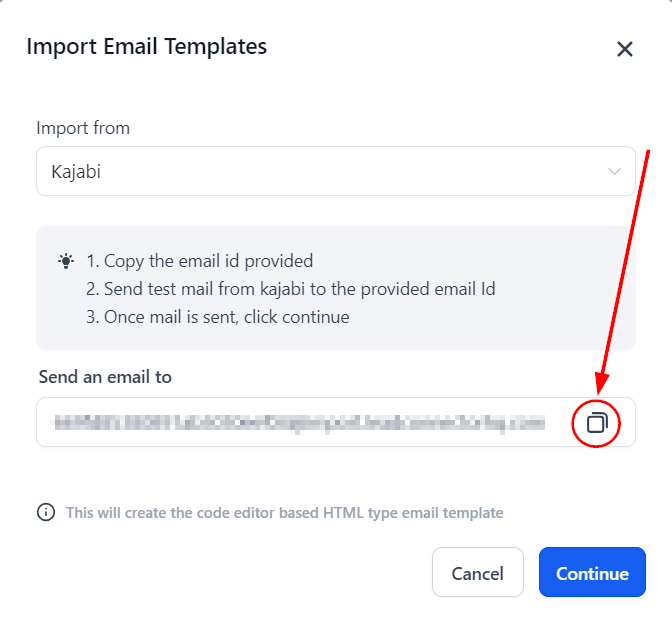
Once you have completed the steps above, Click on “Continue” to finalize the import process.
Open Template Builder When Done #
If you wish to edit the imported template, you can enable the option to access the template builder. Alternatively, you can disable this option if you prefer not to make edits right away.
Saving Your Template #
Specify the desired name for your template and click on “Create Template.”
With this feature, you can import and reuse your templates. Enjoy a smoother, more efficient template management process today!
Frequently Asked Questions #
Q: Can I import multiple templates at once?
- Currently, templates need to be imported individually to ensure accuracy and proper integration.
Q: Can I edit the imported template?
- Yes, if you wish to edit the imported template, enable the “Open Template Builder When Done” option. If you prefer not to make edits immediately, you can disable this option.
Troubleshooting Tips #
Issue: The Mailchimp template is not importing correctly.
- Ensure that the Mailchimp template is converted into a campaign before attempting to import. Only campaigns can be imported.
Issue: The Active Campaign share link is not working.
- Confirm that you copied the share link correctly from the “Share This Template” modal. Ensure that you have the correct permissions to share the template.
Issue: Dynamically Generated Email ID Not Visible for Kajabi
- Ensure you are on the correct page and have selected “Kajabi” from the dropdown menu. Refresh the page if the issue persists.
Issue: Imported Template Not Displaying Correctly
- Check the formatting of the original template. Some design elements may need to be adjusted for compatibility.
What's your Reaction?
You have reacted on"How to Import Email Templates"
A few seconds ago


 Subscriptions
 My Orders
 My Wishlist
 Refer & Earn💸
 My Projects
 Conversations
 Website Services
 New Website Request
 Website Addons
 eCommerce Addons
 eCommerce Modules
 Software Development
 Graphic Design
 Video Production
 Content Writing
 Marketing Services
 Marketing Products
 Get a Marketing Plan
 Local SEO Audit
 Sales Automation
 Service Automation
 Operations Automation
 Marketing Automation
 Payments Automation
 Premium Modules
 Support Tickets
 Latest Updates
 Consultation Calls
 Tools & Extensions
 Tech Tips & Tricks
 Domains & Emails









