Granting us access to update your Google Business Profile (GBP) #
Simply follow these steps to grant us access:
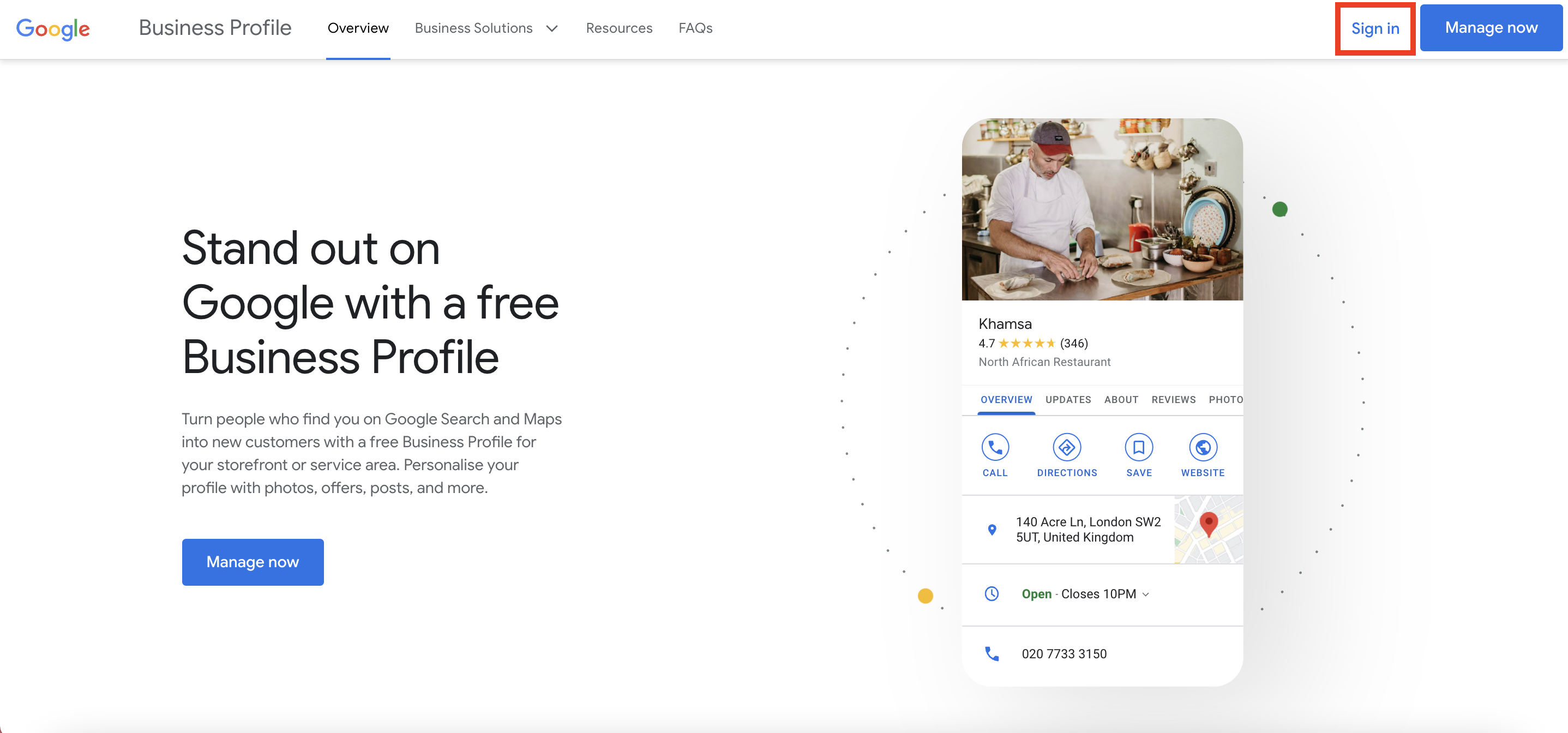
1. Log in to your Google Business Profile to manage it.
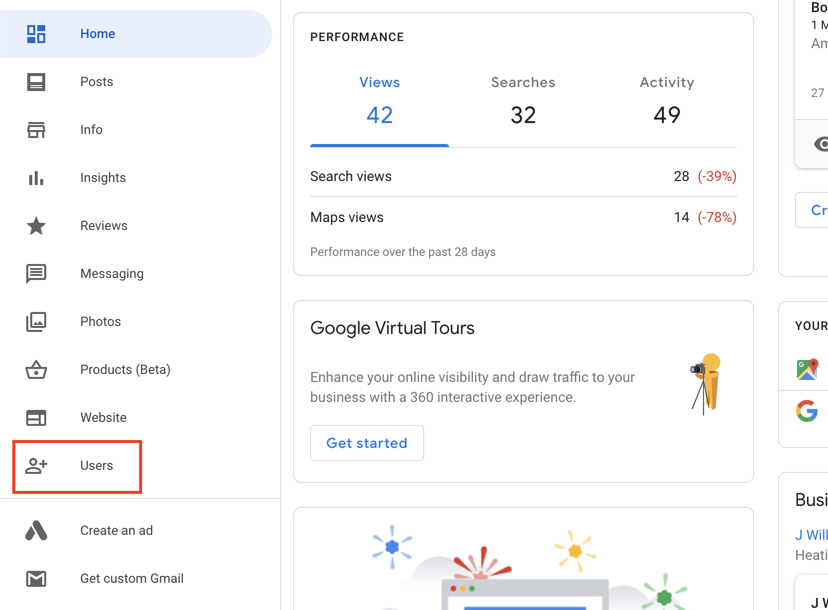
2. Once logged in, head over to the ‘Users’ tab in the left-hand sidebar (shown below within the red box).
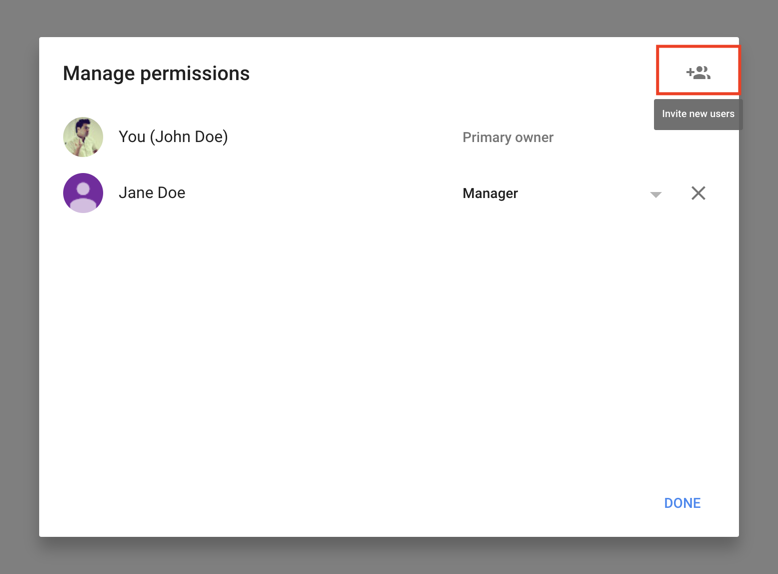
3. Hit the ‘Invite new users’ button in the top right-hand corner.
4. Enter the email address: [email protected] then choose ‘Manager‘ as the role and click the ‘Invite’ button.
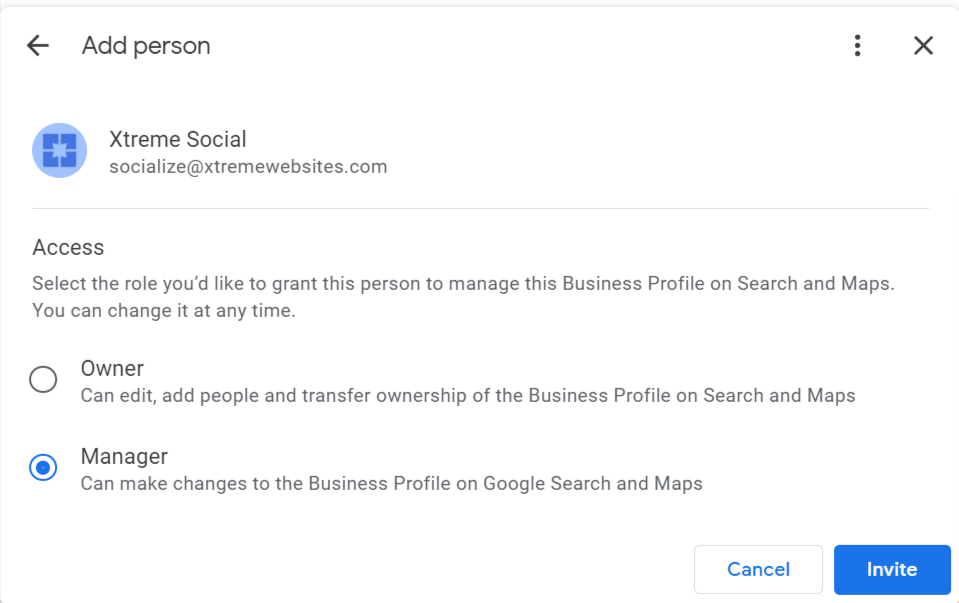
We will then receive an invite from you to manage your listing.
Once we start working on your campaign, we will accept the request and be able to update the details of your GMB listing on your behalf.
Revoking our access to your GBP listing #
To revoke our access, follow these steps:
1. Once logged in, head over to the ‘Users’ tab in the left-hand sidebar (shown below within the red box).
2. Click the ‘Remove’ button to the right of ‘Citation Builder’ or “Xtreme Websites’ (shown below in the red box).
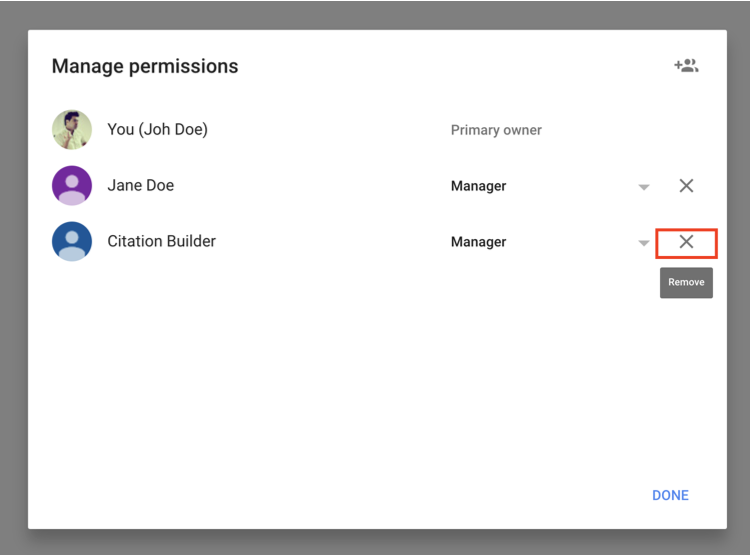
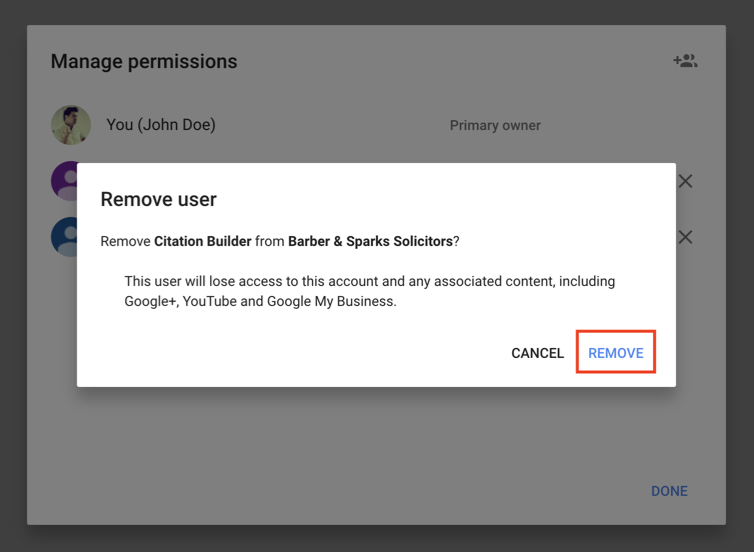
3. Finally, click ‘Remove’ again to revoke our access to your GBP listing.
autosaved 1053 characters
What's your Reaction?
You have reacted on"How can I give you access to update my Google B..."
A few seconds ago


 Subscriptions
 My Orders
 My Wishlist
 Refer & Earn💸
 My Projects
 Conversations
 Website Services
 New Website Request
 Website Addons
 eCommerce Addons
 eCommerce Modules
 Software Development
 Graphic Design
 Video Production
 Content Writing
 Marketing Services
 Marketing Products
 Get a Marketing Plan
 Local SEO Audit
 Sales Automation
 Service Automation
 Operations Automation
 Marketing Automation
 Payments Automation
 Premium Modules
 Support Tickets
 Latest Updates
 Consultation Calls
 Tools & Extensions
 Tech Tips & Tricks
 Domains & Emails









