QR Codes are versatile tools that allow you to bridge the gap between the physical and digital worlds. They are convenient for users since you can easily include them in emails, SMS messages, flyers, and the like, and they are accessible for customers since they are easily scanned with a phone or tablet camera.
Create a Reviews QR Code #
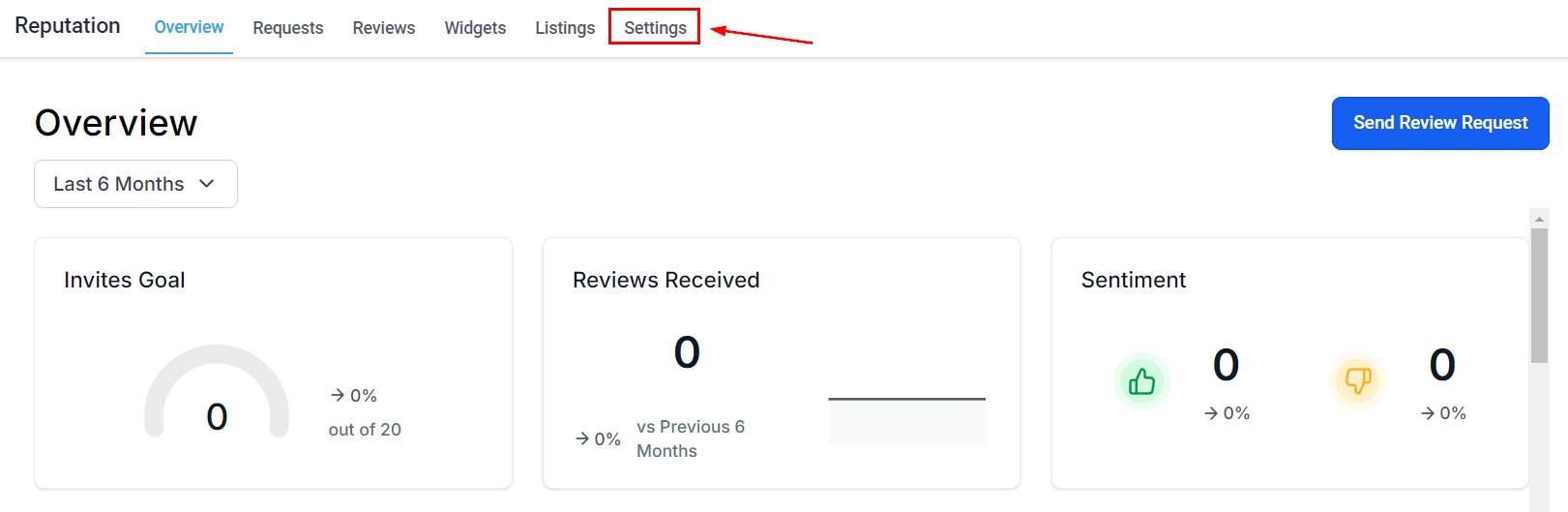
Navigate to the Reputation section in your left sidebar and access the Settings tab.
Select the Review QR tab then click + Create a QR Code to generate it.
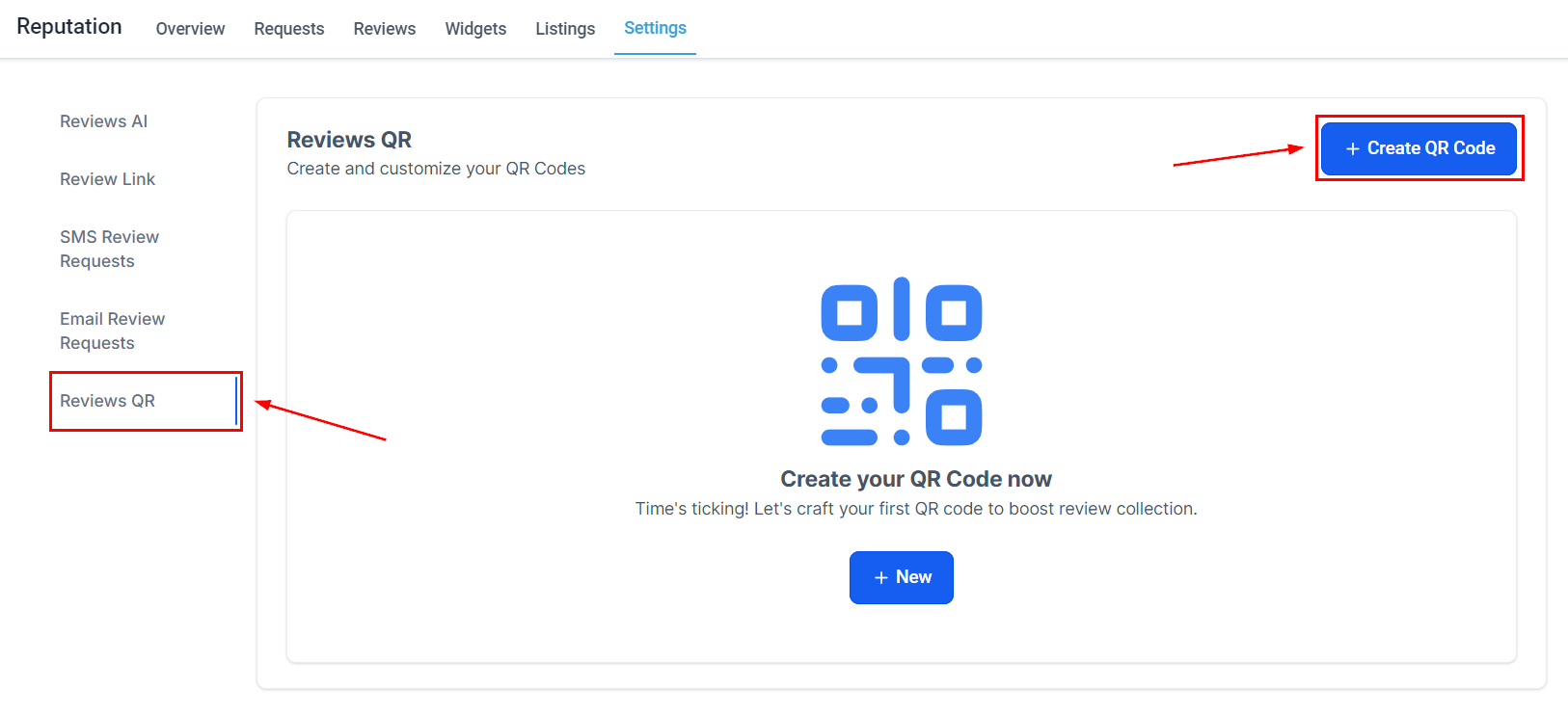
Customize the QR to your liking then click save.

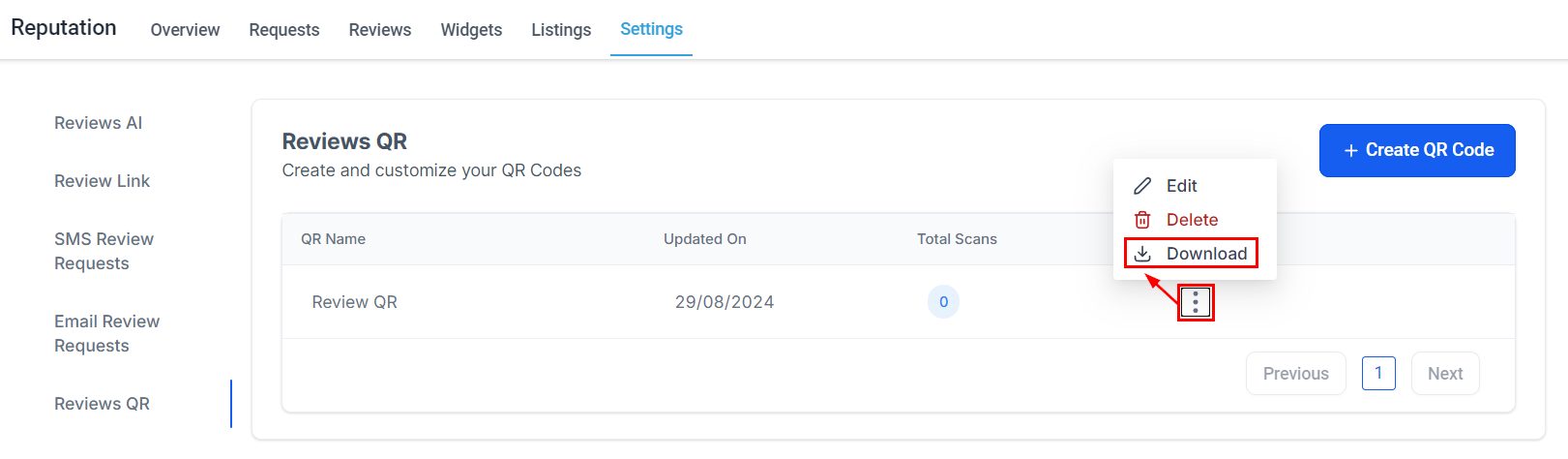
Click the three-dot icon to download a PDF version of your QR Code.
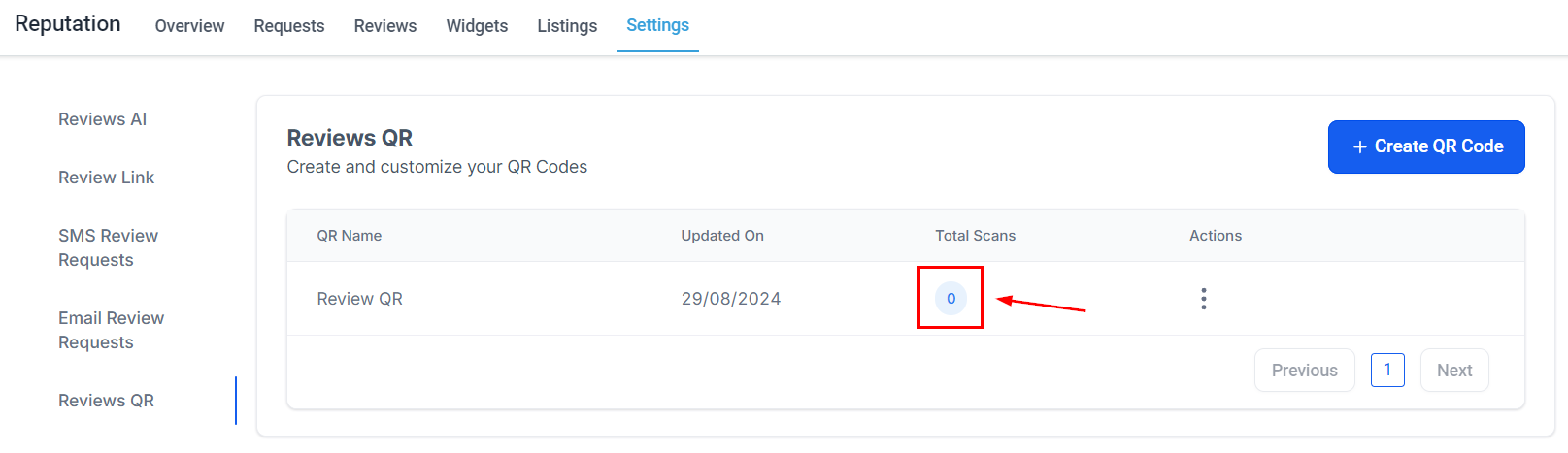
Once you start sharing and using the QR code, you can track the number of scans in real time.
Add QR Code to a Flyer #
Once you create your QR code, you can download it in PNG format so you can insert it in a custom flyer or business card. You can do this yourself or request a custom design with your brand here.
Here are some ideas of where you can insert your QR Code:
- Flyer: Place it on your front desk so you can collect reviews.
- Business Card: So clients can scan it at the time of service
- Postcard: Give it to clients at the time of service
And there you go! Now you can enhance your reputation management, encouraging your clients to leave reviews, and helping you be more versatile with your marketing resulting in a stronger brand presence.
What's your Reaction?
You have reacted on"Request a Review from a QR Code"
A few seconds ago


 Subscriptions
 My Orders
 My Wishlist
 Refer & Earn💸
 My Projects
 Conversations
 Website Services
 New Website Request
 Website Addons
 eCommerce Addons
 eCommerce Modules
 Software Development
 Graphic Design
 Video Production
 Content Writing
 Marketing Services
 Marketing Products
 Get a Marketing Plan
 Local SEO Audit
 Sales Automation
 Service Automation
 Operations Automation
 Marketing Automation
 Payments Automation
 Premium Modules
 Support Tickets
 Latest Updates
 Consultation Calls
 Tools & Extensions
 Tech Tips & Tricks
 Domains & Emails









