The Product Element allows for a seamless integration of product showcases directly within email content, enhancing user experience and engagement. By leveraging the Product Element, businesses can effectively highlight their offerings and drive customer action in a more intuitive and impactful manner.
Benefits of the Product Element #
- Convenience: Customers can browse a curated selection of products directly from their inbox, eliminating the need to navigate away from the email, which saves time and effort.
- Higher Conversion Rates: Emails featuring product catalogs have been shown to increase purchase rates by simplifying the transition from browsing to buying.
- Promotion of New Products & Offers: Easily highlight new arrivals, special deals, and exclusive promotions, capturing attention and encouraging immediate action.
- Valuable Analytics: Track customer interactions with specific products to gain insights and refine your marketing strategies.
Before using this feature, make sure you’ve added your products to your system under “Payments” > “Products.” Each product should have a title, description, and images.
How to Use the Product Element #
Navigate to the “Marketing” section, and select “Emails” followed by “Campaigns.”

Create a new campaign or edit an existing draft campaign.

Inside the email builder, drag and drop the Products Element.

Add the products you want to showcase in your email campaign.
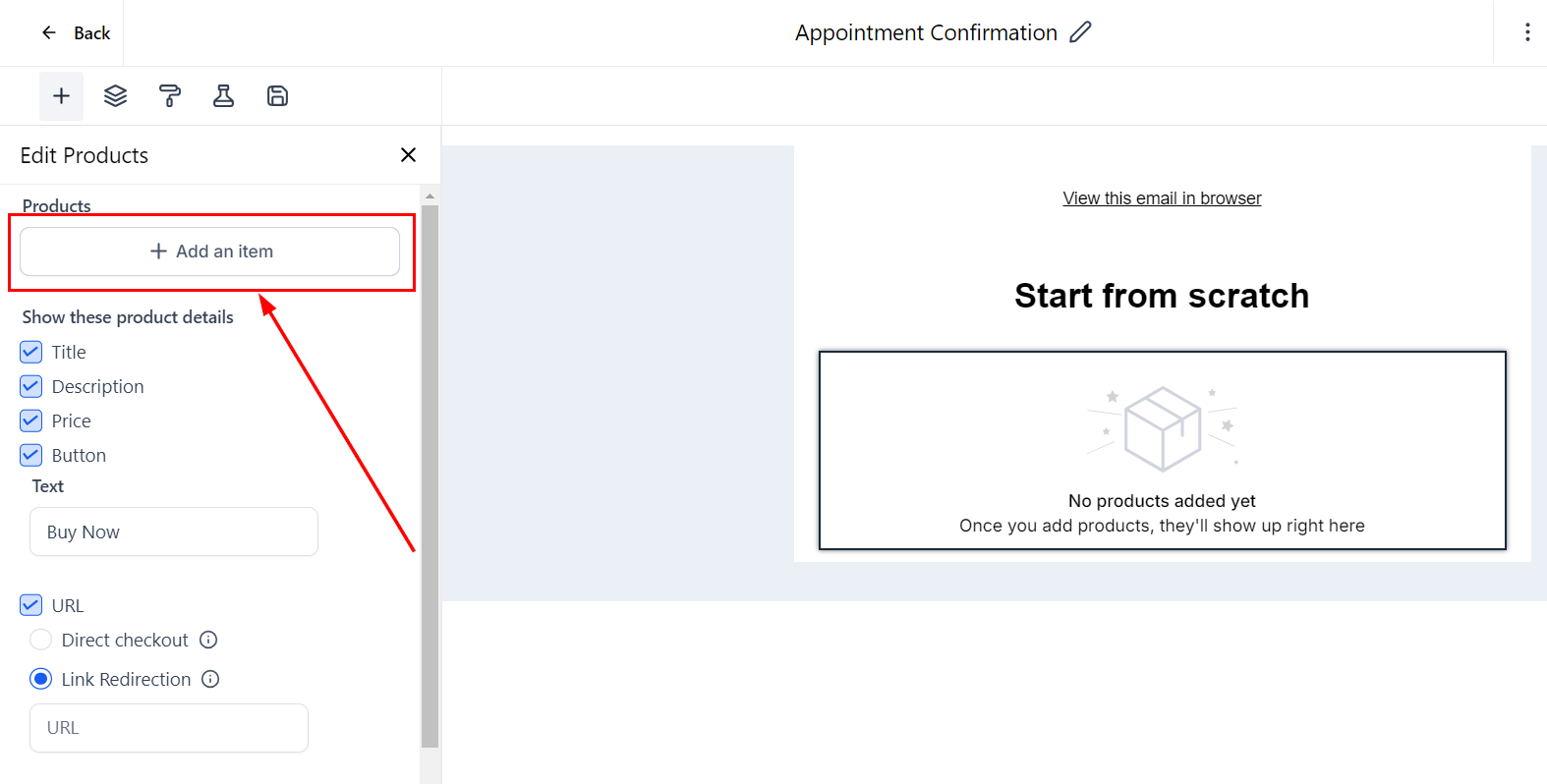
Customize how your product catalog will appear in your email by choosing design options. You can decide whether to display titles, descriptions, prices, and even change button names.

You can add URLs to redirect customers to specific pages related to the products, like funnels, your website, or e-commerce pages.

Otherwise, you can enable the direct checkout option to generate direct payment links for each product. Click the link icon next to the product to customize the checkout page and be sure to save your changes!

With its ability to provide a convenient browsing experience, boost conversion rates, and offer valuable insights through analytics, this tool is essential for any business looking to optimize their marketing efforts. By carefully setting up and customizing the Product Element, you can create compelling campaigns that not only highlight your offerings but also guide customers through a smooth purchasing journey.


 Subscriptions
 My Orders
 My Wishlist
 Refer & Earn💸
 My Projects
 Conversations
 Website Services
 New Website Request
 Website Addons
 eCommerce Addons
 eCommerce Modules
 Software Development
 Graphic Design
 Video Production
 Content Writing
 Marketing Services
 Marketing Products
 Get a Marketing Plan
 Local SEO Audit
 Sales Automation
 Service Automation
 Operations Automation
 Marketing Automation
 Payments Automation
 Premium Modules
 Support Tickets
 Latest Updates
 Consultation Calls
 Tools & Extensions
 Tech Tips & Tricks
 Domains & Emails





