To enhance security and safeguard your brand’s integrity, we require verification of your From Email address before enabling it to send emails. This ensures that only authenticated and legitimate email addresses are used, minimizing the risk of unauthorized use and spoofing incidents. This article details the importance of email verification, how to implement it, and addresses common queries and troubleshooting tips.
Exceptions #
There are specific scenarios where email verification may not be required:
- Custom domains provided under LC email.
- Location admin email already configured in settings.
How to Verify Your Email #
Follow these steps to verify your email address for use in campaigns:
- Navigate to the Email Marketing section and create a new campaign or select an existing campaign.
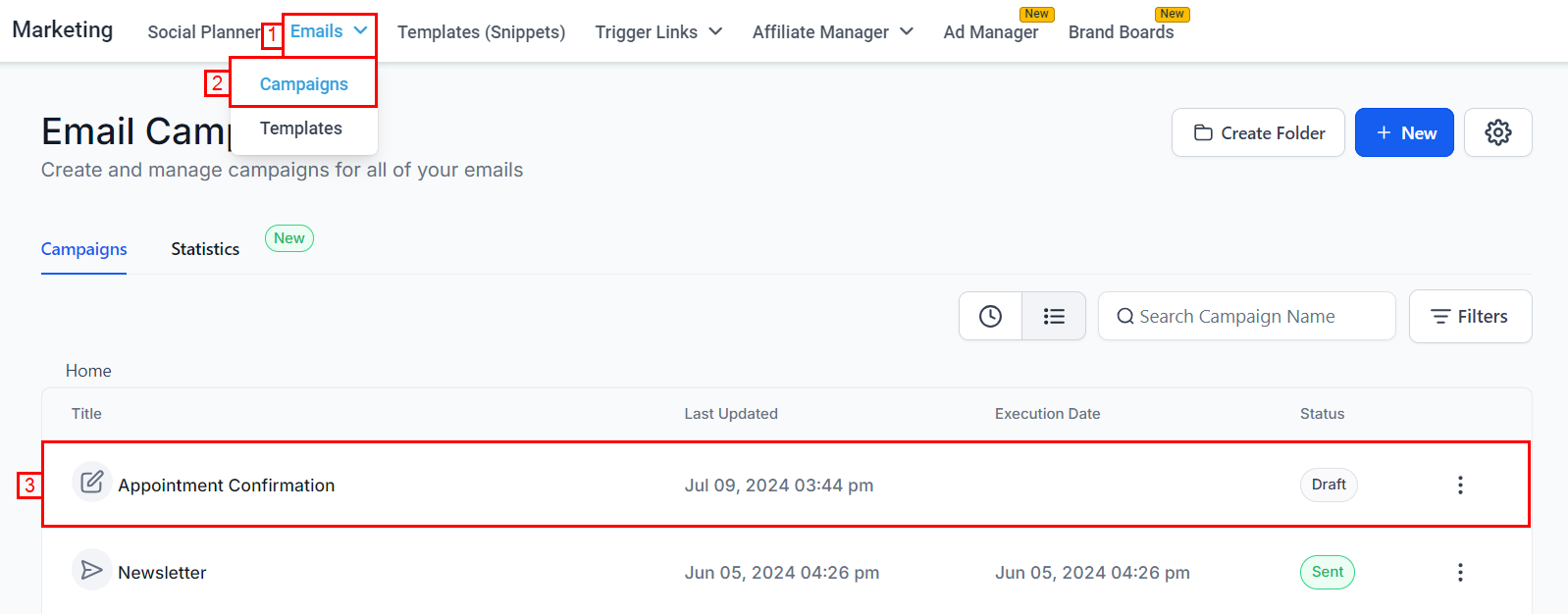
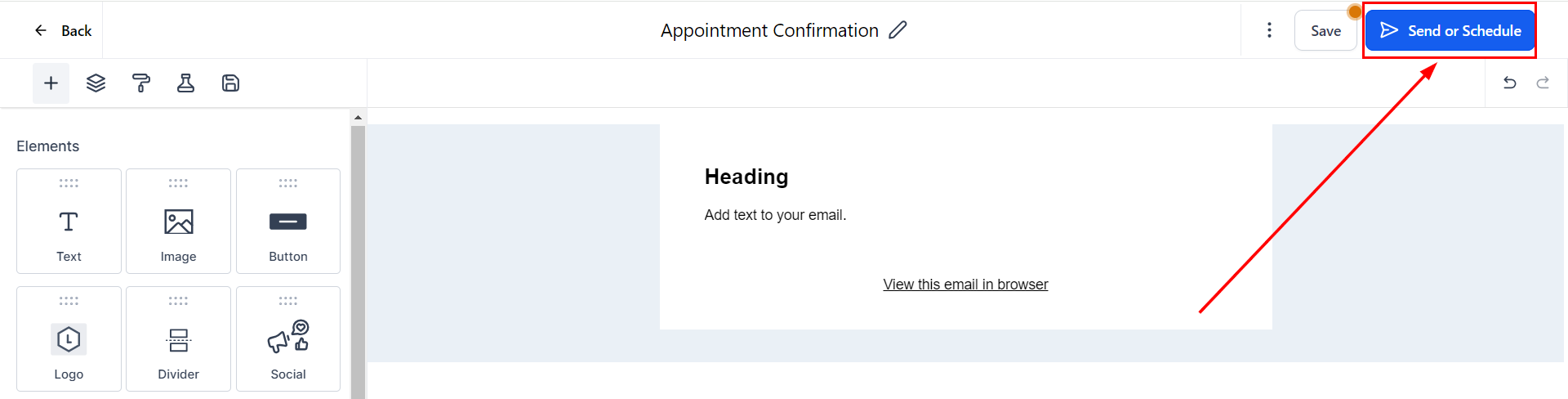
2. Send or schedule your email after you are satisfied with the content and appearance.
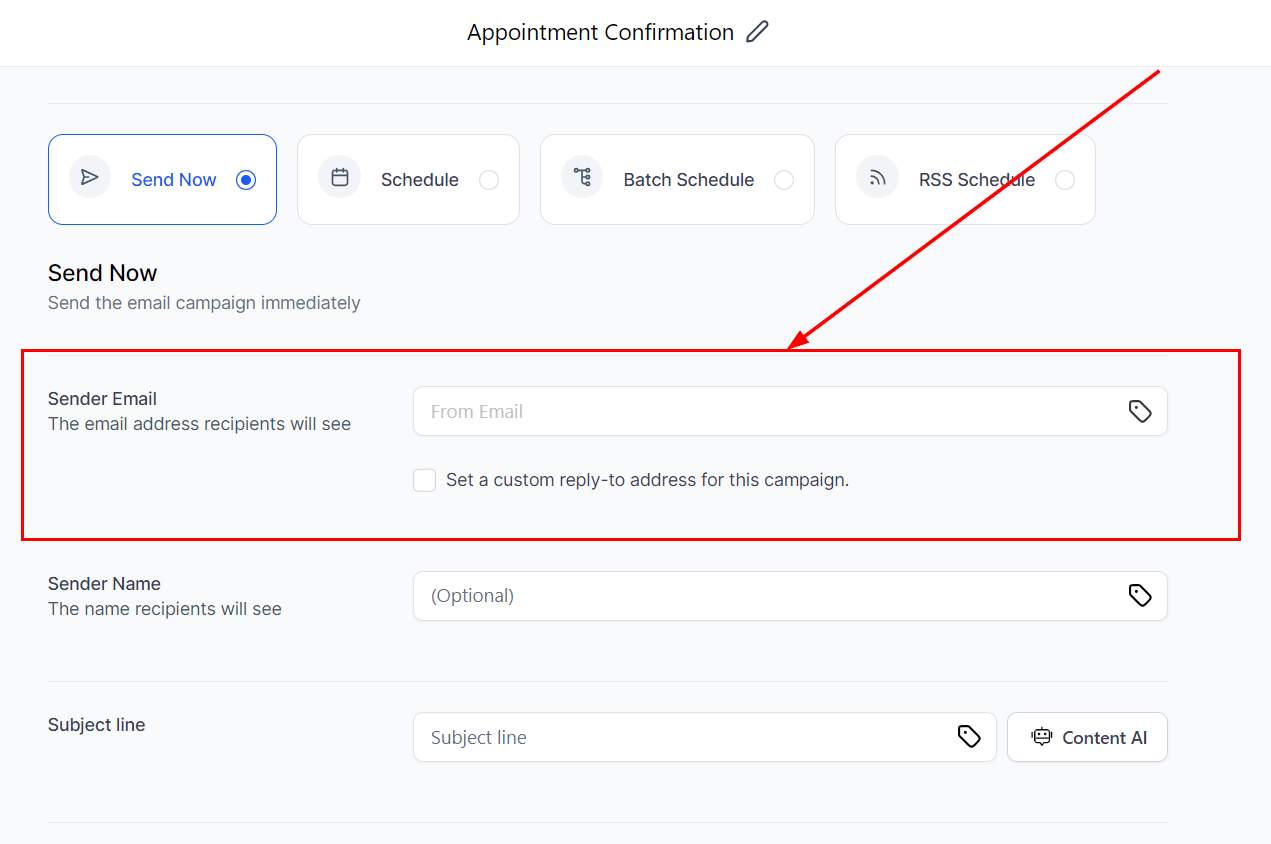
3. Enter the email address you intend to use as the sender in the designated field.
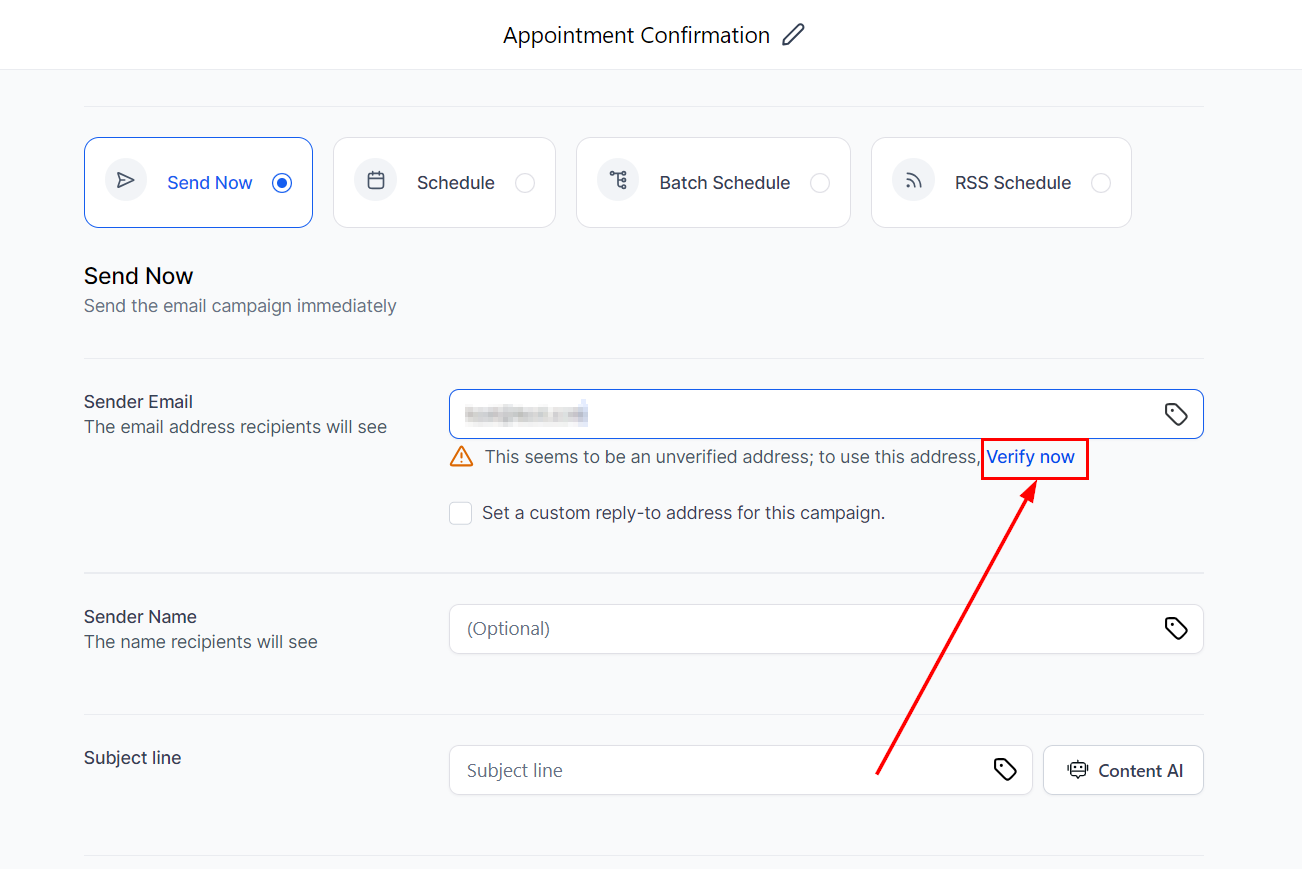
4. Click on Verify Now to initiate the verification process.
5. Check your email inbox for a One-Time Password (OTP) sent to the specified email address. Enter the 6-digit OTP into the verification prompt.
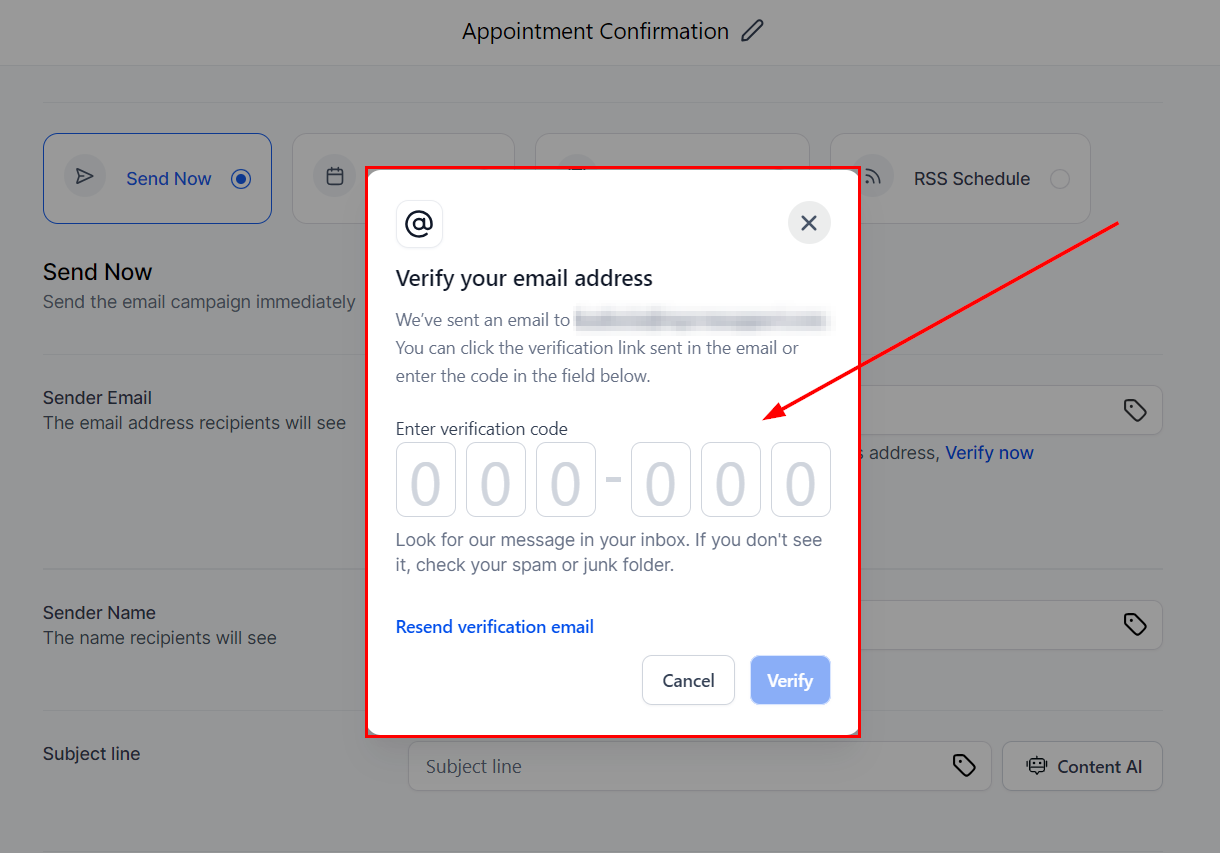
Once verified, your email address is authenticated and ready for use in future campaigns.
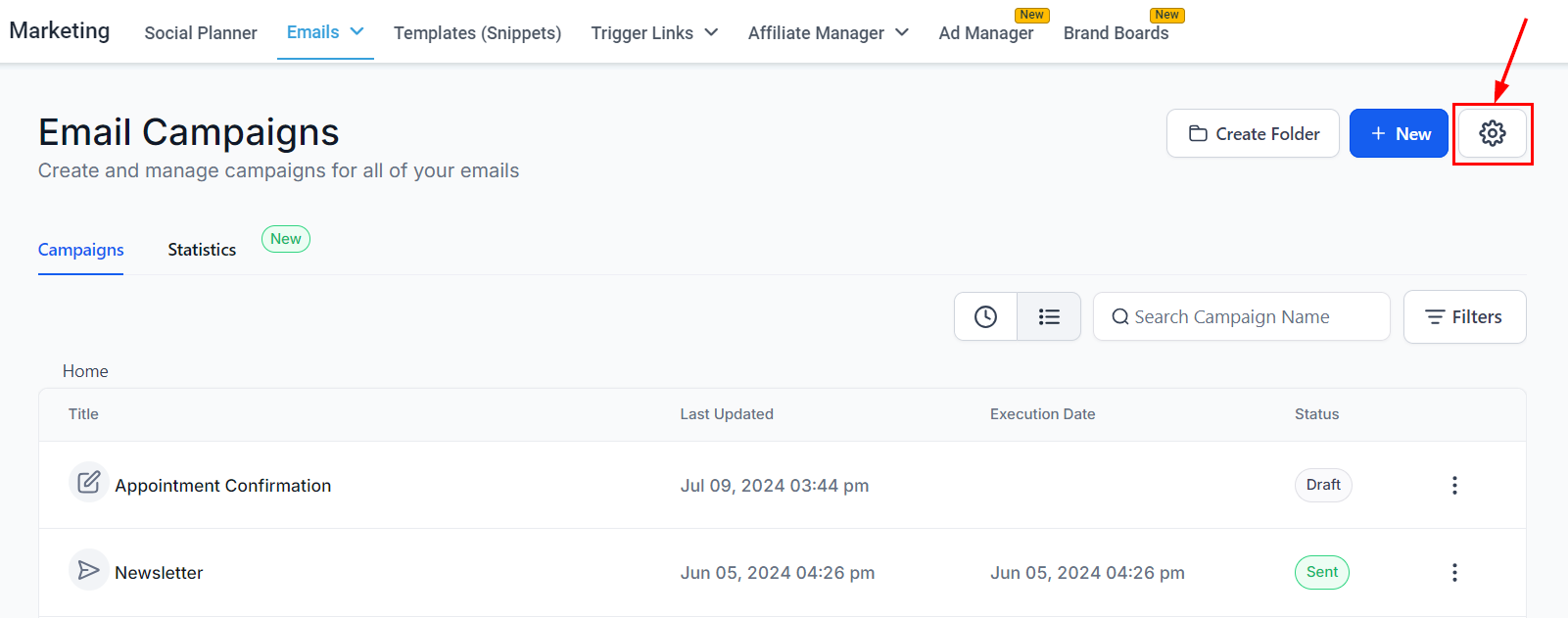
Additionally, email addresses can be verified through the Campaign settings page. Begin by selecting the gear icon from the Campaigns view.
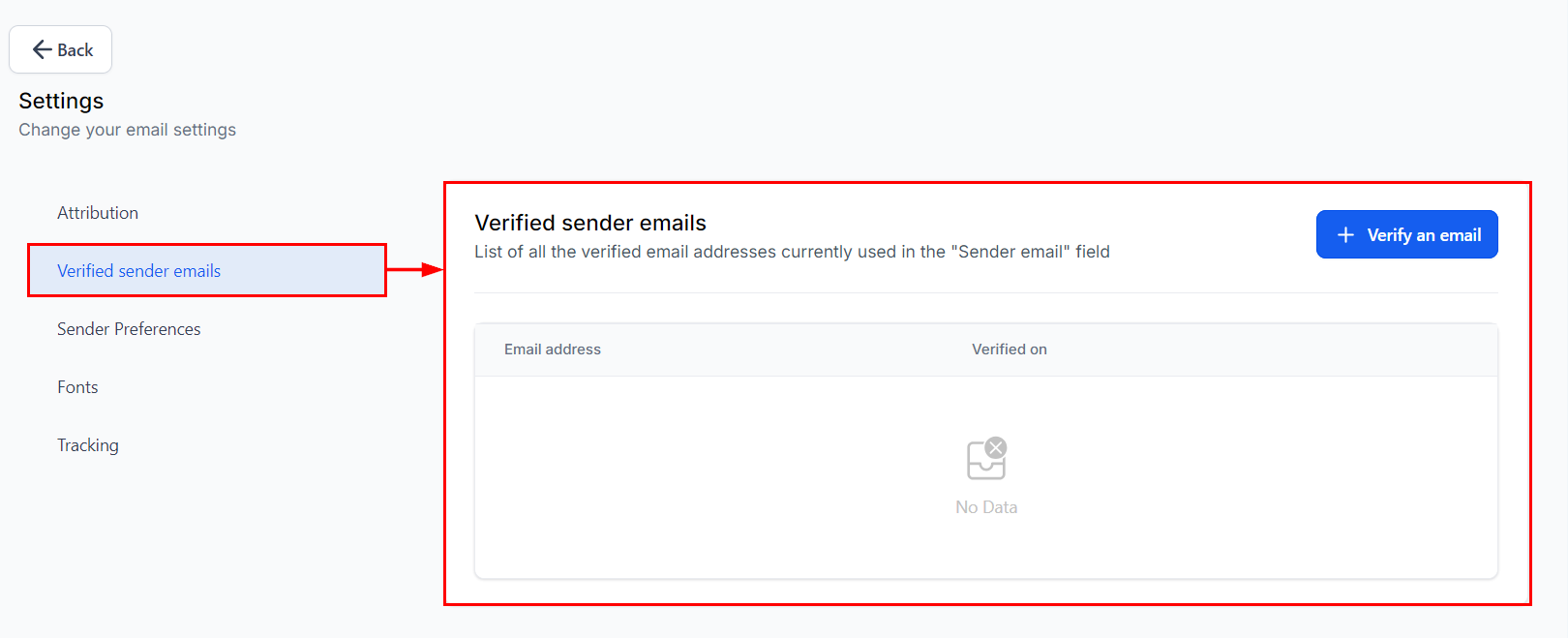
Click the “Verify an email” option within the Verify Sender emails section. This will prompt you to enter the email address followed by the OTP.
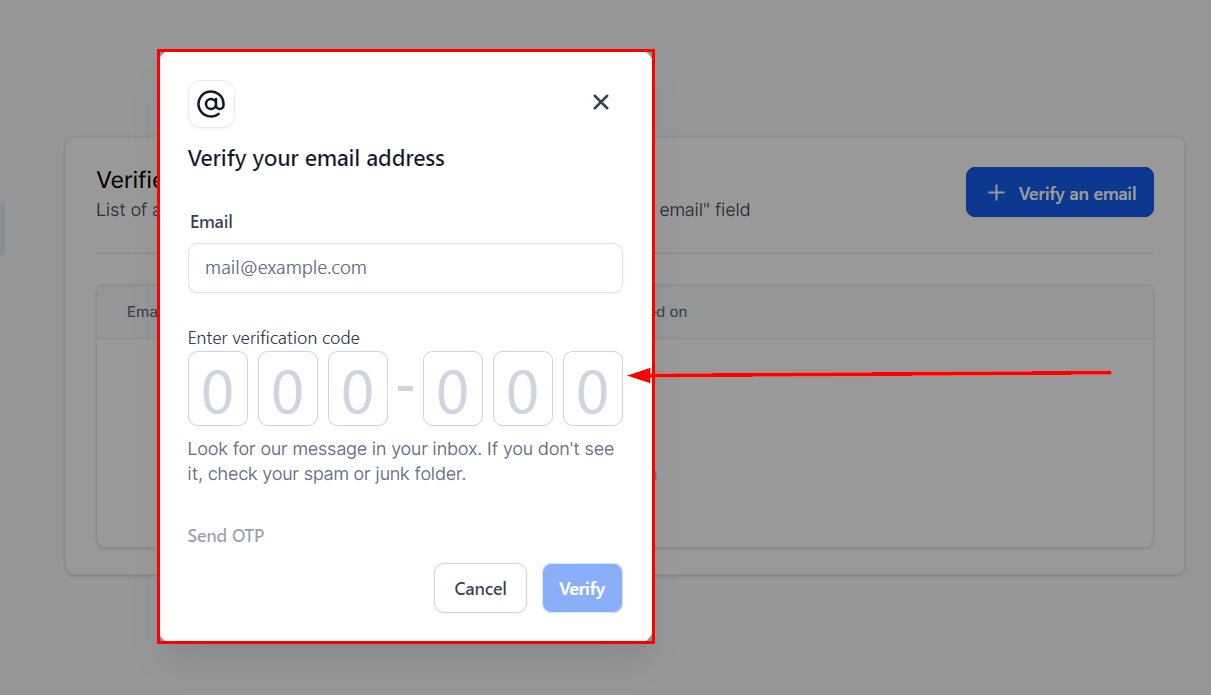
Remember to hit “Verify” to complete your email verification!
By adhering to these guidelines and implementing email verification practices, you can enhance the security of your campaigns and maintain trust with your recipients, safeguarding your brand reputation in the process.
Troubleshooting Tips #
- Check Spam/Junk Folders: If you do not receive the OTP promptly, check your spam or junk folders.
- Resend OTP: Use the option to resend the OTP if it does not arrive within a reasonable timeframe.
Frequently Asked Questions (FAQs) #
Q: Why is email verification necessary?
- Email verification ensures that only authorized users send emails from your domain, reducing the risk of unauthorized use and protecting your brand’s reputation.
Q: Are there exceptions to email verification requirements?
- Yes, email verification may not be required for custom domains under LC email or when a location admin email is already configured in settings.


 Subscriptions
 My Orders
 My Wishlist
 Refer & Earn💸
 My Projects
 Conversations
 Website Services
 New Website Request
 Website Addons
 eCommerce Addons
 eCommerce Modules
 Software Development
 Graphic Design
 Video Production
 Content Writing
 Marketing Services
 Marketing Products
 Get a Marketing Plan
 Local SEO Audit
 Sales Automation
 Service Automation
 Operations Automation
 Marketing Automation
 Payments Automation
 Premium Modules
 Support Tickets
 Latest Updates
 Consultation Calls
 Tools & Extensions
 Tech Tips & Tricks
 Domains & Emails





