Social Media Boosters™ which will help in Publishing the content as a page(s) on Facebook group(s). To successfully publish your post as a Page on Facebook groups, it is necessary that your Facebook groups are connected. Click here to find out how to connect your Facebook group.
How to connect page with group? #
https://www.facebook.com/help/742706805906818
To link a group that you admin to your Page:
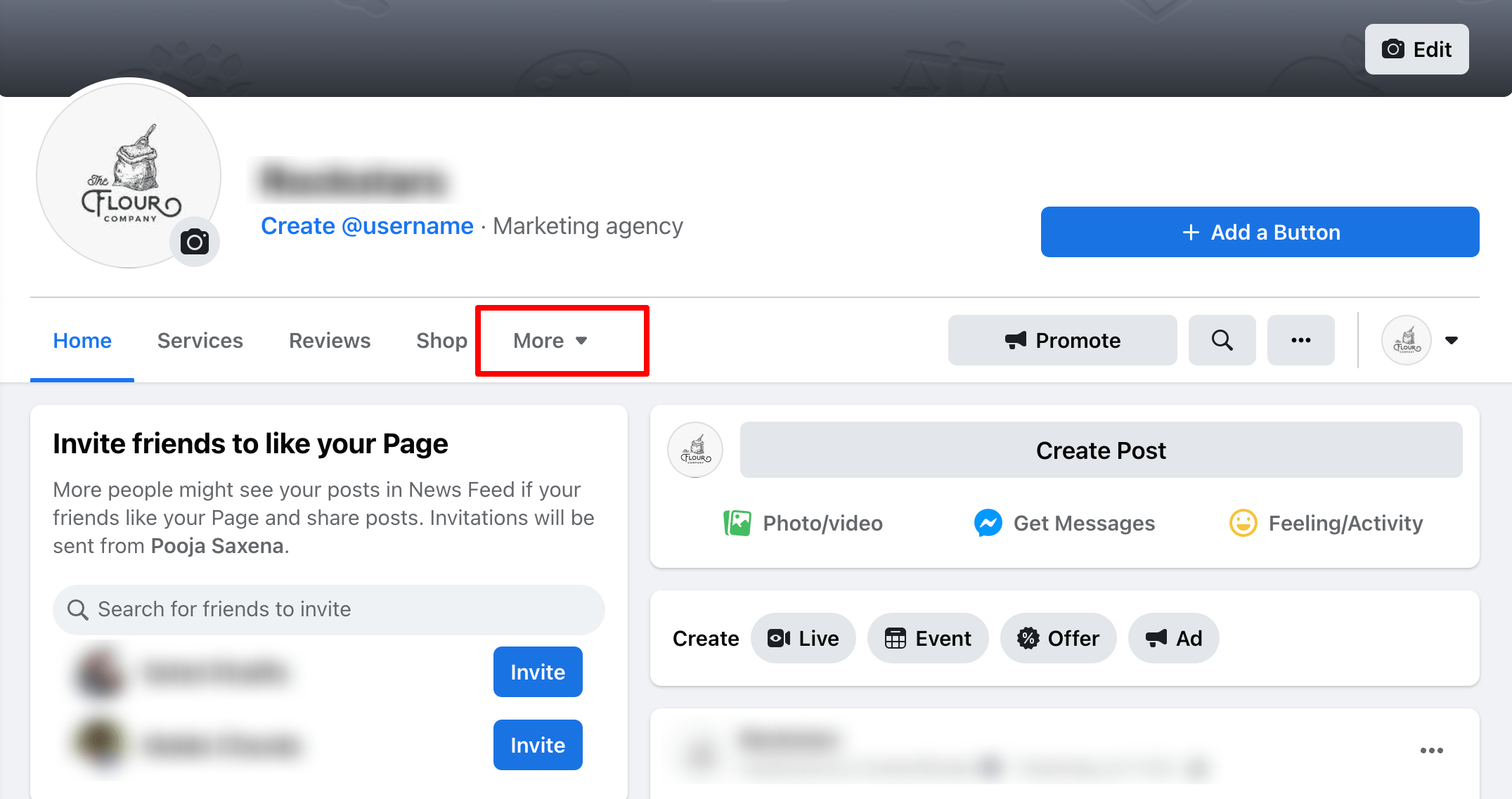
- From your Feed, click Pages in the left menu and select your Page.
- Click More and then select Groups.
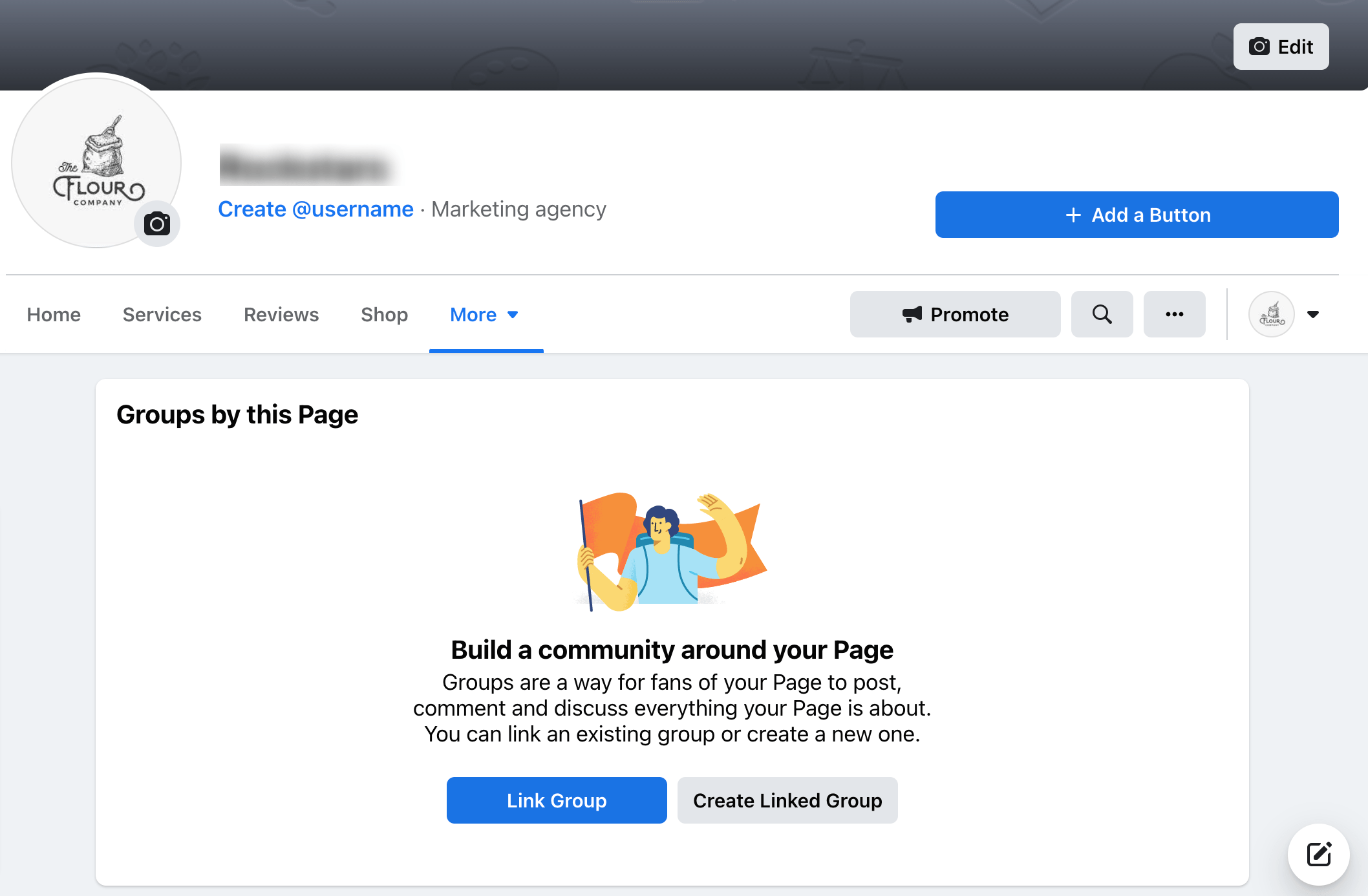
- Click Link Group.
- Click Link next to the group you want to link your Page to.
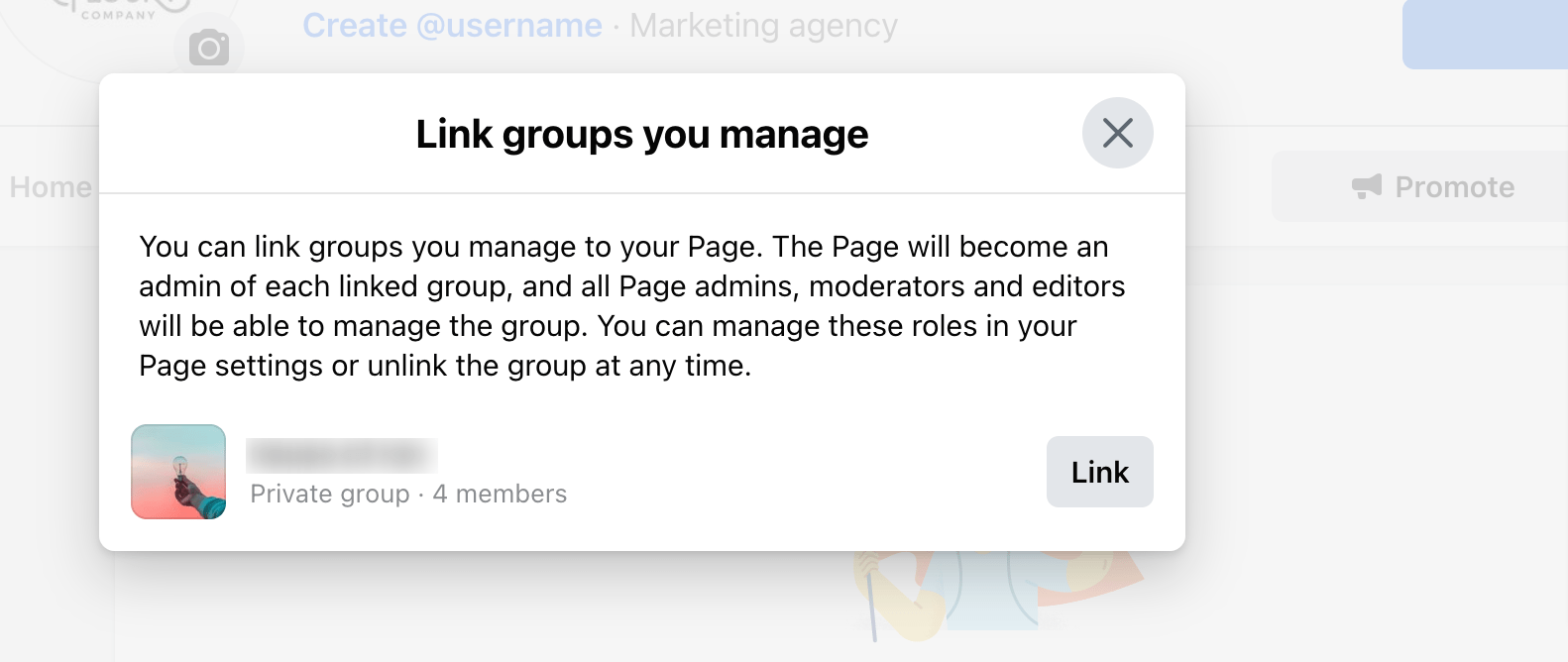
- Click Link to confirm.
Once the Facebook Group(s) is connected in Social Media Boosters™, the next things to do is to choose the Publisher of Facebook Group. #
If the drop-down under the "Published as" column is not showing the page(s), there is the possibility that either.
The page you are trying to select is not connected to the group or you don’t have access to that page. To avoid this issue you must connect the page(s) to the group you want to post in, or must be an admin to those page(s) or group(s).
Who will be the Publisher? #
Please go Social Media Boosters™ > Settings > Facebook Accounts
Under the “Publish as” Column hover over the drop-down list letting you choose an option for how you want to publish your content either as a profile or a page on Facebook groups. The content will be published with the type of publisher selected.
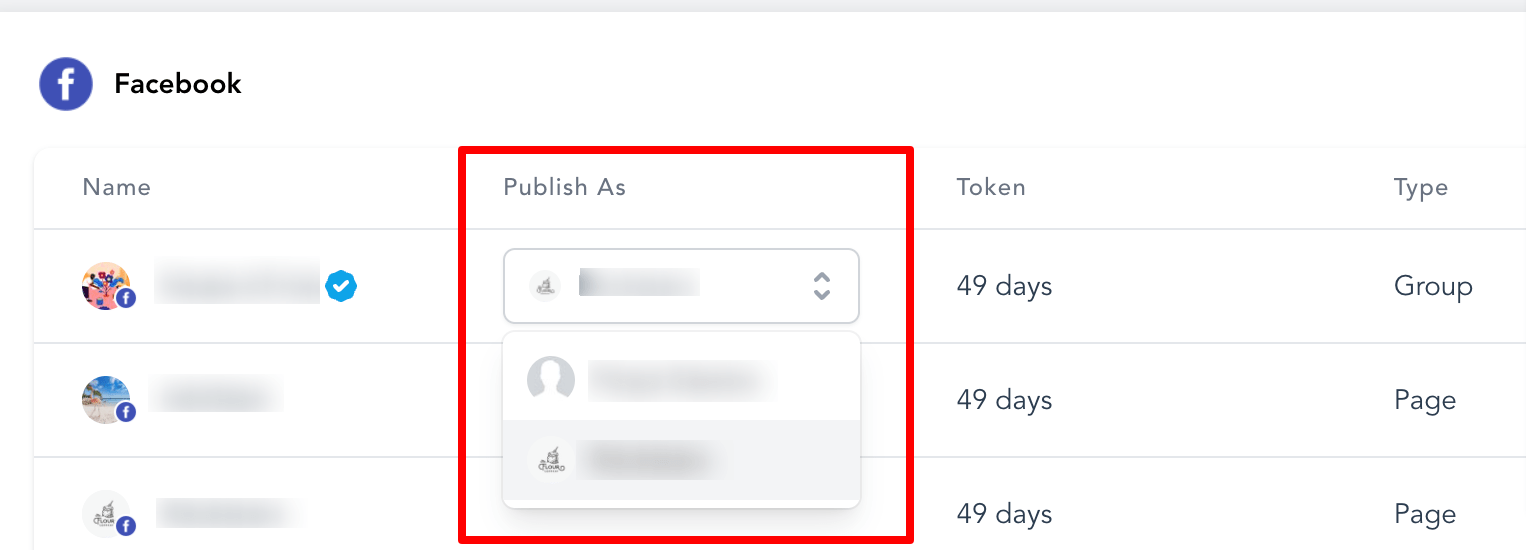
If you don't set the Publisher, it will automatically plan the post with the user profile with whom the Facebook Group is connected.
What's your Reaction?
You have reacted on"How to Post as Page on Facebook Groups"
A few seconds ago


 Subscriptions
 My Orders
 My Wishlist
 Refer & Earn💸
 My Projects
 Conversations
 Website Services
 New Website Request
 Website Addons
 eCommerce Addons
 eCommerce Modules
 Software Development
 Graphic Design
 Video Production
 Content Writing
 Marketing Services
 Marketing Products
 Get a Marketing Plan
 Local SEO Audit
 Sales Automation
 Service Automation
 Operations Automation
 Marketing Automation
 Payments Automation
 Premium Modules
 Support Tickets
 Latest Updates
 Consultation Calls
 Tools & Extensions
 Tech Tips & Tricks
 Domains & Emails









