Attachments make your communications more dynamic, they aid you in effectively conveying the information to customers. However, you might feel overwhelmed or confused when adding them because of SMS and email limitations. Our system aims to make this process straightforward by providing easy attachments.
Adding an Attachment #
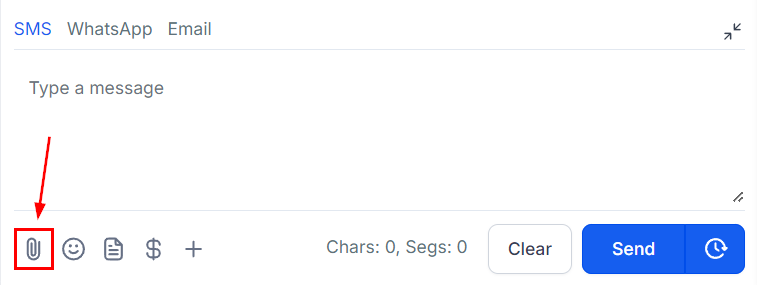
To add an attachment to your message click on the paperclip icon.
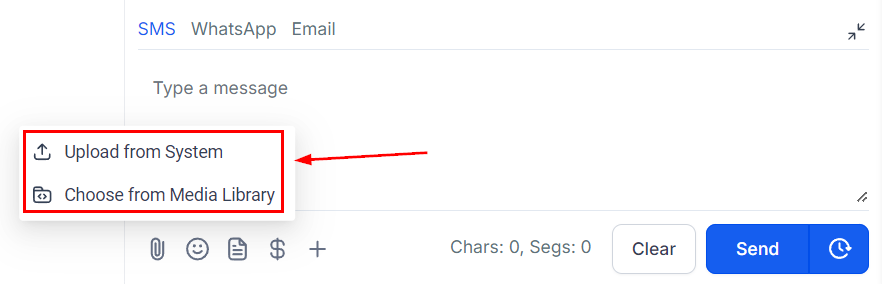
Choose how you want to upload attachments. You can do it directly from your device or use the media storage—it’s up to you. This flexibility means you can pick the method that suits you best.
Automatic Media Storage Uploads #
Easily upload big files straight from your device. Plus, when dealing with files too large for SMS or email (more than 20MB), they’ll automatically go to your media storage. These attachments will become media storage links, making things easier and ensuring nothing is left behind.
Interactive Video Thumbnails #
We believe emails should be engaging and memorable. That’s why we’ve taken things further by creating animated picture previews (GIF thumbnails) for videos you upload through the media storage. This extra touch makes your emails more visually appealing and fun to interact with. Think of it as a way to make your emails stand out and grab people’s attention.
Now that you have the theory down you can start adding attachments to your messages maintaining interest from your customers and ensuring that communications are efficient and effective, including sending needed files to customers, for example, a PDF File with your terms and conditions.
What's your Reaction?
You have reacted on"Attachments Made Easy in Conversations"
A few seconds ago


 Subscriptions
 My Orders
 My Wishlist
 Refer & Earn💸
 My Projects
 Conversations
 Website Services
 New Website Request
 Website Addons
 eCommerce Addons
 eCommerce Modules
 Software Development
 Graphic Design
 Video Production
 Content Writing
 Marketing Services
 Marketing Products
 Get a Marketing Plan
 Local SEO Audit
 Sales Automation
 Service Automation
 Operations Automation
 Marketing Automation
 Payments Automation
 Premium Modules
 Support Tickets
 Latest Updates
 Consultation Calls
 Tools & Extensions
 Tech Tips & Tricks
 Domains & Emails









