The Risk Assessment feature optimizes your email marketing by leveraging Bulk Verification to analyze your imported contact list. It categorizes email addresses into Deliverable, Undeliverable, Catch-all, and Unknown, further segmenting them by risk level: High, Medium, Low, and Unknown. This detailed analysis helps reduce bounce rates, improve deliverability, and prompts the use of email verification to enhance campaign success. Ultimately, this feature serves as a strategic tool for boosting the effectiveness and consistency of your email outreach.
Note: The bulk email validation feature is exclusively available to LeadConnector users who have NOT already enabled the email validation feature.
Risk Assessment #
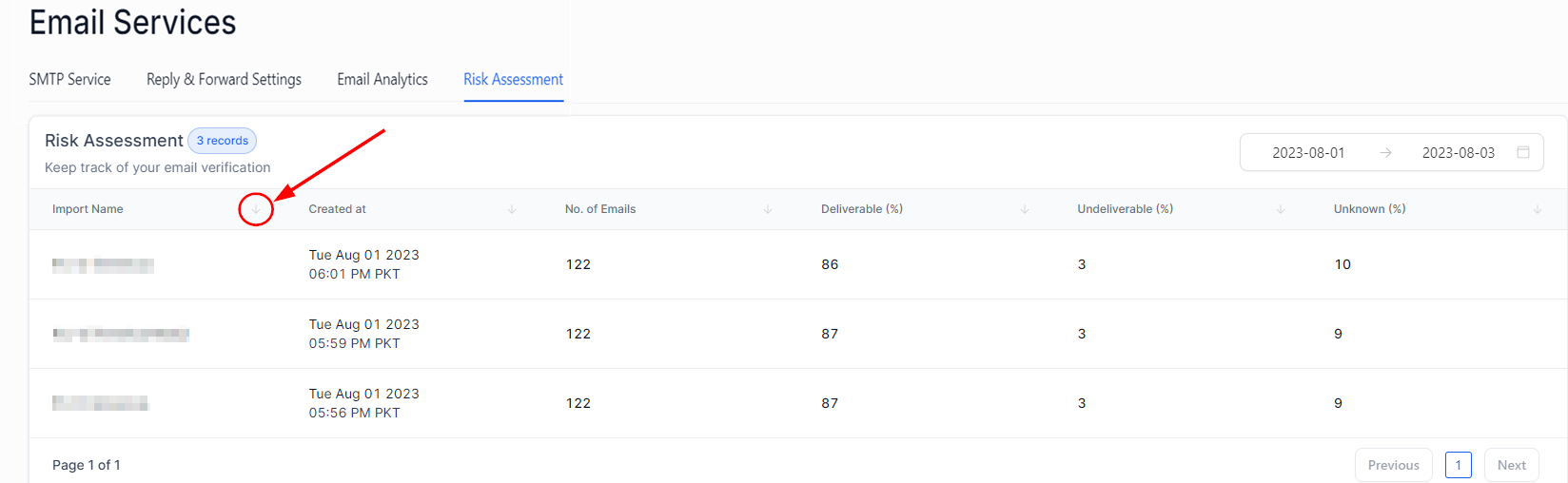
The Risk Assessment section, located under Settings > Email Services, offers a detailed overview of your email verifications and their corresponding results.

Here is a breakdown of the user interface:
Date Range #
The date range displayed at the top specifies the time frame for the email verification records shown. Customize your view by selecting your preferred time frame.

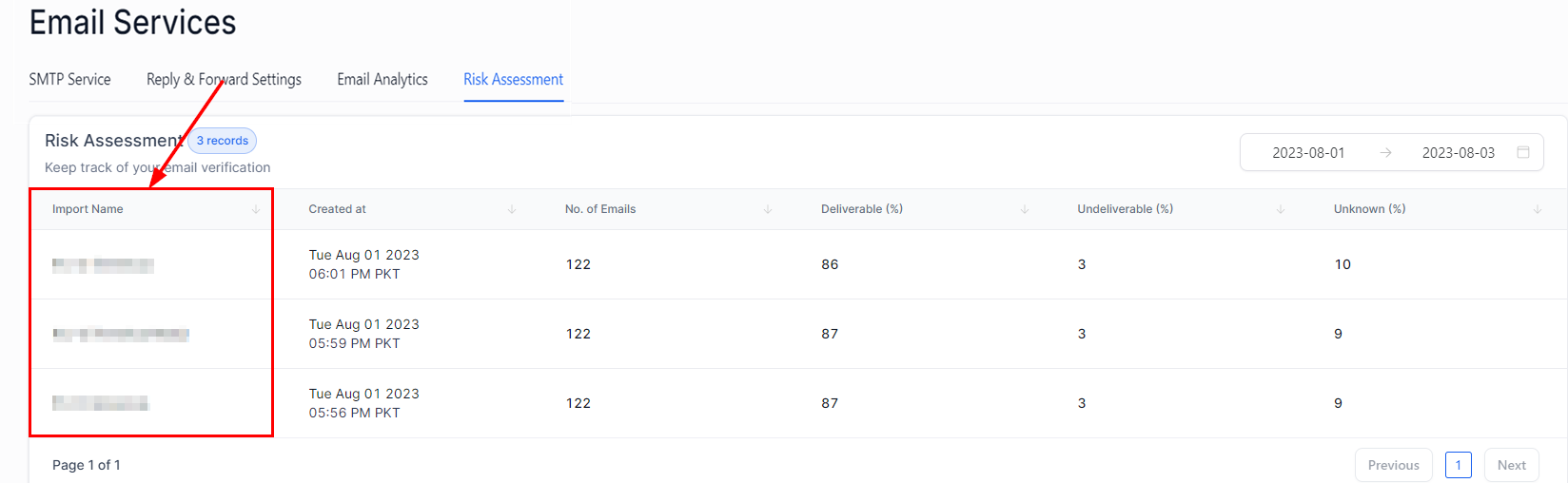
Import Name #
This column displays the name of each email verification job, retrieved from the Bulk Import action in Bulk Actions. Each name should be unique to help you easily identify and track the corresponding job.
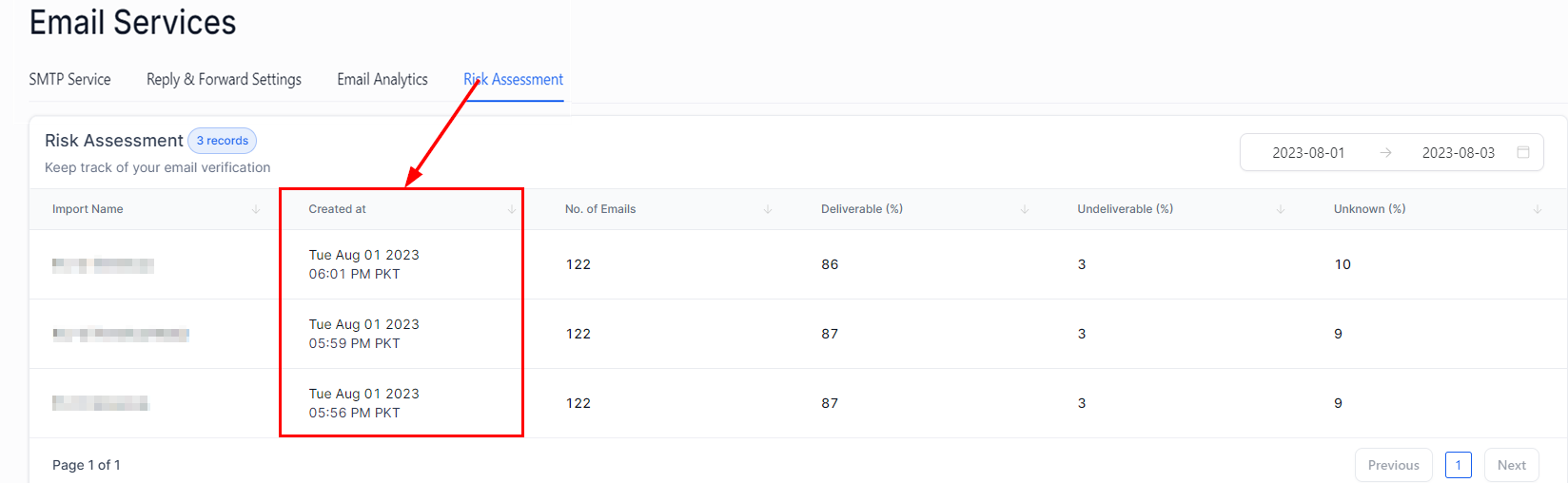
Created at #
This column shows the exact date and time each job was completed, formatted as “Day Month Date Year Time Zone.”
No. of Emails #
This column shows the total number of email addresses included in each job for verification.

Deliverable (%) #
This column indicates the percentage of email addresses in the job that were verified and found to be deliverable or valid. The percentage is calculated by dividing the number of deliverable email addresses by the total number of email addresses in the job, then multiplying that result by 100.

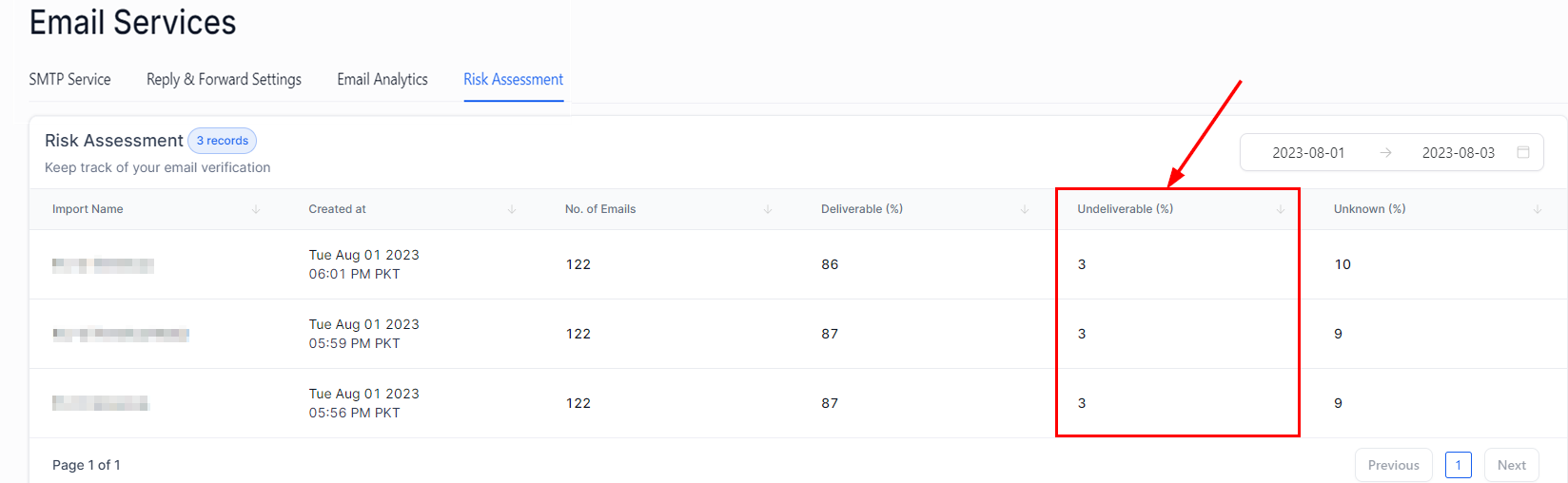
Undeliverable (%) #
The Undeliverable percentage represents the proportion of email addresses in a specific job that were verified and found to be invalid or unreachable. This percentage is calculated by dividing the number of undeliverable email addresses by the total number of email addresses in the job, then multiplying the result by 100.
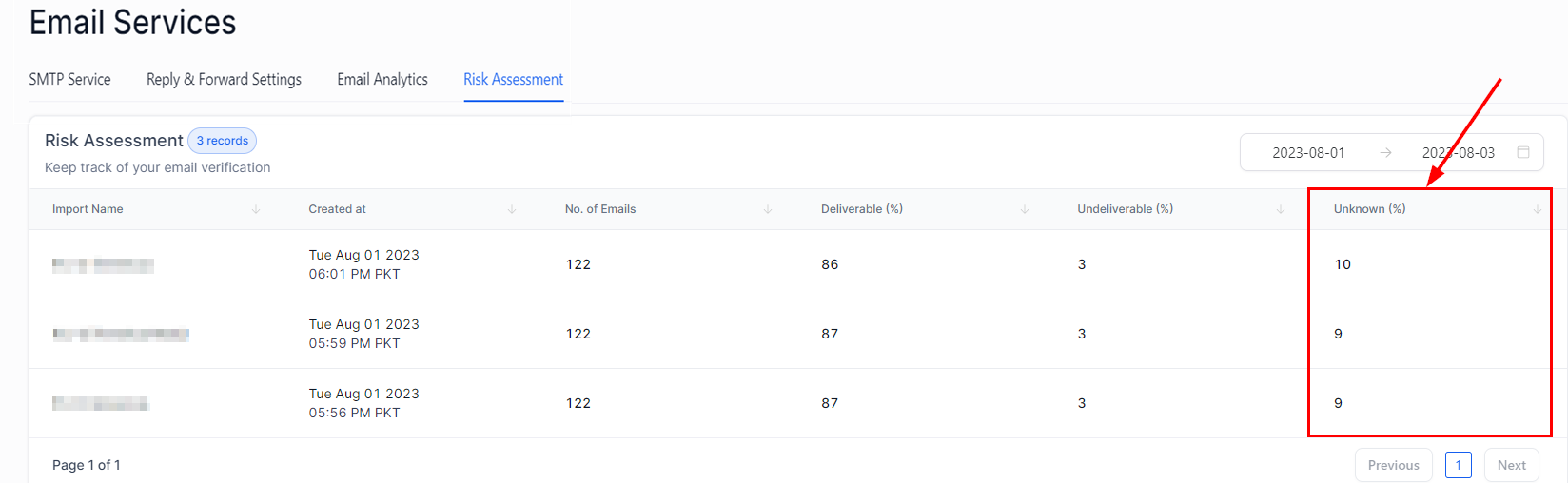
Unknown (%) #
Not all email addresses can be verified due to factors such as server restrictions, privacy settings, or network issues. The Unknown percentage reflects the proportion of email addresses in a particular job that could not be definitively verified. This percentage is calculated by dividing the number of emails with an unknown status by the total number of emails in the job, then multiplying the result by 100.
Sorting #
Each column can be sorted in either ascending or descending order, allowing you to organize the data based on your specific needs. For example, you can sort the columns to quickly identify the most recent jobs or the highest or lowest deliverability percentages. This sorting functionality enhances data analysis and makes it easier to manage and review your email verification results efficiently.
By leveraging the Risk Assessment section, you can gain valuable insights into your email verifications, helping you make informed decisions and refine your email outreach strategy for greater success.
Frequently Asked Questions #
Q: What should I do if I see many ‘Unknown’ email addresses in my list?
- A high number of ‘Unknown’ email addresses may indicate server issues or technical problems. Try re-running the verification process later. The problem could be due to incorrect email address formatting or issues with the CSV file format.
Q:: What should be the next step after getting the Risk Assessment report?
- After receiving the Risk Assessment report, consider removing or re-verifying the ‘Undeliverable’ and ‘Unknown’ email addresses before launching your email campaign. This step can help improve your campaign’s deliverability rate and overall effectiveness.
Q: What can I do to improve the deliverability percentage?
- To enhance deliverability, collect email addresses from reliable sources, regularly update your email lists, and use double opt-in methods to ensure the addresses belong to recipients genuinely interested in your communications.
Q: Why are some emails categorized as Deliverable but still bounce?
- Even if emails are categorized as Deliverable, they can bounce due to various reasons such as the recipient’s mailbox being full, temporary unavailability of the mail server, or the email being marked as spam by the recipient’s email service.
What's your Reaction?
You have reacted on"Risk Assessment Overview"
A few seconds ago


 Subscriptions
 My Orders
 My Wishlist
 Refer & Earn💸
 My Projects
 Conversations
 Website Services
 New Website Request
 Website Addons
 eCommerce Addons
 eCommerce Modules
 Software Development
 Graphic Design
 Video Production
 Content Writing
 Marketing Services
 Marketing Products
 Get a Marketing Plan
 Local SEO Audit
 Sales Automation
 Service Automation
 Operations Automation
 Marketing Automation
 Payments Automation
 Premium Modules
 Support Tickets
 Latest Updates
 Consultation Calls
 Tools & Extensions
 Tech Tips & Tricks
 Domains & Emails









