Brand Boards simplify the process of maintaining consistent brand guidelines across your funnels and websites. This guide will walk you through effectively using Brand Boards to manage and apply your brand’s colors.
Why Use Brand Boards in Funnels and Websites? #
- Save Time: Eliminate the hassle of searching for the right color or recalling HEX codes. Brand Boards optimize your workflow.
- Manage Default and Custom Colors: Seamlessly manage both default and custom colors, ensuring quick edits and consistent branding.
- Eye Dropper Tool: Leverage the eye dropper tool to select colors directly from your design with precision.
How to Use Brand Boards #
Open the Funnel or Website Builder #
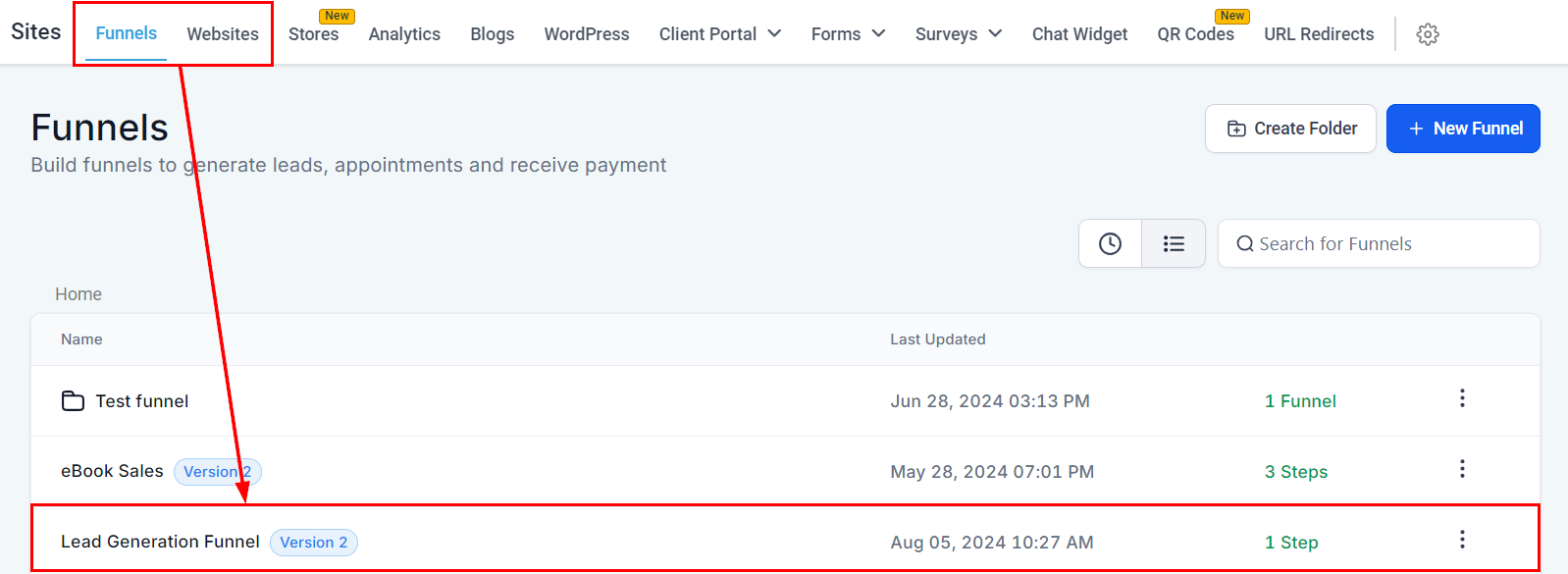
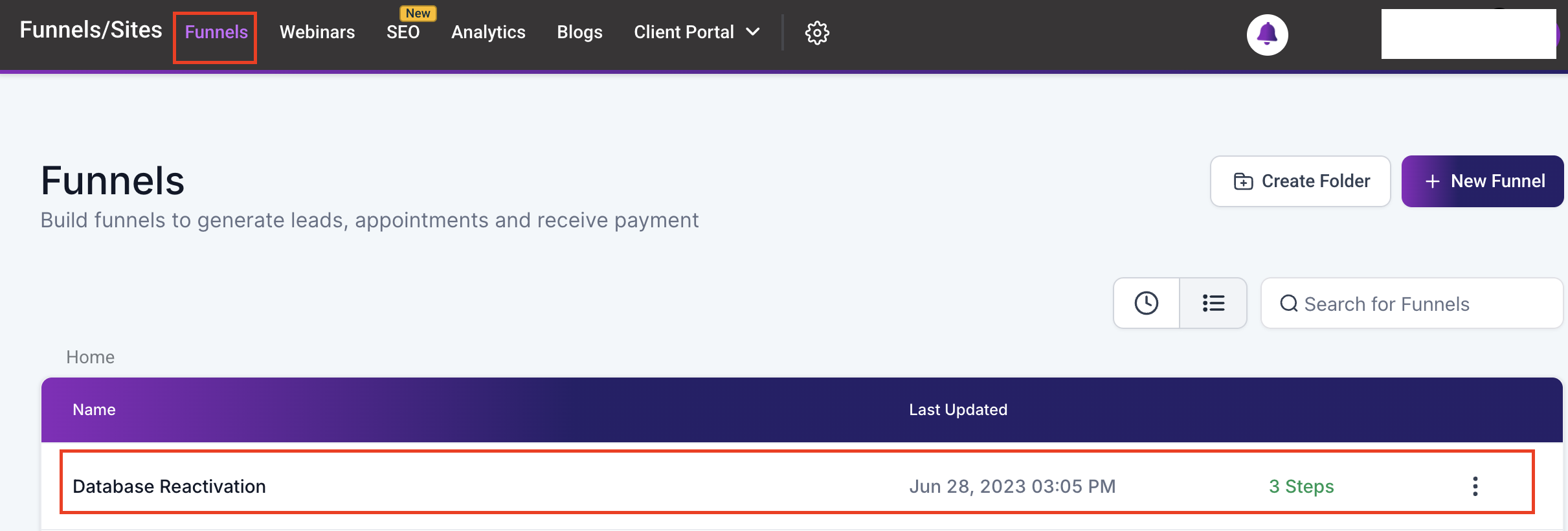
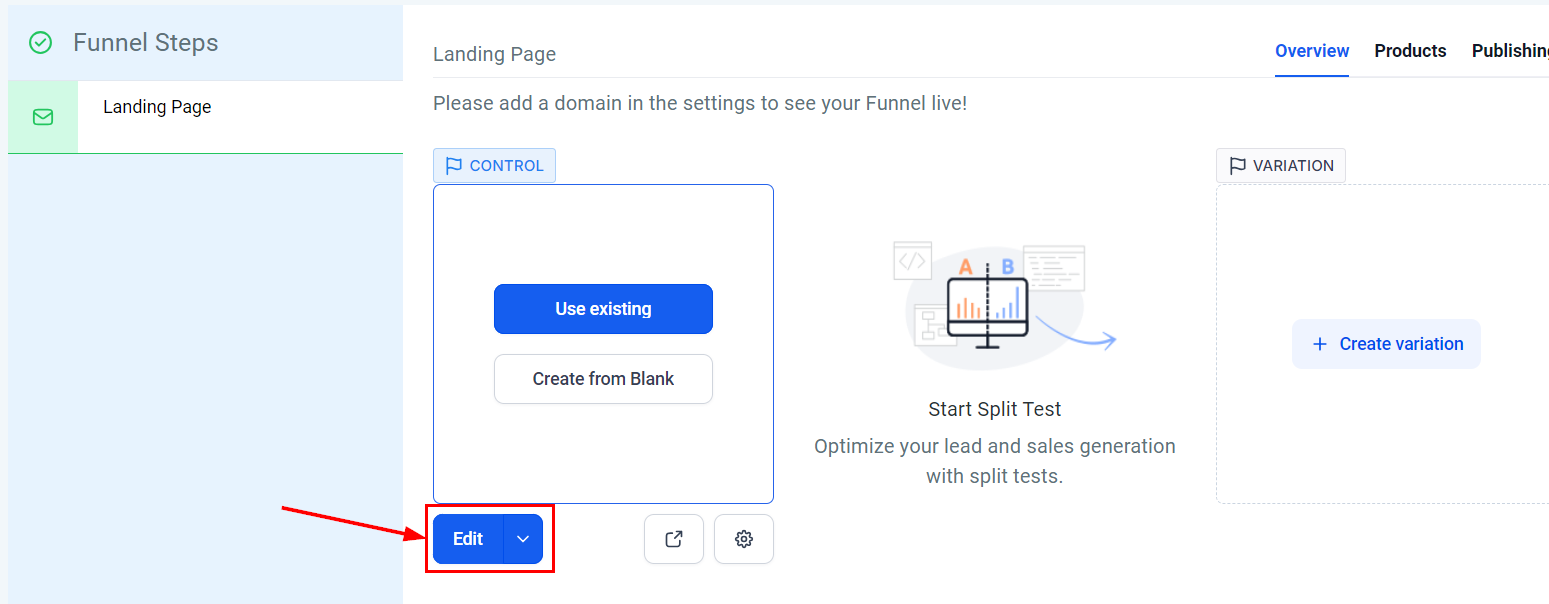
Access the funnel or website builder within your platform under the “Sites” section.
Accessing the Color Palette #
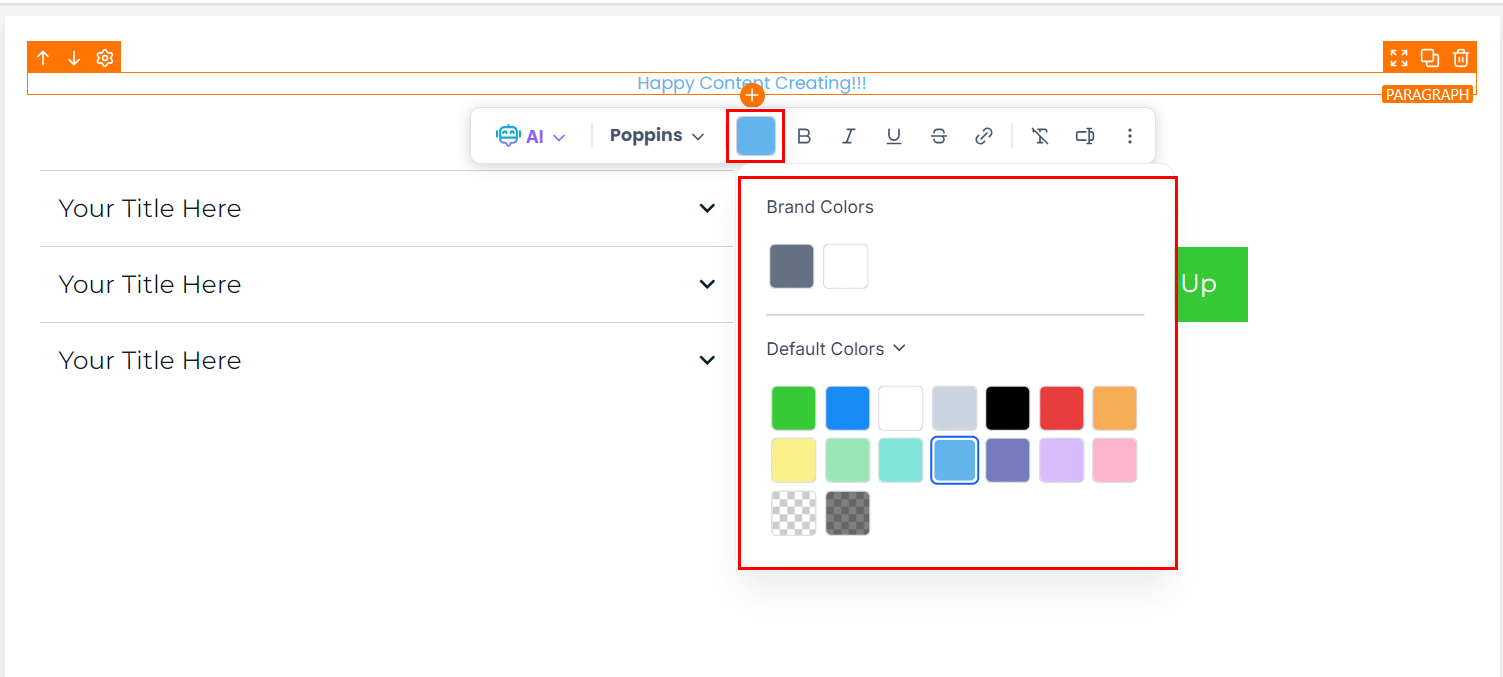
When editing text or accessing the right sidebar, select the color options from the inline toolbar. Apply your chosen color effortlessly by using the available Brand Colors.
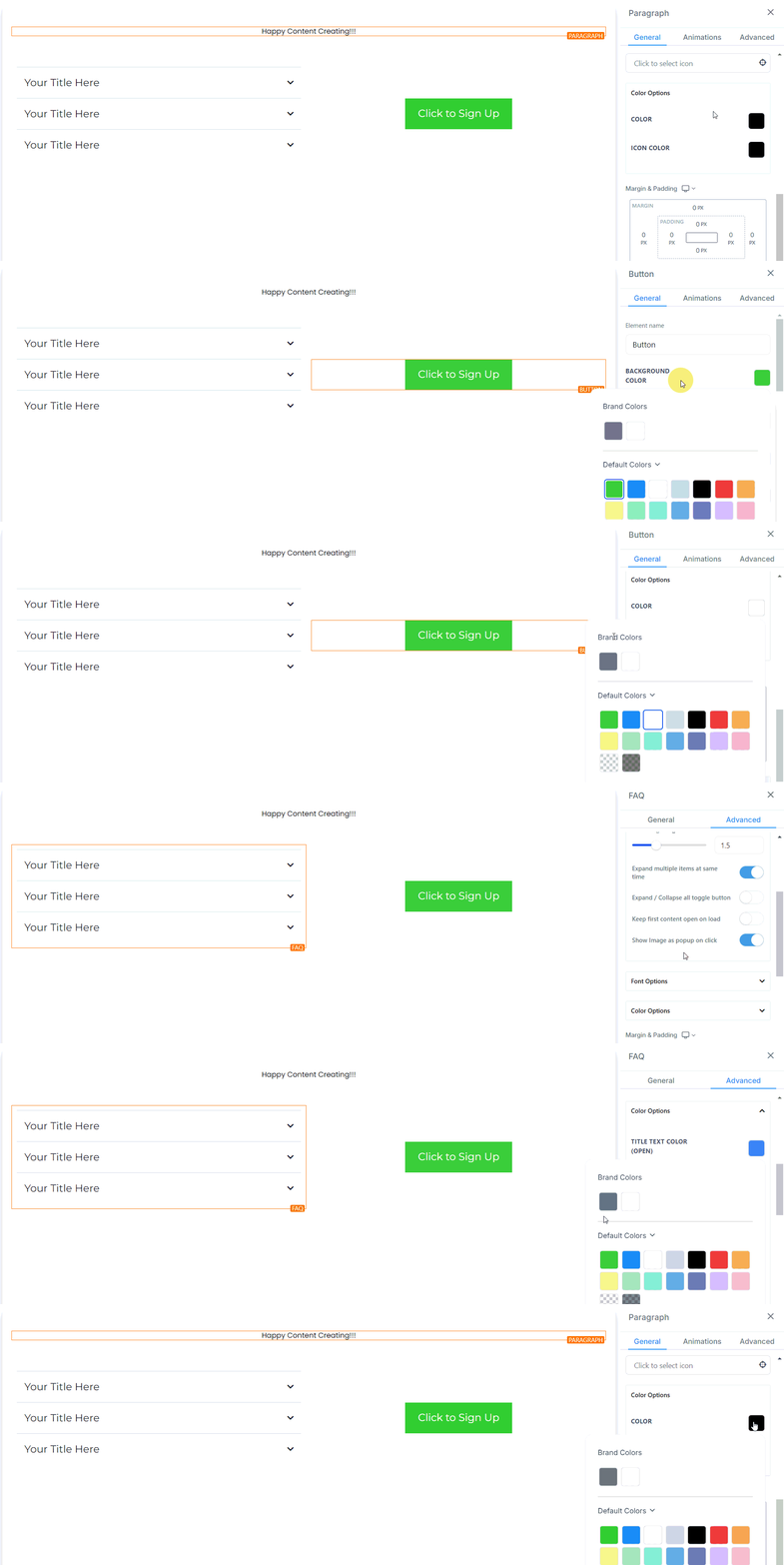
Furthermore, the unified color palette will appear, featuring sections for Default Colors and Custom Colors.

Managing Custom Colors #
Navigate to the Custom Colors section within the color palette. To add, edit, or delete a custom color, open the color picker UI from the Custom Colors section. Use the color selector or input specific HEX codes to refine your choices.
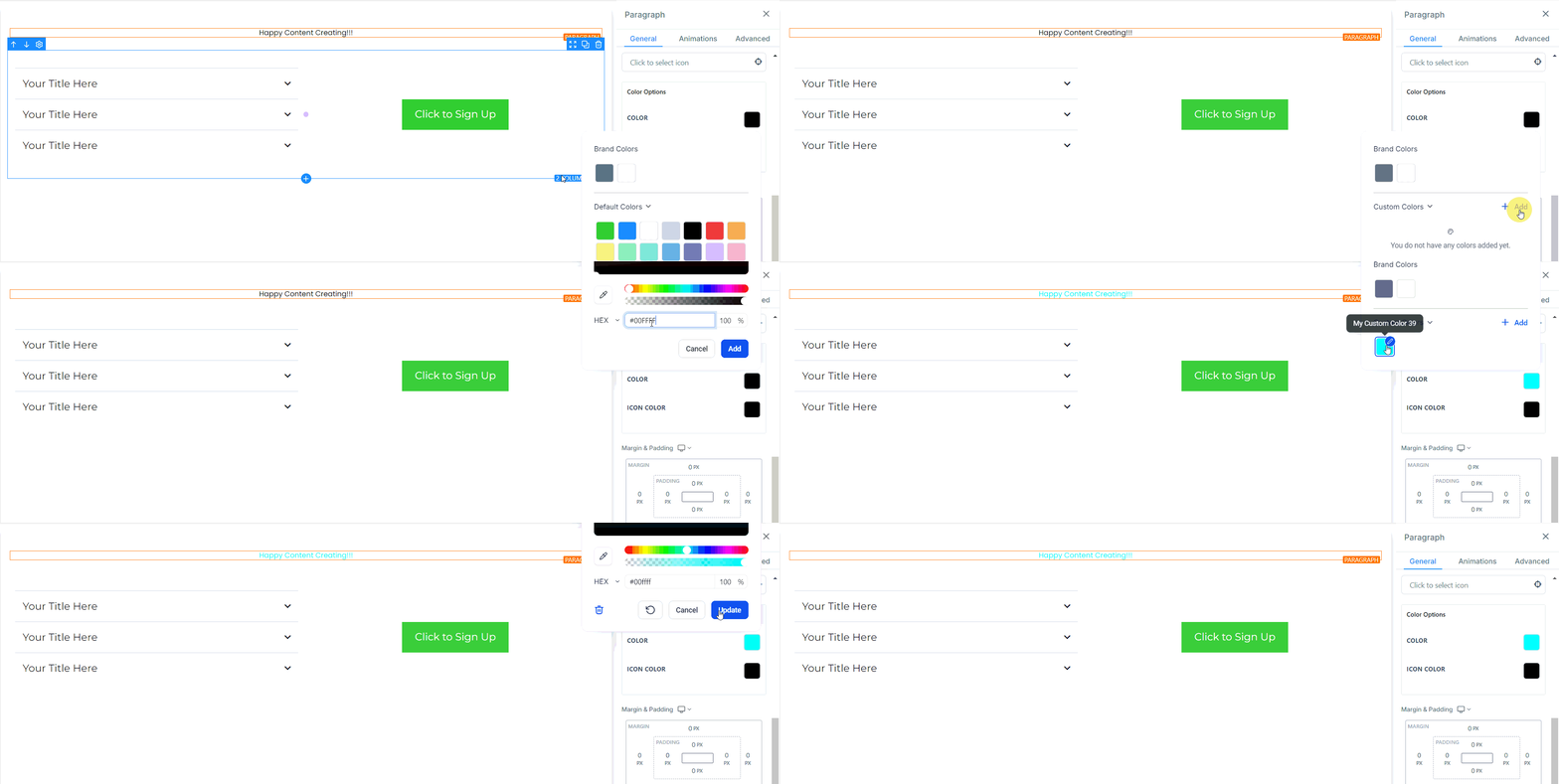
Leverage the eye dropper tool to select colors directly from your design with precision. The eye dropper tool allows for precise color matching from images or other design elements.
With Brand Boards, maintaining your brand’s visual identity is easier than ever. Enjoy a more efficient workflow and effortlessly uphold consistency across your funnels and websites.
Tips for Effective Use #
- Consistency: Apply Brand Colors consistently across all elements to ensure a cohesive brand experience.
- Easy Updates: Changes to Custom Colors automatically apply to all elements using that color, saving time and effort.
What's your Reaction?
You have reacted on"How to Use Brand Boards in Funnels & Websites"
A few seconds ago


 Subscriptions
 My Orders
 My Wishlist
 Refer & Earn💸
 My Projects
 Conversations
 Website Services
 New Website Request
 Website Addons
 eCommerce Addons
 eCommerce Modules
 Software Development
 Graphic Design
 Video Production
 Content Writing
 Marketing Services
 Marketing Products
 Get a Marketing Plan
 Local SEO Audit
 Sales Automation
 Service Automation
 Operations Automation
 Marketing Automation
 Payments Automation
 Premium Modules
 Support Tickets
 Latest Updates
 Consultation Calls
 Tools & Extensions
 Tech Tips & Tricks
 Domains & Emails