The List View is a tabular format that allows you to interact with your opportunities in a detailed and organized manner. This feature transforms how you interact with your opportunities by providing a detailed, streamlined, and customizable view. Whether you’re looking to enhance visibility, increase customization, or improve your overall workflow, the List Views in the Opportunities tab is designed to meet your needs.
Benefits of the List View #
The List View offers several key advantages that can enhance your productivity and streamline your workflow:
- Enhanced Visibility: View more opportunities displayed in a single view.
- Increased Customization: Tailor your columns to display or export the information that matters most to you.
Here’s what you can do with it:
- Opportunities in a Listed View: See all your opportunities organized in a clear, tabular format.

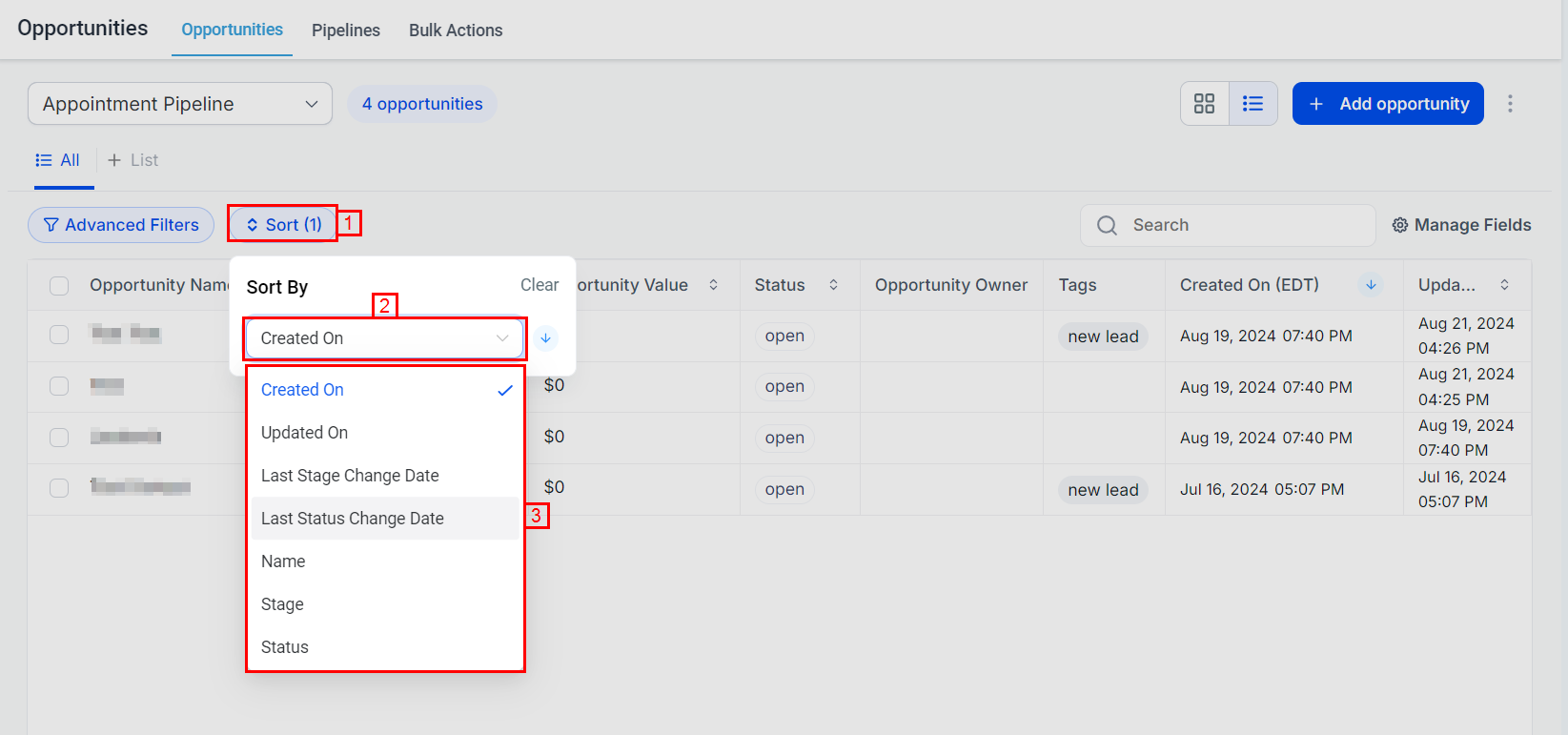
2. Sorting Across Fields: Easily sort your opportunities by multiple fields such as Opportunity Name, Value, or Date Created.
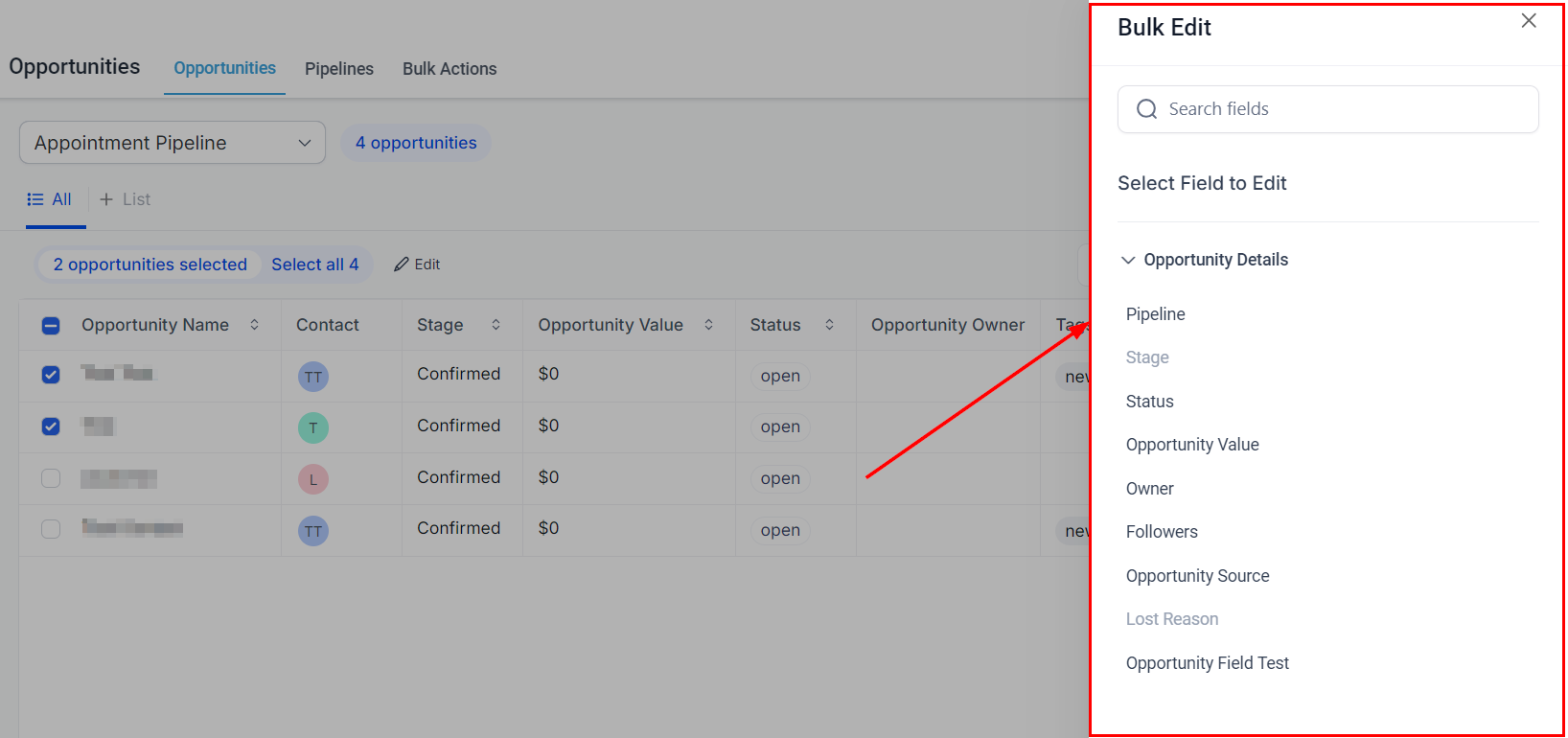
3. Bulk Edit Opportunities: Modify Opportunity Details of multiple contacts at once.

This will allow you to select the fields you want to update and enter the new information.
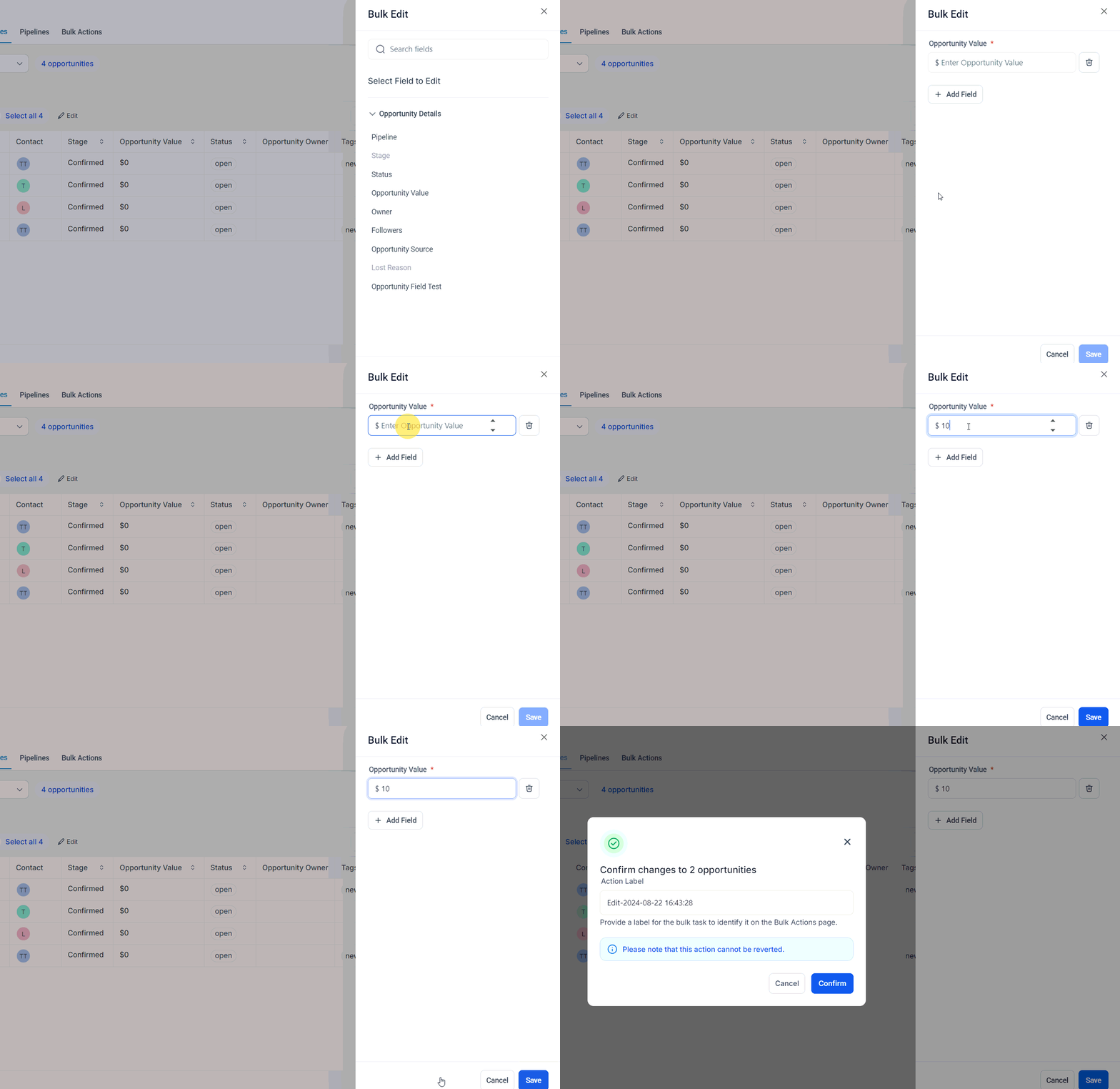
Enter a name for the action and click confirm to apply your changes.
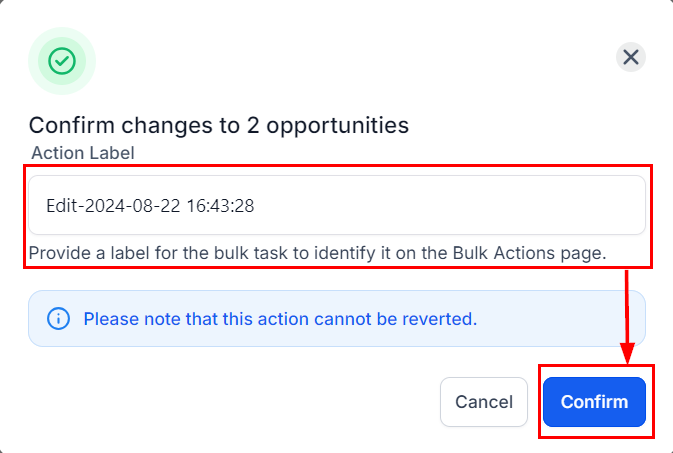
Navigate to the Bulk Actions page to monitor the progress, review successes, and identify any errors.
4. Customizable Fields: Choose which fields you want to display in your list view. You can also resize and reorder these fields.
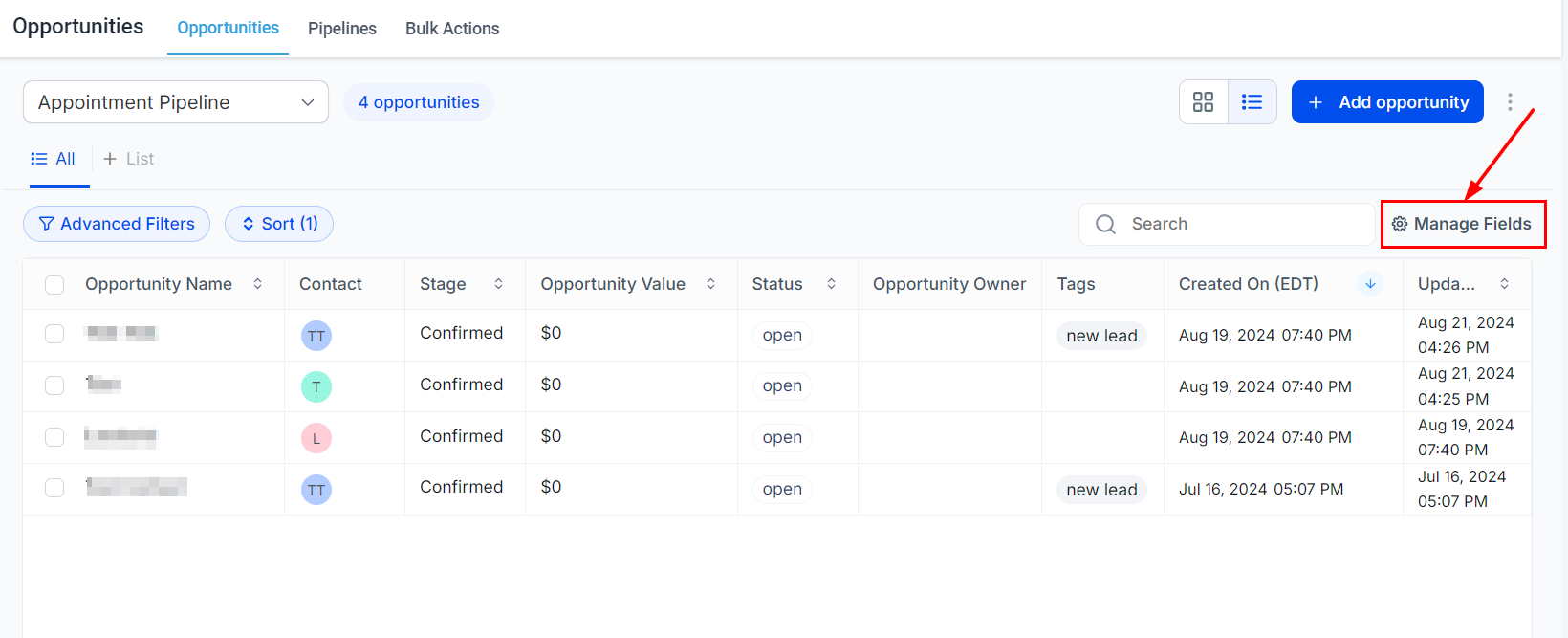

Full Feature Parity with Board View #
All the features available in the Board View, including Advanced Filters and Search functionality, are also available in the List View.
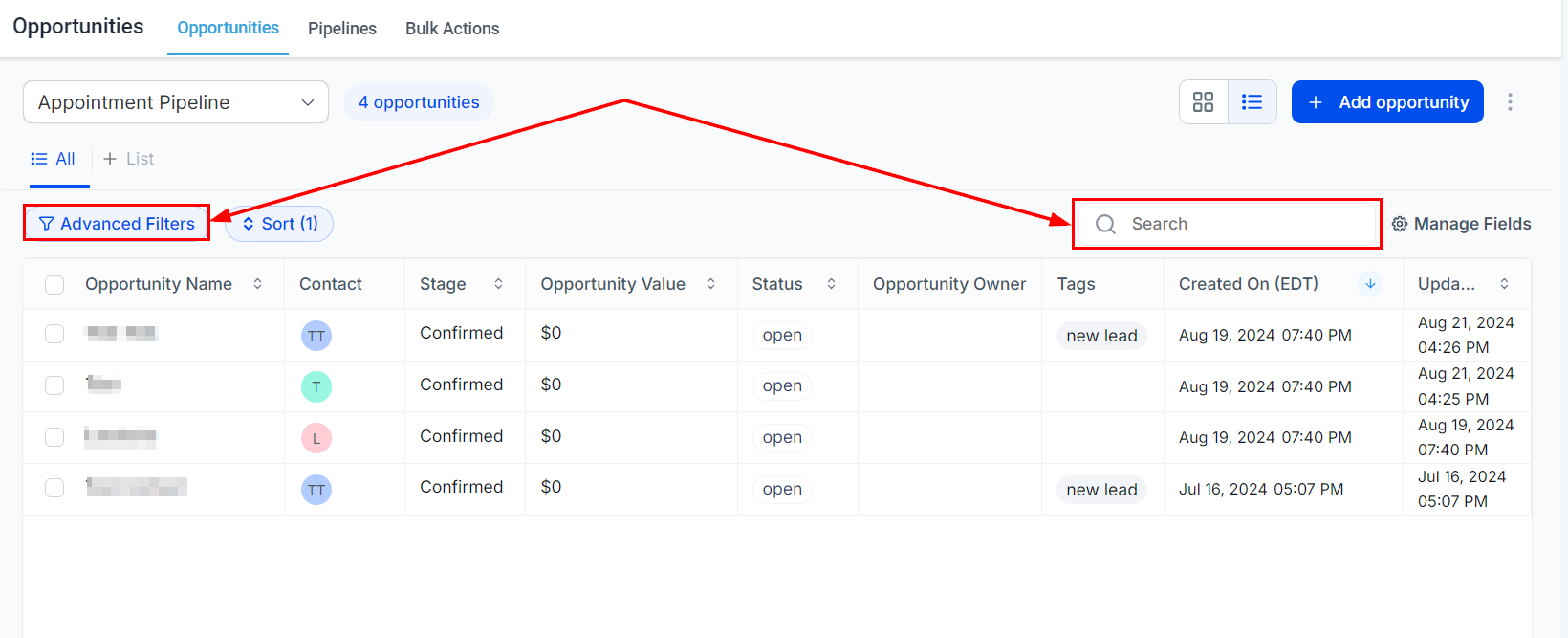
Whether you’re sorting through opportunities, performing bulk edits, or customizing your display, the List View provides the tools necessary to optimize your productivity and ensure efficient handling of your opportunities. Embrace the full capabilities of the List View to elevate your opportunity management and achieve better results.
Frequently Asked Questions #
Q: Can I customize the fields displayed in the List View?
- Yes, you can choose which fields to display, resize, and reorder them to suit your needs.
Q: Are all features from the Board View available in the List View?
- Yes, all features such as Advanced Filters and Search functionality available in the Board View are also available in the List View.
Q: Can I sort opportunities by multiple fields?
- Yes, you can easily sort your opportunities by multiple fields like Opportunity Name, Value, or Date Created.
What's your Reaction?
You have reacted on"List View in Opportunities"
A few seconds ago


 Subscriptions
 My Orders
 My Wishlist
 Refer & Earn💸
 My Projects
 Conversations
 Website Services
 New Website Request
 Website Addons
 eCommerce Addons
 eCommerce Modules
 Software Development
 Graphic Design
 Video Production
 Content Writing
 Marketing Services
 Marketing Products
 Get a Marketing Plan
 Local SEO Audit
 Sales Automation
 Service Automation
 Operations Automation
 Marketing Automation
 Payments Automation
 Premium Modules
 Support Tickets
 Latest Updates
 Consultation Calls
 Tools & Extensions
 Tech Tips & Tricks
 Domains & Emails









