Your phone number is more than just a line of contact, it is a security line for your customers, a source of reassurance, and a piece of your branding. The best way to enhance the experience for both sides is by setting your Verified Caller ID, which is the name linked to your phone number and what your clients see when you give them a call.
Adding a Verified Phone Number #
Before you can start using your phone number as a Caller ID, you must first verify it within the CRM. Here’s how:
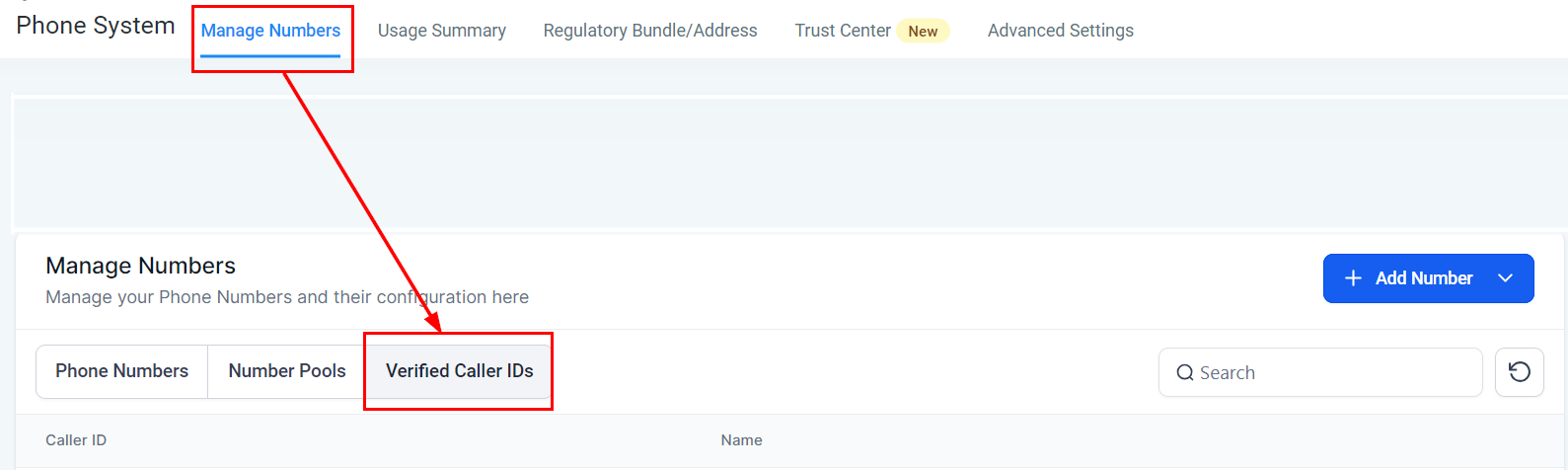
Access the Verified Caller IDs Section #
- Navigate to the sub-account settings by clicking on Settings.
- Go to Phone Numbers and select Manage.
- Here, you’ll find the Verified Caller IDs section.
Initiate the Verification Process #
- Click on Add a new Caller ID.
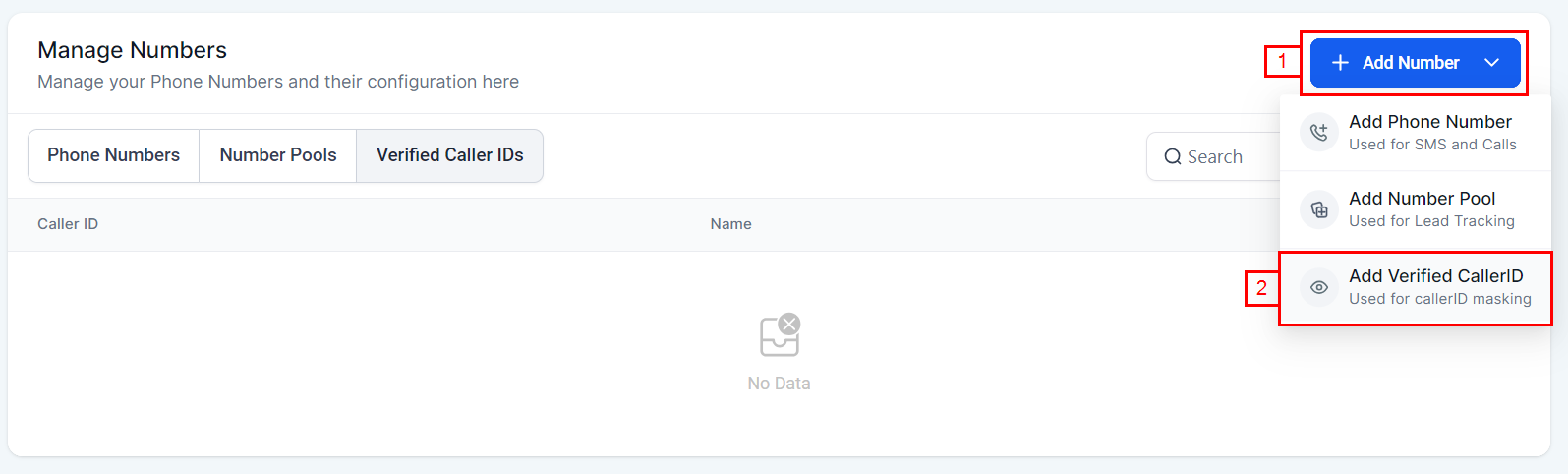
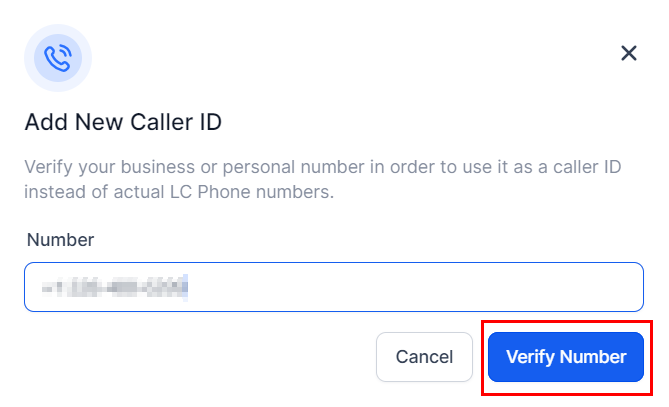
- Enter the phone number you wish to verify, including the country code, and click Verify Number.
Complete the Verification #
- A six-digit One-Time Password (OTP) will appear on the screen.
- Shortly, you’ll receive a call on the number you’re trying to verify. Enter the OTP when prompted.
- Once verified, your phone number will appear in the Verified CallerID list.
Using a Verified Phone Number for Calling #
After verifying your phone number, you can set it as your Caller ID for outbound calls:
Select the Phone Number #
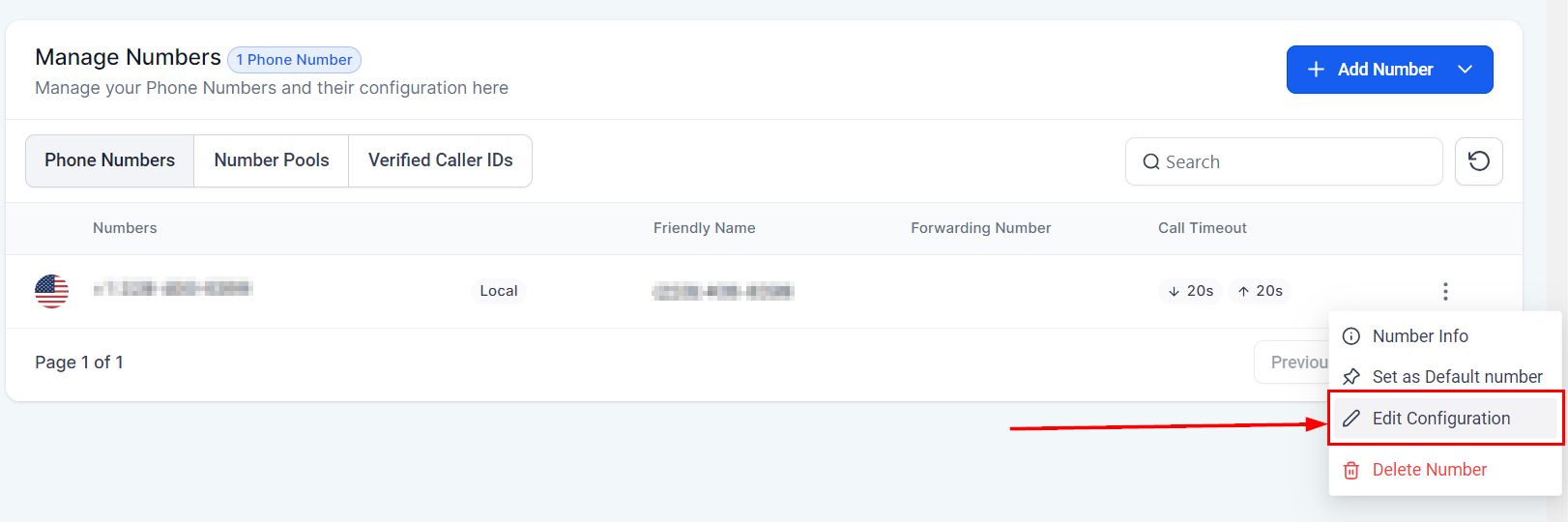
- Find the phone number you wish to use from your list and click on the edit icon from the 3-dot dropdown.
Enable the Verified Caller ID Feature #
- In the settings for your selected phone number, enable the Verified Caller ID feature.
- Choose the verified number you want to link as your Caller ID.
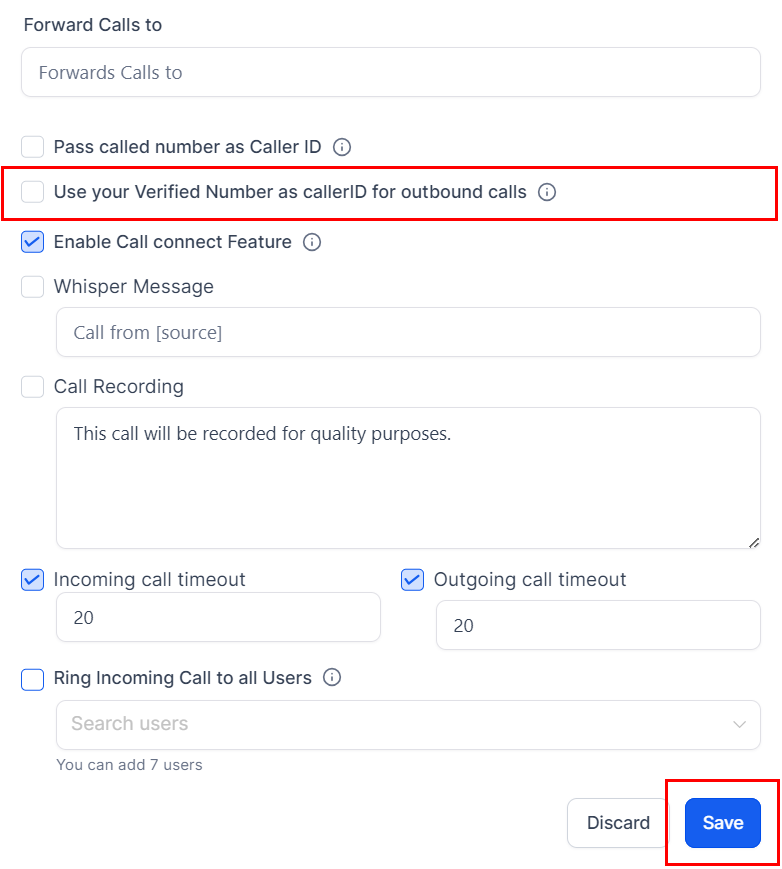
Complete the Setup #
With these settings saved, all outgoing calls from this phone number will now display your verified Caller ID.
Note: It’s important to remember that verified phone numbers can only be used for outbound calls. Incoming calls to this number will still be routed through your existing service provider, such as your wireless or landline provider.
Troubleshooting and FAQs #
What if I don’t receive the verification call? #
Ensure the phone number is entered correctly, including the correct country code. If the problem persists, try the verification process again or contact support for assistance.
Can I use the same verified number on multiple CRM accounts? #
Typically, a verified number is unique to one CRM account to prevent misuse.
Why is my Caller ID not showing up correctly on outgoing calls? #
Double-check that you’ve enabled the Verified Caller ID feature for the correct phone number. If everything seems correct but the issue persists, there might be a delay in the feature activation, or your phone service provider may not support this feature.
What's your Reaction?
You have reacted on"How to Set Up and Use Verified Caller ID"
A few seconds ago


 Subscriptions
 My Orders
 My Wishlist
 Refer & Earn💸
 My Projects
 Conversations
 Website Services
 New Website Request
 Website Addons
 eCommerce Addons
 eCommerce Modules
 Software Development
 Graphic Design
 Video Production
 Content Writing
 Marketing Services
 Marketing Products
 Get a Marketing Plan
 Local SEO Audit
 Sales Automation
 Service Automation
 Operations Automation
 Marketing Automation
 Payments Automation
 Premium Modules
 Support Tickets
 Latest Updates
 Consultation Calls
 Tools & Extensions
 Tech Tips & Tricks
 Domains & Emails









