Seamlessly edit your email snippets using the rich text editor before sending out emails. This editor provides a comprehensive range of formatting options, including bold, italic, underline, bullet lists, and more. By customizing email templates with these advanced features, you can ensure each communication is tailored to specific needs, thereby enhancing the effectiveness of your email management.
How It Works #
Open the Mobile App #
Start by opening the mobile app.
Navigate to Conversations #
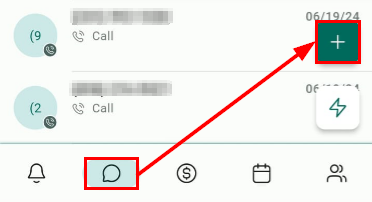
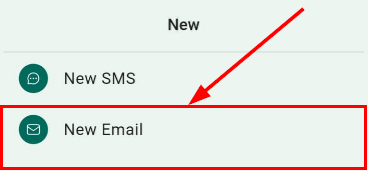
Head over to the conversations section and initiate a new email conversation.
Choose an Email Snippet #
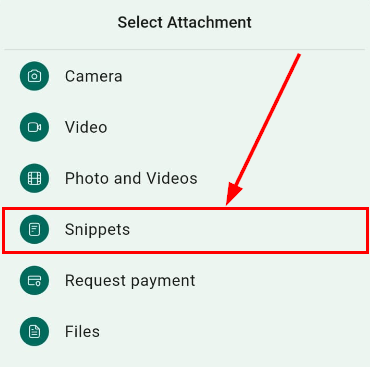
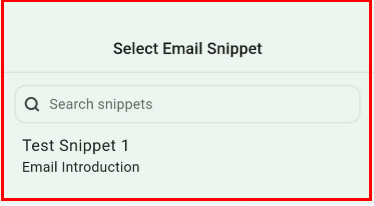
Select your preferred email snippet from the available options.

Edit with Rich Text Editor #
Once you have chosen your email snippet, use the rich text editor to customize the content to suit your needs.

Send the Email #
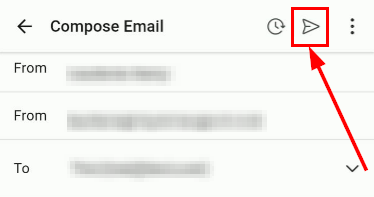
After editing, send the email to your chosen contact(s).
With the introduction of email template editing, managing and personalizing email communications has never been easier. Update your mobile app to the latest version today and take advantage of this powerful new feature to enhance your email marketing efforts.
Note: This feature is available on iOS and Android devices running version 3.74 or later.
What's your Reaction?
You have reacted on"Edit Email Snippets in the Mobile App"
A few seconds ago


 Subscriptions
 My Orders
 My Wishlist
 Refer & Earn💸
 My Projects
 Conversations
 Website Services
 New Website Request
 Website Addons
 eCommerce Addons
 eCommerce Modules
 Software Development
 Graphic Design
 Video Production
 Content Writing
 Marketing Services
 Marketing Products
 Get a Marketing Plan
 Local SEO Audit
 Sales Automation
 Service Automation
 Operations Automation
 Marketing Automation
 Payments Automation
 Premium Modules
 Support Tickets
 Latest Updates
 Consultation Calls
 Tools & Extensions
 Tech Tips & Tricks
 Domains & Emails









