Documents and Contracts allow you to outline any terms and conditions to your customers, ensuring everyone is on the same page when completing a purchase. However, you don’t want to overwhelm your customers with too many steps to acquire your services. You can prevent this from happening by collecting payment directly after a document has been signed, this will aid you in increasing your conversion rates.
How to Use This Feature? #
Before sending your Document or Contract to a customer you’ll need to enable direct payment.
Setting Up #
To start head to “Data Collect” > “Proposals & Docs” to manage your documents and contracts.
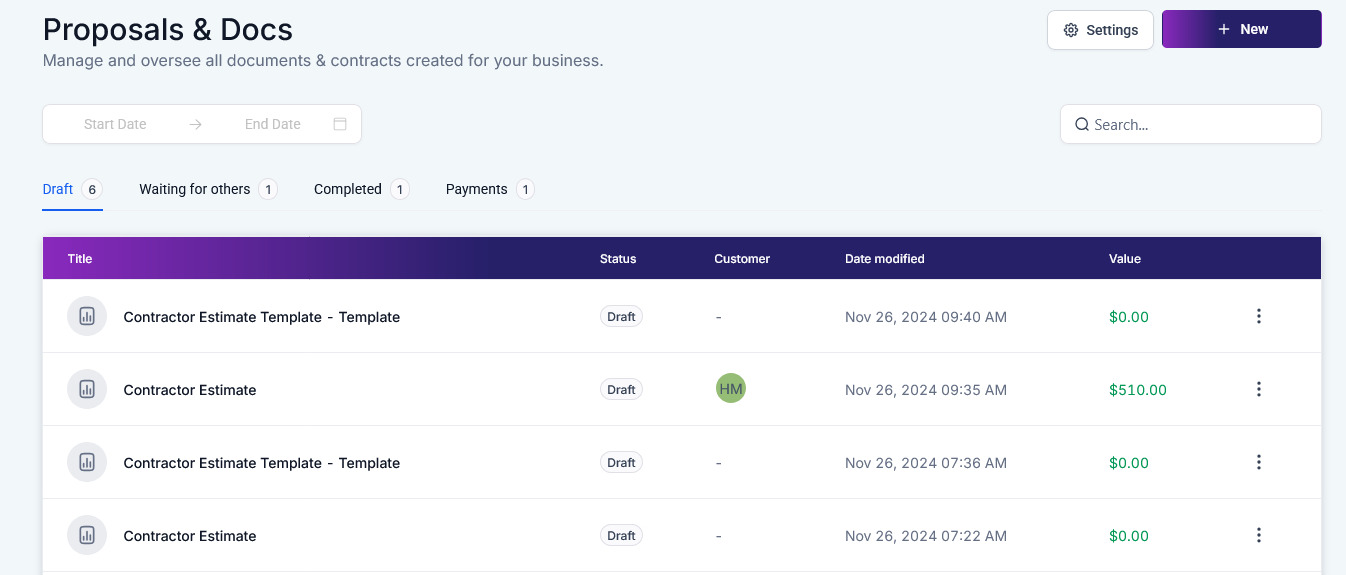
Access the Settings by clicking the gear icon.

Navigate to the Product Invoicing section.

Toggle on Direct Payment.

Click Save to maintain the changes.

Using Direct Payment #
Inside the Documents & Contracts tab click the + New to upload or create a new document from scratch.

Create your document as normal, at this step, you have to include a product list element with at least one product.

Select a primary recipient, this person will be prompted to complete payment directly.

Click send and select a channel to deliver the Document to your client.

The customer will be prompted to fill out their assigned fields and complete the payment.

And there you have it, this will allow you to simplify contract signing and payments into a single flow improving the user experience by speeding up the payment process after signing for everyone ensuring that there is the least amount of resistance, and aiding your bottom line.
What's your Reaction?
You have reacted on"Collect Payment Directly After Document Signing"
A few seconds ago


 Subscriptions
 My Orders
 My Wishlist
 Refer & Earn💸
 My Projects
 Conversations
 Website Services
 New Website Request
 Website Addons
 eCommerce Addons
 eCommerce Modules
 Software Development
 Graphic Design
 Video Production
 Content Writing
 Marketing Services
 Marketing Products
 Get a Marketing Plan
 Local SEO Audit
 Sales Automation
 Service Automation
 Operations Automation
 Marketing Automation
 Payments Automation
 Premium Modules
 Support Tickets
 Latest Updates
 Consultation Calls
 Tools & Extensions
 Tech Tips & Tricks
 Domains & Emails









