Quizzes are a great way to engage your audience, gather insights, and test knowledge in a fun and interactive way. Whether you’re creating quizzes for educational purposes, lead generation, or entertainment, the Quizzes Builder provides all the necessary tools to design, manage, and analyze your quizzes effectively.
To get started, navigate to Data Collect > Quizzes. Here, you’ll find all the tools you need to build and manage quizzes easily.
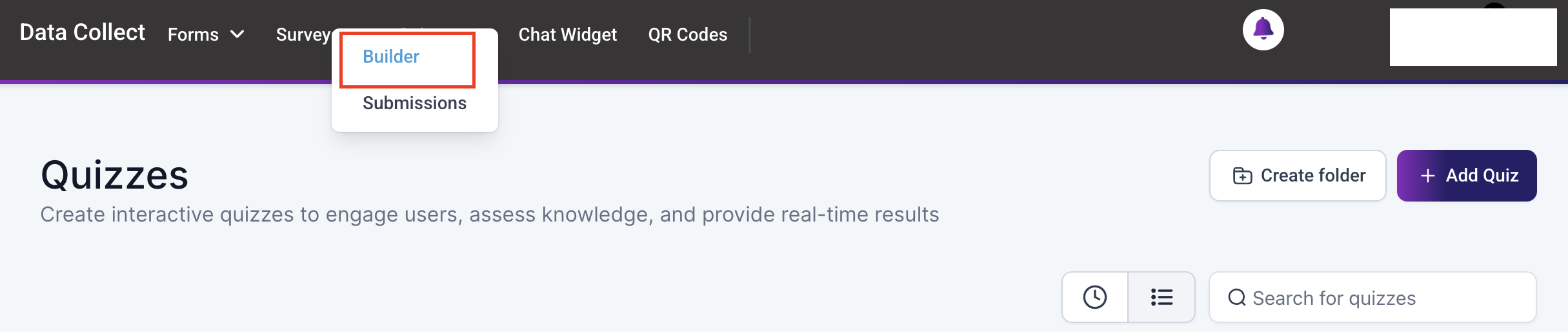
Create Folder #
To keep your quizzes organized, you can create folders. Click on the “Create Folder” button, and a popup will appear where you can name the folder and save it.
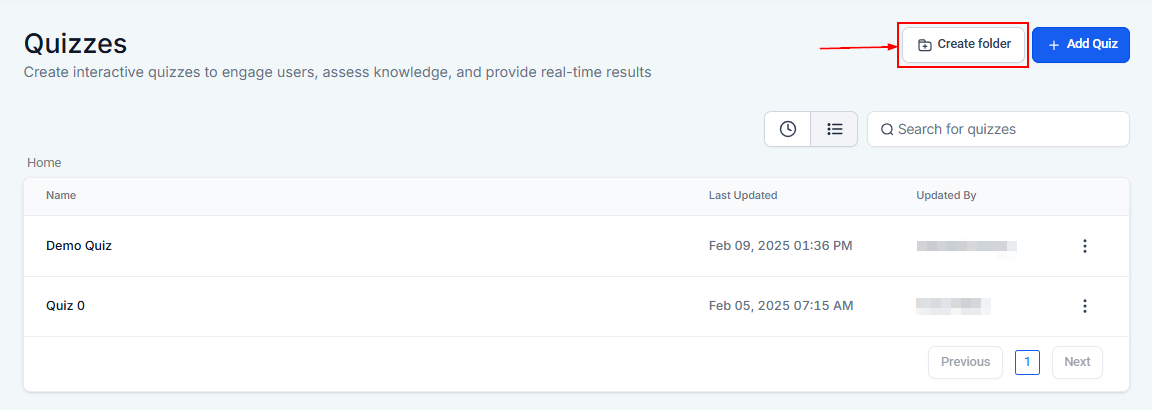
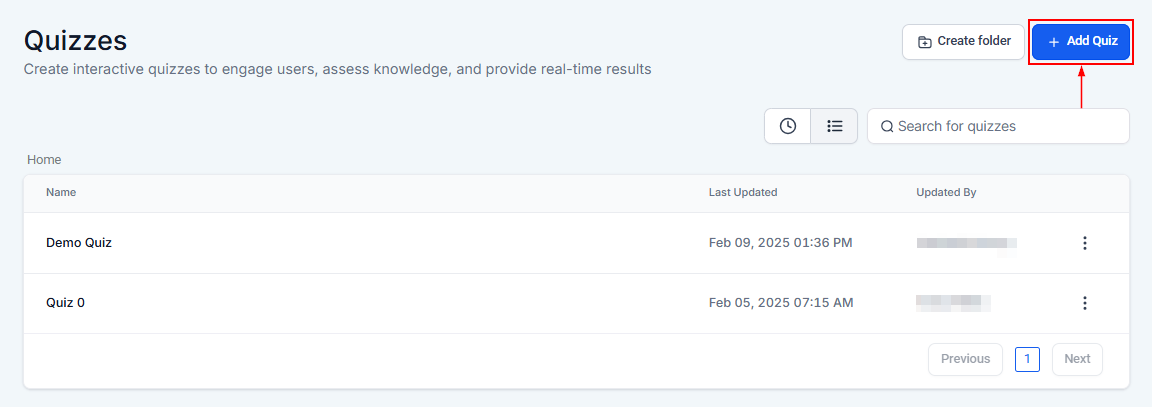
Add Quiz #
To create a new quiz, click the “+ Add Quiz” button. Name your quiz and click “Create” to save it. This will take you to the quiz builder, where you can customize questions, answers, and design elements.
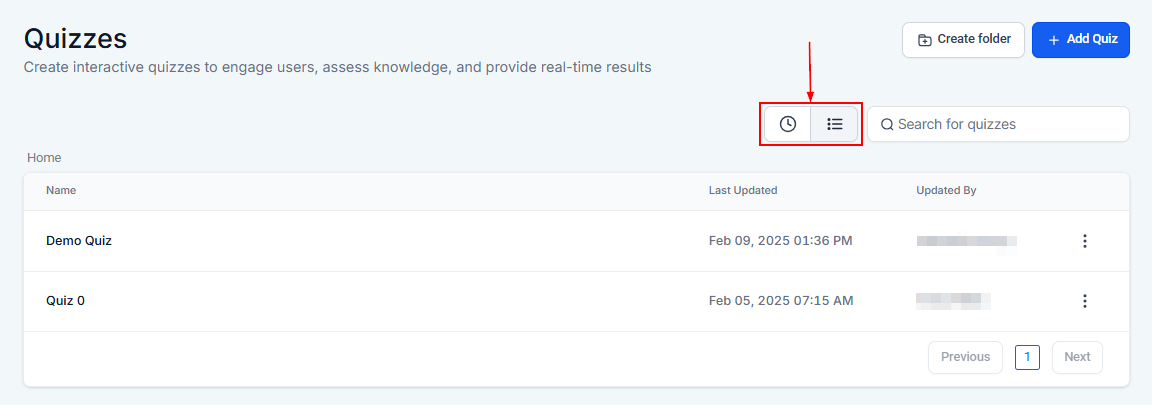
Sort by Recent or List #
If you have a large number of quizzes, sorting them can save time. You can organize your quizzes by the most recent updates or in alphabetical order. The Recent option (clock icon) displays the latest updates at the top, while the List view organizes quizzes by folders, followed alphabetically.
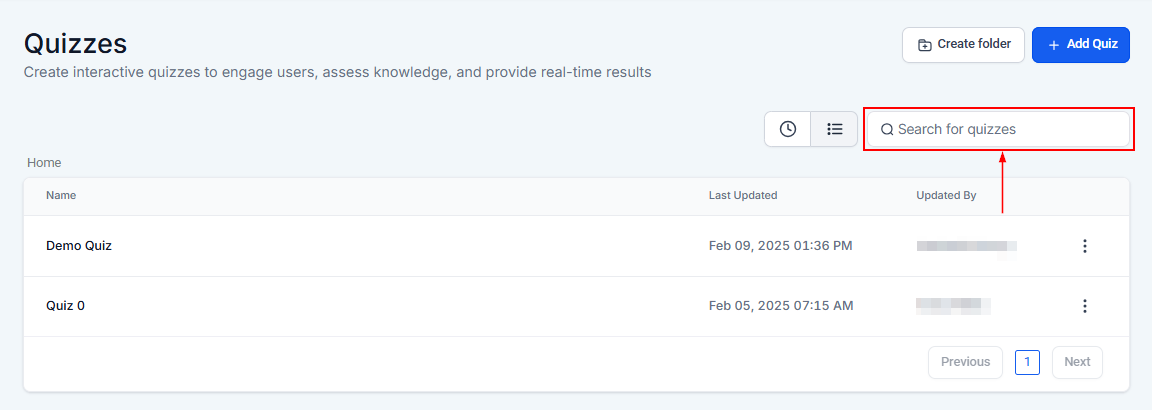
Search Quizzes By Name #
For quick access to a specific quiz, use the search bar to find quizzes by name.
Quizzes List #
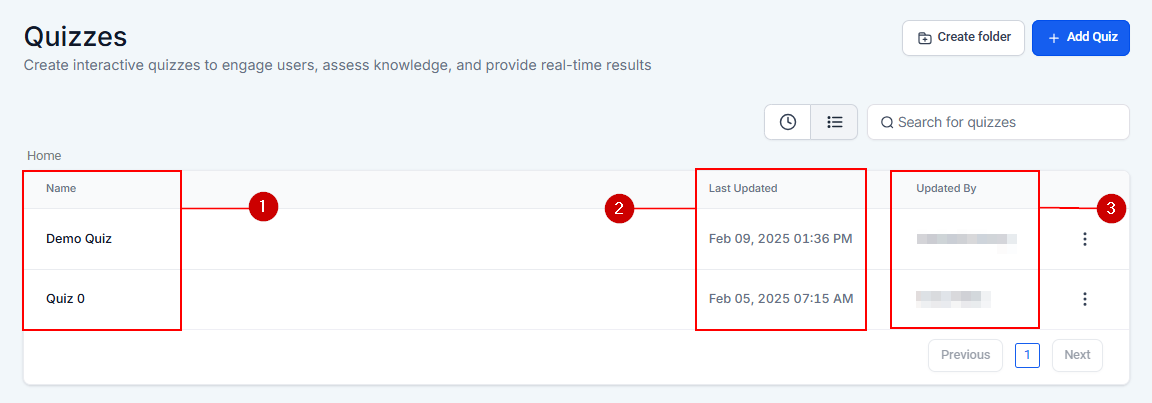
When you visit the Quizzes page, you will see a list of existing quizzes along with important details.
- Name: The title of the quiz, which can be modified in the quiz settings.
- Last Updated: The date and time of the most recent modification.
- Updated By: The user who made the last update.
Actions Menu #
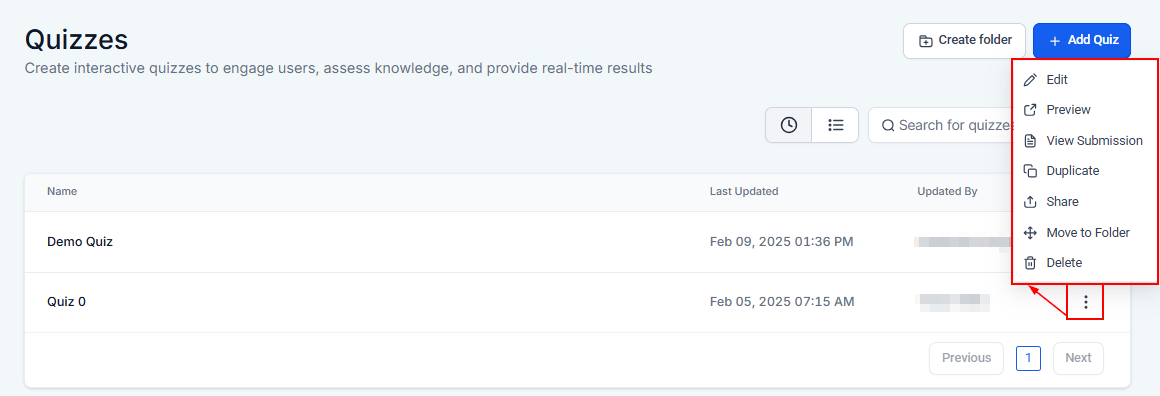
Clicking the three-dotted icon next to a quiz opens a menu with the following options:
- Edit: Modify quiz settings, questions, or appearance.
- Preview: View how the quiz will appear to participants.
- View Submissions: Access responses submitted by quiz participants.
- Duplicate: Create a copy of an existing quiz while maintaining all configurations.
- Share: Distribute the quiz link with team members or your audience.
- Move to Folder: Organize your quizzes by transferring them to different folders.
- Delete: Permanently remove a quiz from your account by clicking the delete button and confirming the action.
NOTE: Deleting a quiz is irreversible. Ensure the decision is final before proceeding.
By organizing quizzes into folders and using features like search, sorting, and duplication, you can easily create and manage interactive content that keeps your audience engaged. These tools simplify the process, allowing you to focus on delivering meaningful and enjoyable experiences.
What's your Reaction?
You have reacted on"Quizzes Overview"
A few seconds ago


 Subscriptions
 My Orders
 My Wishlist
 Refer & Earn💸
 My Projects
 Conversations
 Website Services
 New Website Request
 Website Addons
 eCommerce Addons
 eCommerce Modules
 Software Development
 Graphic Design
 Video Production
 Content Writing
 Marketing Services
 Marketing Products
 Get a Marketing Plan
 Local SEO Audit
 Sales Automation
 Service Automation
 Operations Automation
 Marketing Automation
 Payments Automation
 Premium Modules
 Support Tickets
 Latest Updates
 Consultation Calls
 Tools & Extensions
 Tech Tips & Tricks
 Domains & Emails












