What are Gift Cards? #
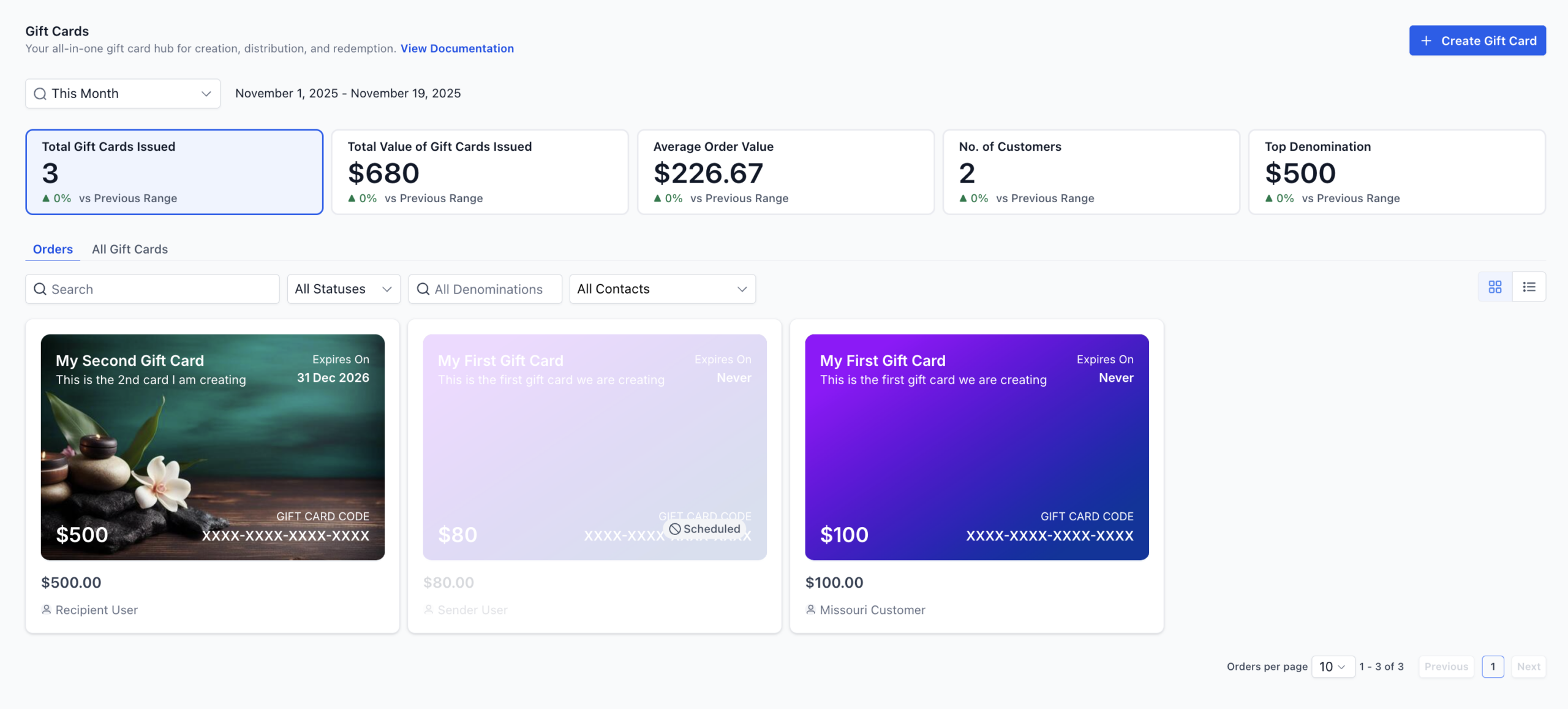
Gift Cards give your business a powerful way to drive sales, reward loyal customers and simplify promotions. With this feature you can create branded Gift Card Products, sell or send them, and track every issued card in a dedicated Gift Card Orders page – all from inside your Payments section.
Whether customers are purchasing a gift for someone special or you’re rewarding loyal clients with complimentary credit, Gift Cards make every transaction more personal. They can be sold through a dedicated checkout or embedded on your website, shared through a QR code, or sent directly to contacts with a custom message. Every card issued is automatically tracked under Gift Card Orders, giving you clear visibility into balance, status, and redemption – while offering your customers a seamless, delightful way to pay.
With Gift Cards you can:
Create Gift Card Products with your branding, denominations, expiry dates and more.
Sell Gift Cards from a dedicated checkout, embedded on your site, or via QR code.
Send Gift Cards directly to contacts without collecting payment (great for promotions or service recovery).
Track every issued card from the Gift Card Orders page with status, balance, and details.
Let customers redeem Gift Cards seamlessly at supported checkouts with automatic balance display and fallback payment collection when needed.
Key Benefits of Gift Cards #
- Flexible Selling Options: Dedicated checkout, embed, QR code, or add to existing checkouts.
- Scheduled Delivery: Choose immediate delivery or schedule for a future date.
- Operational Visibility: Track orders, code, amount, and status under Gift Card Orders.
- Brand Consistency: Use gradients or upload artwork so cards match your brand.
- Gifting Built In: “Myself or Someone Else” flows make it simple to buy for others with scheduled delivery.
- Frictionless Redemption: Recipients can redeem on supported checkouts with their code or link.
Prerequisites to Using Gift Cards #
Access to Payments → Gift Cards in your account.
At least one Gift Card Product created.
Active checkouts (Forms, Funnels, Payment Links, Invoices, Store, Calendars etc.) to support redemption.
(Optional) Artwork and terms & conditions for your Gift Card branding.
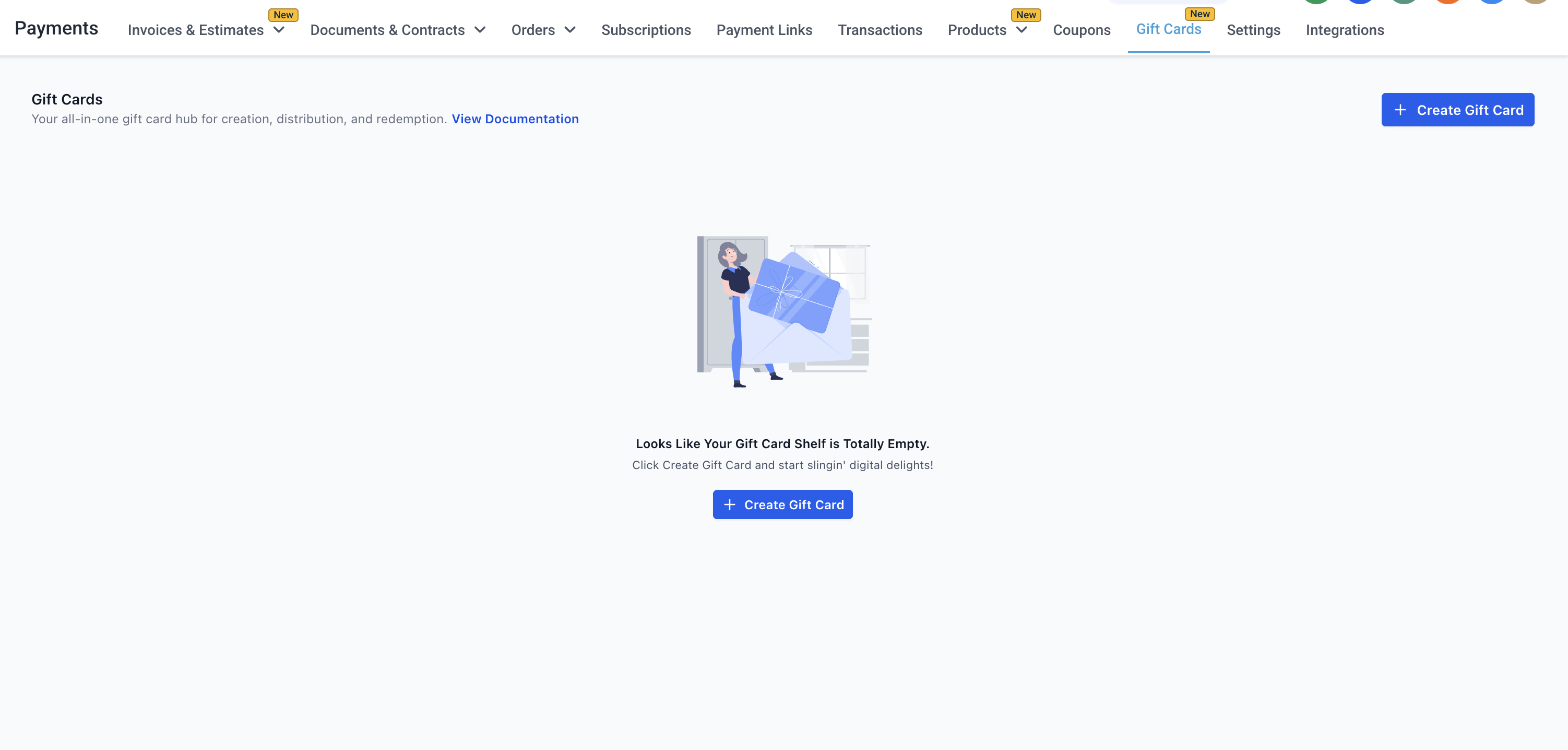
How It Works 🛠️ #
Everything lives under Payments → Gift Cards in your dashboard!
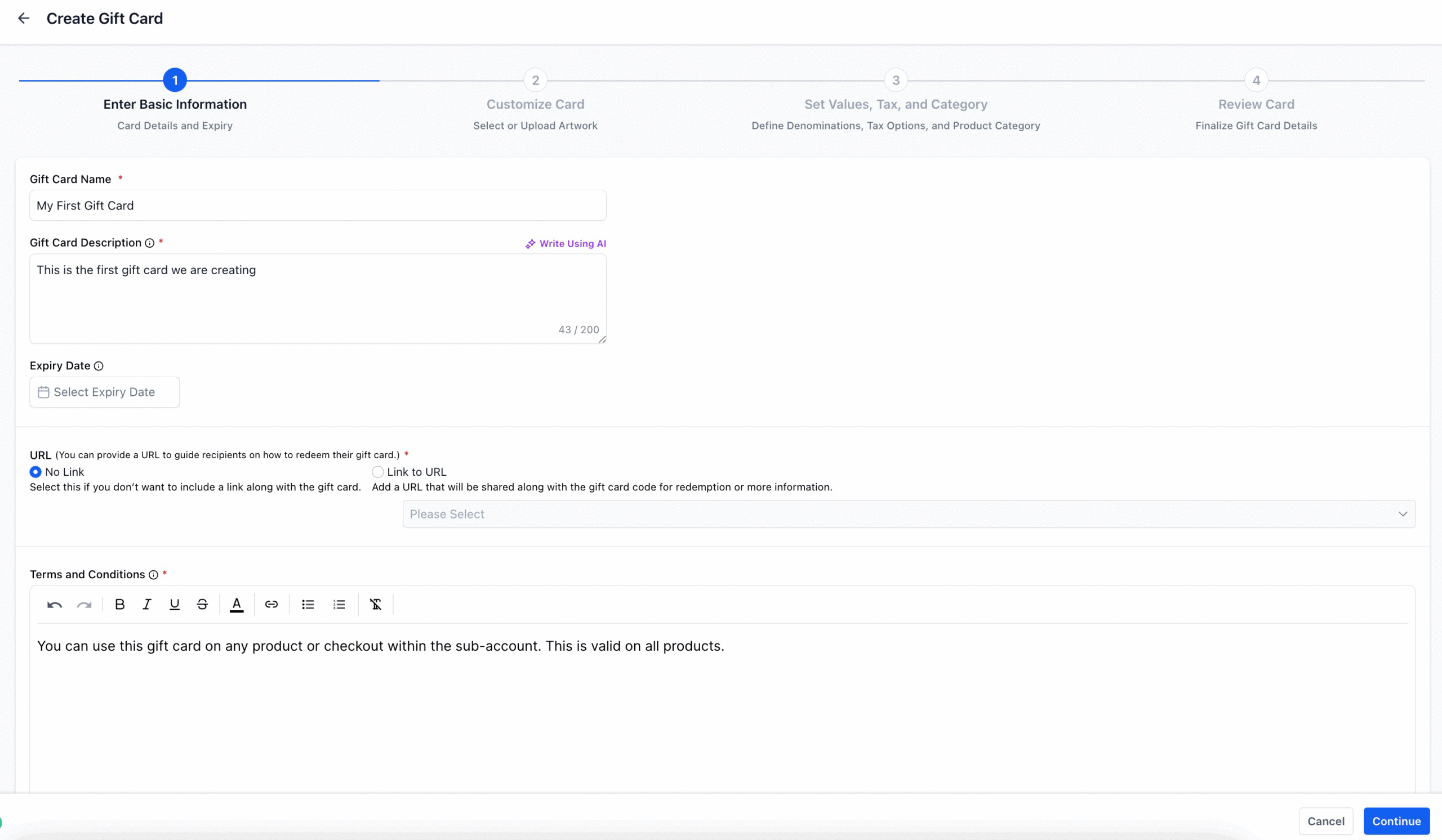
Setting up your first gift card:
- Go to Payments → Gift Cards → Gift Card Products
- Create a new product with your name, description, artwork, denominations, and optional expiry date
- Preview everything before saving — the gift card is created on the final step
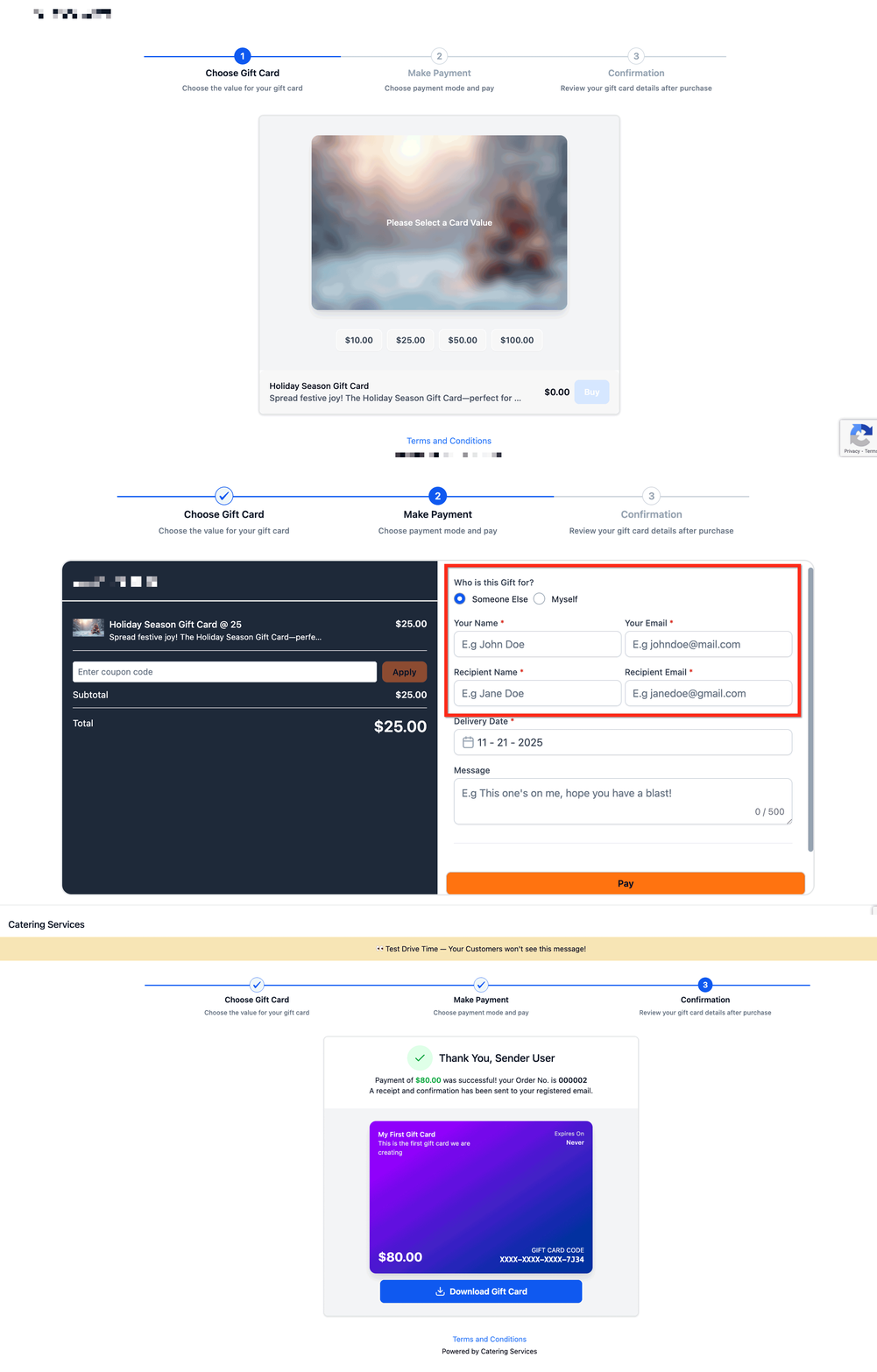
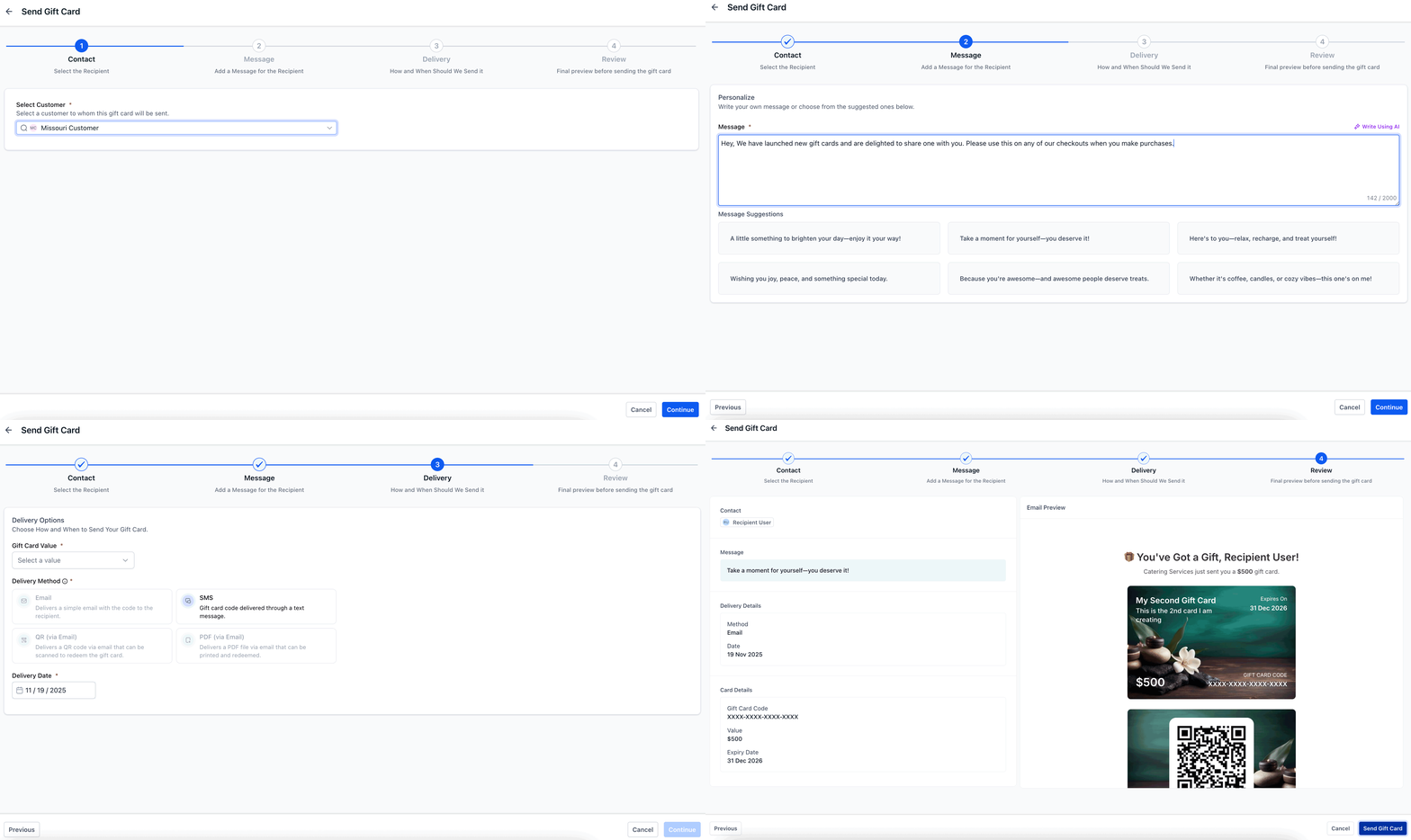
Selling and sending:
- Each product has a dedicated Sell section with its checkout link, embed code, and QR code
- Use the Send section to issue gift cards directly to customers
- Add gift card products to any existing checkout (Funnels, Forms, Payment Links, Stores, etc.)
 Tracking and managing:
- Visit Payments → Gift Cards → Gift Card Orders to see every issued card
- Click any order for full details including balance, status, and delivery info
- Gift cards sold in test mode can only be redeemed on test checkouts — and vice versa for live mode
How Customers Redeem Gift Cards #
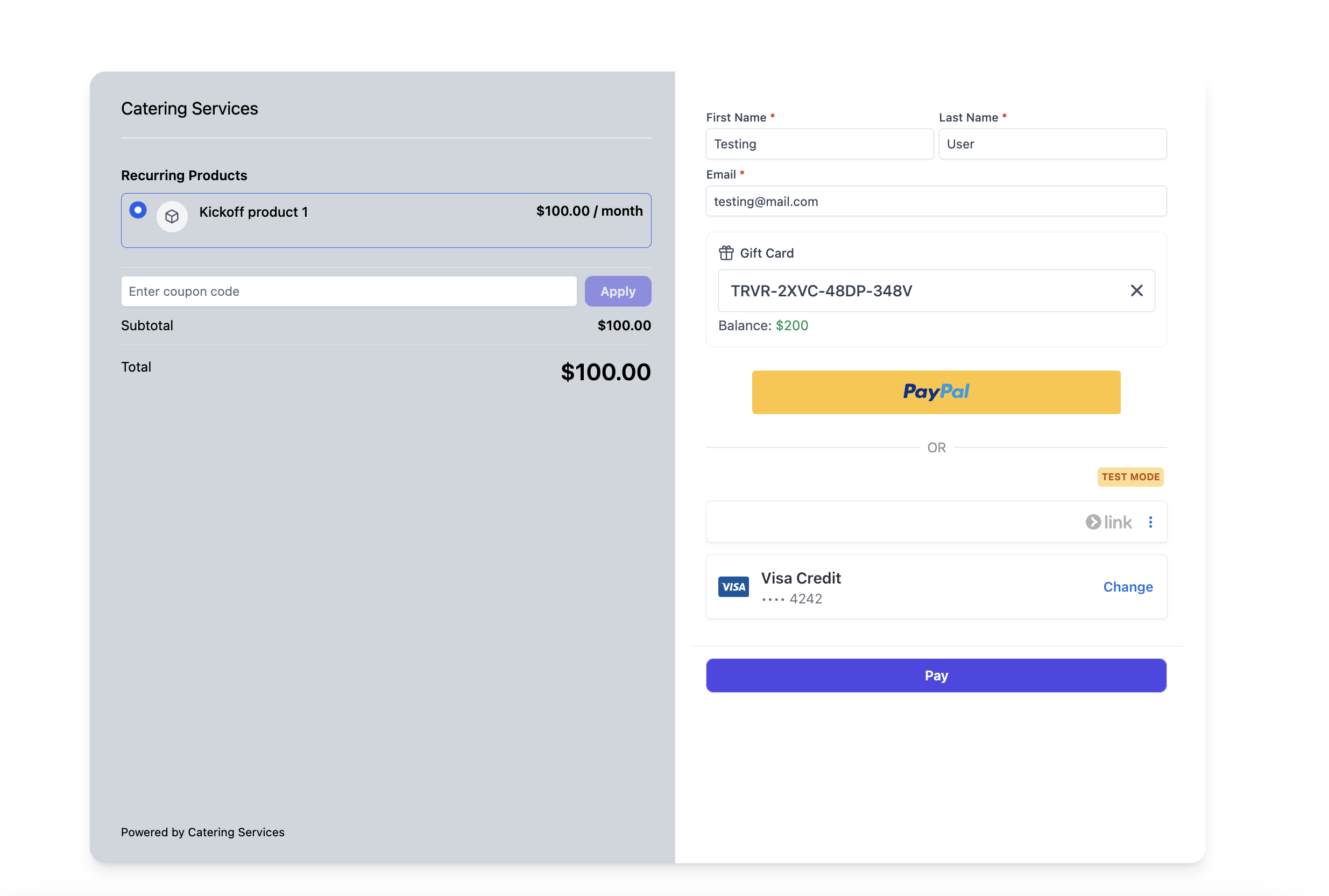
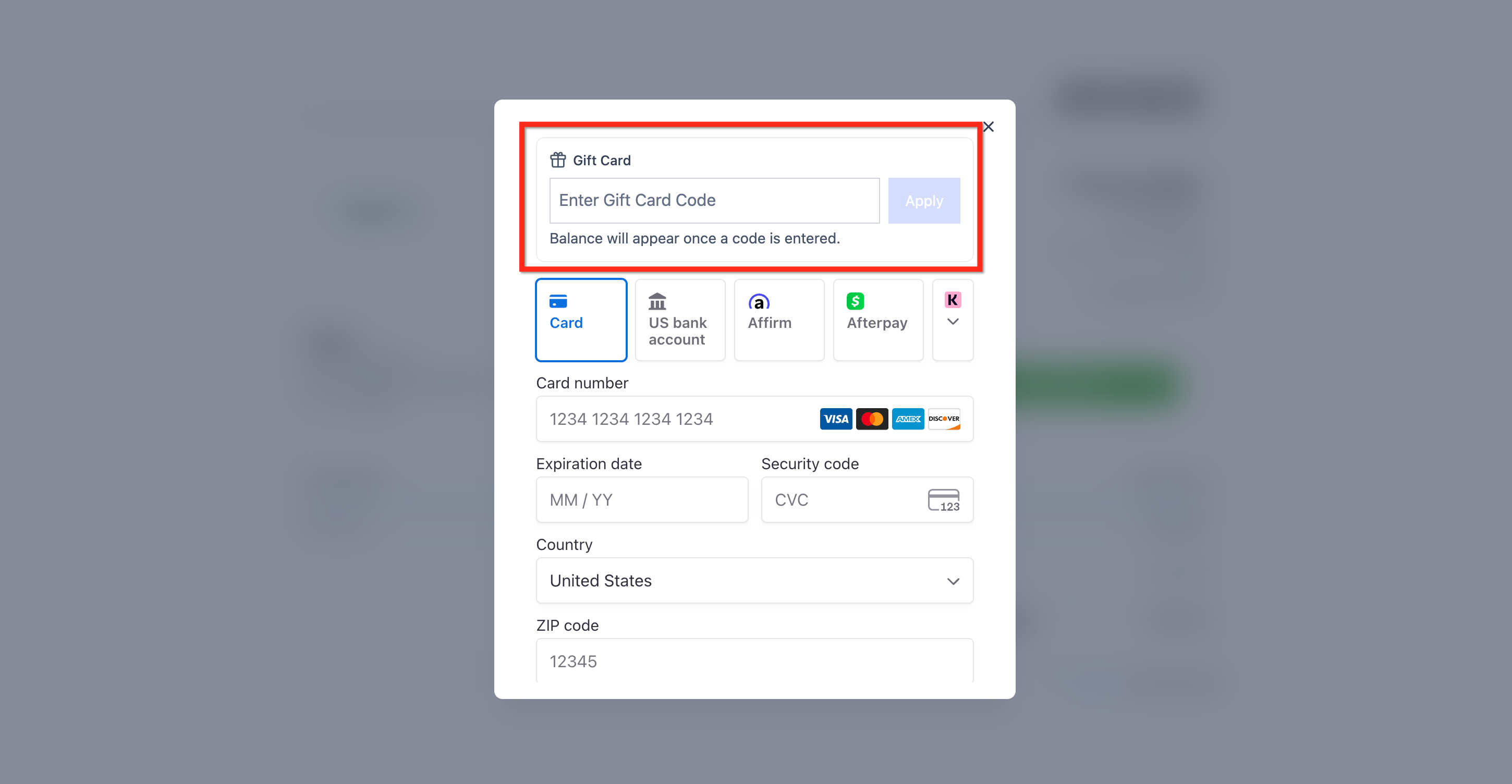
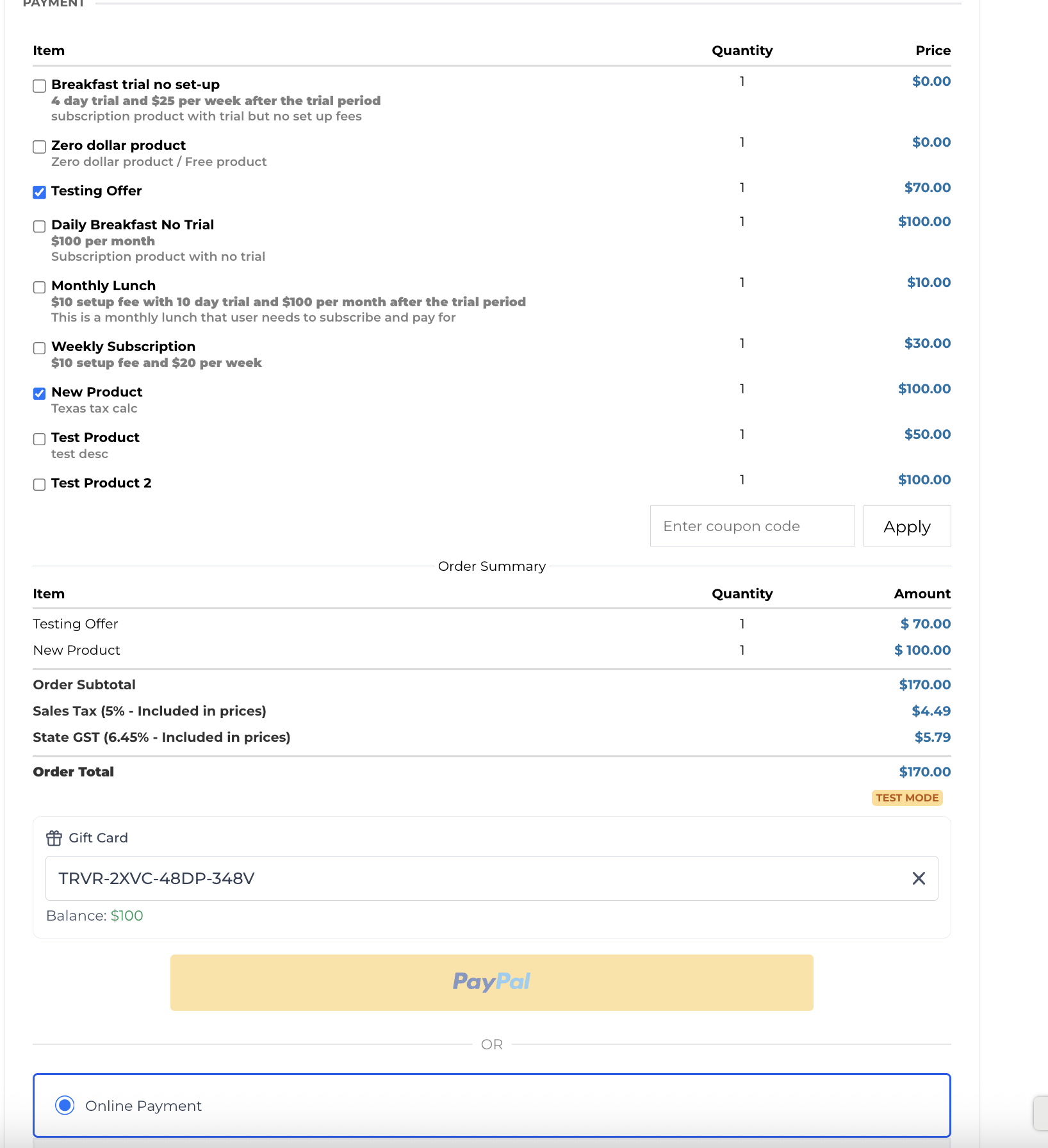
Customer goes to any supported checkout (Forms, Funnels, Payment Links, Invoices, Store, Calendars, Services V2 and only during appointment booking, etc.).
Enters their Gift Card Code in the Gift Card field.
The balance displays automatically.
Gift Card redemption is fully supported with Stripe, NMI, Authorize and Square. However, There is limited support for gift card redemption for providers like PayPal, Adyen and custom payment providers. In case of the latter, gift cards can be redeemed on the checkout if the gift card balance fully covers the order/invoice total and the order/invoice does not contain any recurring or subscription product. If gift card cannot cover the full total or if the total has a recurring product, customer cannot redeem the gift card for the purchase.
Redemption Rules #
If balance ≥ order total for one-time products: no extra payment needed.
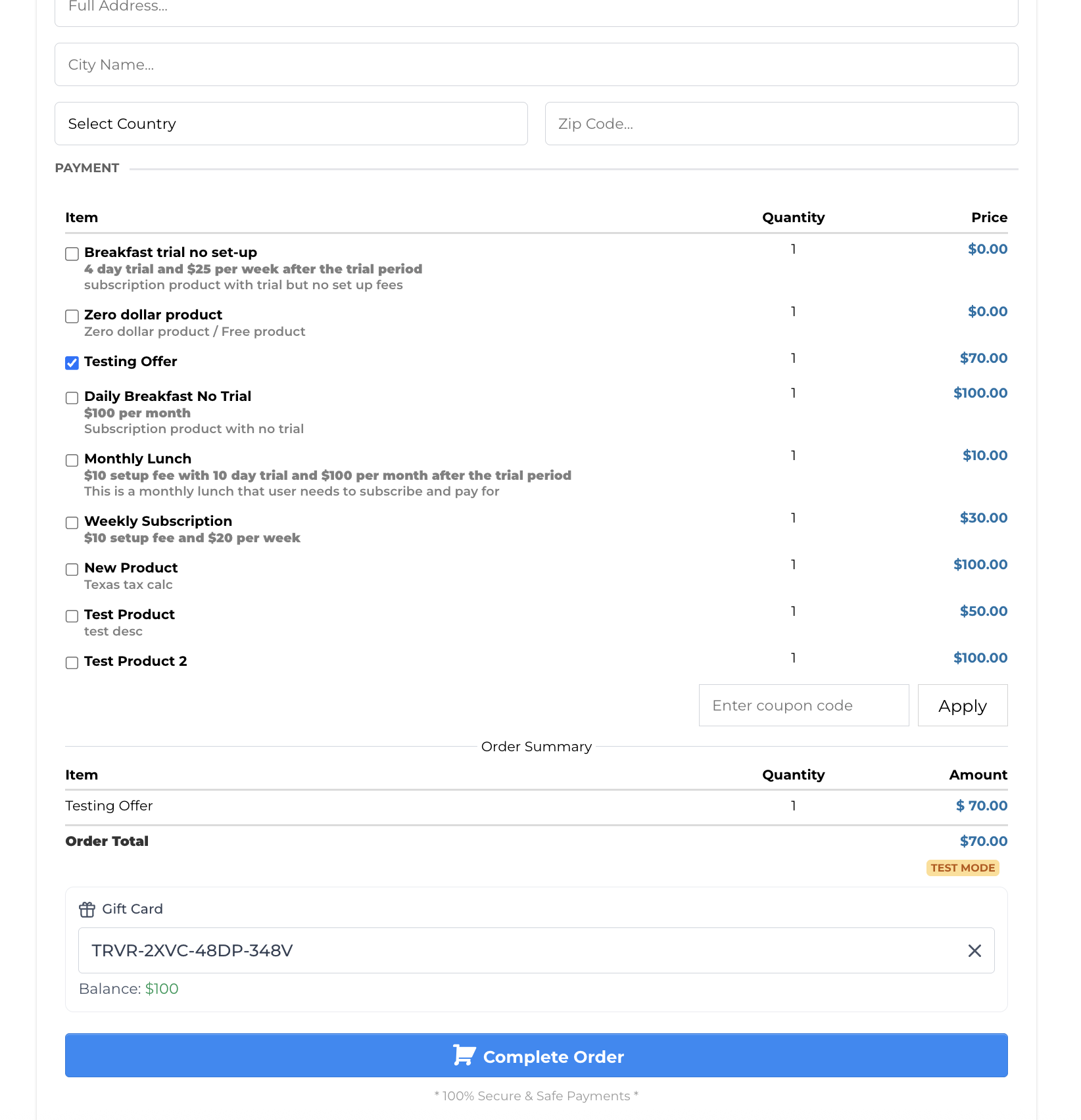
If balance < order total or includes subscriptions: checkout captures an additional payment method for the remainder.
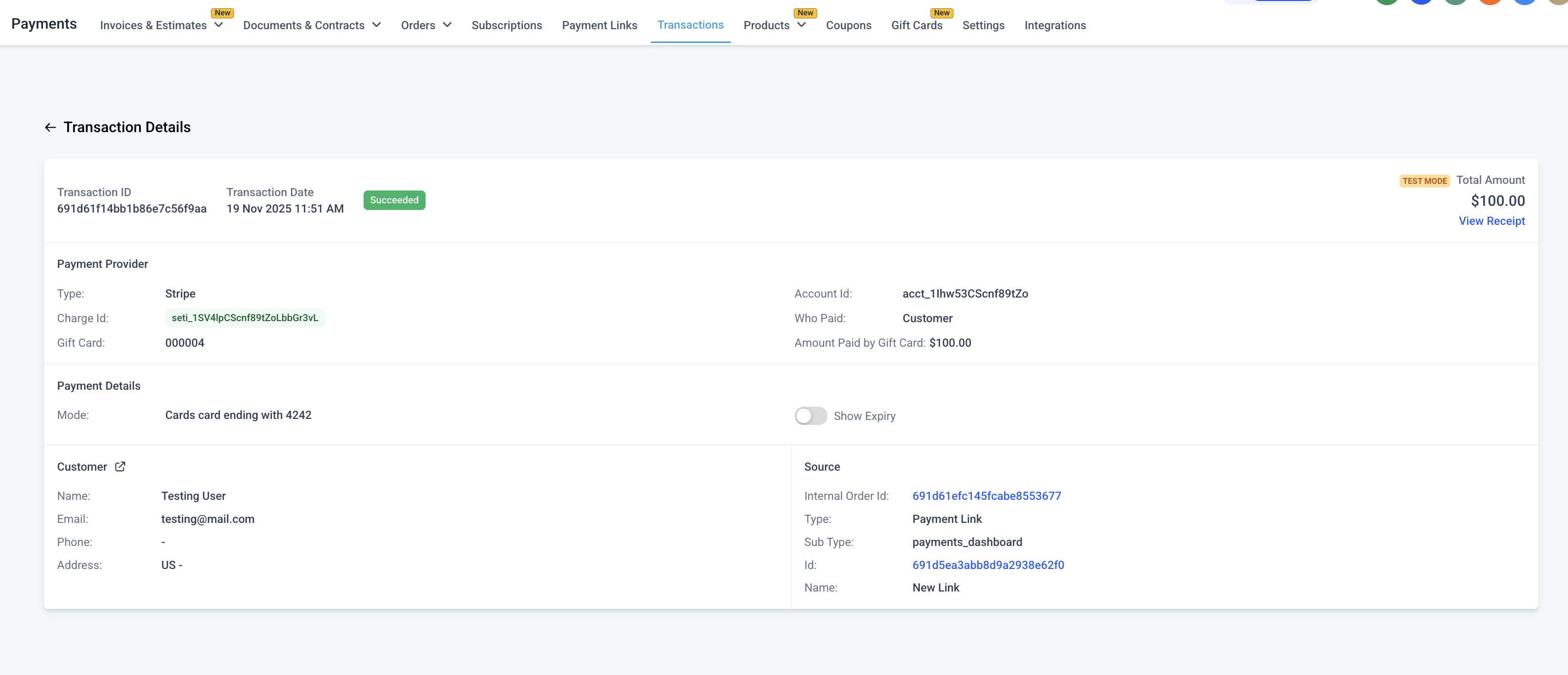
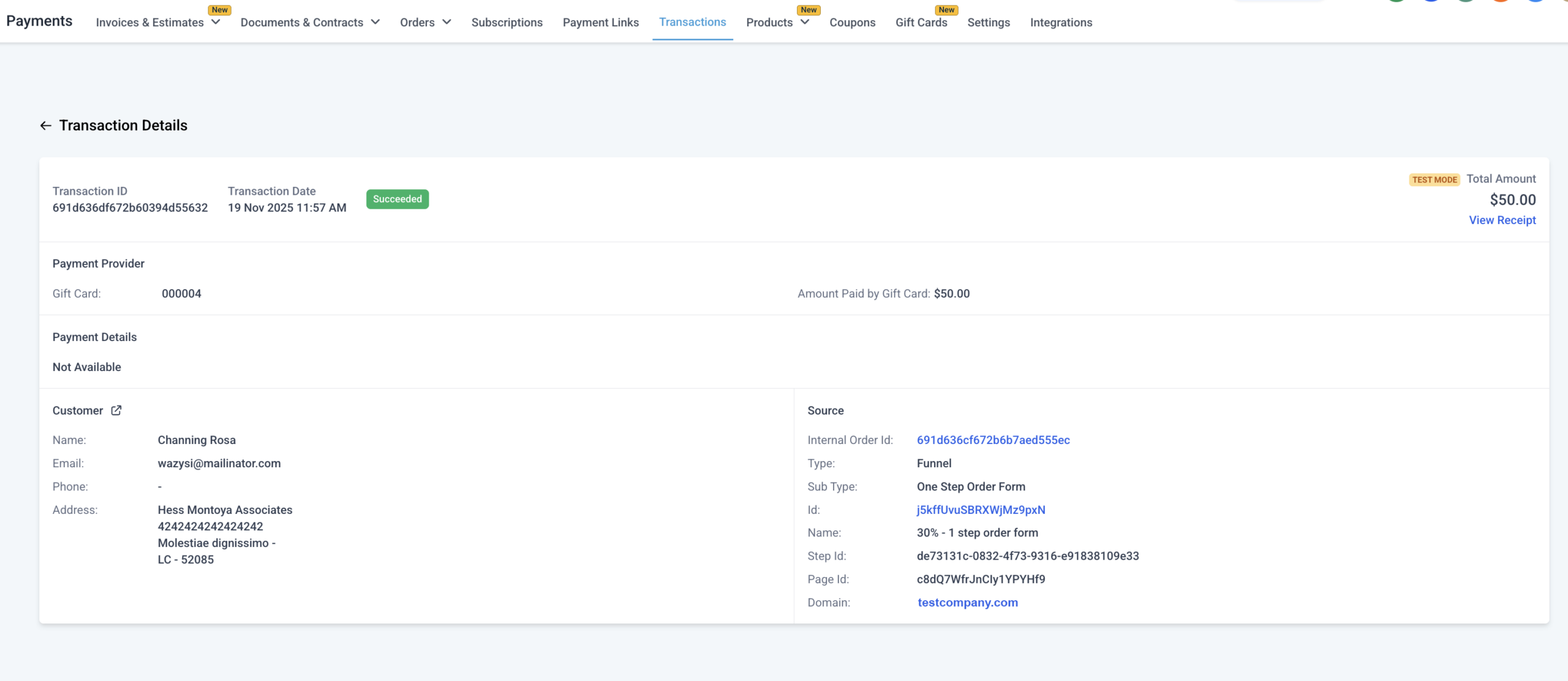
Transaction details now show a separate line item for “Gift Card Balance Used.”
Frequently Asked Questions #
Q: What’s the difference between Gift Card Orders and the regular Orders page?
Gift Card Orders (inside Payments → Gift Cards) track every card issued or purchased. The generic Orders page only records paid transactions.
Q: Which payment providers can I redeem my gift cards on?
A: Gift Card redemption is fully supported with Stripe, NMI, Authorize and Square. There is limited support for gift card redemption for providers like PayPal, Adyen and custom payment providers. In case of the latter, gift cards can be redeemed on the checkout if the gift card balance fully covers the order/invoice total and the order/invoice does not contain any recurring or subscription product. In case of partial payments using gift cards or using gift cards for buying recurring products, the support on PayPal, Adyen and custom payment providers is not yet live.
Q: Can I set different expiry dates per order?
Not yet. All Gift Card Orders for a product share the product’s expiry. Order-level validity is planned for a future release.
Q: How does inventory work with multiple denominations?
Inventory applies per denomination. For example, three denominations with inventory of 50 each = 150 total cards.
Q: Can I restrict where Gift Cards are redeemable?
As of MVP, Gift Cards are redeemable on all products except for when you are trying to buy gift cards. More fine-grained controls (product-level, variant-level) are coming soon.
Q: Can customers check their balance without starting checkout?
Not yet. For now, entering the card number at any supported checkout displays the balance. A dedicated balance-check link is coming soon.
Q: Can I buy gift cards using gift cards?
Not yet. For now, you cannot add a gift card product on checkouts and make the payment by redeeming another gift card. Providing businesses an option to choose to or not to allow gift cards to be used to buy other gift cards is coming soon.
Q: When can users see the redemption option on checkouts for a sub-account?
Redemption option is available only once a gift card order is placed, irrespective of order status, after creating a gift card product. Currently, there is no way to turn-off gift card redemption, but it’s in development and coming soon.
Q: Which checkouts have the gift card redemption option?
Support checkouts – Forms (Sell Product), Funnels, Payment Links, Invoices, Store, Calendars, Services V2.
Note – While gift card is yet to be supported on Memberships, Donation Forms and Rentals, it will not be supported on Services V1 in the future.
What's your Reaction?
You have reacted on"Gift Cards Overview"
A few seconds ago


 Subscriptions
 My Orders
 My Wishlist
 Refer & Earn💸
 My Projects
 Conversations
 Website Services
 New Website Request
 Website Addons
 eCommerce Addons
 eCommerce Modules
 Software Development
 Graphic Design
 Video Production
 Content Writing
 Marketing Services
 Marketing Products
 Get a Marketing Plan
 Local SEO Audit
 Sales Automation
 Service Automation
 Operations Automation
 Marketing Automation
 Payments Automation
 Premium Modules
 Support Tickets
 Latest Updates
 Consultation Calls
 Tools & Extensions
 Tech Tips & Tricks
 Domains & Emails









