

 Subscriptions
 My Orders
 My Wishlist
 Refer & Earn💸
 My Projects
 Conversations
 Website Services
 New Website Request
 Website Addons
 eCommerce Addons
 eCommerce Modules
 Software Development
 Graphic Design
 Video Production
 Content Writing
 Marketing Services
 Marketing Products
 Get a Marketing Plan
 Local SEO Audit
 Sales Automation
 Service Automation
 Operations Automation
 Marketing Automation
 Payments Automation
 Premium Modules
 Support Tickets
 Latest Updates
 Consultation Calls
 Tools & Extensions
 Tech Tips & Tricks
 Domains & Emails
10
Jun
Smarter eCommerce Product Management at Scale📦
Manage Turnkey eCommerce™products at scale with less friction, more features and more speed.
June 10, 2026





June 10, 2026

June 10, 2026

June 3, 2026

May 26, 2026

May 20, 2026

Restoring workflows is crucial for maintaining operational continuity and flexibility. This capability ensures that users can recover critical workflows that may have been accidentally deleted or removed, allowing them to swiftly resume their processes without having to recreate them from scratch. By preserving the integrity of historical data and workflow configurations, this feature minimizes disruptions and enhances overall efficiency in workflow management.
Note: The following information will be preserved upon restoration:
This feature is available exclusively to account administrators.
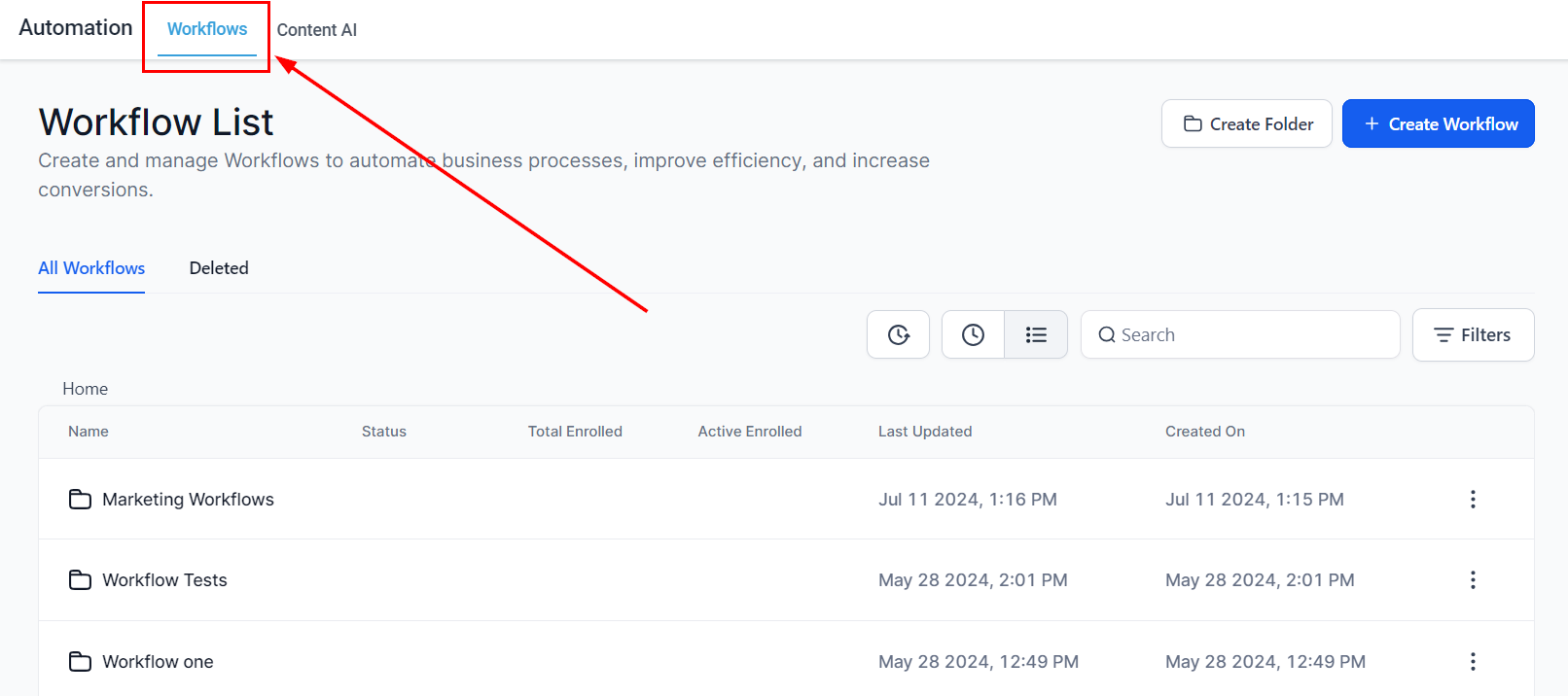
2. Access the Deleted Tab by selecting the “Deleted” button. Workflows deleted in the last 30 days will be listed in this tab.
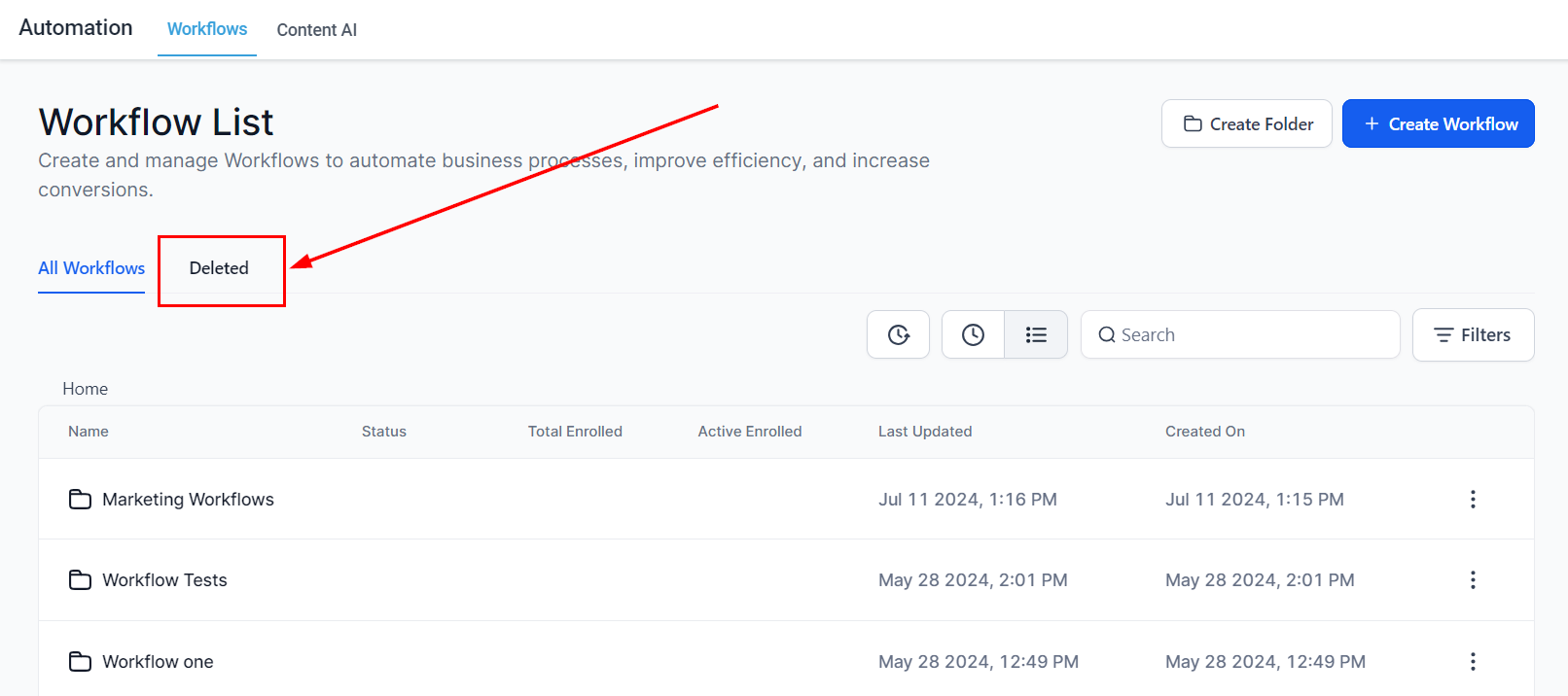
3. Review the list of deleted workflows to identify the one you wish to restore.

Alternatively, utilize the search bar to efficiently locate the specific workflow.

4. Once you have identified the workflow, click the “Restore” button corresponding with the workflow, then confirm the action.
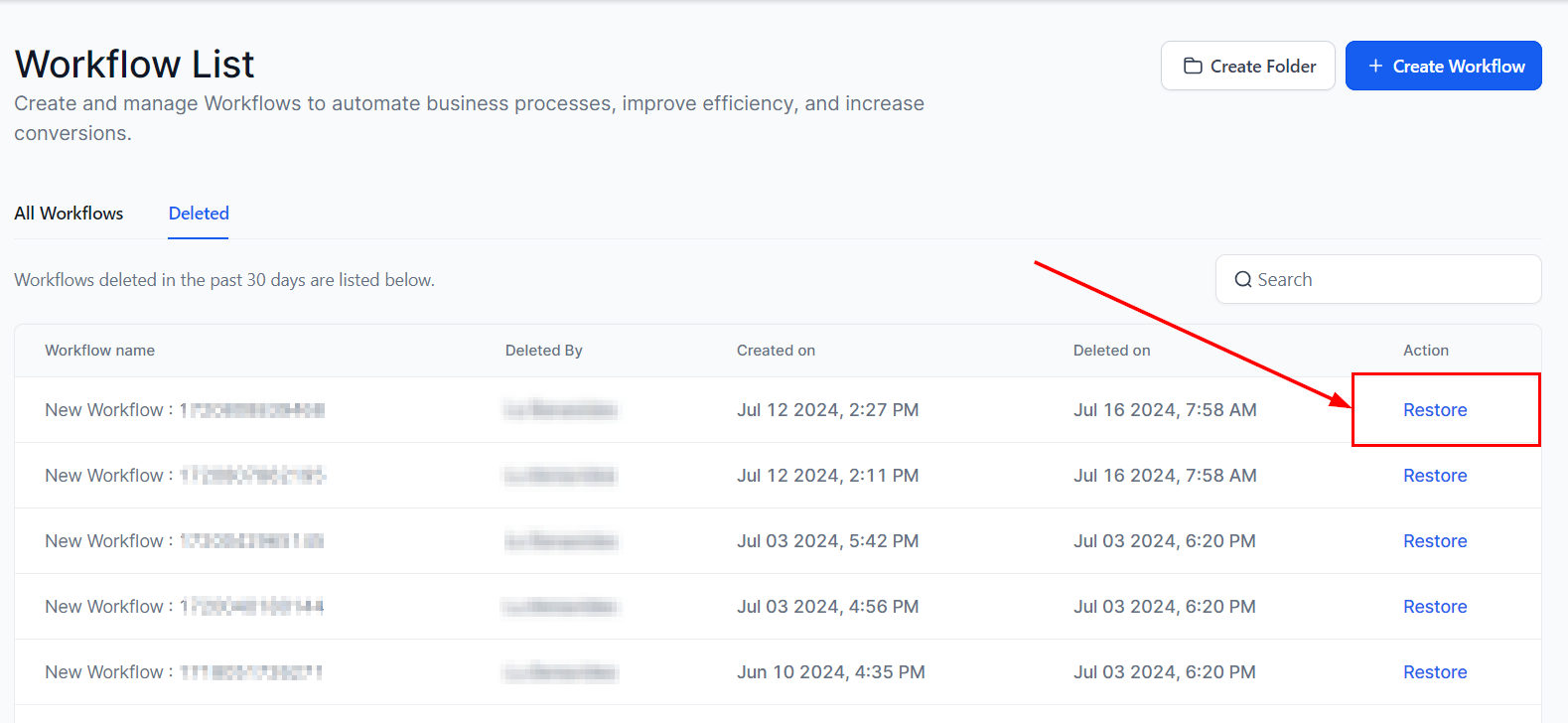

The restored workflow will appear in the “All Workflows” list and will retain the original triggers and actions of the deleted workflow. This ensures that the workflow’s configuration and operational parameters remain intact, allowing for a seamless continuation of the processes it was designed to execute.
Q: How long will the deleted workflows be present in the “Deleted” tab?
Q: Can I delete the workflow I just restored?
Q: Will my workflow be in a published state after restoring?
Issue: Restoring a workflow fails
Issue: Restored workflow does not appear in the Draft stage