The Sticky Contact feature tells the system to remember the information a contact fills out on a form or survey for future interactions. This helps you streamline the form-fill-out process for returning contacts. The feature works by dragging over the information using browser cookies.
When Should You Use It? #
This feature works best for customer-facing forms and surveys. It provides added convenience and minimizes churn when multiple forms, surveys, and appointment requests are filled out for the same client. However, using Sticky Contact can cause data integrity issues if used without care, so what should you keep in mind before enabling this option:
- Ensure that all team members who interact with forms and surveys know when Sticky Contact is enabled and understand how it works.
- Teach your team the best practices for managing this feature, such as clearing browser cookies before entering information for a new contact or using an incognito window.
- If your team frequently enters information for different contacts in succession, consider disabling Sticky Contact.
How To Enable/Disable Sticky Contact #
Navigate to the Form/Survey tab inside the Data Collect section and access your desired form/survey by clicking on its name.
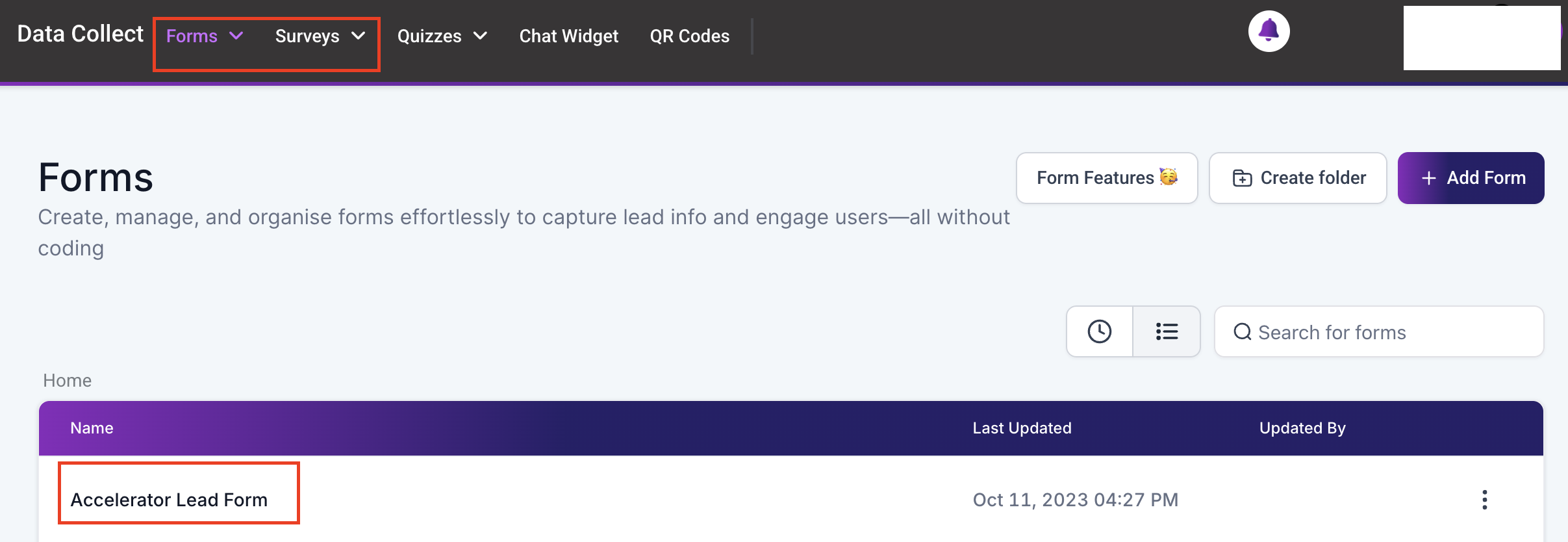
Click on the two-dot icon at the top right corner and select the options tab.

Under Form/Survey Settings toggle the Sticky Contact option.

Click Save at the top right corner to keep your changes.

FAQs #
Q: What happens if I accidentally overwrite a contact’s information? #
A: If you notice that a contact’s information has been overwritten, you can manually edit the contact to correct the information. For future prevention, follow the best practices outlined above.
Q: Can I recover overwritten contact information? #
A: If you notice missing contact information, you can manually edit it using the information on previous form/survey submissions. For complete records, the ability to recover overwritten information depends on the CRM’s data backup and recovery features. Check with your admin for specific recovery options.
Q: How do I disable sticky contacts for specific forms? #
A: Disabling sticky contacts can be done in the form or survey. Look for an option labeled “Sticky Contacts” in the Form/Survey Settings.
What's your Reaction?
You have reacted on"How To Use Sticky Contact"
A few seconds ago


 Subscriptions
 My Orders
 My Wishlist
 Refer & Earn💸
 My Projects
 Conversations
 Website Services
 New Website Request
 Website Addons
 eCommerce Addons
 eCommerce Modules
 Software Development
 Graphic Design
 Video Production
 Content Writing
 Marketing Services
 Marketing Products
 Get a Marketing Plan
 Local SEO Audit
 Sales Automation
 Service Automation
 Operations Automation
 Marketing Automation
 Payments Automation
 Premium Modules
 Support Tickets
 Latest Updates
 Consultation Calls
 Tools & Extensions
 Tech Tips & Tricks
 Domains & Emails










