Understanding URL Paths will help you be informed on how to best manage and use domains within the system. You will need to have your domain(s) set up, and we have other tutorials that cover in-depth domain knowledge, DNS records, etc. to help you get started. Follow along below to learn specifically about URL paths and how to manage and use them within the system.
Note: Check out our other domain tutorials for how to create and manage domains, DNS records, and more. Follow along to learn some use case examples:
Ensure your Domain is properly set #
- Navigate to Settings > Domains.
- Here, you’ll see the different domains that have been set up in this account.
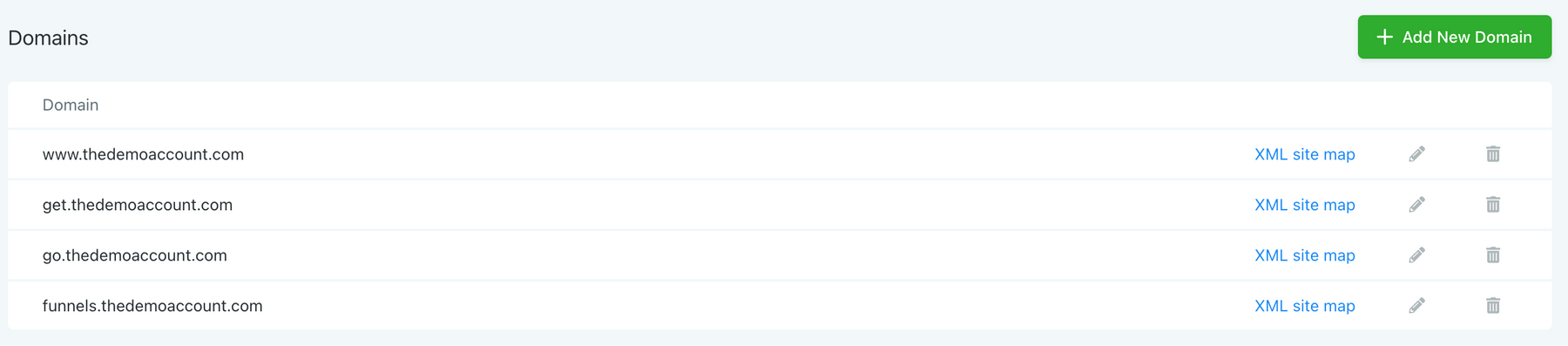
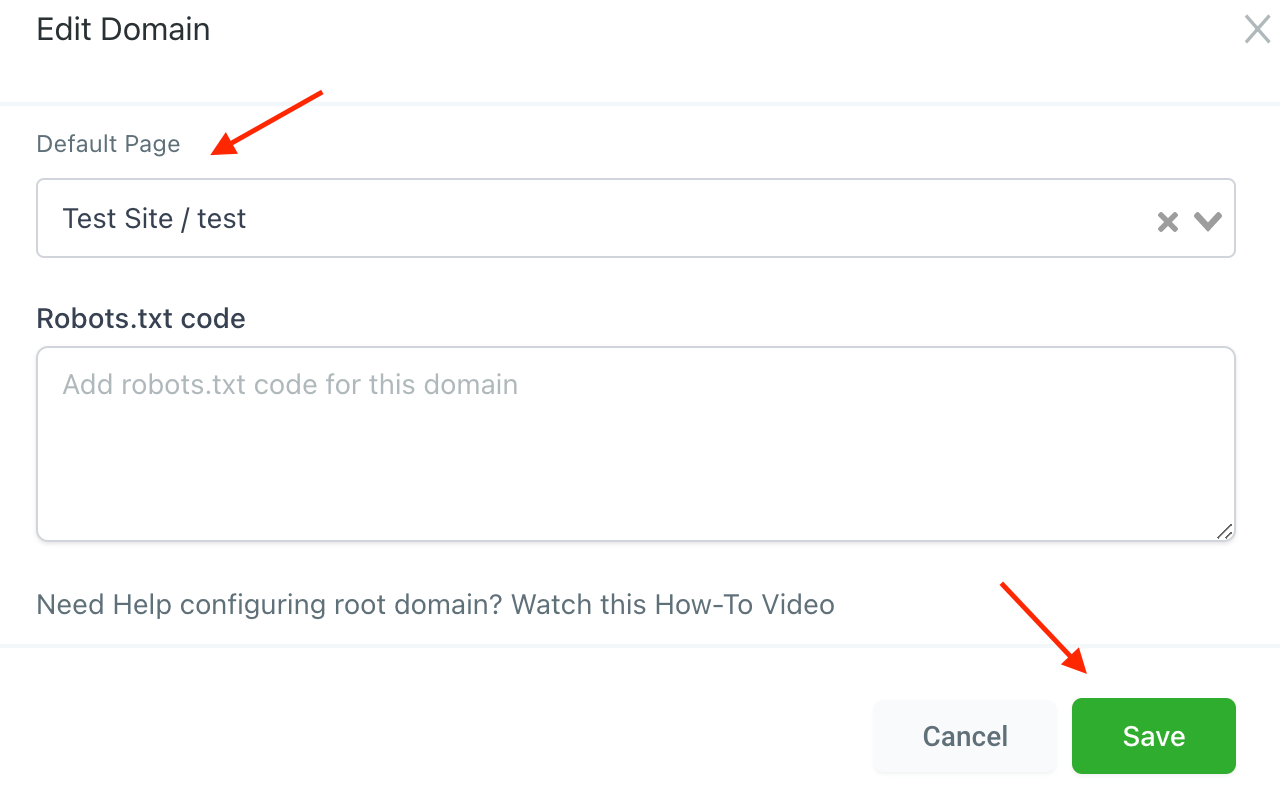
- Click the edit icon next to any of them, and you will be able to view what default page the domain resolves to. You can set the main domain, without a path, to resolve to a specific home page. (For example, www.google.com takes you to the Google homepage while www.www.google.com/maps takes you to the map page. You could change the domain so www.google.com takes you to another page besides the home page, if desired.)
- Select any option for “Default Page” and save your changes.
Funnel URL #
This dedicated URL for a funnel is configurable in the Settings. It consistently loads the first step in the funnel, serving as the entry point.

Step URL #
Each step in the funnel has a unique URL associated with it, which can be configured through the Publishing tab. It provides direct access to the respective step’s page.

Page URL #
The page URL identifies the specific page shown when running A/B testing. This can be set through the Gear icon next to the Edit Page button.

A pop-up will show you the page details where you can edit the page’s path.

Customizing these details will take you a long way to catching customers’ attention and growing your bottom line without too much effort as personalized URLs are easier to share, more compelling and simpler to remember.
Practical Example #
If your domain is www.example.com, you can set the first step of your funnel to www.example.com/welcome. Subsequent steps could be configured as www.example.com/info, www.example.com/signup, and so on, creating a smooth and intuitive path for users as they progress through the funnel.
Troubleshooting Tips #
Domain Not Resolving
- Ensure your DNS settings are correctly configured and that the domain is properly linked within the platform.
Path Not Directing Correctly
- Double-check the path settings within your funnel or domain settings. Typos or incorrect configurations can lead to navigation issues.
Frequently Asked Questions #
Q: Can I use the same domain for multiple funnels?
- Yes, by utilizing unique paths for each funnel, you can efficiently manage multiple campaigns under the same domain.
How many steps can a funnel have?
- A funnel can have as many steps as necessary. Each step can be assigned a unique URL path to facilitate clear navigation.
What's your Reaction?
You have reacted on"Understanding URL Paths"
A few seconds ago


 Subscriptions
 My Orders
 My Wishlist
 Refer & Earn💸
 My Projects
 Conversations
 Website Services
 New Website Request
 Website Addons
 eCommerce Addons
 eCommerce Modules
 Software Development
 Graphic Design
 Video Production
 Content Writing
 Marketing Services
 Marketing Products
 Get a Marketing Plan
 Local SEO Audit
 Sales Automation
 Service Automation
 Operations Automation
 Marketing Automation
 Payments Automation
 Premium Modules
 Support Tickets
 Latest Updates
 Consultation Calls
 Tools & Extensions
 Tech Tips & Tricks
 Domains & Emails









