Chatting through WhatsApp allows you to communicate with your clients in real-time. It has a low response time since you can automate the messaging and a high visibility. One of the features that it offers is immediate insight into the message status. That Status can be used as a conditional inside your workflows, enabling you to create a fail-safe strategy if your contact does not receive the Whatsapp message.
How to Use It? #
Head over to the Workflow tab inside the Automation section, where you can create or edit a workflow.

Inside the builder click on the “+” sign, search and add the WhatsApp action, select the template you’d like to use, and toggle Wait for WhatsApp Message Delivery Status and Save the Action.

NOTE: This action works alongside any trigger.
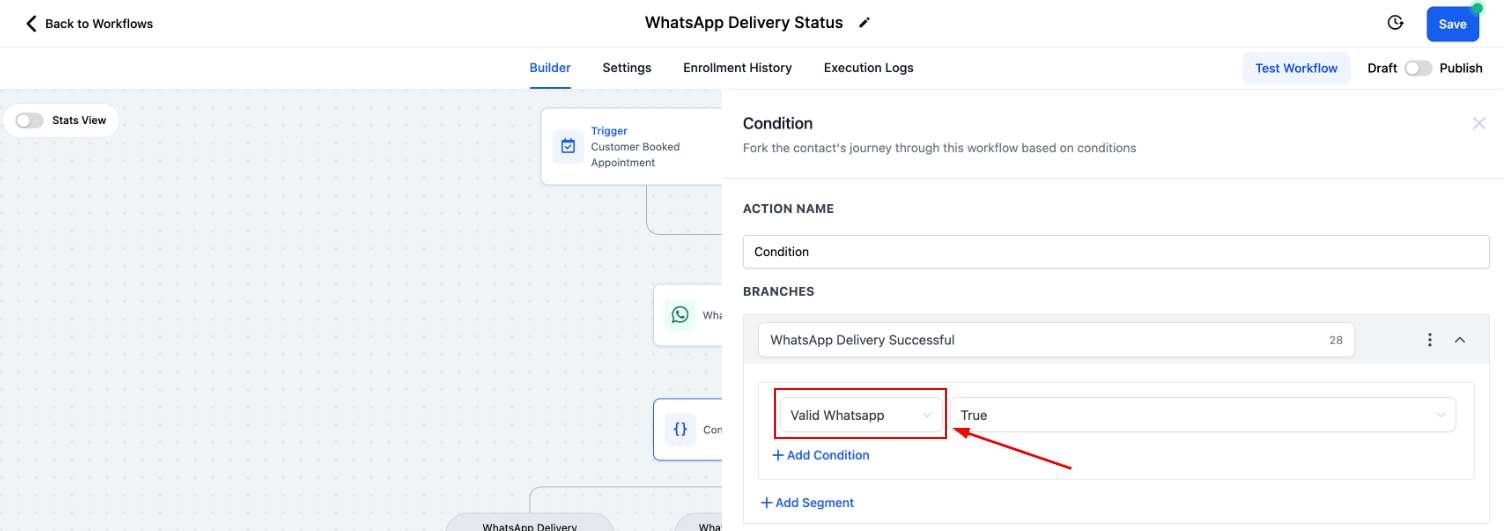
Click on the “+” sign and add an If/Else action.

For the branches select Contact Details then Valid WhatsApp. This will use the data Meta sent back to separate the contacts based on the message being successfully received.
You can add any extra actions you see fit for the branches and save your workflow.
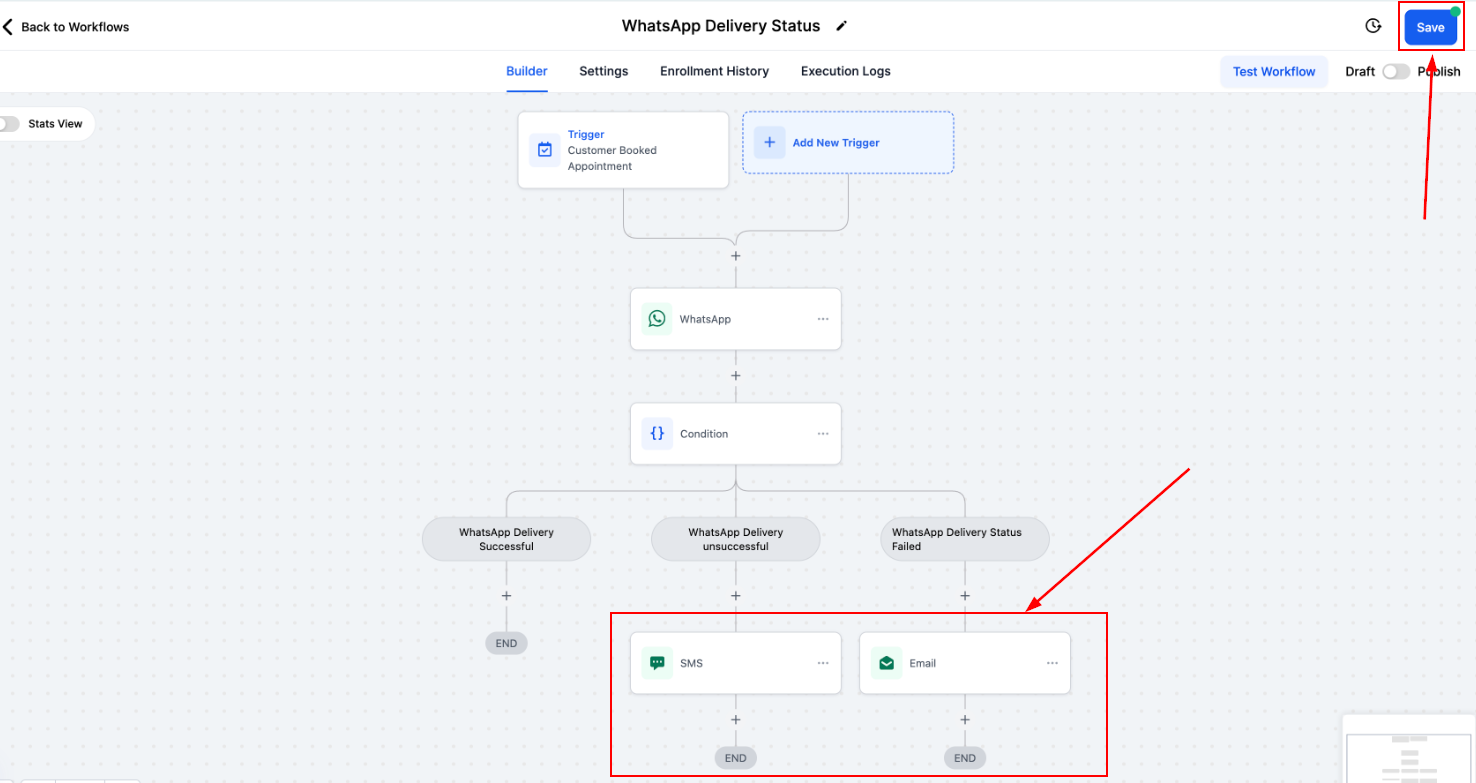
By leveraging WhatsApp’s message delivery statuses in your workflows, you can ensure seamless communication with your contacts. This functionality allows you to respond effectively to undelivered messages, keeping your client interactions uninterrupted and your strategies fail-proof.
What's your Reaction?
You have reacted on"WhatsApp Delivery Status in Workflows"
A few seconds ago


 Subscriptions
 My Orders
 My Wishlist
 Refer & Earn💸
 My Projects
 Conversations
 Website Services
 New Website Request
 Website Addons
 eCommerce Addons
 eCommerce Modules
 Software Development
 Graphic Design
 Video Production
 Content Writing
 Marketing Services
 Marketing Products
 Get a Marketing Plan
 Local SEO Audit
 Sales Automation
 Service Automation
 Operations Automation
 Marketing Automation
 Payments Automation
 Premium Modules
 Support Tickets
 Latest Updates
 Consultation Calls
 Tools & Extensions
 Tech Tips & Tricks
 Domains & Emails









