What is the Gift Card Dashboard? #
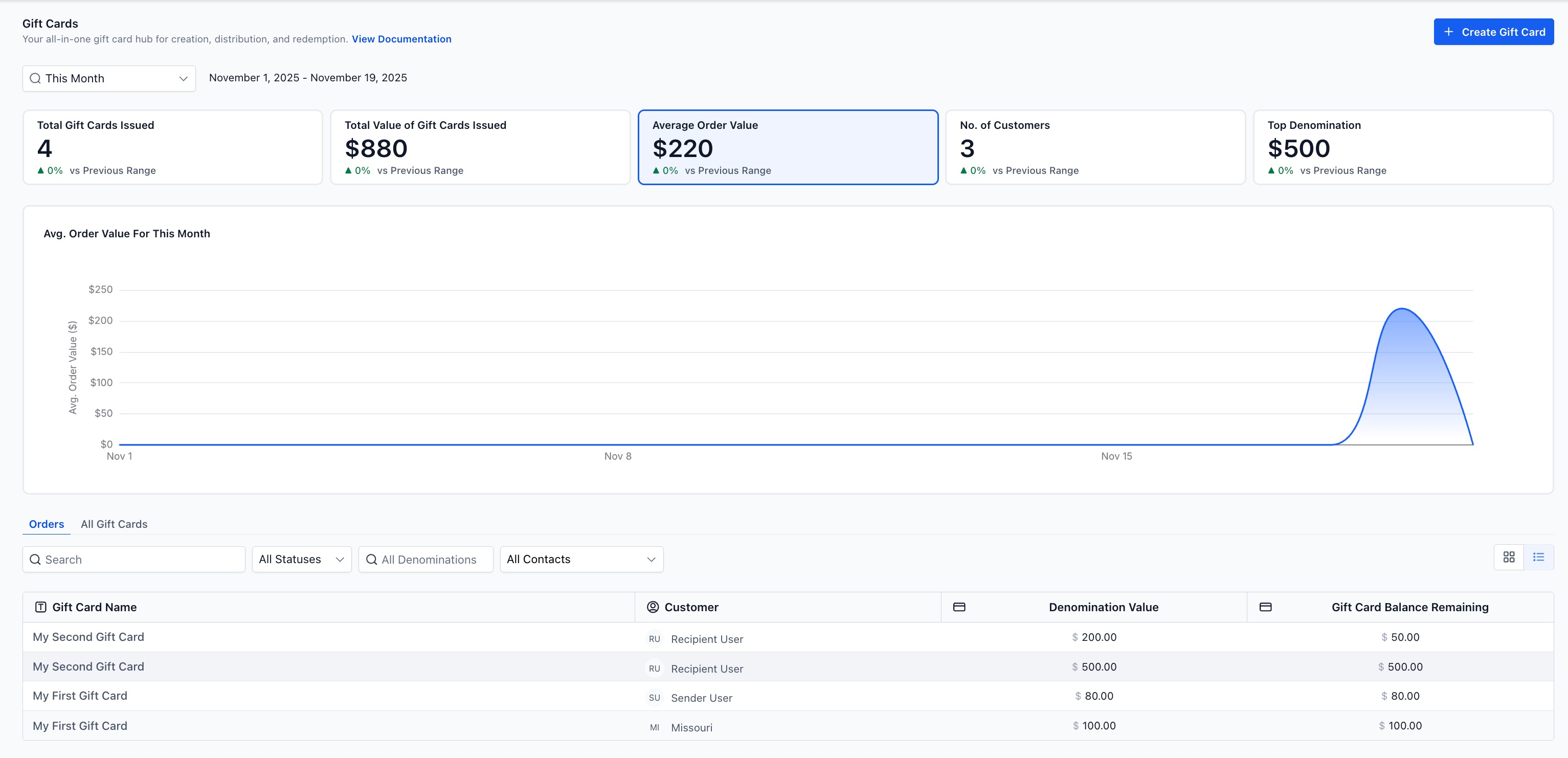
The Gift Card Dashboard (under Payments → Gift Cards) provides a consolidated view of how your gift card program is performing over time. This includes issuance counts, revenue impact, buyer trends, and denomination preferences.
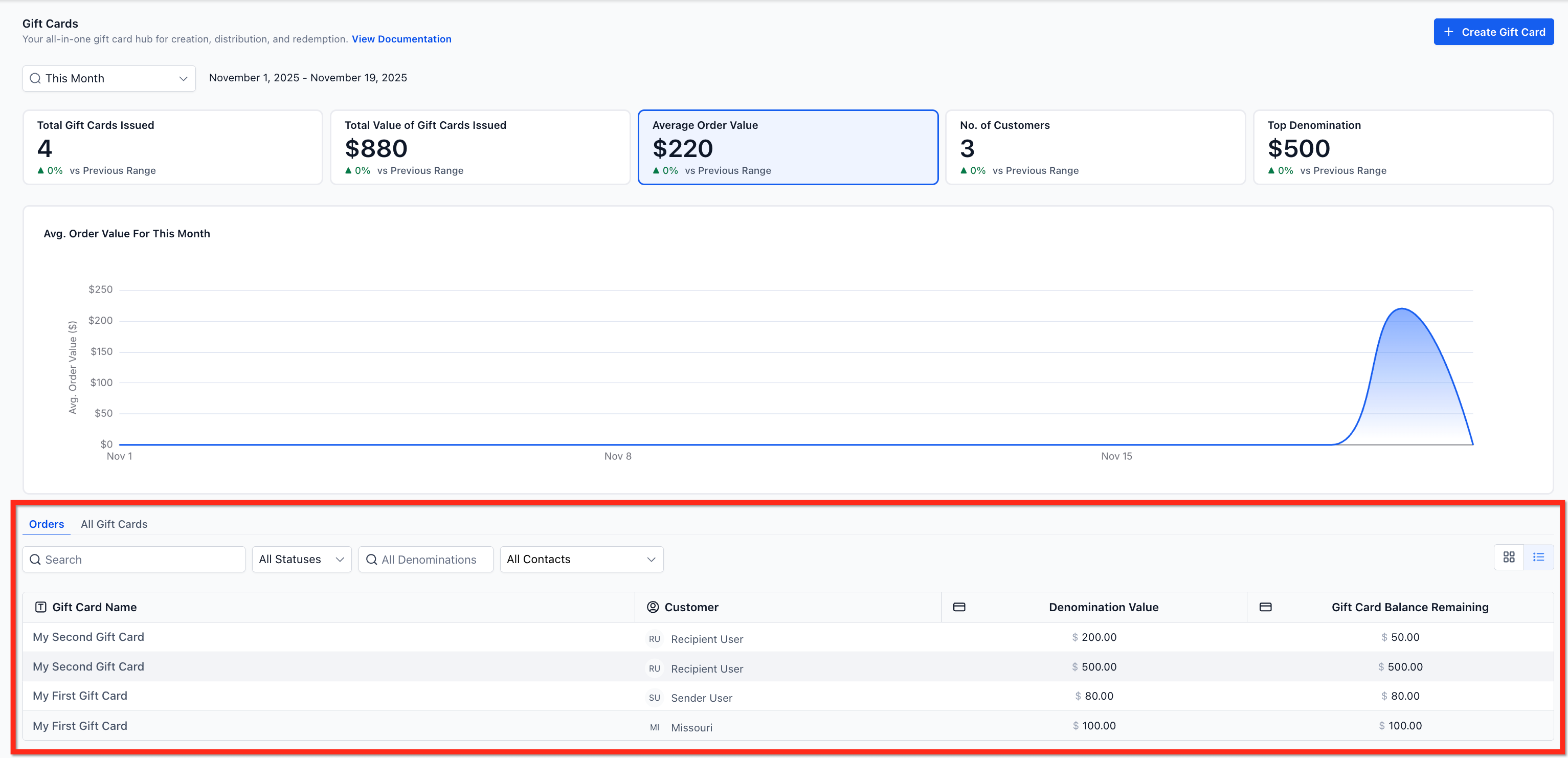
The dashboard also gives you information on specific Gift Card Orders to verify the customer, status, remaining balance and other gift card details.
Key Benefits of Gift Card Analytics #
- Fast Performance Insights: See cards issued, total value, average order value, and top denomination at a glance.
- Better Merchandising: Identify which denominations convert best and adjust your product mix or promos.
- Faster Auditing: Jump from KPIs to Gift Card Orders to confirm code, balance, delivery, and status.
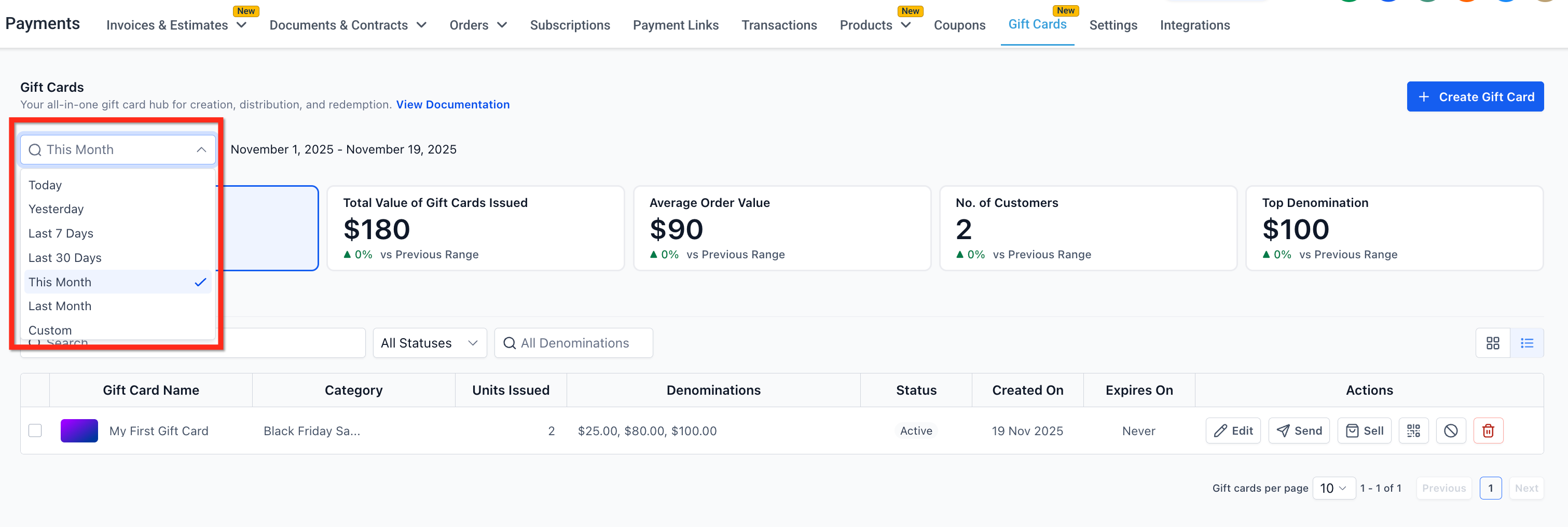
- Filter Results: Compare metrics from predefined (Today, Yesterday, Last 7/30 days, This/Last Month) or custom date ranges
Filters and Date Ranges #
The dashboard view changes based on the filters available on the top left corner of the Gift Cards landing page, with ‘This Month’ as the default. This remains as a consistent section irrespective of whether user is viewing the Gift Card Products page or All Orders page.
Gift Card Dashboard Metrics #
Total Gift Cards Issued #
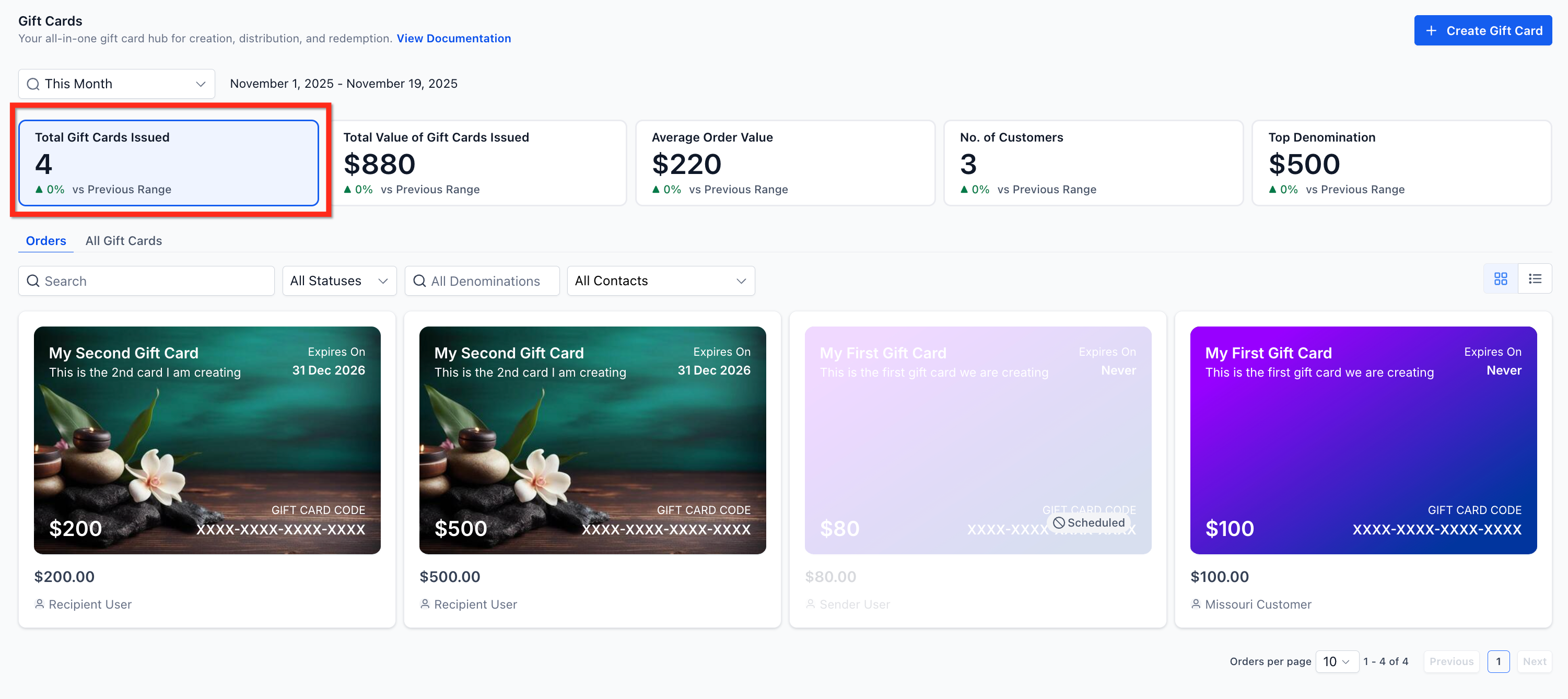
Shows the total number of gift cards created within the selected time period, combining both:
Use this metric to understand overall adoption and utilization.
Total Value of Gift Cards Issued #
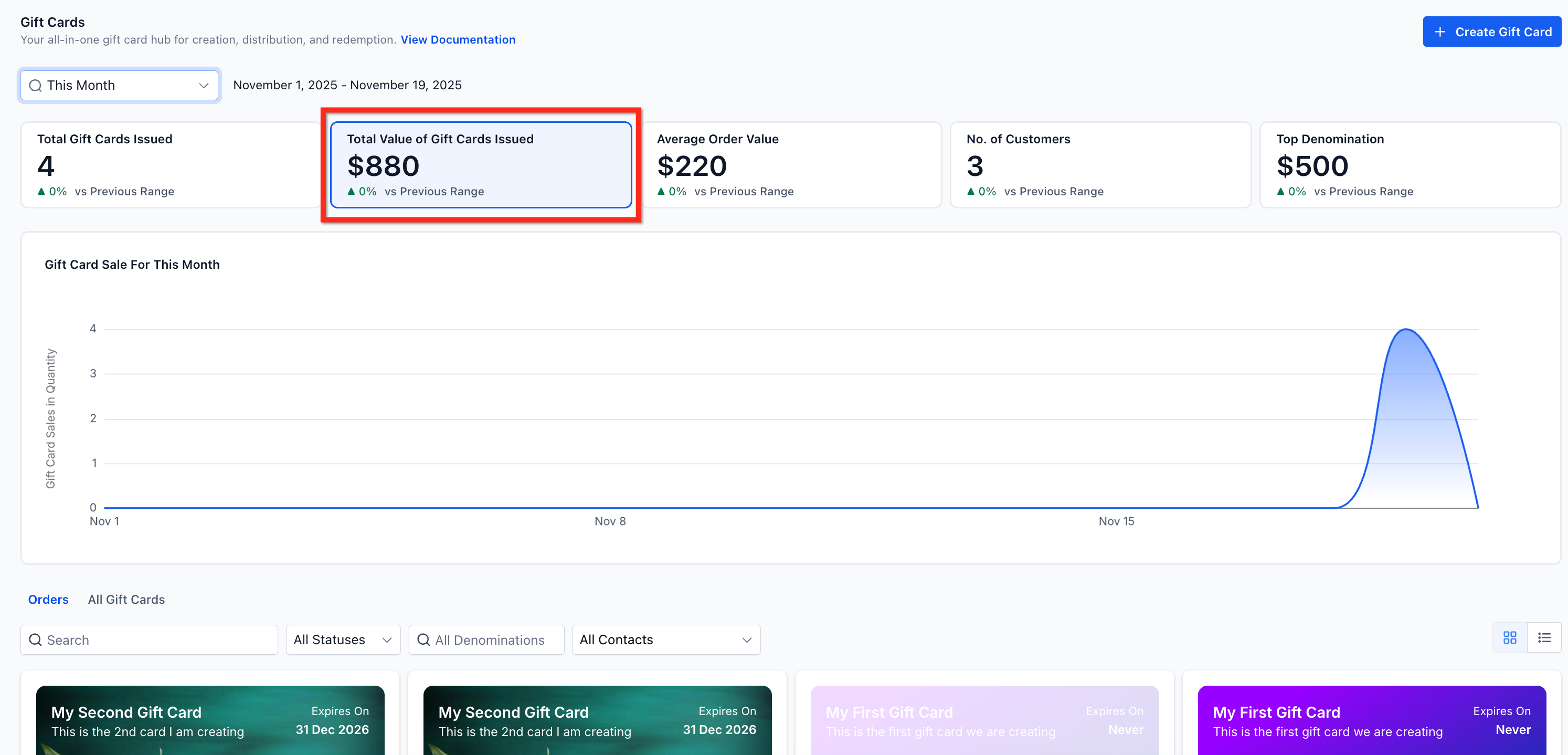
Displays the total monetary value of all issued gift cards. A trend chart shows value changes over time, helpful for spotting seasonal peaks or campaign-driven spikes.
Example: If five $500 cards and two $2,000 cards were issued in a week, the total value reflects $6,500.
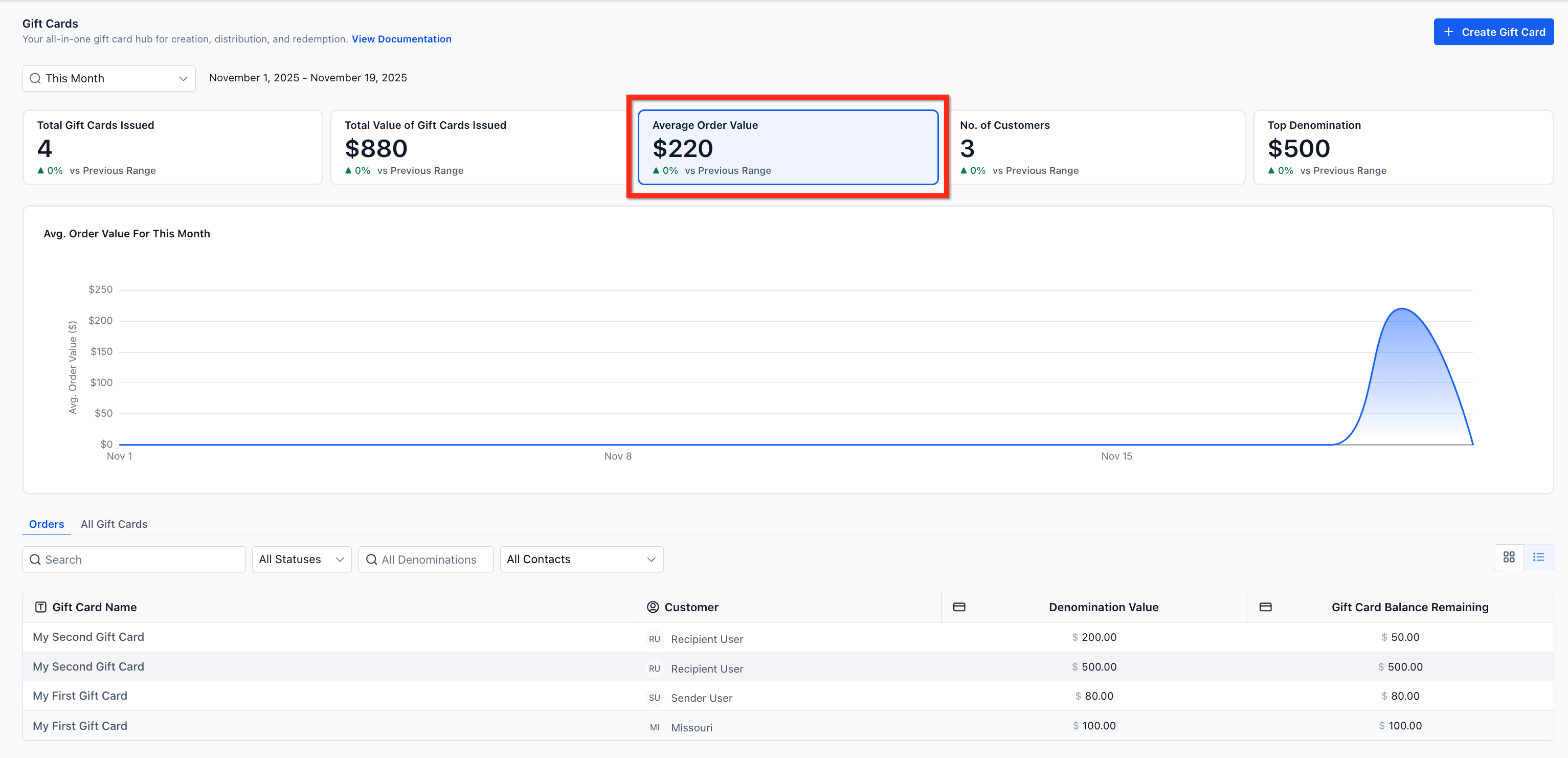
Average Order Value (AOV) #
Shows the average value of gift card orders. This helps identify whether customers gravitate toward smaller or larger denominations.
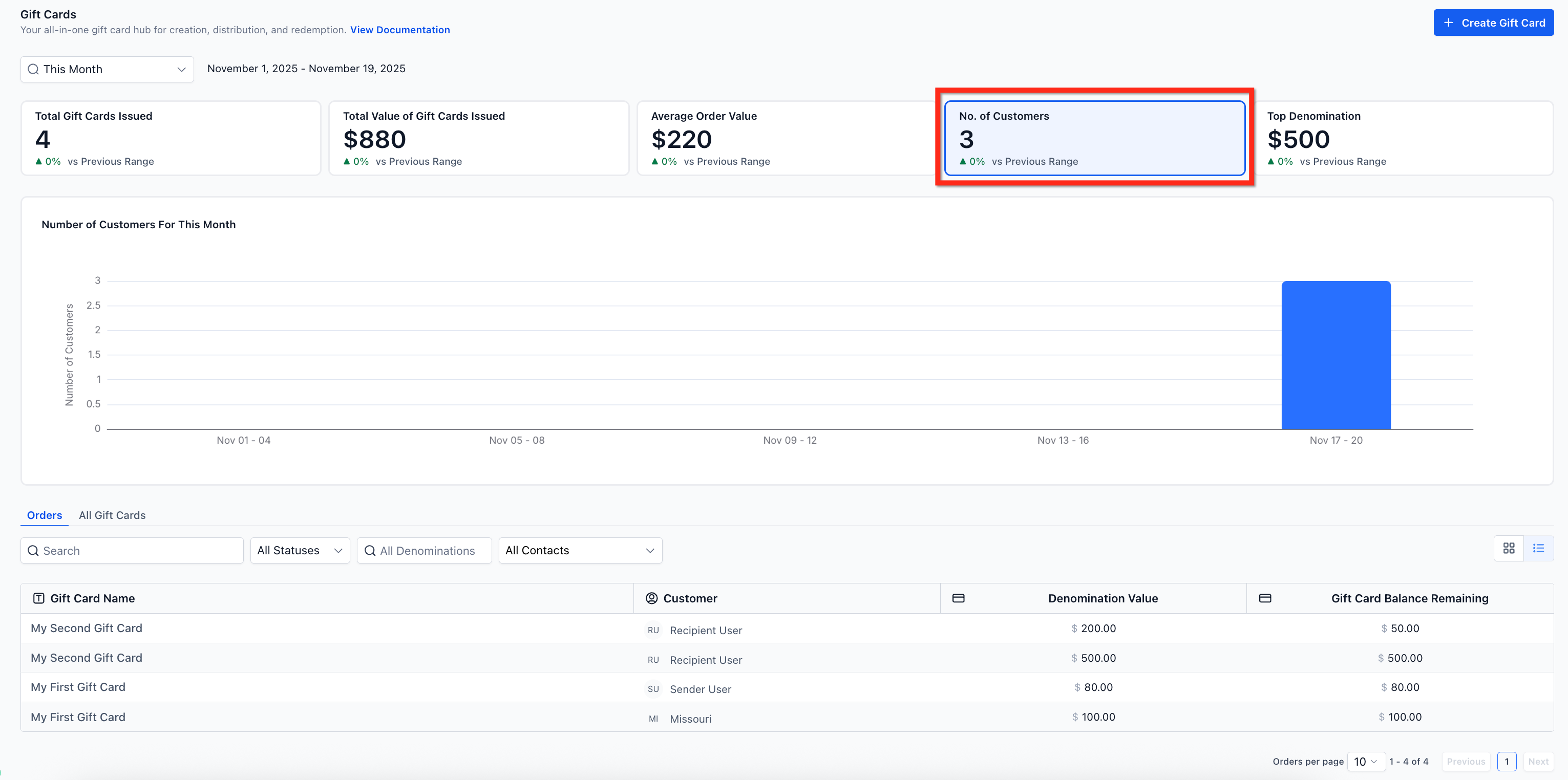
Number of Unique Customers #
Represents the number of unique individuals who purchased or received a gift card during the selected time period. This helps measure program reach, repeat engagement, and customer acquisition via gifting.
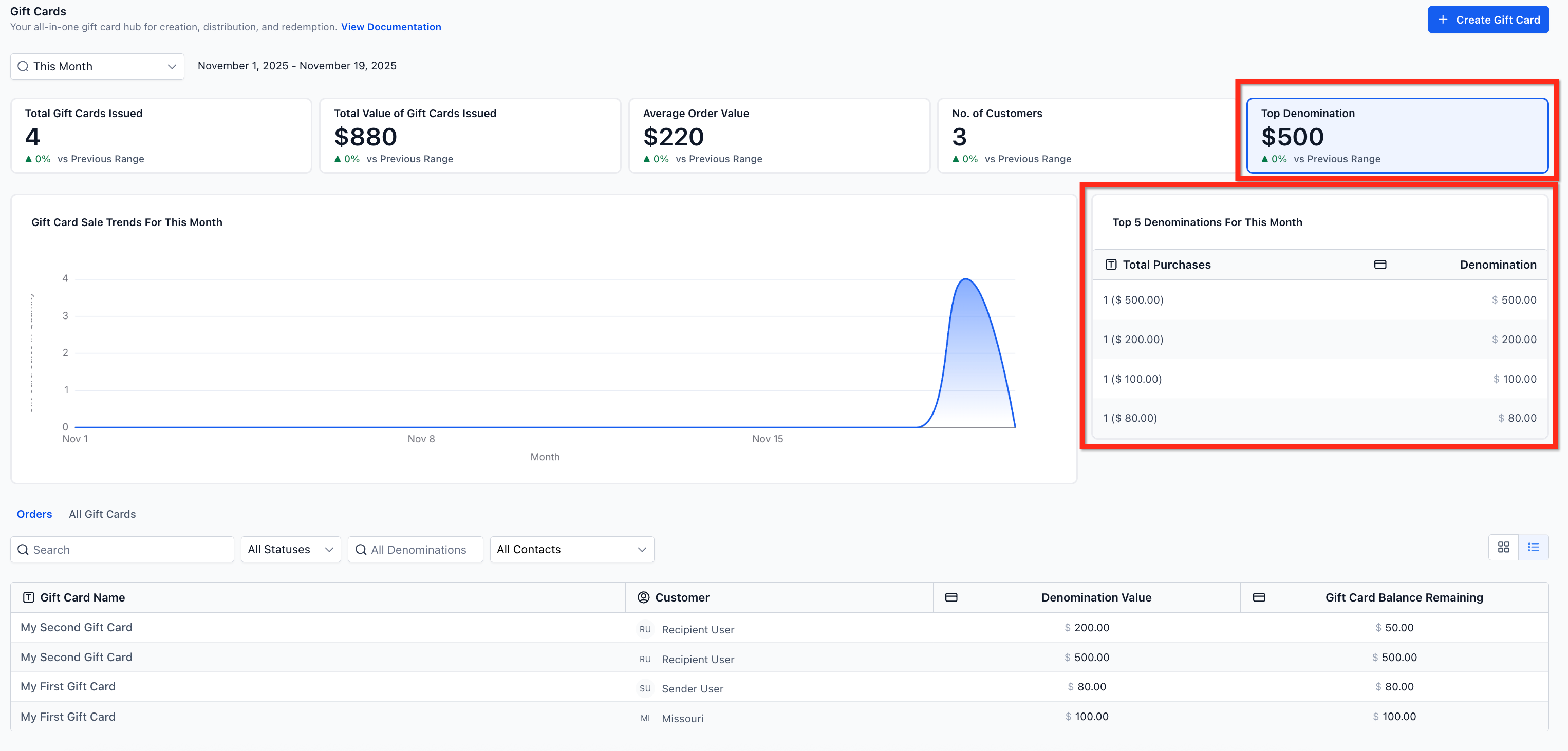
Top Denominations & Popularity Chart #
This metric highlights:
These insights help you optimize future inventory and denomination options.
Example: Top 5: $1,000 → $500 → $2,000 → $250 → $5,000
Gift Card Orders Page #
The gift card orders page lists all the sold or sent gift cards along with their statuses, balances and customer details. All cards on this page are clickable and open up a detailed page for that order. The gift card order details page acts as the single source of truth for all Gift Cards in the account. You can use the filters to slice metrics by contacts, status or denomination.
Frequently Asked Questions #
Q: How are Scheduled gift cards counted in the dashboard?
Scheduled issues are included in issuance totals for the selected date range. Use the Status filter to analyze Scheduled or Active gift cards specifically.
Q: What’s the difference between Gift Card Orders and the regular Orders page?
Gift Card Orders (inside Payments → Gift Cards) track every card issued or purchased. The generic Orders page only records paid transactions.
Q: How do gift card transitions done in Test mode affect analytics?
Gift cards created in Test mode do not have any affect on analytics in the Gift Card Dashboard.
What's your Reaction?
You have reacted on"Gift Cards Performance Dashboard"
A few seconds ago


 Subscriptions
 My Orders
 My Wishlist
 Refer & Earn💸
 My Projects
 Conversations
 Website Services
 New Website Request
 Website Addons
 eCommerce Addons
 eCommerce Modules
 Software Development
 Graphic Design
 Video Production
 Content Writing
 Marketing Services
 Marketing Products
 Get a Marketing Plan
 Local SEO Audit
 Sales Automation
 Service Automation
 Operations Automation
 Marketing Automation
 Payments Automation
 Premium Modules
 Support Tickets
 Latest Updates
 Consultation Calls
 Tools & Extensions
 Tech Tips & Tricks
 Domains & Emails









