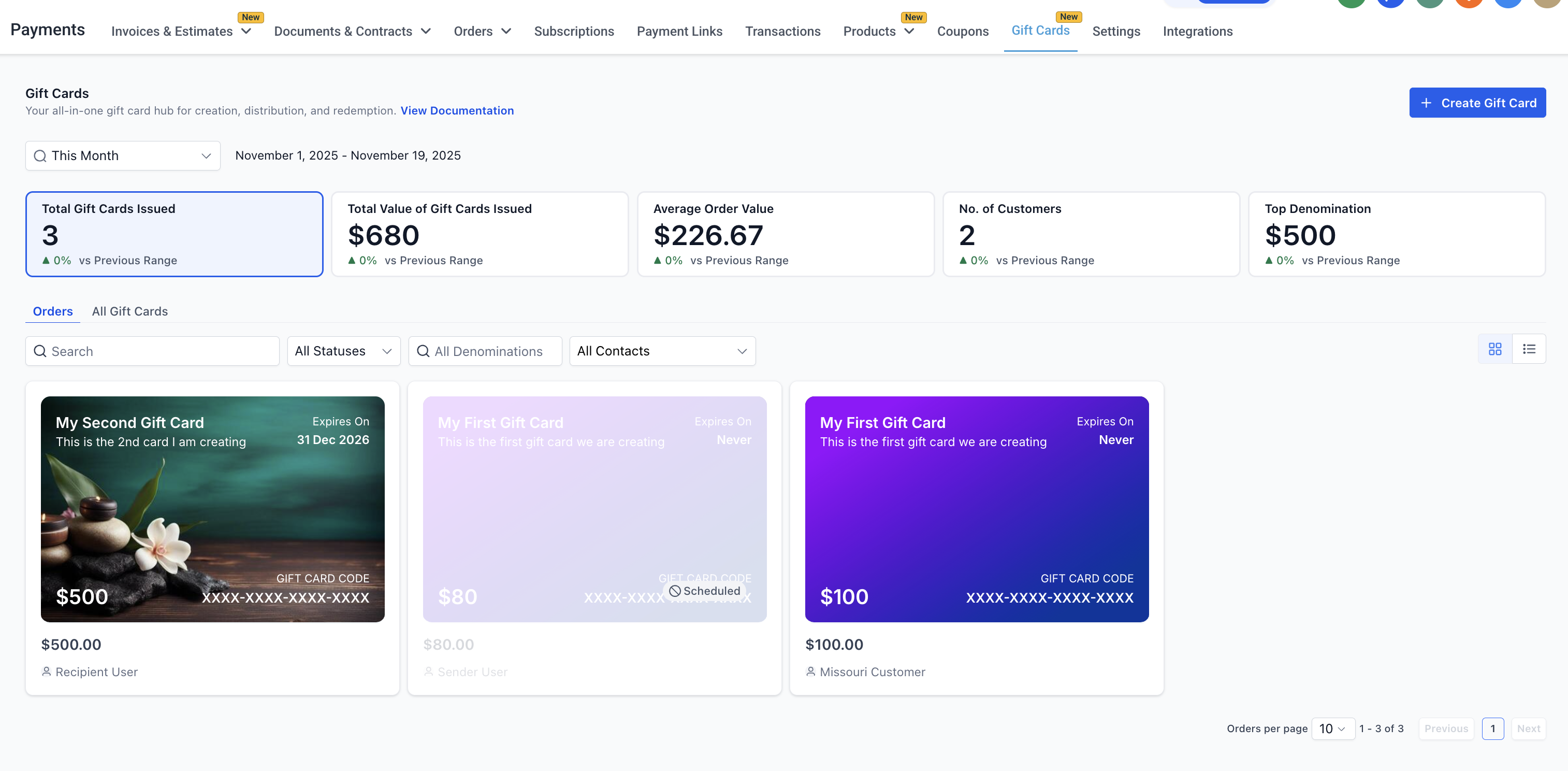
All issued Gift Cards (whether sold or sent) are listed under Payments → Gift Cards → Gift Card Orders.
The gift card orders page lists all the sold or sent gift cards along with their statuses, balances, filters and contact details. All cards on this page are clickable and open up a detailed page for that order.
Tip: The generic Payments → Orders page only shows paid orders. Gift Cards sent directly without payment do not appear there. Use the Gift Card Orders page is your central hub for every card issued or purchased.
Gift Card Dashboard #
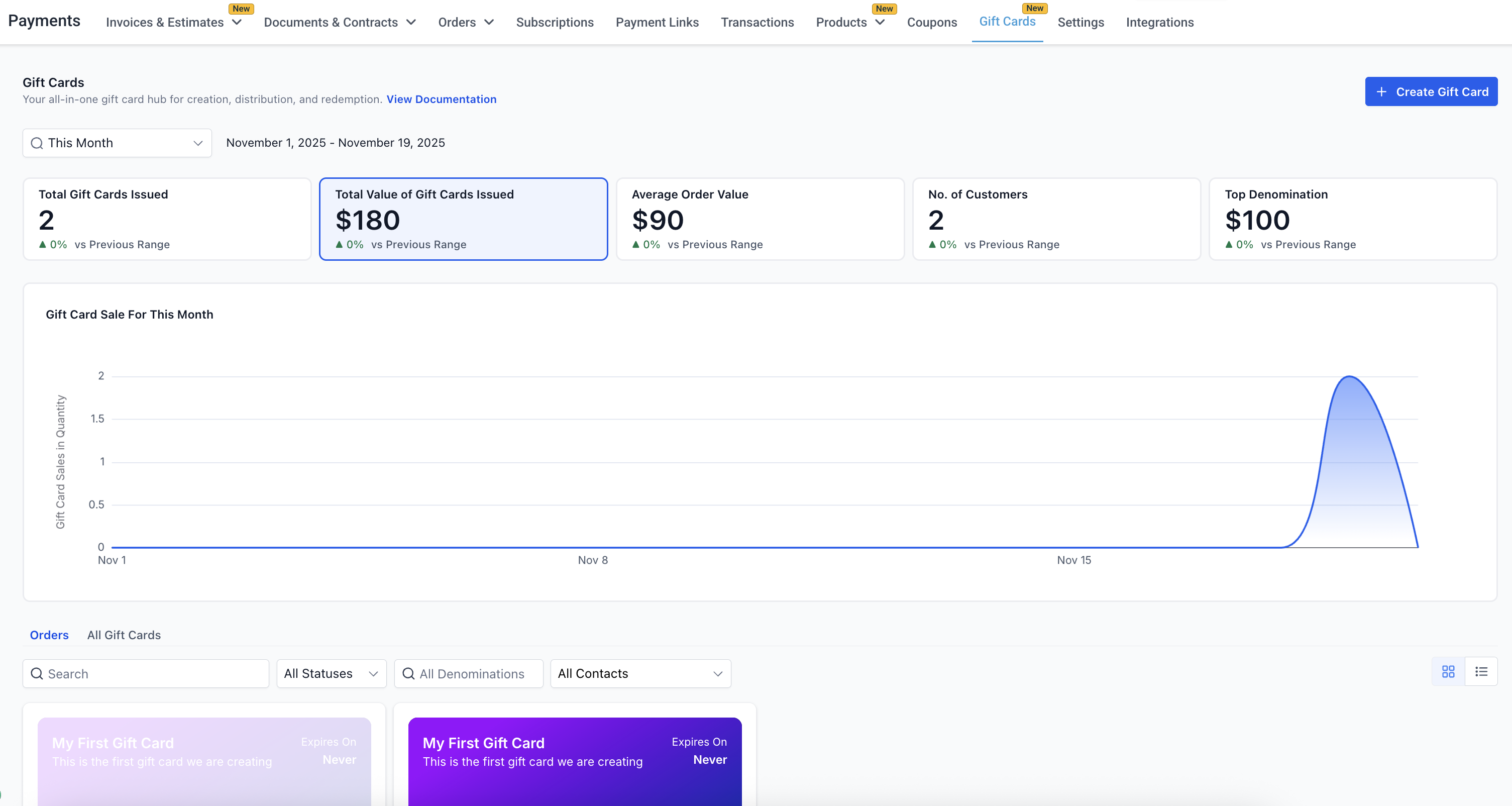
The Gift Card Dashboard gives you a quick snapshot of your overall gift card performance. You can view high-level metrics such as:
Total Gift Cards Issued (sold + sent)
Total Value of Gift Cards Issued for the selected time period
Average Gift Card Order Value for the selected time period
Number of Unique Customers who purchased or received gift cards in the selected time period
Top Denominations issued, including the most popular denomination and a Top 5 chart
These insights help you understand customer behavior, track gift card adoption, and plan better inventory or promotional strategies.
👉Access additional training on the Gift Cards Performance Dashboard
Gift Card Order Details Page #
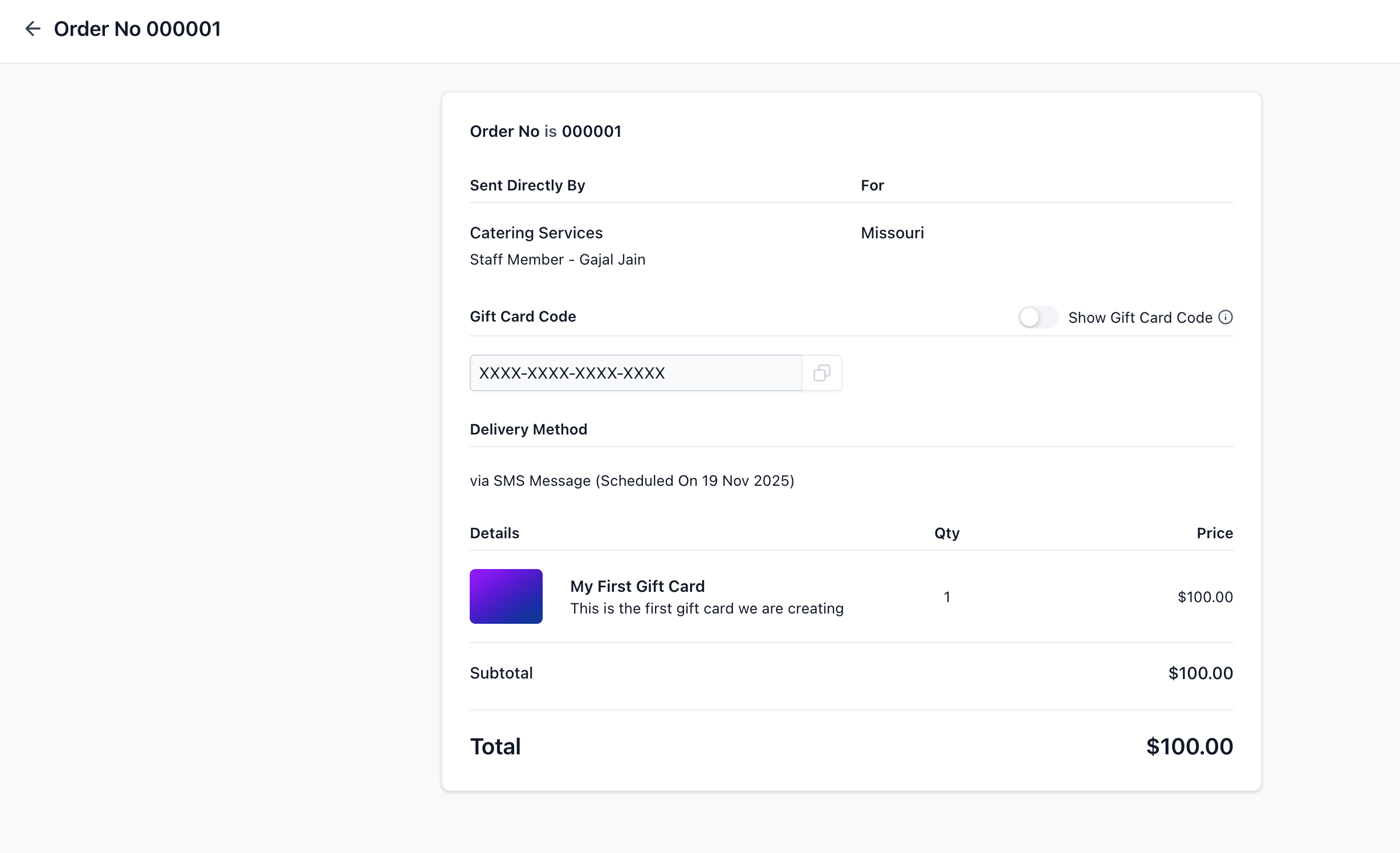
The gift card order details page acts as the single source of truth for all Gift Cards in the account. For each Gift Card Order, businesses can view:
- Purchaser info
- Recipient info
- Denomination
- Expiry date (same as that of the gift card product)
- Remaining balance
- Status (Scheduled, Active, Inactive)
- Hidden Gift Card number (visible inside the order details page)
- Delivery method and delivery schedule
- Transaction reference (for paid cards)
Frequently Asked Questions #
Q: How are Scheduled gift cards counted in the dashboard?
Scheduled issues are included in issuance totals for the selected date range. Use the Status filter to analyze Scheduled or Active gift cards specifically.
Q: What’s the difference between Gift Card Orders and the regular Orders page?
Gift Card Orders (inside Payments → Gift Cards) track every card issued or purchased. The generic Orders page only records paid transactions.
Q: How do gift card transitions done in Test mode affect analytics?
Gift cards created in Test mode do not have any affect on analytics in the Gift Card Dashboard.
What's your Reaction?
You have reacted on"How to Track Gift Card Orders"
A few seconds ago


 Subscriptions
 My Orders
 My Wishlist
 Refer & Earn💸
 My Projects
 Conversations
 Website Services
 New Website Request
 Website Addons
 eCommerce Addons
 eCommerce Modules
 Software Development
 Graphic Design
 Video Production
 Content Writing
 Marketing Services
 Marketing Products
 Get a Marketing Plan
 Local SEO Audit
 Sales Automation
 Service Automation
 Operations Automation
 Marketing Automation
 Payments Automation
 Premium Modules
 Support Tickets
 Latest Updates
 Consultation Calls
 Tools & Extensions
 Tech Tips & Tricks
 Domains & Emails









