If you suspect that a competitor in a Local Search Grid report is showing spam, you can submit a spam report to Google through Local Search Grid.
When you click the ‘Flag’ button, a new window will open with the relevant form to fill in.
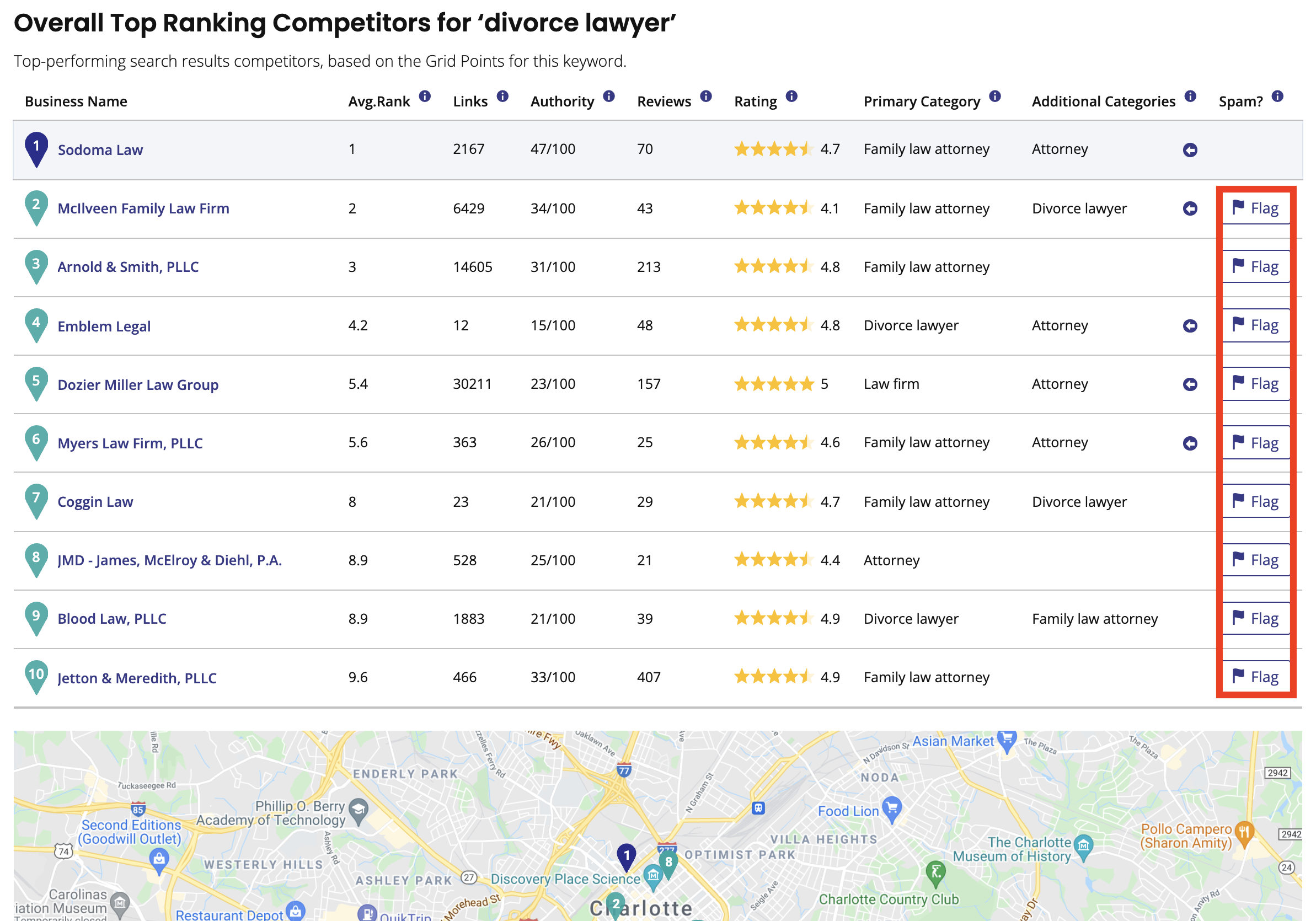
Here’s how to submit a Google My Business spam complaint: #
- Click here to head to the form (you’ll want to bookmark it as it’ll soon become your best friend)
- Read the guidelines linked to in the form’s introduction carefully. This is what the Google staffer reading your form will judge your complaint against, so you need to make sure what you’re claiming is misleading or fraudulent is specifically at odds with something in these guidelines.
- Enter your information. Even if you’re a local marketing consultant or agency representing another business, you’ll need to enter your name and email address.
- Select the fraudulent content in question (Title, Address, Phone number, or Website) and add the public GMB URL in the field below. (More than one type of content to complain about? Sorry to say this, but it appears that you’ll have to submit multiple forms).
- You might want to build a stronger case using multiple URLs. If you have a few (2-10), you can use the ‘Add additional info’ link to add new fields. If you have more than ten (up to 100), you can use the CSV upload feature to submit a spreadsheet.
- Now for the fun part: write, in detail, why the content is malicious or fraudulent. I can’t stress enough how important the level of detail is. Google Gold Product Expert Ben Fisher championed those who gave great amounts of detail when submitting spam to the GMB forum in a recent webinar, and we can only assume that Google’s own team require a similar level of detail. Write clearly, professionally and respectfully, and be make sure to refer to how the subject of your complaint is contravening the aforementioned Google guidelines where possible, to make the Google staffer’s job a little easier. If you’re reporting multiple incidents of spam, it makes sense to have those exhibiting the same bogus characteristics (e.g. keyword stuffing in business name) grouped together in one complaint to save you having to submit multiple reports.
- Take one last look through the completed form.
- Rub a lucky rabbit’s foot.
- Click ‘Submit’.
What's your Reaction?
You have reacted on"Can I flag my competitors’ spam to Google?"
A few seconds ago


 Subscriptions
 My Orders
 My Wishlist
 Refer & Earn💸
 My Projects
 Conversations
 Website Services
 New Website Request
 Website Addons
 eCommerce Addons
 eCommerce Modules
 Software Development
 Graphic Design
 Video Production
 Content Writing
 Marketing Services
 Marketing Products
 Get a Marketing Plan
 Local SEO Audit
 Sales Automation
 Service Automation
 Operations Automation
 Marketing Automation
 Payments Automation
 Premium Modules
 Support Tickets
 Latest Updates
 Consultation Calls
 Tools & Extensions
 Tech Tips & Tricks
 Domains & Emails









