The List widget offers a streamlined way to display content in pre-formatted layouts, helping you organize information for your site visitors effectively.
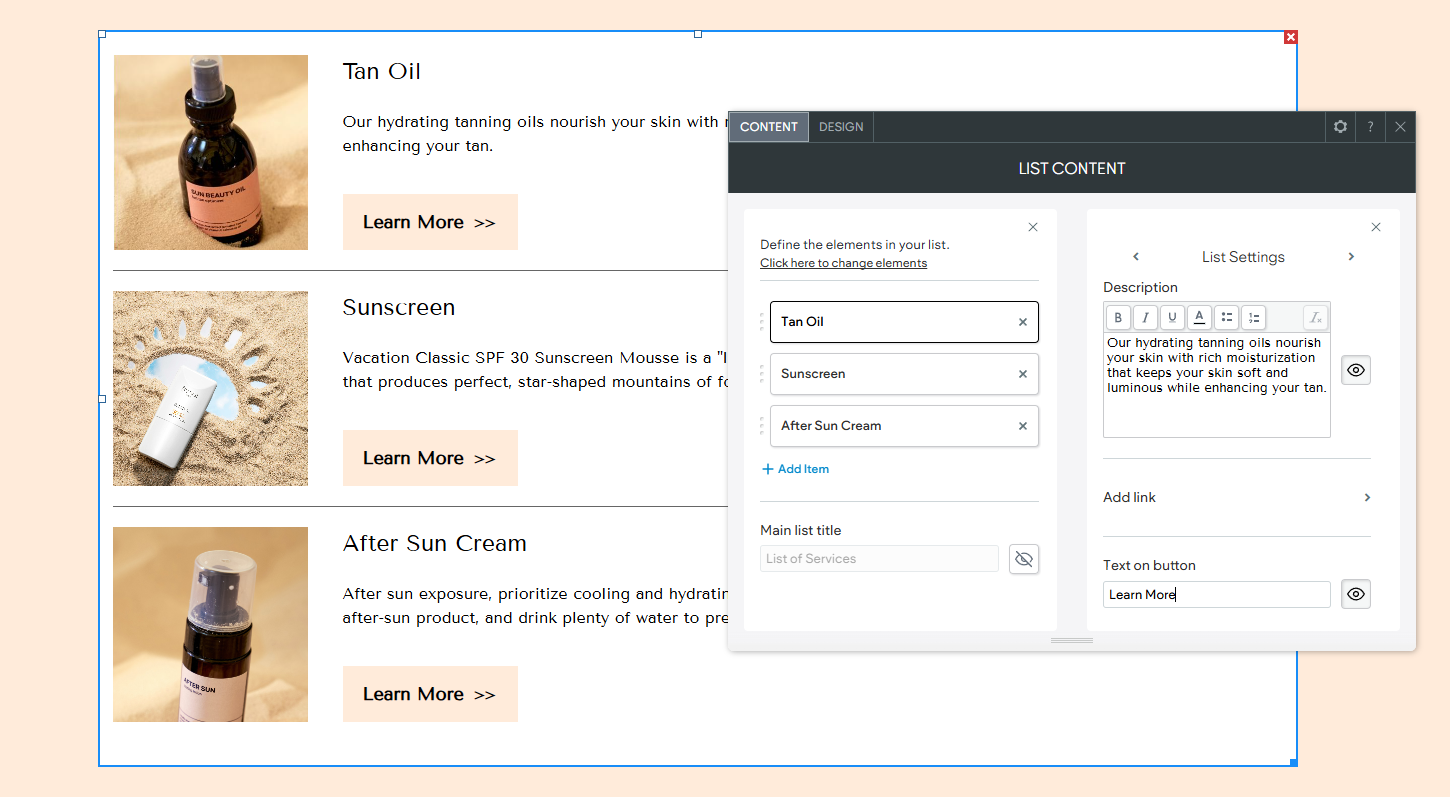
Adding the Widget #
- Access the Widgets Panel:
- Click on Widgets in the side panel.
- Add the Widget:
- Search for List and drag it to your desired location on the canvas.
Content Editor #
To manage your list content:
- Accessing the Content Editor:
- Right-click the widget and select Edit Content.
- Building Your List:
- Choose to include an Image and Link element for each list item.
- Click Build your list to start adding content.
- Click Add Item to include more items.
- Enter a title in the Main list title field.
- List Item Settings:
- Add Image: Click to add an image to an item.
- Item Label: Enter a label, and hide it if needed by clicking the eye icon.
- Description: Add a description, with options to format text (italic, bold, underline) and hide it if necessary.
- Add Link: Choose the type of link to associate with an item.
- Text on Link: Enter text for the link, and hide it if desired.
- Reordering Items:
- Drag the three dots next to each item to reorder them.
- To adjust display settings for links and images, click “click here to change elements.”
Design Editor #
To customize the appearance of your list:
- Accessing the Design Editor:
- Right-click the element and select Edit Design.
- Design Options:
- Layout Tab: Choose a layout for the list.
- Text Styling: Adjust styles for the List Title, Item Title, Item Description, or Link.
- Image Settings: Modify the image border and apply rounded edges.
- Divider Styles: Select from various divider styles to enhance separation between items.
By effectively using the List widget, you can present organized and visually appealing content that enhances the browsing experience for your Turnkey Websites™ visitors.
What's your Reaction?
You have reacted on"Utilizing the List Widget"
A few seconds ago


 Subscriptions
 My Orders
 My Wishlist
 Refer & Earn💸
 My Projects
 Conversations
 Website Services
 New Website Request
 Website Addons
 eCommerce Addons
 eCommerce Modules
 Software Development
 Graphic Design
 Video Production
 Content Writing
 Marketing Services
 Marketing Products
 Get a Marketing Plan
 Local SEO Audit
 Sales Automation
 Service Automation
 Operations Automation
 Marketing Automation
 Payments Automation
 Premium Modules
 Support Tickets
 Latest Updates
 Consultation Calls
 Tools & Extensions
 Tech Tips & Tricks
 Domains & Emails









