The Link Picker tool in Turnkey Websites™ allows you to easily add or modify links across various elements or widgets on your site. This includes linking to internal resources like pages or anchor points, external URLs, and creating click-to-action links. You can attach links to most elements, including text, images, buttons, and more. The available options may vary depending on your site’s add-ons, such as eCommerce or Membership.
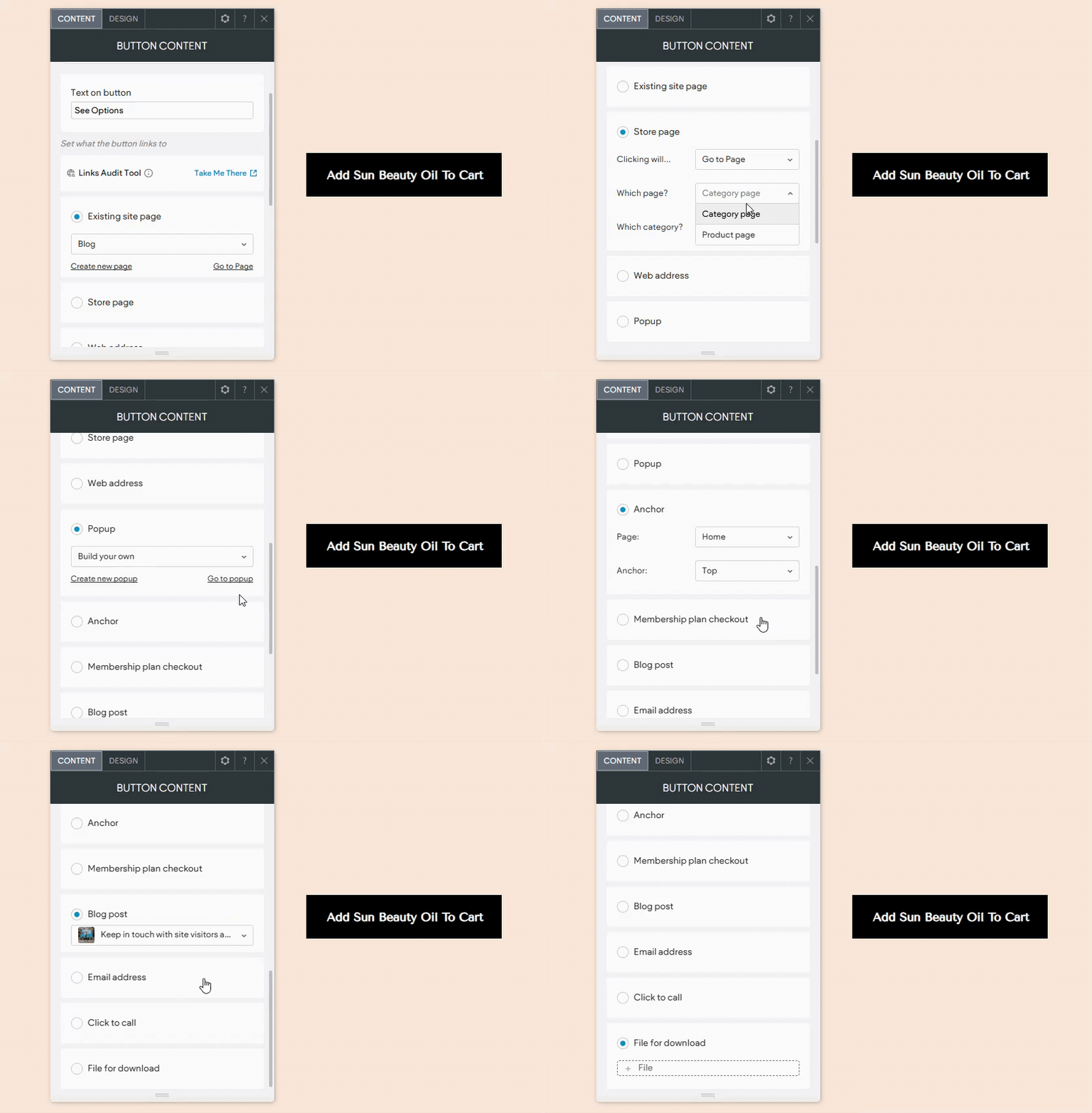
Accessing the Link Picker #
The method to access the link picker depends on the widget and the editor version you are using:
- For Text Widgets: If the text can be linked, click on the link icon. This icon may vary in appearance depending on the widget.
- For Most Widgets: The link option is typically found in the content tab or management area.
- Content Editor Access: Right-click the widget and select Edit Content.
Link Picker Options #
The available options in the link picker might depend on your site’s add-ons, such as eCommerce or membership features, and may also vary by widget:
- Existing Site Page: Direct visitors to an existing page on your site.
- Store Page: Navigate to the store login, shopping cart, add a product to the cart, or go to a product page. Only available if the site has a store. Note: The product must be active, in stock, and not a subscription product.
- Web Address: Send visitors to a specific URL with options like opening in a new window, setting as “no follow,” marking as sponsored, or tagging as User Generated Content (UGC).
- Popup: Open a popup window. Choose from existing popups in Pages & Popups or create a new one.
- Back to Top: Return users to the top of the page. Available for button and icon widgets only.
- Anchor: Direct visitors to an anchor on any page of your site.
- Membership Plan Checkout: Take visitors to the checkout page for a Membership plan. Only available if the Membership feature is added, and with the button widget.
- Blog Post: Direct visitors to a specific blog post. Available only if the site includes a blog.
- Email Address: Open an email client with a specified email address.
- Click to Call: Initiate a call to a specified phone number.
- File for Download: Prompt the visitor’s device to download a specific file.
By utilizing the Link Picker in Turnkey Websites™, you can enhance navigation and create a more interactive experience for your site visitors.
What's your Reaction?
You have reacted on"How to use the Link Picker"
A few seconds ago


 Subscriptions
 My Orders
 My Wishlist
 Refer & Earn💸
 My Projects
 Conversations
 Website Services
 New Website Request
 Website Addons
 eCommerce Addons
 eCommerce Modules
 Software Development
 Graphic Design
 Video Production
 Content Writing
 Marketing Services
 Marketing Products
 Get a Marketing Plan
 Local SEO Audit
 Sales Automation
 Service Automation
 Operations Automation
 Marketing Automation
 Payments Automation
 Premium Modules
 Support Tickets
 Latest Updates
 Consultation Calls
 Tools & Extensions
 Tech Tips & Tricks
 Domains & Emails









